

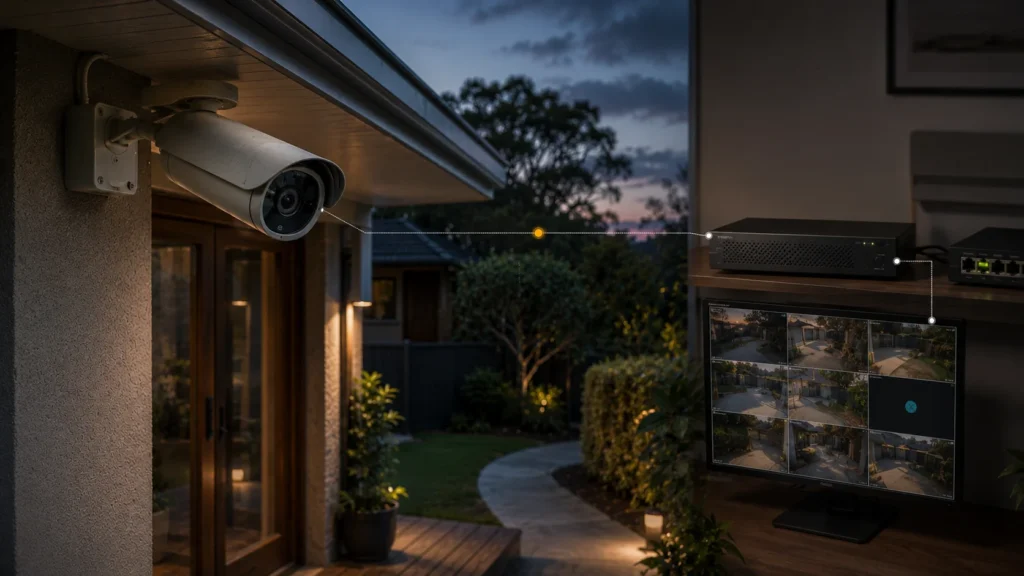
One Panasonic camera has disappeared from the recorder, while the others still work fine. Or a camera powers up but no live image appears. With an older system, it’s tempting to assume the cameras have simply reached the end of their life.
That may be the wrong diagnosis.
Before deciding the Panasonic system is finished, establish:
- the exact camera and recorder model
- whether the camera has power
- whether the problem is the camera, the network, the recorder or software
- what other parts of the system still work
- whether that exact model still has current firmware or support
- whether the existing camera can still communicate with the recorder you want to use
Age is context. The failed layer is the diagnosis.
First, Identify Which Panasonic System You Actually Have
“Panasonic CCTV” isn’t one product — it’s whatever was installed at a given point across a long, layered corporate history. An existing installation might include legacy analogue equipment running over coaxial cable, earlier Panasonic network cameras from the WV series, later Panasonic or i-PRO-era network cameras, and any of several generations of WJ/NX recorders, depending on when it went in and who specified it. A system installed a decade ago and one installed three years ago can both carry the Panasonic name while having almost nothing in common technically.
The model number matters more than the Panasonic badge. Two cameras that both say “Panasonic” on the housing can sit years apart in the support and firmware timeline, with completely different answers to “is this still supported.” Before assuming anything about age or support, the exact model and recorder need to be identified — usually printed on a label on the unit itself, or visible in the recorder’s device list under system information.
Panasonic Security Became i-PRO — What Does That Mean for an Existing System?
In 2019, Panasonic’s security systems business was spun out into an independent company, initially branded Panasonic i-PRO Sensing Solutions. It was rebranded globally to i-PRO in 2020, and by 2022 had become i-PRO Co., Ltd. — with the Panasonic name dropped entirely. i-PRO’s own corporate history traces this lineage back further still, to a surveillance camera developed at Matsushita’s research labs in 1957.
This isn’t just corporate trivia. Panasonic branding on an older camera doesn’t mean support for it has disappeared — some legacy WV-series models are still receiving active firmware updates from i-PRO, while others stopped receiving updates years ago. i-PRO’s own policy states it will provide bug and security fixes even after a product’s discontinuation, at its own discretion.
Support status is model-specific, not brand-wide.
“Not Working” Can Mean More Than a Failed Camera
A camera that’s stopped showing video can fail at several different points, and the symptom alone doesn’t tell you which one. i-PRO’s own support library documents genuine cases across at least four separate layers.
Power or connectivity — i-PRO’s guidance on missing live video points to several possible causes before hardware: the camera disconnected from the network, its power supply interrupted, or a client-setting mismatch between the app and the camera — not necessarily a camera fault at all. A missing video feed can result from loss of power, network trouble or a camera-level hardware fault; the symptom alone doesn’t identify which one.
Network or addressing — a camera can vanish from network configuration tools purely because of an IP addressing conflict or a change on the network, with the camera itself still powered and functioning normally the whole time.
Recorder or protocol compatibility — i-PRO documents connection errors that occur specifically when an ONVIF-registered camera and recorder disagree on a connection setting, which is a protocol-level mismatch, not a camera failure. The camera can be working perfectly and still fail to appear correctly on that particular recorder.
Software or client environment — i-PRO has documented cases of camera settings changing unexpectedly after a Windows update on the connected PC, entirely outside the camera itself. The camera never changed; the environment around it did.
These are current i-PRO support examples, not proof that every legacy Panasonic-branded camera will show these exact behaviours — but they establish that “video disappeared” can have causes with nothing to do with the camera’s age or physical condition.
Quick Reference: What You’re Seeing vs. What to Check First
Is It Really an Age Fault?
i-PRO’s documentation confirms real faults and a real product support lifecycle. It doesn’t give a universal age at which a Panasonic camera should be expected to fail.
Age can genuinely matter because product support lifecycles change and firmware updates for a given model can stop. Where there’s actual evidence of physical wear or another model-specific limitation, that matters too.
Age alone doesn’t prove a network fault, a recorder issue, an IP conflict, or a software incompatibility — all of which show up as “the camera stopped working” regardless of how new or old the hardware is.
An old camera can have a brand-new configuration problem. A discontinued camera can still function perfectly. A physically working camera can also become genuinely difficult to support. These are three separate questions, and none of them is answered by the camera’s age on its own.
Is Your Panasonic Camera Still Supported?
Support status generally falls into one of three states, and it’s worth checking which one applies before assuming the worst.
- Actively supported — current firmware and support activity exists for that exact model.
- Discontinued, but still within i-PRO’s post-discontinuation policy — bug and security fixes may still be issued at i-PRO’s discretion.
- No recent firmware activity found — this doesn’t confirm support has officially ended, only that it’s worth checking the exact model directly rather than assuming either way.
Discontinued doesn’t mean failed, and a camera that’s still streaming doesn’t necessarily mean its support status is current. These are different questions with different answers.
Can an Older Panasonic Camera Work With a Newer Recorder?
Sometimes — but not because “ONVIF” magically guarantees it.
i-PRO publishes compatibility information for other brands’ cameras working with its recorders, and is a full member of ONVIF, the industry standard that lets IP-based security devices from different manufacturers communicate with each other. If the exact camera and recorder expose compatible ONVIF profiles, interoperability may be possible — but that still needs to be verified for the actual devices and firmware versions involved, not assumed from the ONVIF label alone.
ONVIF’s own conformance rules add an important limit: conformance is tied to a specific firmware or software version, not guaranteed indefinitely across every future update to either device. A camera that was ONVIF-conformant on the firmware it originally shipped with isn’t automatically conformant forever, and a firmware update on either the camera or the recorder can change how well they actually work together.
Before assuming an old camera will carry over, check:
- the exact camera model
- the recorder model
- the ONVIF profile supported by each device
- the firmware or software version currently running on both sides
- whether the manufacturer actually lists that specific combination as compatible
Protocol support creates a possible path. Verification against the exact camera, recorder and firmware combination decides whether that path actually works in practice.
What Can You Keep From the Existing System?
Not every fault means starting over. What’s worth keeping depends on the condition and compatibility of each layer, not a blanket rule.
This has to be assessed layer by layer rather than assumed either way — there’s no general rule that existing infrastructure can or can’t carry over from an older Panasonic installation to a newer one.
Repair, Modernise or Replace?
Once the failed layer is actually identified, the decision usually sits in one of three places.
1. Repair it when the failed layer is isolated and can actually be corrected without replacing the camera or the wider system — for example, a configuration, addressing or network problem. If a camera is offline because of a power or addressing issue rather than a hardware fault, replacing it achieves nothing that fixing the actual cause wouldn’t.
2. Modernise selectively when some cameras or infrastructure are still genuinely useful, while the recorder, software or compatibility layer is what actually needs changing. This is the middle option between repairing the existing system unchanged and replacing everything — a recorder reaching its own support limit doesn’t necessarily mean every camera attached to it needs replacing too.
3. Replace it when there’s real evidence of hardware failure, a genuine support or compatibility dead end for that specific model, or when the coverage or feature set the property actually needs simply isn’t achievable through repair or partial migration. This is a legitimate outcome — not every legacy installation is worth carrying forward — but it should follow from an actual limitation, not from the badge and the calendar.
Replace it because the system no longer meets the job — not because the badge says Panasonic and the installation happens to be old.
Getting a Second Opinion
This article can help identify the pattern — which layer is likely involved, and whether age is actually relevant to it. What it can’t do is assess a specific installation: the exact condition of a given camera, whether a particular camera and recorder combination will actually work together, or whether repairing, modernising or replacing makes better economic sense for that property.
SIPKO Security can assess an existing Panasonic installation — checking exact models, what’s still supported, what’s still working, and what can realistically be carried forward — before recommending correction, partial modernisation or replacement.
Frequently Asked Questions
Are Panasonic security cameras discontinued?
Panasonic’s security systems business was spun out in 2019, later rebranded as i-PRO, and became i-PRO Co., Ltd. in 2022. Support status for specific legacy models varies — some still show active firmware support, while others show no recent firmware activity and need to be checked individually.
Who supports Panasonic security cameras now?
Panasonic’s security business became i-PRO, and support for legacy Panasonic-branded products now needs to be checked through i-PRO on a model-by-model basis.
Why is my Panasonic security camera not working?
It could be a power, network, recorder, software or camera-level issue — each shows up as “no video,” so the failed layer needs to be identified before assuming the camera itself has failed.
Can an old Panasonic camera work with a newer NVR?
Sometimes, depending on the exact camera, recorder and firmware combination. ONVIF compatibility exists but isn’t an automatic guarantee across every version.
Should I repair or replace an old Panasonic CCTV system?
Not based on age alone. The decision depends on which layer has actually failed and whether that specific camera or system remains supportable.



