

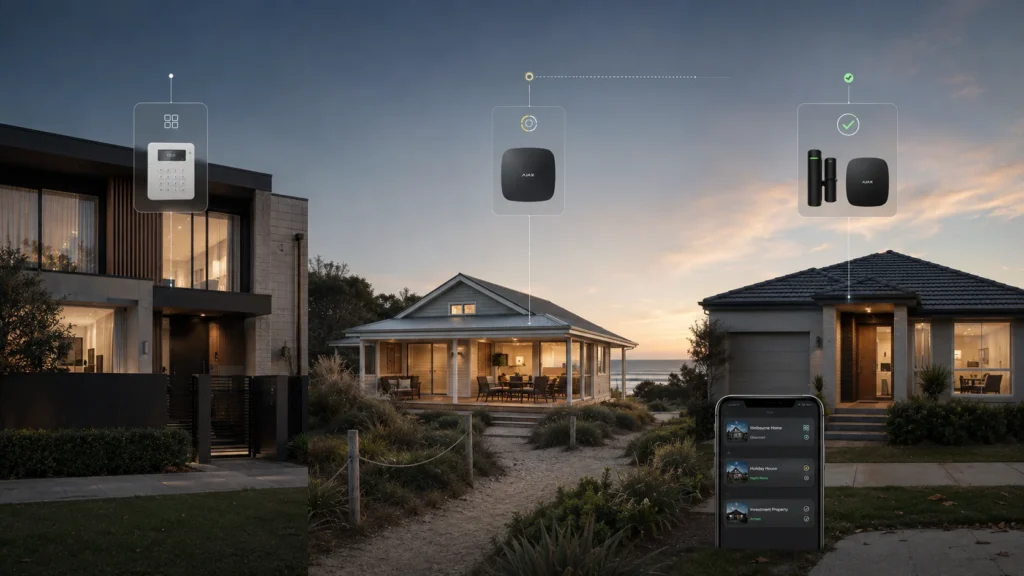
The main home gets used every day — family coming and going, the alarm armed and disarmed multiple times without anyone thinking about it. The holiday house might sit empty for weeks between visits, with nobody physically present to notice if something’s wrong. The investment property runs on its own access and occupancy pattern entirely, separate again from either of the other two. Each one may even be protected by a different generation of alarm system, installed at a different time by a different installer.
Three properties can create three different security routines:
- checking whether each property is actually armed
- working out which property generated an event
- managing different legitimate users for each site
- remembering which app or system belongs to which address
The problem isn’t simply having another alarm. It’s having another security routine to manage.
Three Properties Don’t Need Three Identical Security Setups
Before getting into how a single management environment works, it’s worth ruling out a false assumption: that bringing three properties under one system means fitting them all with the same equipment, or buying three identical kits because they’ll eventually sit in the same app.
The main home might need full perimeter coverage, internal motion detection and a keypad for daily family use. The holiday house might mostly need to answer one question while it’s empty for weeks at a time — has anything happened here since anyone last checked? The investment property has its own access and occupancy considerations again, and depending on whether it’s currently tenanted, vacant, or between leases, what it actually needs to cover can look quite different from either of the other two. Standardising the management layer does not mean standardising every room, sensor or security requirement. Each property still gets designed around what it actually needs, not around whichever configuration happens to be easiest to repeat three times.
How Ajax Spaces Keep Separate Properties Separate
Ajax organises each protected location as a “Space” within the account — a virtual container for a hub and the devices attached to it. For a typical residential setup with a separate Ajax hub at each property, each property can be managed as its own Space within the same account, and an owner with several Spaces can move between them inside one app rather than logging into a different account for each address.
Each Space keeps its own devices, its own users and its own settings. Adding a Space doesn’t require an Ajax hub at all — cameras, an NVR or a compatible smart lock can be added on their own — but for the typical case of a hub-based alarm at each property, only one hub can be added to a given Space. For this kind of three-property setup, using a separate Space for each hub keeps the properties as distinct security environments rather than blending their devices and events together. Being available in the same app doesn’t merge them into one system — the app is shared; the properties remain separate security environments underneath it.
When a Notification Arrives, Which Property Is It From?
This is one of the more concrete, checkable claims in this article, and it matters more than it sounds. Ajax’s own documentation confirms that the Space’s name is displayed in the text of SMS and push notifications — so an alert doesn’t just say something happened, it identifies which property it happened at.
A useful multi-property app shouldn’t only tell you that something happened. It should tell you where it happened.
If an event comes from the holiday house rather than the main home, that’s immediately obvious from the notification itself, before you even open the app to check further. What it doesn’t do is diagnose the event for you or guarantee it can be resolved remotely — it tells you where to direct your attention, not what to do about it.
Different Property, Different People
These are examples, not a template every property has to follow. Ajax allows users to be invited into a specific Space, and a person’s role can differ from one Space to another — someone might have administrative access at the main home while having a different role at the holiday house, or no access there at all. The people who need access to one property don’t automatically need access to the others.
One App Doesn’t Mean One Point of Failure
It’s easy to assume that because three properties appear in one app, their underlying communications are somehow tied together. They aren’t. Each property’s hub still needs its own working connection to communicate with Ajax’s servers — that’s what makes remote arming, disarming and notifications possible in the first place, regardless of how many other properties happen to share the same app. If a hub loses its connection, the app can notify users of that specific loss, but one property’s connectivity problem doesn’t tell you anything about the state of the other two unless the evidence actually supports that.
What one app can do:
- bring separate Ajax properties into one management environment
- identify which Space generated a notification
- let users have different roles across different Spaces
What it doesn’t do:
- remove each property’s need for its own reliable communication
- guarantee every event can be handled remotely
- replace professional alarm monitoring
Ajax’s professional tools also make that last point clear: owner app access and professional alarm monitoring are different functions. A push notification still relies on the user seeing and acting on it, while a professionally monitored system can send configured events to a monitoring centre for handling under the monitoring arrangement. For an owner managing several properties who can’t personally watch every notification from every site, that’s a meaningful difference, and it’s priced and delivered as a separate service from the app itself, not a feature bundled into it.
What About an Investment Property?
An occupied investment property isn’t simply another version of your own home. Tenant privacy and the applicable Victorian tenancy and surveillance rules still matter, and the details depend heavily on the specific situation — whether the property is vacant, between tenancies, or currently occupied. This article is about legitimate security management, not about monitoring a tenant’s private living space, and it isn’t a substitute for specific legal advice if that boundary is genuinely in question for a particular property.
What’s more straightforward is owner-controlled alarm management during vacant periods, or between tenancies, where the same Space-based approach applies without the added complexity of an occupied lease.
What If the Properties Already Have Different Alarms?
Older or conventional alarms may already support remote apps. Bosch, for instance, has offered its own remote-control apps for various panel ranges over the years, letting an owner arm, disarm and receive event notifications from a phone much like a newer system would. The difficulty isn’t that older systems are necessarily incapable of remote control. It’s that the capability depends on the exact panel, communicator, generation and platform, and even within a single manufacturer’s lineup, different product ranges have historically used different, separate apps rather than one consistent environment. A remote-access setup for one panel generation won’t necessarily work the same way, or use the same app, as the equivalent feature on a different generation from the same brand.
For an owner with several properties on different platforms or generations, that can mean moving between separate apps, credentials and management routines. The exact level of fragmentation depends on what’s actually installed at each site.
Before replacing anything, check:
- which alarm panel and generation is installed at each property
- whether remote access already works there, and is still useful
- which app or communicator each system depends on
- whether support and a compatible upgrade path remain practical for that model
- which property actually has the strongest reason to modernise first
The question isn’t whether each individual alarm can work on its own terms. It’s how many separate systems, generations and management environments an owner wants to keep juggling across a growing property portfolio.
Replace Everything Now, or Standardise Over Time?
This is the decision that actually matters, and it doesn’t have a single right answer for every property in the portfolio at once — it’s a decision made property by property, as each one’s circumstances actually warrant it.
There are three sensible paths:
- Keep the existing system where it works properly — remote management remains acceptable for that property, and there’s no genuine technical, support or usability reason to change it just because the other two are being modernised.
- Modernise one property when that specific alarm has reached a genuine reason to be replaced — a hardware fault that is no longer economical to resolve, a support dead end for that panel or generation, or a system that no longer meets what the property actually needs today. Upgrading it doesn’t require touching the other two.
- Standardise over time as future, individually justified replacements gradually bring more properties into the same Ajax environment.
Standardisation doesn’t have to be a one-day replacement project. It can be the result of making each future upgrade decision with the wider property portfolio in mind, rather than treating each alarm replacement as an isolated, unrelated purchase.
Ajax becomes valuable here not because every existing alarm is suddenly obsolete, but because each property that does get moved onto it can become part of the same management environment as the others — without forcing a replacement that isn’t actually justified yet at the properties that don’t need one.
When One Security Environment Starts to Matter
The useful question for an owner of several properties isn’t which app looks the most convenient. It’s what’s actually installed at each site, what’s worth keeping, and which one has the strongest real case for modernising first.
SIPKO Security installs and configures Ajax alarm systems across Melbourne, including reviewing an existing Bosch, Ness, Hills or other alarm before confirming what should be replaced. For an owner managing more than one property, that assessment can be done site by site — deciding what to keep, what to modernise, and whether gradually standardising on one management environment makes sense for the portfolio as a whole.
Frequently Asked Questions
Can I manage several Ajax systems from one phone?
Yes. In a typical setup with a separate Ajax hub at each property, the properties can be managed through separate Spaces within the same Ajax account, letting the owner move between them in one app.
Does each property need the same Ajax setup?
No. A common management environment doesn’t require identical equipment — each property is still designed around what it actually needs.
What happens if one property’s hub loses its connection to Ajax Cloud?
The app can notify users that the hub has lost its server connection. The communication setup at each property is separate, so one property’s connection issue doesn’t by itself mean the others have lost theirs.
Can I keep an older alarm at one property and use Ajax at another?
Yes. There’s no requirement to replace every system at once — each property’s alarm can be assessed and upgraded on its own timeline.
Do I need to replace all my existing alarms to manage properties more consistently?
No. A fragmented mix of systems can become more consistent gradually, as each future replacement decision is made with the wider portfolio in mind, rather than through one simultaneous changeover.



