

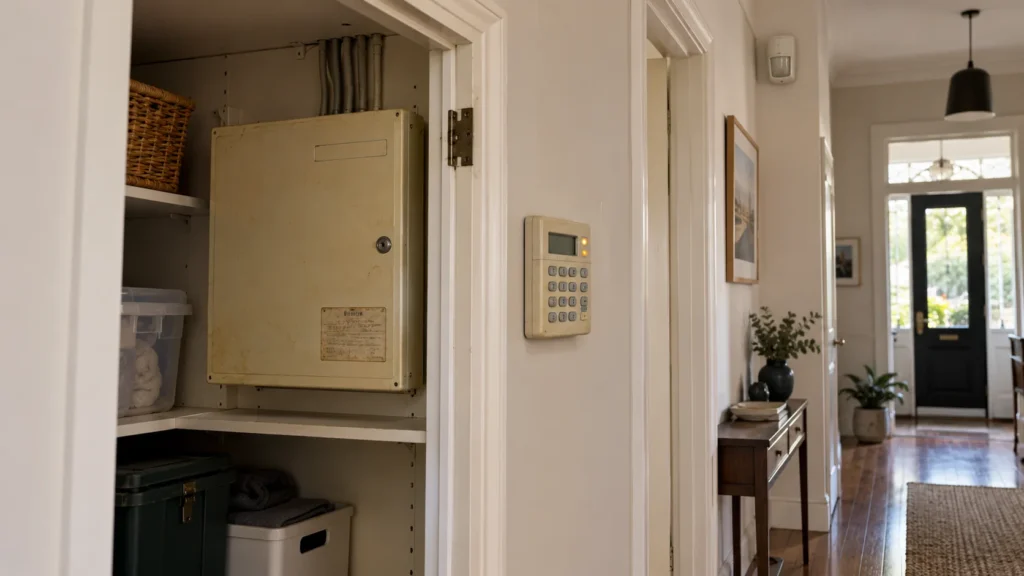
An older Crow PowerWave starts showing a battery, mains, tamper or line indication. The immediate question is usually what has gone wrong. The next question is harder: is this a fault worth repairing, or a sign that the alarm should be modernised?
Those are not the same question.
A fault on a Crow PowerWave does not automatically mean the whole system has failed — and a repairable fault does not automatically mean keeping the existing system is the right long-term decision.
First, Make Sure You Actually Have a Crow PowerWave
“Crow” isn’t one alarm system. Crow Electronic Engineering has produced different product families over the years, and PowerWave and Runner are distinct Crow product families — not the same system under two names. A PowerWave manual doesn’t apply to a Runner, and Runner documentation doesn’t apply to a PowerWave.
Even within PowerWave, the exact model matters. The PowerWave-8 uses a simpler indicator set built around a single combined “Trouble” light. The PowerWave-16 uses more granular, separate indicators — Mains, Tamper, Battery and Line — each covering a distinct category of condition. The two panels don’t display trouble information the same way, even though they share the PowerWave name.
Before interpreting anything the keypad is showing, it’s worth recording:
- the visible model name on the keypad or panel documentation (PowerWave-8 or PowerWave-16, specifically);
- the exact indication currently showing, and any accompanying zone number;
- any existing manuals or service records for the system.
If the system turns out to be a Crow Runner rather than a PowerWave, its own model-specific documentation applies — not anything below.
A Fault Does Not Mean the Whole PowerWave Has Failed
The PowerWave-16’s own documentation distinguishes multiple, separate categories of trouble condition, each triggering a specific indicator. That’s the point worth holding onto:
The indication tells you where diagnosis should begin — it does not by itself tell you the root cause or the correct long-term decision.
Seeing one indicator lit is not the same as knowing the panel itself has failed. It’s a starting point, not a conclusion.
What Is the PowerWave-16 Actually Showing You?
This is where a single indicator can genuinely mean several different things — and this is confirmed directly in the panel’s own documented event table, not inferred from the indicator’s name.
Mains
This indicator covers more than one underlying condition. According to the documented event list, it can indicate either the controller’s mains power supply has failed, or one of the controller’s own on-board fuses (F1 or F2) has blown. Both trigger the same Mains indicator; they are not the same repair.
Battery
This indicator is shared across several distinct sources. It can indicate the controller’s own backup battery is low, a wireless zone’s battery is low, or a wireless keyfob’s battery is low. Which one it is depends on the accompanying zone LED, not the Battery indicator alone.
Tamper
This is the broadest of the four. A Tamper indication can correspond to several different documented events, so the indicator alone does not establish what occurred: detector tamper (short-circuit or open-circuit, depending on which zones), a wrong code entered at the keypad, cabinet tamper, a keypad tamper switch, a duress alarm, or a supervised wireless device that’s stopped reporting in.
Line
This indicator relates to the panel’s phone-line communication path. It’s used for panic, fire and medical signalling as well as telephone line failure, the dialler exceeding its retry attempts, and the dialler failing to get acknowledgement from the monitoring receiver. A Line indication points at the communication path — it doesn’t establish which of these specific things happened.
None of this is a step-by-step fix. It’s a picture of why a single lit indicator doesn’t settle the question of what’s actually wrong.
Why the Exact Fault Matters Before You Decide Anything
Put together, the picture is consistent: “the PowerWave has a problem” isn’t a precise enough description to decide anything from. A Tamper indication alone could correspond to a wrong code entered at the keypad, or to something more significant — a cabinet tamper or a duress alarm. A Mains indication could mean the property lost power, or it could mean an internal fuse has blown.
IDENTIFY THE SYSTEM → READ THE INDICATION → CLASSIFY THE PROBLEM → ASSESS THE WIDER SYSTEM → DECIDE
Skipping the middle steps and jumping straight from “there’s an indicator on” to “the system needs replacing” (or “it’s fine, ignore it”) skips exactly the part that actually matters.
When Can Repairing the Existing Alarm Make Sense?
Repair remains a legitimate option when professional diagnosis establishes that the problem is localised and the wider alarm still meets the property’s requirements. Worth considering:
- the actual nature and scope of the diagnosed problem — whether it is localised or part of something broader;
- the condition of the panel, wiring and detectors more generally;
- whether the functionality the household actually relies on is still present;
- whether the system still suits how the property is currently used.
This isn’t a claim that PowerWave faults are generally easy or inexpensive to fix, or that parts and support are readily available — those aren’t things this article can confirm one way or the other. It’s a decision that depends on the specific diagnosis, not on the fact that a fault occurred.
A Repairable Alarm Is Not Automatically the Right Alarm to Keep
This is the second question, and it’s a different one from the first.
A technician may determine that the immediate fault can be addressed. That still leaves a separate question:
Does the existing alarm still provide the functions the property owner actually wants?
The technical question — can this specific problem be fixed — and the requirements question — does the wider system still make sense to keep — don’t have to have the same answer. A perfectly repairable fault on a system that no longer meets what the household needs doesn’t make repair the right call. And a system that’s genuinely still doing its job doesn’t need modernising just because one fault occurred.
When Does Modernisation Become a Separate Decision?
Age on its own isn’t the trigger. Modernisation is worth considering when current requirements — around control, notifications, monitoring, expansion, or how the property is actually used — go beyond what the existing system and its current configuration provide.
This isn’t a claim that a PowerWave inherently lacks any particular modern capability — that depends on the specific model, configuration and installed options, none of which this article can confirm for your system. It’s simply that if what you need from the alarm has moved past what it currently does, that’s worth treating as its own decision, separate from whatever fault prompted the question.
What If the System Is Crow Runner, Not PowerWave?
If the installed system turns out to be a Crow Runner rather than a PowerWave, none of the indicator explanations above apply. Runner is a distinct Crow product family with its own documentation and configuration, and PowerWave indications shouldn’t be assumed to carry over. If you have a Runner system, the exact model and its own documentation need to be identified and assessed separately.
What Can You Safely Check Before Calling for Service?
Most of what’s genuinely useful here is information-gathering, not troubleshooting:
- record the exact keypad indication and any zone number shown;
- identify the visible model — PowerWave-8, PowerWave-16, or a different Crow system entirely;
- note when the indication first appeared;
- note whether it followed an observable event, such as a power interruption — without assuming that event caused it;
- locate any existing manuals or service records for the system.
The aim is to give a technician better information to work from — not to diagnose or reprogram the system yourself.
Repair or Modernise: What Should Actually Decide It?
DIAGNOSE FIRST → THEN REPAIR OR MODERNISE.
If the diagnosis or the wider system’s suitability is unclear, that’s a reason for a proper assessment rather than assuming either outcome. SIPKO can assess an existing alarm system in Melbourne before deciding whether the immediate problem should be repaired or whether wider modernisation needs to be considered.
FAQ
Does a fault mean my Crow PowerWave needs replacing?
Not on its own. An indication is a starting point for diagnosis, not proof that the whole system has failed. What it actually means depends on which condition is being reported and how widespread the underlying issue is.
Is Crow PowerWave the same as Crow Runner?
No. They’re distinct Crow product families with their own documentation and configuration. Indications and behaviour documented for one shouldn’t be assumed to apply to the other.
Can an older Crow PowerWave still be repaired?
It depends on the specific fault, the condition of the wider system, and what servicing is appropriate for that particular installation. This isn’t something that can be answered generally without a proper diagnosis.
When should I consider modernising an existing alarm?
When the property’s current requirements — around control, notifications, monitoring or how the system needs to be used — go beyond what the existing platform and its configuration currently provide, not simply because of the system’s age.
Sources
-
Crow Electronic Engineering Ltd. —
PowerWave-16, 16 Zone Control Panel Communicator — Users’ Operating and Programming Guide, Version 6.20. -
Crow Electronic Engineering Ltd. —
PowerWave-8, 8 Zone Control Panel Communicator — Users’ Operating and Programming Guide, Version 8.64.



