
Short answer: if you want a camera that stays full colour all night without you touching a setting, standard ColorVu does that. If you want the option to run covert at night and only switch to colour when something actually happens, you want the Smart Hybrid Light version, the one most installers shorthand as “ColorVu Pro.” Both are Hikvision ColorVu cameras. The difference is entirely in how the supplemental light behaves, not in the colour technology itself.
This is our take as the installer putting these on roofs and fence lines around Melbourne, not an official Hikvision rating. See the note below before you read the comparison table.
This is our own opinion as installers, based on what we see on real jobs, not an official Hikvision ranking or a paid comparison. Both cameras are solid Hikvision products; we’re not knocking either one, just explaining which suits which property.
- Quick comparison: ColorVu vs Smart Hybrid Light ColorVu
- What "ColorVu Pro" actually means
- How standard ColorVu's lighting works
- How Smart Hybrid Light's three modes work
- Covert operation and light pollution: the real-world difference
- Video evidence: what you get before and after an event
- Installation and compatibility: same lenses, same AI
- Who should install standard ColorVu
- Who should install Smart Hybrid Light (ColorVu Pro)
- What we'd suggest at the walk-through
- FAQ
Quick comparison: ColorVu vs Smart Hybrid Light ColorVu
| Standard ColorVu | Smart Hybrid Light ColorVu (“ColorVu Pro”) | |
|---|---|---|
| Lighting modes | One: white LED, on whenever it’s dark | Three: Warm Light, IR Light, Smart (switches between the two) |
| Colour at night | Always on | Only in Warm Light mode, or triggered in Smart mode |
| Covert option | No, white light is visible | Yes, IR mode shows no visible light |
| Light pollution to neighbours | Constant, if facing a shared boundary | None in IR mode; Smart mode only lights up on an event |
| Aperture / sensor | F1.0, large sensor | Same F1.0, large sensor |
| AI detection (AcuSense) | Yes | Yes |
| Good for | Entries, car parks, shopfronts: anywhere you want colour evidence 24/7 | Laneways, side fences, bedroom-facing boundaries, anywhere a steady white light is a problem |
| Naming | “ColorVu” on the box | Hikvision calls it “Smart Hybrid Light Cameras with ColorVu.” “ColorVu Pro” is installer shorthand, not an official product name |
What “ColorVu Pro” actually means
Hikvision doesn’t print “ColorVu Pro” on a box. The official name is Smart Hybrid Light, and it’s the camera range that sits above standard ColorVu: Pro-series bodies with the same large aperture and sensor, plus a second light source and a mode switch. Hikvision’s own page describes it as letting the camera flexibly switch among three supplemental lighting modes. We call it “ColorVu Pro” on jobs because it’s quicker to say than “Smart Hybrid Light ColorVu,” and most of our customers understand it that way too. We’d rather tell you that upfront than let you go looking for a model number that doesn’t exist.
How standard ColorVu’s lighting works
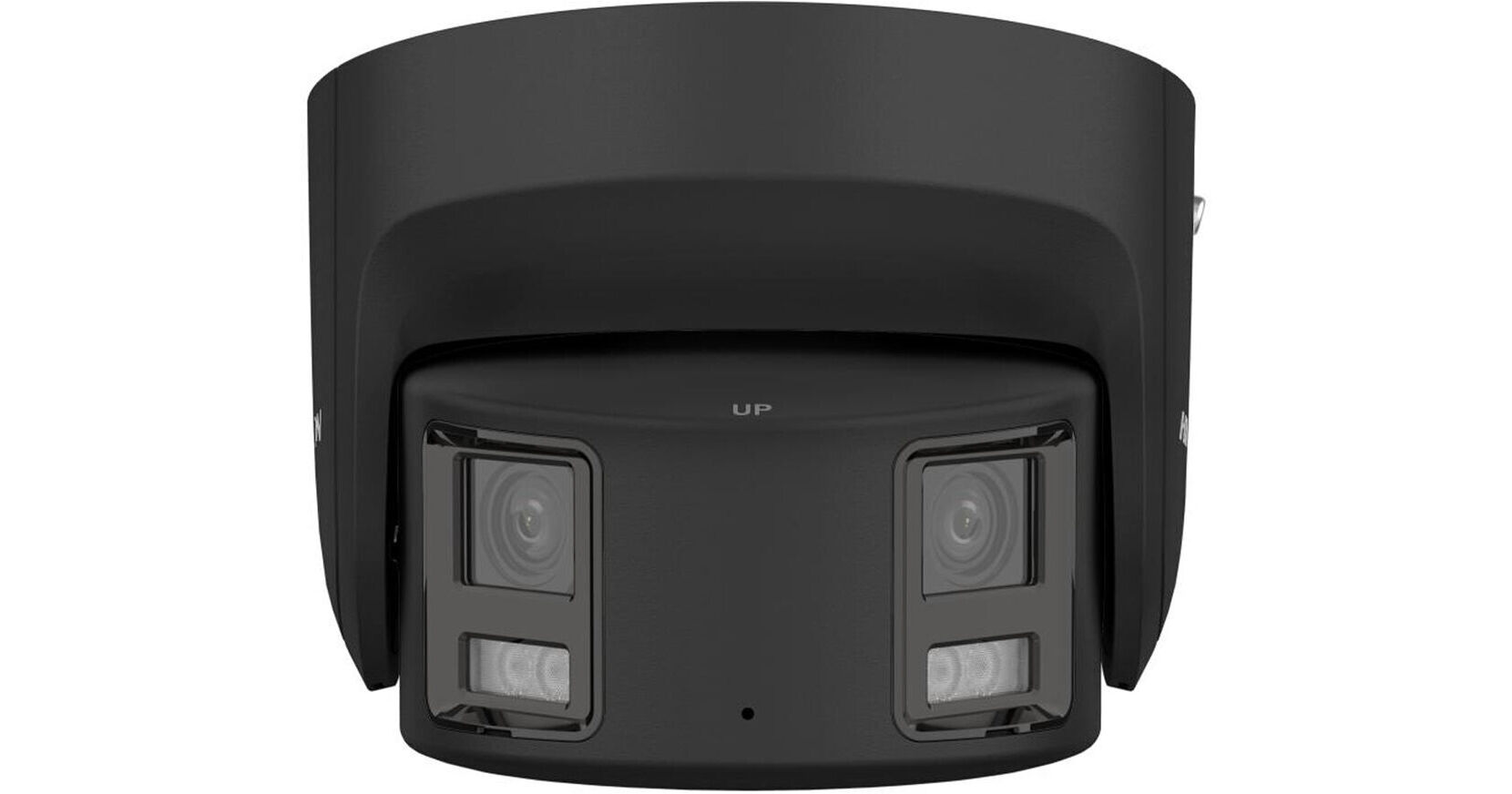
Standard ColorVu uses a fixed F1.0 aperture and a 1/1.2-inch sensor to pull in enough light that the white LED illuminator can hold full colour. Hikvision rates the technology down to 0.0005 lux, about the same light as a moonless, starlit night. There’s no mode to pick on these cameras. The camera decides it’s dark and the white light comes on, and it stays on until morning. That’s the whole point of the product: colour footage of a face, a number plate or a logo on a jacket, without you doing anything. Our 8MP ColorVu panoramic turret is a typical example: same F1.0 lens, single white-light mode, colour all night.
The trade-off is that the light is always visible from outside the frame too. On a shopfront or a driveway that’s rarely an issue; you’d probably want the area lit anyway. On a boundary that backs onto someone’s bedroom window, it can start a conversation with the neighbour that nobody enjoys having.
How Smart Hybrid Light’s three modes work
Smart Hybrid Light cameras add an infrared illuminator alongside the white one and let you pick how they interact:
- Warm Light mode: behaves like standard ColorVu, white light on all night, colour footage the whole time.
- IR Light mode: infrared only, so the camera is fully covert. Footage is black-and-white, same as a traditional night-vision camera.
- Smart mode: the camera runs on infrared by default and switches to white light only when its AcuSense detection flags a person or vehicle, capturing colour for the event itself before dropping back to IR.
That third mode is the one that actually changes how a property gets monitored. On a typical quiet laneway, the camera might sit in IR for most of the night and only switch to colour a handful of times. You get a covert camera most of the time and colour evidence exactly when it matters. Our Smart Hybrid Light ColorVu 3.0 turret is the current Pro-series model we install for this.
Covert operation and light pollution: the real-world difference
This is the question that actually decides which one we quote. We get asked for Smart Hybrid Light far more often on properties with a shared fence or a laneway camera than anywhere else. Standard ColorVu’s always-on white light is fine when it’s lighting your own driveway, and much less fine when it’s lighting someone else’s yard every night. Smart mode’s IR default solves that without giving up the colour evidence when it’s actually needed.
The flip side is honest too. If you want a strong visible deterrent, a camera that’s obviously watching, with a light that comes on the moment someone walks up, standard ColorVu or Smart Hybrid Light’s Warm mode does that better than IR-default Smart mode, which deliberately stays quiet until there’s a reason not to.
Video evidence: what you get before and after an event
With standard ColorVu, you get colour the entire time, so there’s no “before” and “after”; it’s all the same footage. With Smart Hybrid Light in Smart mode, the lead-up to an event is black-and-white IR, and the moment itself switches to colour once AcuSense triggers. For an insurance claim or a police report, the colour clip of the actual incident is what matters, and Smart mode delivers that without hours of colour footage of an empty laneway sitting on the recorder. That also means smaller clip sizes and less storage used on footage nobody will ever watch.
Installation and compatibility: same lenses, same AI
Day to day, we install these the same way. Same PoE run, same NVR pairing, same AcuSense person and vehicle detection either way. Smart Hybrid Light doesn’t trade away any of the AI features ColorVu customers are used to. The only extra step is agreeing on a lighting mode at the walk-through, because that’s a setting we configure once in the camera, not something you’ll be flipping week to week. If you’re mixing both types on the same recorder, which is normal, there’s nothing special about running them side by side; the NVR doesn’t care which lighting mode a given channel is in.
Who should install standard ColorVu
Pick standard ColorVu for anywhere a lit-up camera is a feature, not a problem: shopfronts, car parks, front entries, loading bays that face your own property. You want colour the instant something happens and you don’t mind the camera being obviously on.
Who should install Smart Hybrid Light (ColorVu Pro)
Pick Smart Hybrid Light for side and rear boundaries, laneways, anywhere that backs onto a neighbour, or any site where a security consultant has asked for a covert option. Smart mode gives you the colour evidence without running a spotlight on someone else’s property all night.
What we’d suggest at the walk-through
Most properties end up with a mix: standard ColorVu on the entries and car park where you want the light on, Smart Hybrid Light on the side fence and laneway where you don’t. We work that split out camera by camera on a free site walk-through, rather than guessing from a floor plan. If you’re also weighing Hikvision against another brand, our Ajax vs Hikvision comparison covers that question separately.
FAQ
Is ColorVu Pro a real Hikvision product name?
No. Hikvision’s official name is “Smart Hybrid Light Cameras with ColorVu.” “ColorVu Pro” is shorthand installers use because the cameras sit in the Pro series and add a mode switch on top of standard ColorVu. The specs and features are real either way, it’s just not the name on the datasheet.
Does Smart Hybrid Light cost more than standard ColorVu?
Generally yes, because you’re getting a second light source and the mode-switching hardware on top of the same ColorVu lens and sensor. We quote both options at the walk-through so you can compare for your specific camera count rather than guessing from a list price.
Can I switch a Smart Hybrid Light camera between modes later?
Yes. Warm Light, IR Light and Smart are settings in the camera’s configuration, not separate hardware, so we can change the mode remotely if your situation changes, say a new neighbour complains, or you decide you want full-time colour instead.
Will IR mode still catch a clear image at night?
Yes, in the same way any good infrared camera does: black-and-white rather than colour, but still sharp enough to identify a person or a vehicle, especially with the camera’s large sensor and AcuSense detection working in the background.
Do I need Smart Hybrid Light if I already have outdoor lighting?
Not necessarily. If an area’s already well lit, standard ColorVu often does the job without the extra cost. Smart Hybrid Light earns its keep on the parts of a property that are dark on purpose: a laneway, a side path, a boundary you don’t want floodlit.
Want help picking between them for your property? Book a free site walk-through and we’ll tell you honestly which camera goes where.

