

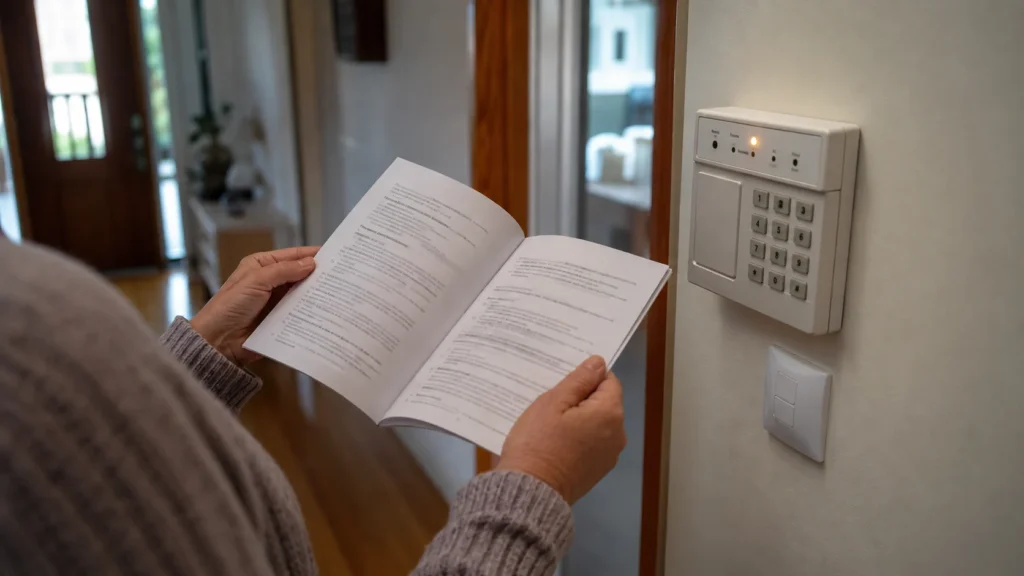
Your DSC keypad has started beeping every few seconds, and the Trouble or System indicator is lit. The obvious question is what’s actually wrong — a flat battery, a power issue, something else. On these PowerSeries systems, the beep tells you that a trouble condition exists. It does not identify the trouble by itself.
This guide focuses specifically on DSC PowerSeries PC1616, PC1832 and PC1864 systems, using the behaviour documented in the official v4.7 user manual. Other DSC families may use different controls or trouble-display behaviour, so the exact model matters before you act on anything below.
Confirm That This Guide Matches Your DSC PowerSeries
The commands and trouble numbers in this guide are verified for three specific control units: PC1616, PC1832 and PC1864. DSC is a brand, not one universal keypad behaviour — other DSC systems can display trouble conditions differently and may use different commands entirely.
Before relying on anything here, it’s worth confirming which system you actually have. That’s usually possible without touching the panel itself:
- any manual or handover paperwork kept with the system;
- installation or service documentation from when the alarm was fitted;
- model information already printed on the keypad or listed on any existing system labels.
If you can’t confirm the model, don’t assume the commands below apply. There’s no need to open the control panel just to check — that’s not something this guide covers, and it isn’t necessary for identification.
What the Trouble Light and Beep Are Actually Telling You
On PC1616, PC1832 and PC1864 systems, when the panel detects a trouble condition, the Trouble or System indicator turns on and the keypad beeps every 10 seconds. That’s the entire message contained in the sound and the light on their own: something has been detected. Neither tells you what.
The trouble signal is a pointer, not the diagnosis. Hearing the beep or seeing the indicator is the cue to go and look at what the system is actually reporting — not a reason to assume a particular cause. The panel gives you a specific way to do that, covered in the next section.
[#] Stops the Beeping; [*][2] Shows the Trouble
Two separate keypad actions matter here, and they do different things.
The user manual is specific about what happens to the Trouble indicator itself: it turns off when the trouble is corrected — not when the beeping is silenced. Silencing and resolving are two different states of the system, and the panel keeps track of that distinction even after the sound stops.
Quiet keypad ≠ cleared trouble. A silenced beep tells you nothing about whether the condition behind it is still there. The indicator light is the more reliable signal to watch.
How to Read Trouble Numbers 1–8
Pressing [*][2] opens the trouble menu and represents the reported condition as a number from 1 to 8. Here’s what each one means on PC1616, PC1832 and PC1864 systems, and what the manual directs for each:
The manual’s own boundary is worth noticing here: for Troubles 1 through 7, the documented action is simply to call for service. Trouble 8 is treated differently, and the next two sections explain why that distinction matters.
Why Trouble 1 Does Not Simply Mean “Replace the Battery”
Trouble 1 is labelled Service Required, not Low Battery — and that difference matters more than it looks. Within this single category, the manual groups several distinct subconditions together:
- Low Battery
- Bell Circuit
- System Trouble
- System Tamper
- Module Supervision
- RF Jam Detected
- PC5204 Low Battery
- PC5204 AC Failure
Low Battery is one of eight possible subconditions under Trouble 1, not the meaning of Trouble 1 itself. Seeing a 1 first tells you only that the system is reporting Service Required. The manual then allows you to press [1] for more detail about which Service Required subcondition is being reported. Even with that additional information, the documented action for Trouble 1 remains “Call for service.”
Trouble 8 Is the User-Level Exception
Loss of Time & Date behaves differently from the rest of the table. The manual links this condition to a complete loss of power — both AC and backup battery — after which the system’s internal clock needs to be reprogrammed. Rather than directing this to service like the other seven categories, the manual provides a direct user path.
From within the trouble menu ([*][2]), pressing [8] and then [1] selects Time and Date programming. You then enter the current time in 24-hour format, followed by the date, and press [#] to exit.
This is the one place in the trouble table where the manual gives the homeowner a correction path instead of a service instruction. Everything else in the table points the same way: toward having someone check it.
Why the Trouble Light Can Stay On After the Beeping Stops
Because silencing and correcting are separate actions, it’s entirely normal for the keypad to go quiet while the Trouble indicator is still lit.
As an example of how this plays out: you press [#] and the keypad becomes quiet. You then enter [*][2] and the system reports Trouble 4. The quieter keypad doesn’t mean communication has been restored — it only means the sound was silenced. The underlying condition is exactly where it was before you pressed anything.
If the indicator is still on, or comes back after you’ve silenced it once, that’s the system telling you the condition behind it hasn’t actually been resolved.
When the DSC Manual Says the System Needs Service
Most of the trouble table — seven of the eight categories — leads to the same instruction from the manufacturer: call for service. That’s not a cautious recommendation layered on top of the manual; it’s what the document itself says for each of those conditions.
That service boundary is consistent with the manual’s broader safety guidance: only an installer or service professional should access the control panel, and the equipment contains no end-user replaceable parts apart from keypad batteries. The trouble menu is therefore useful for identifying what the system is reporting, without turning that information into an instruction to open or repair the panel yourself.
If the trouble menu points to one of these service conditions, or a fault remains after the one user-level action the manual does provide, a professional assessment can establish what the existing system actually needs rather than guessing at it. SIPKO works with residential alarm systems in Melbourne, including existing DSC equipment, which is assessed on its own condition rather than assumed to need replacing.
If the diagnosed trouble is specifically related to the DSC system’s backup battery, SIPKO also provides options for upgrading an older DSC alarm in Melbourne.
FAQ
What does [*][2] do on a DSC PowerSeries alarm?
On PC1616, PC1832 and PC1864 systems, it opens the trouble menu and displays the specific trouble condition the panel has detected, represented as a number from 1 to 8.
Does pressing [#] clear a DSC trouble condition?
No. [#] silences the trouble beeps. The underlying condition remains until it’s actually corrected — the manual specifies that the Trouble indicator turns off only when the trouble itself is resolved.
What do trouble numbers 1–8 mean on a DSC PC1616, PC1832 or PC1864?
Each number corresponds to a specific condition documented in the user manual — from AC power and telephone line faults to sensor issues and loss of time/date. See the table above for the full breakdown and what the manual directs for each.
Why is the Trouble light still on after the keypad stops beeping?
Because silencing the audible alert and correcting the trouble are two different actions. The light reflects whether the condition has actually been resolved, not whether the sound has been stopped.
Sources
-
DSC.
PC1616/PC1832/PC1864 User Manual v4.7.
Official user guidance for Trouble indicators, keypad commands, trouble conditions and user/service boundaries.



