

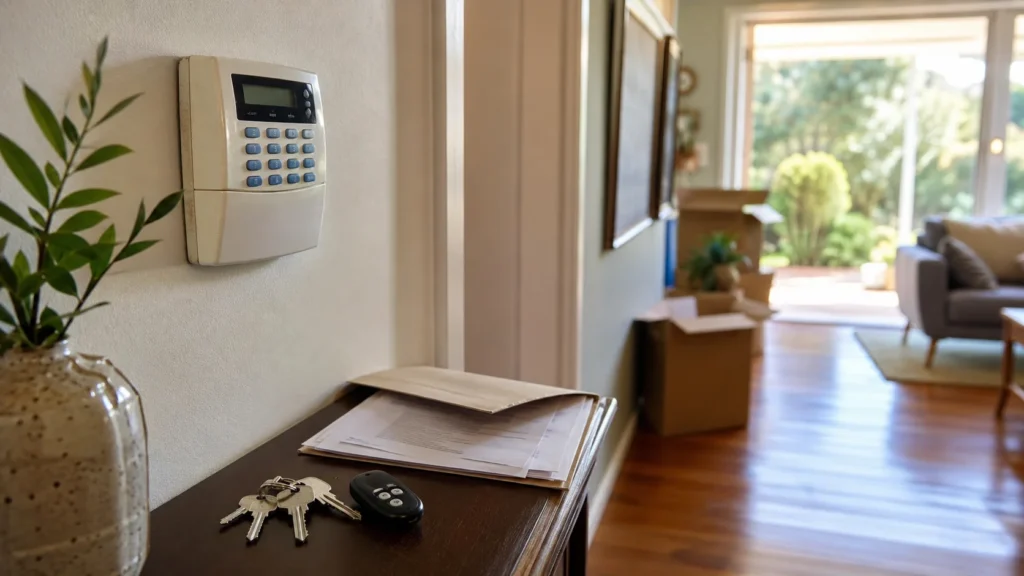
You’ve moved into a house, and there’s already an alarm system installed. A keypad on the wall, sensors in the hallway, maybe a remote sitting in a kitchen drawer, maybe a manual buried somewhere in the handover paperwork — or maybe nothing more than the equipment itself, with no information about it at all.
Having an alarm already installed does not mean you yet know enough about it to start relying on it. Before deciding whether to keep using it, have it serviced, or modernise it, there are five things worth establishing first: what system it actually is, what control you actually have over it, what condition it’s actually in, where its alerts actually go, and whether it can actually still be supported. Only once those are clear does a sensible next step become obvious.
Start by Identifying What Alarm System You Actually Have
Before anything else, it helps to know what you’re dealing with.
A quick identification pass can cover:
- the manufacturer or brand, if visible on the panel or keypad;
- the model or panel family, where it’s readily identifiable;
- the keypad and control equipment installed;
- any visible sensors, contacts or sirens;
- any remotes or key fobs left with the property;
- manuals or handover documentation, if provided;
- any sign that an app or online account is involved;
- monitoring or service labels or paperwork, if present.
Identifying the system doesn’t tell you whether it’s working correctly or whether it should be replaced. It tells you what you’re dealing with — and that matters, because access, servicing and support all differ from one system to another.
This identification should come from what’s safely visible. There’s no need to open a control panel, expose wiring, disconnect mains power or remove a backup battery just to work out what’s installed.
Find Out What Access and Control Came With the Alarm
This is where an inherited system genuinely differs from one you set up yourself, and it’s worth more attention than the identification step.
Worth establishing:
- Do you have a working user code?
- Were any remotes or key fobs actually handed over?
- Is there an app or account associated with the system?
- Does this particular system support different levels of access — an installer or admin level as well as a standard user?
- Can existing users or credentials on this system be reviewed?
- Is professional or installer-level access needed for anything you can’t manage yourself?
Receiving a keypad code or a spare remote from the previous owner doesn’t necessarily mean every part of the system’s access is understood. Some systems separate day-to-day arming from deeper configuration; others don’t. The point isn’t to assume the worst about what’s changed hands — it’s to actually find out what forms of access this particular alarm supports, and what can appropriately be reviewed after a handover.
A Powered Keypad Does Not Tell You Whether the System Is Ready to Use
A lit-up keypad is a reasonable sign the system has power. It isn’t a statement about the condition of the alarm as a whole.
There’s a real difference between a system that looks active and one whose actual condition has been established. Several things can remain genuinely unknown even when the keypad is glowing:
- whether the panel itself is reporting any faults;
- whether every relevant sensor and zone is functioning;
- whether the siren actually works;
- whether backup power is in good condition;
- whether any communication path is active, where the system has one.
None of this needs to be tested by the homeowner personally, and this isn’t a walk-through of how to run each check yourself — that kind of hands-on testing depends heavily on the specific system installed. What matters here is simply recognising that a keypad showing lights and a system whose condition has actually been verified are two different things, and treating them as the same one is where inherited alarms tend to cause surprises.
Work Out Where Alerts and Alarm Events Actually Go
An alarm that triggers and goes nowhere useful isn’t doing much for a new owner, and this is one of the areas most specific to a property handover.
Questions worth answering:
- Is the system local-only, or does it connect to anything beyond the property?
- Does it offer app or remote notifications?
- Does professional monitoring appear to be involved?
- Is any communication path currently active?
- If monitoring exists, whose account or contact details are attached to it?
- Do you actually know what happens the moment the alarm goes off?
It’s tempting to assume a monitored system automatically carries over with the property, or that monitoring simply stops the day ownership changes. Neither assumption is safe to make without checking. The honest starting point is finding out what arrangement currently exists — not guessing at what should logically happen when a house changes hands.
Check Whether the Alarm Is Still Practical to Support
This isn’t the same question as whether the alarm is old. It’s whether this particular system can still be practically managed, serviced and relied on for what you actually need from it.
Worth considering:
- whether the system or model can be identified;
- whether any documentation exists to support it;
- whether managing users and settings is realistically possible;
- whether service or installer support is available for it;
- whether compatible parts or servicing options exist if something needs fixing;
- whether the system, as it stands, can meet what you actually need from it.
Age alone doesn’t answer any of these questions. An older system may still prove practical to keep if its condition, access, required functions and supportability are all established. Conversely, a newer-looking system isn’t automatically the better fit if those same questions remain unresolved.
Keep It, Service It or Modernise It?
Once identity, control, condition, connection and supportability are reasonably clear, a sensible next step usually falls into one of three categories.
Keep is a genuine, legitimate outcome here — not a placeholder before an inevitable upgrade. If the system is understood, controllable, verified and supportable for the new owner’s needs, replacement does not need to be the assumed outcome.
Before deciding what to do with an inherited alarm, it’s worth having established:
- What system is installed.
- What user or access methods you actually control.
- Whether its real operating condition has been established.
- Where its alarms and notifications actually go.
- Whether it’s still practically supportable.
- Whether it meets what you now need from the property.
When an Inherited Alarm Needs a Professional Assessment
If you’ve worked through the questions above and some of them are still genuinely unclear — what the system actually is, what you actually control, whether it’s actually sound, where its alerts actually go, or whether it’s worth keeping — that’s usually the point where a professional assessment is more useful than guesswork.
If some of these questions remain unresolved, a professional assessment can help establish the condition and configuration of the existing system before you decide what to do with it. SIPKO provides residential alarm installation in Melbourne and can assess whether an existing alarm is practical to keep, needs targeted attention, or whether modernisation is worth considering.
If modernising does turn out to be the sensible outcome, some of what’s already installed may be worth assessing for reuse, depending on the system, its wiring and its condition. Upgrading an older Bosch, DSC or Hills alarm to Ajax is one path worth knowing about if that’s where the assessment leads — though what can actually be reused always depends on the specific system, not a general assumption that everything transfers across.
FAQ
Can I use an alarm system left by the previous homeowner?
Potentially, yes — but it depends on what you find when you look into it. Working through what system it is, what access you actually have, and what condition it’s in will tell you more than a simple yes or no ever could.
What should I do if I don’t know the alarm code?
Start by identifying the system rather than resetting anything straight away. Different alarms have different, appropriate ways to recover or reassign access, and the right approach depends on which system you actually have.
Does an old alarm automatically need replacing?
No. Age on its own doesn’t determine this. What actually matters is the system’s condition, the access you have over it, how supportable it still is, and whether it meets what you need from the property now.
Can an existing wired alarm be modernised without replacing everything?
Sometimes. Depending on the system, its wiring and its condition, some existing infrastructure may be suitable for reuse during a modernisation — but that always needs a system-specific assessment rather than a general assumption either way.



