

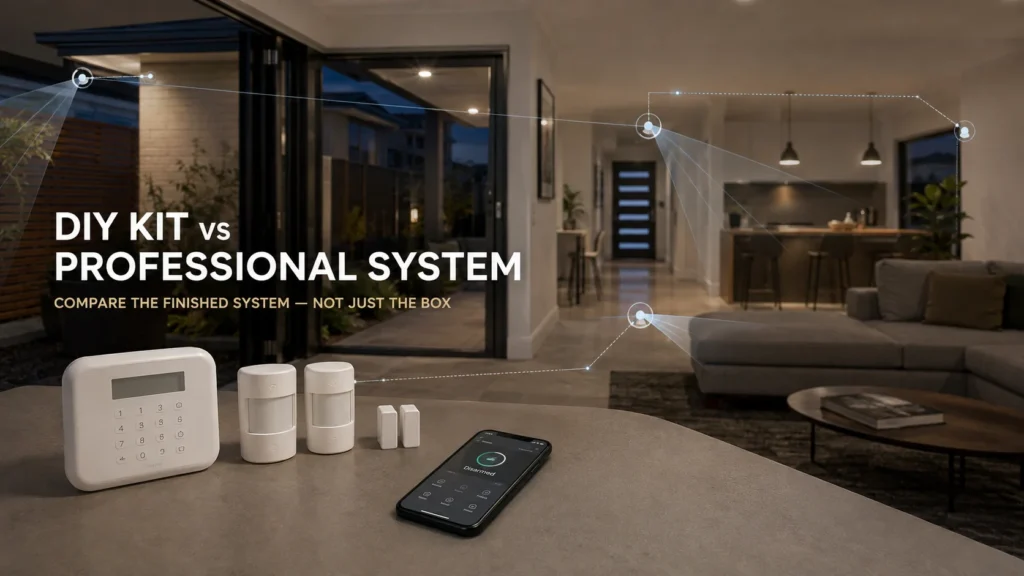
You can walk into Bunnings and buy a connected alarm kit for a few hundred dollars. A professionally designed and installed system can cost considerably more. Both may have motion sensors, door contacts, a siren and an app. So why pay more?
Sometimes, you shouldn’t. Modern DIY kits can already cover a surprising amount of what people assume only professional systems do — app control, expandable sensors, local siren function during an internet outage on some systems, battery backup on others. The fair comparison isn’t retail hardware versus professional hardware. It’s the finished DIY system versus the finished, professionally designed one.
First, Know What Kind of “Bunnings Security System” You’re Comparing
Not everything sold under “security” at Bunnings is an alarm system in the same sense. Roughly, there are three categories:
- Standalone alarms — simple magnetic contact or motion-triggered noisemakers with no central hub, no app, and no arm/disarm concept. They do one job locally and nothing else.
- Camera-centric security products — doorbells and camera kits that primarily record and stream video. Useful, but not intrusion-detection alarm systems, and not what this comparison is about.
- Connected alarm ecosystems — a hub with a keypad and/or app, expandable motion and door/window sensors, and a siren. This is the category that’s actually comparable to a professionally installed system, and it’s what this article focuses on, using two current, real examples: Orion’s Smart Alarm System Kit and Eufy’s 5-in-1 Alarm Kit.
Comparing a $12 standalone door buzzer to a professionally installed system would be a strawman. Comparing a genuine connected ecosystem to one is a fair fight.
What DIY Actually Does Better Than Installers Often Admit
Here’s what these two kits are documented to do — no caveats yet.
A current retail DIY ecosystem can already include things such as:
- App and keypad control
- Motion and entry sensors
- Expandable accessories
- Event/history functions, where supported
- Local alarm operation during an internet outage, on some systems
- Backup power, on some systems
Two concrete examples show this isn’t a hypothetical list.
Orion’s kit includes a hub with keypad, siren, and two motion and two contact sensors, controllable via the keypad, included RFID tags, or the Grid Connect app. It supports three operating modes with scheduling, keeps an event history, and can be expanded with additional accessory sensors. Two things stand out, because they directly contradict a common installer assumption: the product documentation confirms the siren can be triggered by the included sensors even when the internet is down, and the hub has an internal rechargeable backup battery for power interruptions.
Eufy’s 5-in-1 kit — a HomeBase, keypad, motion sensor and two entry sensors — offers app-based arm/disarm and instant alerts, a 120° field-of-view motion detector, pet-aware detection that the manufacturer describes as “minimising” (not eliminating) false alarms, and up to 12 months of battery life with low-battery app warnings.
For a simple property and a homeowner comfortable owning the setup, this may genuinely be enough.
The Real Difference Starts With System Design
This is where professional installation starts to earn its keep — not through better sensors, but through decisions.
Which entry points actually matter for this property? Is a motion sensor or a door contact the right tool for a given space? Where should a sensor physically go, and at what height? What’s nearby that could interfere — heat sources, direct sun, a pet’s usual path? Should the system arm differently at night while people are still home? Is there room to expand later?
Even the DIY manufacturers themselves acknowledge this matters. Eufy’s own official support documentation for its motion sensor’s pet-immunity feature is explicit: to work as intended, the sensor needs to be mounted where an animal can’t approach within six feet by climbing on furniture, and it shouldn’t face a stairway, furniture, or anything else an animal could pass through. If placement didn’t matter, that installation guidance wouldn’t need to exist. A professional installer isn’t inventing the idea that placement affects performance — they’re applying it methodically, across every device, for a specific property, rather than leaving it to guesswork during a Sunday afternoon install.
Sensor Count Isn’t Coverage
Orion’s kit includes two motion sensors and two contact sensors. That’s what came in the box — it isn’t a judgement about whether four sensors are enough for any given home. The number of sensors tells you what you received. Coverage depends on what those sensors are actually doing in the real floorplan: which openings they’re watching, and which spaces they’re covering.
What Happens When the Internet or Power Goes Down?
This is where DIY-versus-professional comparisons often become misleading.
Orion’s own product documentation is specific here: the local siren can be triggered by the included sensors even without an internet connection, and the hub has an internal rechargeable battery for power interruptions. You cannot assume that a DIY alarm simply stops functioning the moment the internet or mains power fails — this specific Orion product documents both offline local siren operation and backup power.
For a concrete professional reference, Ajax — the platform SIPKO installs — documents a hub with up to 15 hours of autonomous battery operation with Ethernet disconnected, and supports both Ethernet and cellular (SIM) communication channels simultaneously, with the manufacturer specifically recommending using both for more reliable connectivity. That’s not a claim that “professional systems survive outages” as a category — it’s what this specific, documented platform does.
The honest comparison question isn’t “does it have a battery?” It’s how long that battery lasts, how many communication paths exist, and what happens to each function specifically when one path fails.
Local Alarm and Remote Awareness Are Different Things
It’s worth separating two things that sound similar but aren’t: the sensor triggering the siren, and your phone receiving a notification about it.
Orion’s documentation confirms local alarm behaviour continues during an internet outage — the siren still sounds. It doesn’t establish that a phone notification still arrives under the same conditions, since the app itself depends on an internet connection to communicate with the hub. That’s a reasonable inference, not a confirmed fact either way, and it’s worth stating plainly rather than assuming.
The useful resilience question isn’t just “does it still make noise?” It’s “which specific functions keep working, and which ones depend on a connection that might be the exact thing that’s down?”
Is Professional Monitoring Available on DIY Systems?
It depends on the specific product and region — and it’s worth not assuming either way.
Some marketplace listings for DIY kits advertise optional 24/7 professional monitoring as a feature. But a feature appearing on a global or marketplace product listing doesn’t prove it’s actually available where you live. Checking Eufy’s own official Australian support channels, the professional monitoring service line for its security system is explicitly marked as US-only. That’s a useful lesson in itself: with retail security ecosystems, feature availability can genuinely vary by country, so it’s worth confirming directly with the manufacturer for your region rather than assuming a feature you’ve read about online applies to an Australian purchase.
Apps Aren’t the Big Divide Anymore
Both Orion and Eufy demonstrate that app-based control and alerts are no longer exclusive to professionally installed systems. Orion also documents an event-history function. Having an app at all is therefore no longer a meaningful dividing line between DIY and professional systems — plenty of retail kits have one now.
Once both systems have an app, the useful comparison shifts to deeper questions: how much configuration does each platform allow, how are users and permissions handled, what communication paths are available, and what can the system integrate with? Those answers need to be checked platform by platform, rather than assumed from “professional” as a label.
Where Professional Installation Actually Adds Value
This is the part that actually justifies the extra cost — and it isn’t hardware.
Design. Someone assesses the property and decides what needs to be detected and why, rather than the homeowner guessing from a box of parts.
Placement. Sensor type, position, height, and orientation are chosen for that specific space — not fitted wherever’s convenient.
Configuration. Zones, arming modes, and how the system should behave day-to-day are set up deliberately.
Communication planning. What paths the system uses to report, and what happens if one of them fails, is designed in rather than discovered later.
Testing and commissioning. The finished system is checked to confirm it actually behaves as intended before anyone relies on it.
Integration. If monitoring, automation, or other systems need to connect to it, that’s planned for rather than bolted on afterward.
With DIY, you buy the components and make the design and installation decisions yourself. With professional installation, you’re paying someone to make, implement and test those decisions for your specific property.
When Is DIY Genuinely Enough?
A DIY ecosystem can be a genuinely sensible choice when:
- The property is relatively simple
- Entry points are limited and easy to reason about
- You’re comfortable planning where sensors should go
- The setup and configuration doesn’t exceed what you want to take on
- Self-monitoring suits how you actually live
- There’s no complex integration required
- You understand how the specific system behaves during an outage
- You’re willing to troubleshoot it yourself later if something goes wrong
In that situation, professional installation may add less value than it would for a more complex property — not because the professional route is unnecessary in general, but because there’s simply less design work for it to do.
When Does Professional Design Earn the Extra Spend?
The case for professional installation gets stronger when:
- The property has multiple levels or several plausible entry paths
- Placement is complicated by pets or the physical environment
- Communication resilience genuinely matters
- Monitoring or integration with other systems is needed
- The system is larger, with more to configure
- You simply don’t want to own the setup, placement, and troubleshooting decisions yourself
None of this is about how expensive the house is or how “serious” the owner considers their security needs. It’s about how much design work the property actually requires — and whether you want to do that work yourself.
Price: What Are You Actually Comparing?
At the time of our research, Orion’s kit was priced at around $215 at Bunnings. Prices like this move, and a check at the time of reading may show something different.
It’s tempting to put that number next to a professional quote and call the gap the “cost of professional installation.” That’s not quite right, because the two prices usually aren’t for the same scope. A retail kit price covers the listed hardware and the DIY setup work you do yourself. A professional quote typically covers hardware plus design, installation, configuration, testing. The sticker prices aren’t necessarily prices for the same thing — which is exactly why this article hasn’t tried to put a single professional dollar figure next to the Bunnings one.
So Which One Should You Buy?
Choose DIY if the property is straightforward and you want to own the setup yourself.
Choose professional design if the value of proper placement, communication planning, resilience, and integration is worth the spend for your specific property.
Start with DIY and reassess later if your needs are simple right now, and the ecosystem you’ve chosen has room to expand if they change.
Don’t pay for professional installation because someone told you Bunnings hardware is useless. Pay for it when the design, implementation and responsibility are worth something for your property — and only after you’ve actually worked out whether that’s true for the place you live in.
If you’re not sure which side of that line your property falls on, SIPKO can assess what a specific address actually needs before recommending anything.
FAQ
Is a Bunnings alarm kit a real security system?
Some are — genuine connected ecosystems like Orion or Eufy’s kits include a hub, sensors, and app control. Others sold under “security” at Bunnings are standalone noisemakers or camera-only products that aren’t really comparable to an alarm system at all.
Do Bunnings alarm kits work without internet?
It’s product-specific. Orion’s documentation confirms the local siren can still be triggered by sensors during an internet outage — that shouldn’t be assumed for every DIY product without checking.
Do DIY alarm systems have battery backup?
Some do. Orion’s hub has an internal rechargeable battery for power interruptions. This varies by product, so it’s worth checking rather than assuming either way.
Do I need a licence to install my own alarm in Victoria?
No. Victoria Police states you don’t need a private security licence to install a security system at your own property — though anyone who assists with the installation must be appropriately licensed.
When is a DIY alarm kit genuinely enough?
When the property is simple, the entry points are easy to reason about, and you’re comfortable owning the setup and any future troubleshooting yourself. For more complex properties, professional design tends to add more value.



