

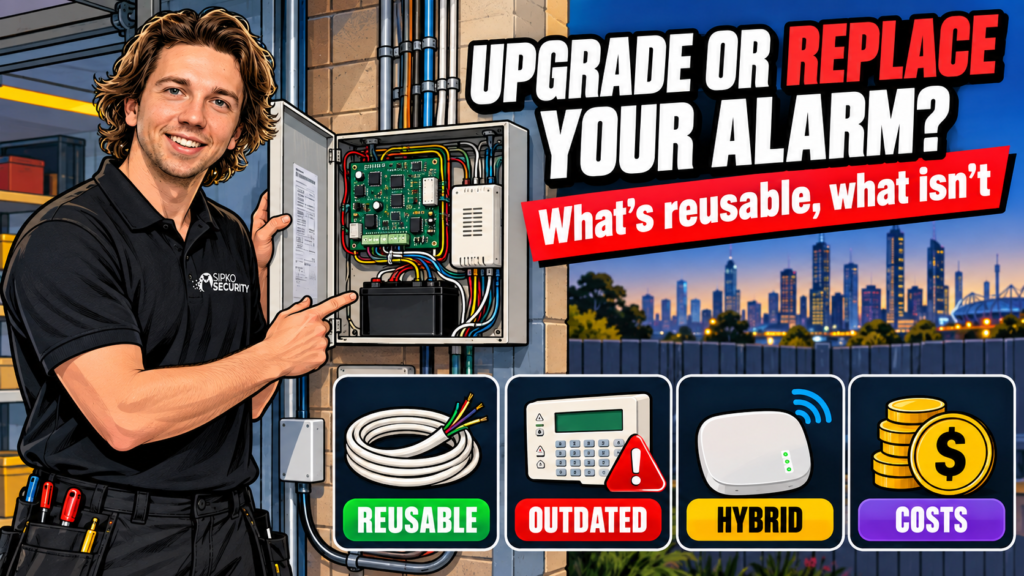
Short answer: if the cabling, sensors and cabinet are sound and the only problem is an outdated panel, a panel swap onto the existing wiring is usually the cheaper, faster fix. If the panel itself is unsupported, the backup battery and board are both failing, or it’s still relying on a 3G or landline dialler that’s already stopped working, replacement is the honest recommendation — patching a dead communication path doesn’t buy you anything. Most guides on this topic give you a shrug and a “it depends”; we’d rather give you the actual decision logic.
The panel is rarely the expensive part of an alarm system. The cabling — run through walls and ceilings, often before plaster went up — is the part that costs real money and time to redo. So the practical question isn’t “is this panel old”, it’s “does the wiring underneath it still do its job”. If yes, you’re almost always better off keeping it and changing what sits on top.
What’s reusable in an old hardwired system
- Cable runs. If the cabling is in good condition and reaches the right locations, there’s rarely a reason to rip it out. This is the single biggest cost saving in a modernisation job.
- The cabinet and mounting points. Physical housing and cable entry points usually transfer straight across to a new panel.
- Sirens. An external siren box is often fine to keep if it’s weatherproof and still sounds correctly when tested — no need to replace hardware that isn’t broken.
- Some sensors. PIR motion sensors and door/window reed switches on a standard two-wire loop are frequently compatible with a new panel, provided the wiring type matches what the new panel expects. This is the one item on this list that genuinely needs checking in person rather than assumed from a spec sheet — wiring gauge and sensor type both matter, and we confirm compatibility at the walk-through rather than guess from a description over the phone.
What isn’t reusable
A few things are dead weight regardless of how well they were installed at the time:
- 3G and landline (PSTN) diallers. Australia’s mobile carriers shut down their 3G networks through 2024, and Telstra’s copper phone network has been progressively disconnected as NBN rolls out. A panel that only knows how to report over either of those paths has already lost its ability to reach a monitoring centre in most of the state, whether or not anyone’s noticed yet.
- Discontinued panels. If the manufacturer no longer makes replacement parts or firmware updates for a board, a fault eventually becomes unfixable rather than repairable.
- Failed backup batteries with no current replacement. Older backup batteries sometimes used non-standard sizes or connectors that newer stock doesn’t match. If yours is one of those, the panel effectively has no backup power once the battery’s gone, regardless of how good the rest of the system is.
Adding app control and monitoring to an old panel
You don’t always need to replace the whole board to get app alerts and remote arm/disarm. Some newer communication modules can be added to an existing panel to give it reporting and app connectivity it didn’t originally have, while leaving the wired sensor loop untouched — in principle this is the same job as swapping a 3G car alarm dialler for a 4G one, just applied to a house panel instead. Whether that’s the right move for your specific panel depends on the brand, its age, and whether a compatible module still exists for it — that’s exactly the kind of thing we check at a walk-through rather than assume from the model number alone.
For the options by panel, including what Bosch and MyAlarm need, see our guide can you control an old security alarm from your phone.
The other path, and usually the more future-proof one, is retiring the old panel entirely and putting a modern hub in its place while keeping the wiring underneath. A hub-based system like Ajax gives you app control, photo-verified alerts and a monitoring connection out of the box, rather than bolting an add-on module onto ageing electronics that might not support it well. Our Ajax package builder is a useful reference if you’re comparing what that looks like against patching the old panel.

Hybrid: keep the wiring, change the panel
This is what most “upgrade” jobs actually are: the cabling, cabinet and compatible sensors stay, and the panel (plus its communication module) gets swapped for a current one. You keep the labour-intensive part of the original install — the cable runs behind your walls — and replace the part that actually goes obsolete, which is the electronics. It’s not glamorous, but it’s the option that gets you a modern, monitorable system without a full retrofit.
Cost comparison
We don’t publish a fixed dollar figure here because the real driver of cost in any alarm job is labour — how much cabling needs to be run, not which panel goes on the wall. What we can tell you honestly:
| Panel swap (keep wiring) | Full replacement | |
|---|---|---|
| Cabling | Reused, no new runs | New cable run throughout |
| Labour | Hours, not days | Full install day(s) |
| Sensors | Reused if compatible | All new |
| Typical cost relative to the other | A fraction of a full replacement | The larger job by a clear margin |
Ask us for a walk-through quote once we’ve seen the existing wiring — that’s the only way to give you a number that actually means something, and it’s free. At the walk-through we test every existing sensor, check the cable runs for damage or degradation, and look at what the cabinet and wiring type will and won’t accept before we recommend either path — you get a straight answer on which category your system falls into, not a default push toward the bigger job.
Signs it’s past saving
- The panel won’t power on even with a fresh, correctly-sized backup battery.
- Keypad segments are dead or unreadable, and a replacement keypad for that model isn’t available.
- It’s been repaired multiple times already and keeps failing in new places.
- It relies on a 3G or landline dialler with no communication module upgrade path for that panel.
- Sensors trigger false alarms regularly regardless of settings, suggesting the wiring or the board itself is degrading, not just the settings.
If you’re ticking more than one of these, we’d recommend treating replacement as the default rather than chasing another repair.
For a longer checklist, read Is your home alarm too old? 12 signs to service, upgrade or replace.
Can any old hardwired alarm be upgraded instead of replaced?
Not always. It depends on whether the cabling and sensors are still in good condition and whether a compatible modern panel or communication module exists for that wiring type. A panel that’s discontinued or relies on 3G/landline reporting is usually better replaced outright.
Is it cheaper to upgrade or replace an alarm system?
A panel swap that reuses existing cabling is almost always cheaper than a full replacement, because cabling and labour — not the panel — make up most of the cost of any alarm install. Get a walk-through quote for numbers specific to your property.
My alarm still uses a landline or 3G to report — is that a problem?
Yes. Australia’s 3G networks were switched off through 2024, and Telstra’s copper phone network is being progressively disconnected as NBN rolls out. A panel that only reports over one of those paths has likely already lost its ability to reach a monitoring centre.
Can I keep my existing sensors with a new panel?
Often, if they’re standard PIR or door/window contacts on a compatible wiring type. It’s not guaranteed from the model number alone — we confirm this at a walk-through rather than promise it sight unseen.
How do I know if my alarm’s backup battery has failed?
The panel will usually show a battery fault on the keypad, or fail to hold the system armed during a power outage. If a correctly-sized replacement battery doesn’t fix it, the fault is likely in the charging circuit on the board itself, which is a stronger case for replacement.
Not sure which side of this your system falls on? Book a free site walk-through and we’ll give you a straight answer, not a sales pitch either way.



