

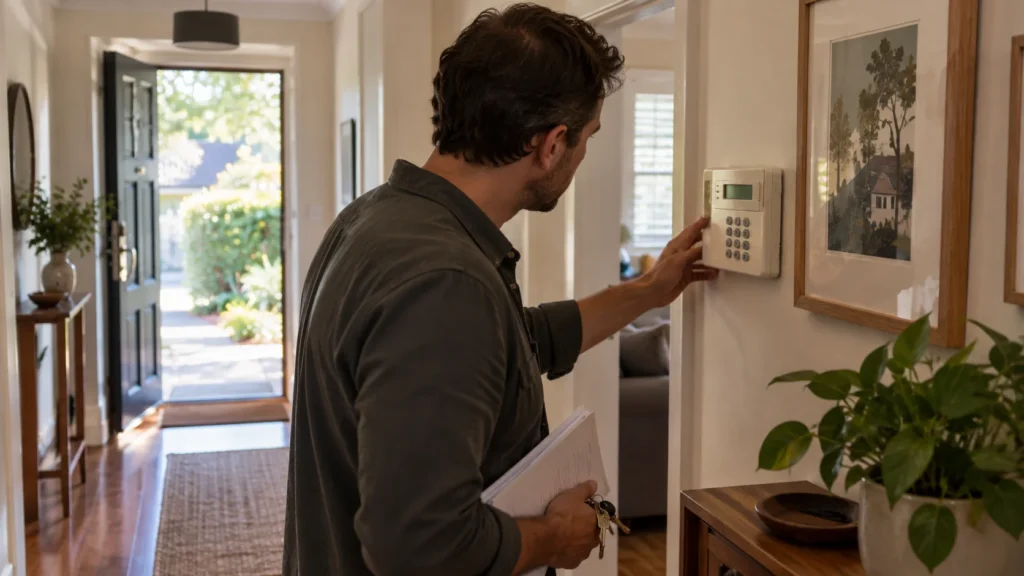
You’ve got a DSC PowerSeries alarm installed, but no working code to control it — maybe you inherited the property, maybe a code was simply forgotten, maybe the person who knew it moved on. The instinct is to ask “how do I reset it?” That’s the wrong first question. Losing a DSC code does not automatically mean the alarm needs to be reset or replaced. The first step is working out what kind of access is actually missing, because a lost user code, a lost Master Code, and lost installer-level access are three different problems with three different answers.
This guide covers classic DSC PowerSeries panels — PC1616, PC1832 and PC1864. Other DSC families can differ in how access and recovery work, so treat this as a starting point for identifying your situation, not a universal DSC procedure.
“No Code” Can Mean Several Different Problems
Before anything else, it’s worth pinning down exactly what “no code” means in your situation:
- a working user code exists, but the Master Code is unknown;
- no known user code arms or disarms the system at all;
- the property came with the alarm installed, and no codes or documentation were handed over;
- the system can arm and disarm, but managing users or higher-level functions doesn’t work;
- installer-level access is completely unknown;
- the exact DSC model hasn’t even been confirmed yet.
Each of these points toward a different next step. Treating them as the same problem is how people end up attempting a full reset when a much smaller fix would have done.
First Confirm Which DSC System You Have
DSC is a brand, not one universal keypad behaviour. Recovery options that apply to one DSC panel family don’t necessarily apply to another, so before doing anything, it’s worth establishing the basics:
This is identification, not diagnosis — there’s no need to open the panel or dismantle anything to work this out. Model information is usually visible on the keypad or in whatever paperwork came with the property.
User Code, Master Code and Installer Access Are Not the Same Thing
Saying “I don’t have the DSC code” doesn’t actually diagnose the problem, because DSC panels separate access into different levels:
A missing user code, a missing Master Code, and missing installer access each point toward a different recovery path — which is exactly why the rest of this guide treats them separately.
If a User Code Still Works, the Alarm May Not Be Locked Out of Use
If some user code still arms and disarms the system, the alarm isn’t necessarily “locked out” in any meaningful sense — it’s still doing its basic job.
- normal day-to-day operation and administrative control are different things;
- a working user code without a working Master Code means you can use the alarm, but you may not be able to manage other users or certain higher-level functions;
- that’s a recovery-or-reprogramming question, not a reason to consider replacing the system;
- assessing what’s actually missing comes before deciding what to do about it.
Why Normal Master Code Changes May Not Help
DSC’s documented procedure for changing the Master Code assumes you already have the current Master Code — it’s a code-change process, not a recovery process. If the Master Code is genuinely unknown, that normal user-level procedure simply isn’t available to you.
You cannot assume a forgotten Master Code can be replaced from the keypad using the ordinary user procedure. Beyond that point, recovery depends on the specific panel and its current programming state — which is exactly why this isn’t something to work through with a generic online guide. This guide won’t reproduce the keystroke sequence involved, because the appropriate path depends on the actual system, not a one-size-fits-all instruction.
Recovering Access Is Not the Same as Factory-Resetting the Panel
This is the single most important distinction in this whole guide.
A forgotten Master Code and a factory default are not the same operation. DSC’s PowerSeries reference documentation includes a separate installer-level function specifically for returning the Master Code to its default setting — distinct from the functions used to restore the panel’s overall programming to factory defaults.
That distinction matters because a full factory default is a much broader action than recovering one piece of missing access. Losing administrative access does not, by itself, mean the whole panel needs to go back to factory programming. Whether Master Code recovery or a broader reset is appropriate — and whether either is available at all — depends on the panel’s current configuration.
A forgotten code is an access problem. A factory default is a programming reset. They are not interchangeable.
Why Repeated Code Guessing Can Make Things Worse
If no code seems to work, trying combinations from memory, from a manual, or from a forum post isn’t a diagnostic step — it’s a gamble.
- PowerSeries panels can be configured to lock keypad access after a number of invalid code entries;
- codes shared online for “your model” are not reliable, since access architecture can vary between panel versions;
- repeatedly guessing codes doesn’t tell you anything useful about what access is actually missing;
- it can create a new problem — a locked keypad — on top of the one you started with.
The safer move is stopping and identifying the actual situation before entering anything else.
Installer Lockout Changes the Recovery Decision
Classic PowerSeries panels have documented installer-level lockout functions. Their presence is another reason why “just reset the panel” isn’t a universal answer — what recovery or default options are available depends on the panel’s current configuration rather than a generic reset assumption.
This isn’t a reason to assume the panel is unusable or that it needs replacing. It’s a reason to have someone confirm the actual state of the system before attempting anything, rather than assuming a generic reset guide will work on your specific panel.
Keep, Reprogram or Replace?
Once you know roughly what’s actually missing, a sensible next step usually falls into one of these categories:
These are likely directions, not guaranteed outcomes — the right path depends on the specific panel and its current state. Keep is a genuinely available outcome here: a missing code doesn’t mean the underlying hardware is at fault, and plenty of these situations resolve without a full reset or replacement.
When to Have the System Professionally Assessed
A few situations point clearly toward getting the system properly assessed rather than working through it alone:
- the property changed hands and no codes or documentation came with it;
- the system arms and disarms, but you can’t manage users or codes;
- nobody knows whether installer-level access is available;
- repeated code attempts have already been tried;
- someone has suggested factory-defaulting the panel as a quick fix;
- you’re genuinely unsure whether the existing DSC system is still worth keeping.
An assessment can confirm what’s actually available on the panel, what recovery options genuinely apply, and whether reprogramming makes more sense than starting again. SIPKO works with residential alarm systems in Melbourne, including existing DSC equipment assessed on its own condition rather than assumed to need replacing.
If assessment does point toward modernising rather than continuing with the existing panel, modernising an older DSC alarm to Ajax is one path worth knowing about — though that’s a decision for after the existing system has actually been assessed, not a default response to a forgotten code.
FAQ
Can I change the DSC Master Code without knowing it?
Not through the normal user procedure — that process requires the current Master Code to set a new one. If the Master Code is genuinely unknown, recovery depends on the panel’s specific configuration and may require professional assessment rather than a keypad-only fix.
Is the installer code the same as the Master Code?
No. They control different things — the Master Code manages user-level codes and functions, while installer access covers system programming and service functions. Missing one doesn’t automatically mean the other is missing too.
Will factory resetting a DSC alarm simply recover the missing code?
No. A factory default resets the panel’s broader programming rather than simply changing a missing code. DSC’s PowerSeries documentation treats Master Code defaulting separately from returning the main panel to factory defaults, so the right recovery path depends on what access has actually been lost.
Do I need to replace my DSC alarm if I don’t know the code?
No, not automatically. A missing code says nothing on its own about whether the hardware is faulty or worth keeping. The first step is identifying what access is actually missing and what condition the panel is genuinely in.
Sources
-
DSC.
PC1616/PC1832/PC1864 User Manual v4.7. Official guidance on user, Master and installer access concepts. -
DSC.
PC1616/PC1832/PC1864 Reference Manual. Official reference documentation covering Master Code defaulting and installer-level programming functions. -
DSC.
Application Notes — PC1616/1832/1864 V4.2: Default – Reset Panel to Factory Default. Official documentation on factory-default scope and Installer Lockout condition.



