Upgrade & Takeover Specialists

Upgrade to AJAX from Bosch, DSC & Hills in Melbourne – No Wall Chasing

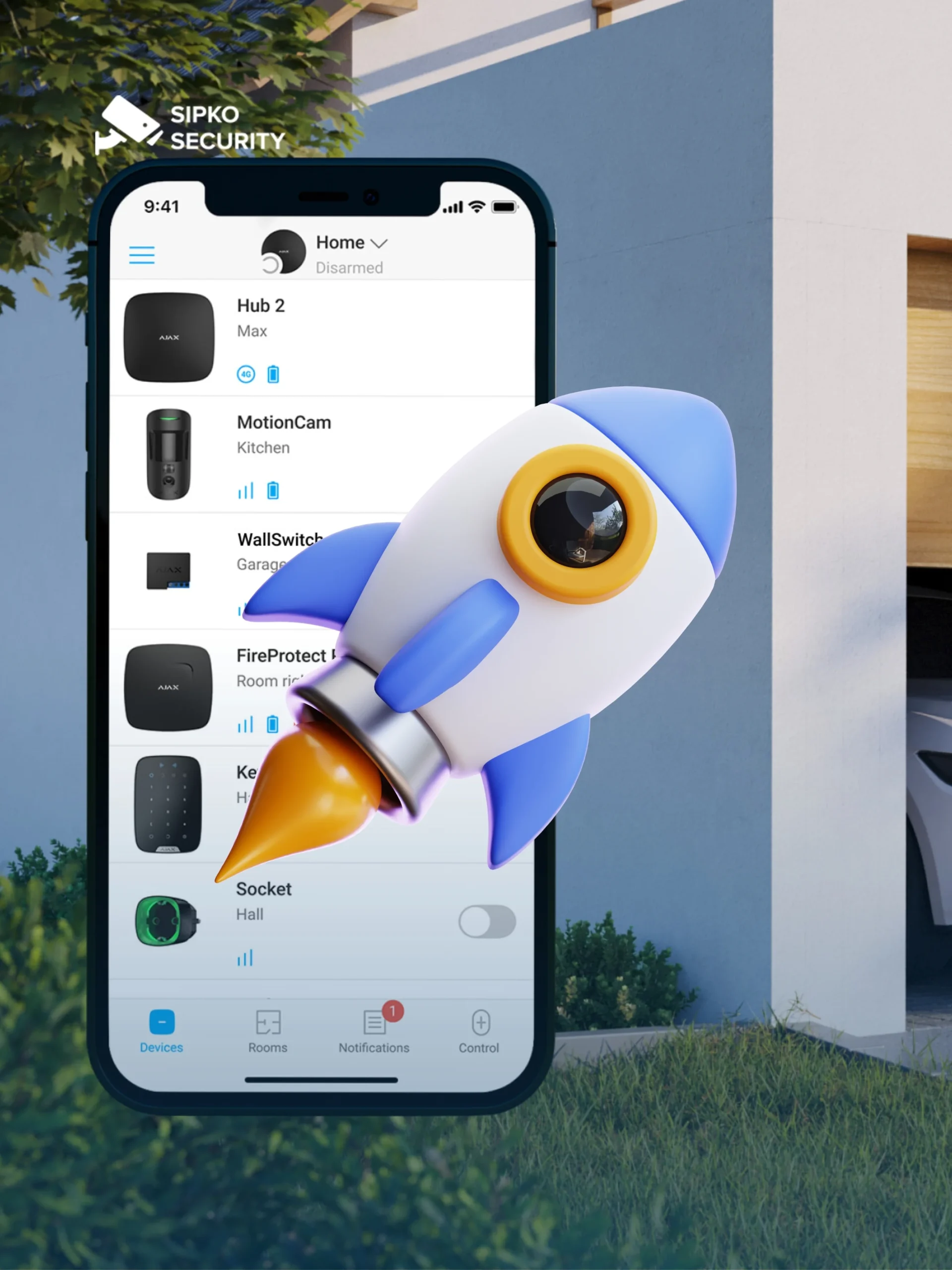
Move from your legacy alarm panel to a modern AJAX ecosystem without tearing up walls. SIPKO Security reuses your existing wiring and sensors, swaps the brain to an AJAX Hub, and delivers app-first security with dual-path comms, MotionCam verification, and a unified intrusion, fire and leak platform.

No Wall Chasing Required

Existing cabling and compatible sensors are reused. The upgrade replaces only the control panel, keeping disruption and cost to a minimum.

Dual-Path Reliability

Ethernet/Wi-Fi plus cellular backup keeps alerts flowing during NBN outages — a critical advantage for Melbourne properties.

MotionCam Visual Verification

Photo-on-alarm technology confirms real intrusions before dispatch, reducing false call-outs and satisfying insurer requirements.

Unified Platform

Intrusion, fire, and leak sensors in one AJAX ecosystem with instant app alerts, user roles, event logs, and remote firmware updates year-round.

A Smarter Melbourne Upgrade A modern, integrated upgrade preserves existing wiring, adds MotionCam verification, and readies your system for Melbourne conditions and insurer requirements.

Schedule Your Upgrade

Call +61 406 432 691 or complete the form and we will contact you.

Ajax Certified Installer

Video Surveillance — AJAX Upgrade Specialist

Certificate № 1758776886102

View Certificate (PDF)
Migration Guide

Typical Migration Paths for Melbourne

While each site is unique, the upgrade logic is consistent — reuse healthy infrastructure, move control to a modern AJAX platform, and minimise disruption throughout.

Bosch / DSC / Hills Panels

The enclosure and PCB are decommissioned, but zone wiring is retained where practical. Door/window contacts and ceiling PIRs are mapped to the AJAX Hub via a MultiTransmitter, preserving your wiring investment.

Keypads & Fobs

Legacy keypads are replaced with an AJAX KeyPad at convenient entry points. Existing remotes are superseded by the AJAX app and, if needed, new key fobs/cards for clean, role-based access.

Sirens

External sirens on legacy systems are commonly swapped for AJAX StreetSiren to ensure clean integration, health monitoring and reliable tamper detection.

Add-ons

MotionCam detectors bring visual verification to cut false alarms; LeaksProtect and FireProtect 2 extend safety beyond intrusion; outdoor coverage is added with perimeter devices — without trenching new cable.

Connectivity

Dual-path communication (Ethernet/Wi-Fi plus a cellular module where specified) keeps alerts flowing during local internet outages or NBN works common across Melbourne suburbs.

AJAX upgrade takeover from Bosch DSC Hills alarm systems in Melbourne by Sipko Security

Process & Timeline: From Photo Audit to Cutover

Bosch, DSC and Hills takeovers run smoothly when scoped properly. Here’s exactly how SIPKO Security handles your legacy panel migration from first contact to cutover day.

1

Photo Audit

Provide clear photos of the panel/enclosure, keypad, siren location(s), and any outbuildings. An engineer identifies what can be reused and which AJAX parts are needed.

2

On-site Verification

We confirm zone counts, cable condition, power availability, RF conditions, and any height/access restrictions to validate the upgrade path.

3

Design & Mapping

Legacy zones are mapped to AJAX via MultiTransmitter or replaced with wireless where appropriate. Outdoor coverage, hub, keypad and siren placements are all planned.

4

Preparation

Devices are pre-programmed with user profiles, zones, and naming conventions so the on-site window is short and predictable.

5

Cutover Day

The old panel is isolated and removed, cabling is landed as designed, new hardware is installed, and the system is commissioned. Existing users are added to the app.

6

Test & Handover

We test arming/disarming, alarm paths, sirens, pet logic and camera verification, then provide a concise handover sheet and training.

Ready to Upgrade?

Start Your Bosch / DSC / Hills to AJAX Takeover Today

Send us photos of your existing Bosch, DSC or Hills panel and we’ll scope the migration for free. Most Melbourne homes are completed in a single day — no wall chasing, no rewiring, no downtime.

Our Packages

Pre-configured AJAX takeover bundles for Melbourne homes and businesses replacing Bosch, DSC or Hills panels. All packages include legacy panel removal, wiring reuse, app setup, and handover.

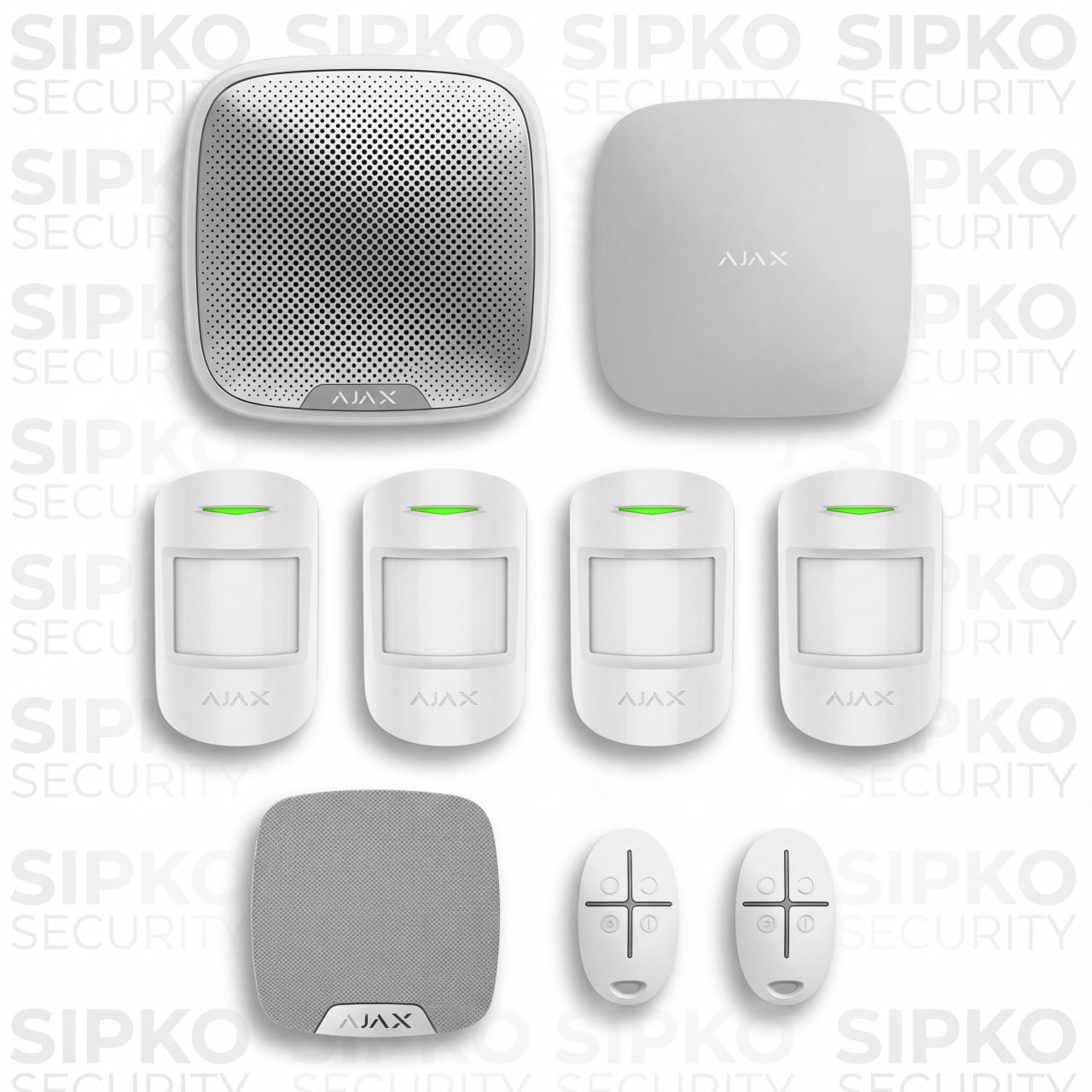
Silver Basic Package
Silver

Basic Package

  • 1 × HUB 4G + Ethernet
  • 4 × Motion Protect
  • 1 × Home Siren
  • 1 × Street Siren
  • 2 × Space Control Key Fobs
Request a Quote
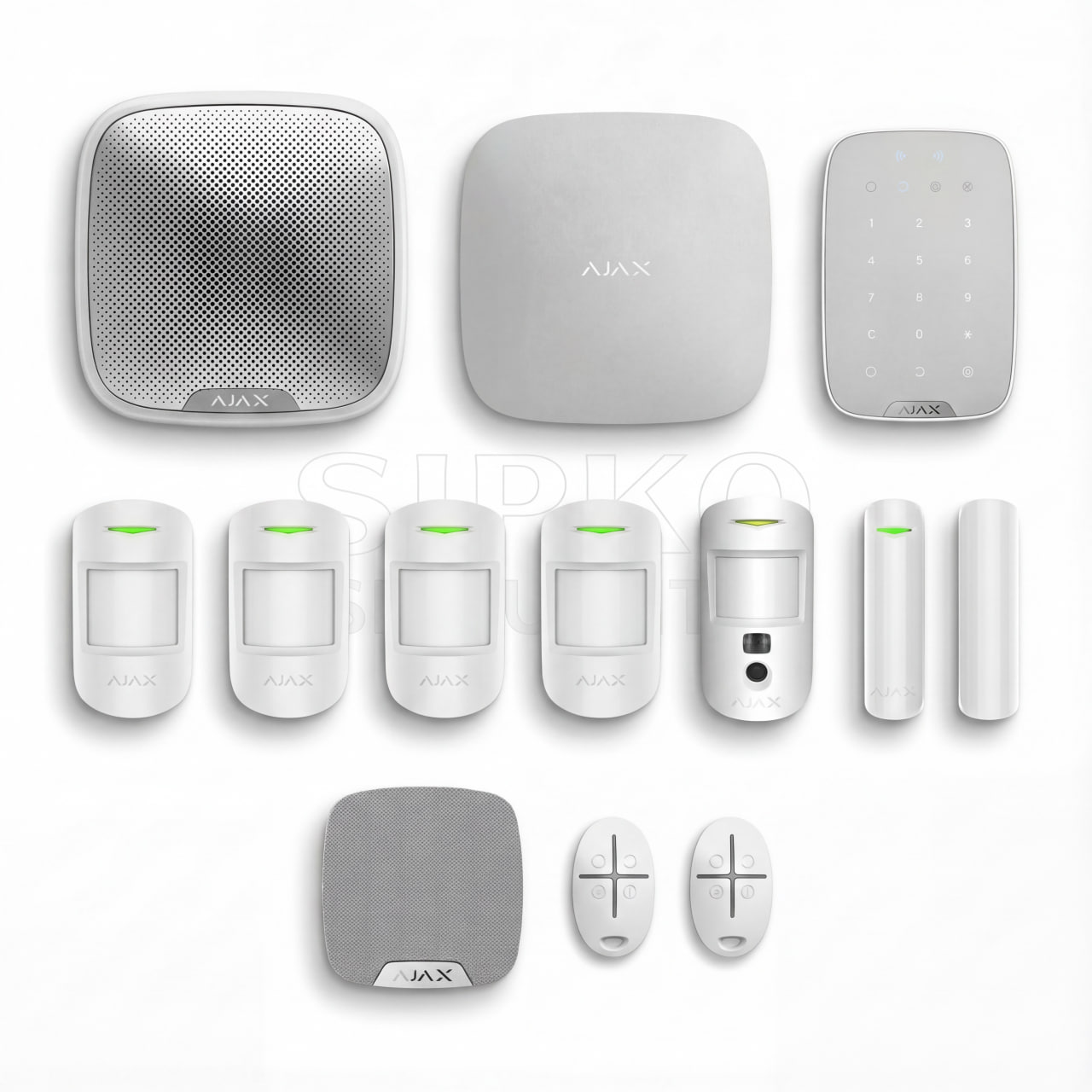
Platinum Package
Platinum

Package

  • 1 × HUB 4G + Ethernet
  • 1 × Keypad
  • 2 × Door Protect
  • 2 × Motion Protect
  • 2 × Motion Cam
  • 2 × Motion Cam Outdoor
  • 1 × Home Siren
  • 1 × Street Siren
  • 2 × Space Control Key Fobs
Request a Quote

All packages include Bosch/DSC/Hills panel removal, wiring reuse via MultiTransmitter, AJAX app setup, full system testing and handover. Need a custom scope? Call us and we’ll quote your specific legacy system.

Cost, Trade-in and What Drives the Budget for AJAX upgrades in Melbourne
Transparent Pricing

Cost, Trade-in & What Drives the Budget

AJAX takeovers are cost-effective because you don’t pay to rewire your property. The total depends on a few clear drivers, so you only invest where it matters and keep the upgrade budget under control.

Key cost drivers

Zone Count & Reuse

How many wired sensors can be kept vs replaced. Reusing healthy cabling and contacts reduces labour and avoids wall works.

Perimeter / Outdoor

Gardens, driveways and sheds often benefit from outdoor devices — added coverage without trenching new cable.

Visual Verification

Number of MotionCam detectors for event-driven photo checks to cut false alarms and speed responses.

Connectivity & Monitoring

Dual-path communications (Ethernet/Wi-Fi + cellular) and any 24/7 monitoring requirements.

Access Control

Smart lock / intercom integrations where required for unified alarm + entry workflows.

Licensed & Documented

Compliance, Monitoring & Ongoing Support

For Melbourne customers migrating from Bosch, DSC or Hills, quality is not just about the new hardware — it’s about how the takeover is documented and structured. A licensed migration with a proper device list, zone map and user roles simplifies future maintenance and supports insurer discussions from day one.

Compliance & maintainability essentials

Licensed Install

Work performed by qualified technicians, documented to local requirements.

Documentation Pack

Device list, zone map, event log policy, and role-based user access records.

Monitoring-Ready

Video-verification workflows reduce false alarms and improve response quality.

Remote Upkeep

Health checks, firmware updates, and battery status reports keep the system in shape.

Service Cadence

Annual/semi-annual visits test sirens, verify pet settings, and align perimeter to how you use the property.

If you later decide to connect to 24/7 monitoring, the system is already structured for it — including event-driven MotionCam verification to separate real threats from false triggers and streamline response. Routine remote checks, over-the-air updates, and documented service visits ensure the installation remains compliant and predictable to maintain.
Compliance, Monitoring and Ongoing Support after Bosch DSC Hills to AJAX upgrade in Melbourne by Sipko Security
No Rewiring Required

Bosch Alarm System to AJAX Upgrade in Melbourne

Bosch Solution panels are reliable workhorses — but they weren’t built for app-first control, visual verification, or modern dual-path comms. Moving to AJAX doesn’t mean starting from scratch.

Before — Bosch

Legacy Limitations

  • Basic keypad-only control, no smartphone app
  • Single-path comms — NBN outage = no alerts
  • No photo-on-alarm or visual verification
  • Adding outdoor sensors requires new cabling
  • No remote health checks or OTA firmware updates
  • Limited user roles and no event log visibility
After — AJAX

Modern Platform

  • Full app control — arm, disarm, view events anywhere
  • Dual-path (Ethernet/Wi-Fi + cellular) keeps alerts live
  • MotionCam photo verification on every alarm event
  • Wireless outdoor devices — no trenching, no wall chasing
  • Remote diagnostics, OTA updates, battery tracking
  • Role-based users, access logs, and monitoring-ready

Zone Wiring

Existing cable runs mapped to AJAX via MultiTransmitter

Door & Window Contacts

Healthy wired sensors retained and re-enrolled

Enclosure & Power

Cabinet and 240V supply reused where practical

Siren Cabling

Existing siren runs assessed and reused or upgraded

Same property, smarter security

A Bosch-to-AJAX upgrade in Melbourne typically takes one day for a single-storey home. You keep what works, replace what limits you, and walk away with a fully modern, app-controlled system — without a single wall opened.

DSC Panel Replacement

DSC Alarm Panel Replacement with AJAX Hub 2 / Hub 4G

DSC PowerSeries and NEO panels are solid legacy systems — but they rely on a single communication path, lack app-first control, and can’t support visual verification. Replacing the DSC panel with an AJAX Hub 2 or Hub 4G brings your existing wiring into a modern, cloud-managed platform without touching a single wall.

💡 Which hub? Hub 2 suits most residential and small commercial sites. Hub 4G adds a built-in cellular module for dual-path comms — ideal where NBN reliability is a concern or insurer requirements demand a backup path.
Residential / Small Commercial

AJAX Hub 2

Ethernet + Wi-Fi dual-path, supports up to 100 devices and 50 users. Ideal for homes and small offices where NBN is stable. Encrypted cloud, remote arm/disarm, full event log and OTA updates.

Dual-Path / Monitoring-Grade

AJAX Hub 4G

Ethernet + Wi-Fi + built-in 4G cellular — three independent communication paths. Keeps alerts flowing during NBN outages. Recommended for monitoring-connected sites, larger homes, and any property where communication resilience is critical.

What Changes in the Replacement

The DSC PCB and keypad are decommissioned — everything else is assessed for reuse.

Panel & PCB Out

The DSC control board is removed and replaced with the AJAX Hub. The enclosure and 240V supply are retained where practical to minimise installation time.

Zone Wiring Retained

Existing zone cables are landed on an AJAX MultiTransmitter, mapping your wired door contacts and PIRs directly into the new hub — no re-cabling required.

Keypad Replaced

The DSC keypad is swapped for an AJAX KeyPad at the main entry point. Additional keypads or key fobs can be added for multi-user or multi-entry sites.

Siren Assessed

Existing external siren cabling is tested. Where compatible, it is reused with an AJAX StreetSiren for clean integration and tamper monitoring.

MotionCam Added

Where visual verification is required, AJAX MotionCam detectors replace or supplement existing PIRs — providing photo-on-alarm evidence to cut false call-outs.

App & Users Configured

All users are enrolled in the AJAX app with role-based permissions. Arming schedules, notification paths, and event logging are configured before handover.

Ready to replace your DSC panel with AJAX?

Send photos of your current panel and we’ll scope the upgrade — most Melbourne homes completed in one day.
Call +61 406 432 691
1

Site Photos

Panel, keypad, siren and outbuilding photos scoped remotely

2

Zone Audit

Cable condition, zone count and RF environment verified on-site

3

Hills Panel Out

PCB decommissioned, enclosure and 240V supply retained

4

AJAX Hub In

Hub installed, zones landed on MultiTransmitter, app configured

5

Test & Handover

Full alarm path test, user training and handover sheet provided

Wired Contacts Reused

Door and window reed switches wired into the Hills panel are re-enrolled via MultiTransmitter — preserving your perimeter coverage without new cabling.

PIR Sensors Assessed

Ceiling PIRs are tested for sensitivity and signal quality. Healthy units are retained; aged or faulty detectors are replaced with AJAX MotionProtect or MotionCam.

Siren Integration

Existing external siren cabling is tested and, where viable, connected to an AJAX StreetSiren for tamper monitoring and health reporting via the app.

KeyPad at Entry

The Hills keypad is replaced with an AJAX KeyPad at the primary entry point. Key fobs and the AJAX app provide additional arming options for all users.

Outdoor Expansion

Gardens, driveways and sheds gain wireless AJAX outdoor detectors — no trenching required. Perimeter coverage is added exactly where it’s needed.

Documentation & Compliance

A full device list, zone map and user access record is provided at handover — supporting insurer requirements and simplifying future service visits.

Hills Reliance → AJAX: same property, modern protection

Your existing wiring investment is preserved, your perimeter coverage is maintained, and your new AJAX hub delivers app control, dual-path comms and MotionCam verification — all without opening a single wall across your Melbourne property.

No Wall Chasing

Hard-Wired Alarm Conversion to AJAX Wireless System Melbourne

Older hard-wired alarm systems are reliable but rigid — adding a sensor means running new cable, and the control panel has no path to modern app management or visual verification. AJAX conversion reuses your existing wiring as the backbone while replacing the control logic with a wireless, cloud-managed hub. The result is a modern system built on infrastructure you’ve already paid for.

100%
Existing zone wiring assessed for reuse
0
Walls opened during a standard conversion
1 day
Typical cutover for single-storey Melbourne homes
3x
Communication paths — Ethernet, Wi-Fi, cellular
Common Hard-Wired System Limitations
Limitation

No App Control

Hard-wired panels rely on a physical keypad only. Remote arming, disarming, and event visibility require a full panel replacement — or so it seems.

Limitation

Single Communication Path

Most legacy wired systems report via a single PSTN or NBN path. An internet outage silences the alarm entirely — no backup cellular path exists.

Limitation

Expanding Coverage is Costly

Adding a sensor to a new room or outbuilding means running new cable through walls, ceilings and roof spaces — expensive, disruptive, and slow.

How AJAX Conversion Solves Each One
AJAX Solution

Full App Control from Day One

The AJAX Hub replaces the legacy panel brain. Arm, disarm, view live events, manage users and receive push notifications — all from the AJAX app on any smartphone.

AJAX Solution

Dual-Path + Cellular Backup

AJAX Hub 4G adds a built-in cellular module alongside Ethernet and Wi-Fi. Three independent paths ensure alerts reach you and the monitoring centre regardless of NBN status.

AJAX Solution

Wireless Expansion, No Cable

New zones — gardens, garages, sheds — are covered by wireless AJAX devices using Jeweller radio. No trenching, no drilling through walls, no disruption to your property.

Your hard-wired investment is preserved, not discarded. AJAX MultiTransmitter maps your existing zone cables directly into the new hub — so every door contact and PIR you’ve already paid for continues to protect your Melbourne property.

MultiTransmitter

Reusing Existing Alarm Wiring with AJAX MultiTransmitter Setup

The AJAX MultiTransmitter is the bridge between your legacy hard-wired sensors and the modern AJAX wireless ecosystem. It connects directly to existing zone cables — door contacts, PIRs, glass-break detectors — and transmits their status to the AJAX Hub using encrypted Jeweller radio. Your wiring investment is preserved; only the control logic changes.

AJAX MultiTransmitter

Connects up to 18 wired zones to the AJAX Hub wirelessly. Supports NC, NO, and EOL resistor configurations — compatible with virtually all legacy wired sensor types.

18 Wired Zones Per MultiTransmitter unit
Jeweller Radio Encrypted, 2-way comms
NC / NO / EOL All loop types supported
Tamper Protected Case & wall tamper alerts

Legacy Wired Sensors

Door contacts, PIRs, glass-break detectors and smoke sensors already installed in your property

AJAX MultiTransmitter

Lands zone cables, reads sensor states, transmits encrypted status to the Hub via Jeweller radio

AJAX Hub + App

Receives all zone events, triggers alarms, sends push notifications and logs every event in the cloud

What Can Be Reused

  • Wired door & window magnetic contacts
  • Ceiling-mounted wired PIR motion detectors
  • Wired glass-break detectors
  • Wired smoke & heat detectors (dry contact output)
  • Wired panic buttons and duress inputs
  • Existing zone cable runs (NC, NO, EOL)
  • Panel enclosure and 240V power supply

What Gets Replaced

  • Legacy control panel PCB & firmware
  • Old keypad (replaced with AJAX KeyPad)
  • Analogue PSTN communicator module
  • Aged or faulty sensors failing signal tests
  • Single-path communication module
  • Siren cabling assessed — reused where viable
  • Battery backup — replaced with fresh cell
Technical note: Each MultiTransmitter supports up to 18 wired zones and connects to the AJAX Hub via Jeweller radio with 128-bit encryption. Multiple units can be deployed on larger properties. Zone loop type — NC, NO, or EOL resistor — is configured per zone during commissioning, ensuring compatibility with virtually all legacy wired sensor installations across Melbourne.
⚠️

Alarm System Takeover from Defunct Security Companies in Melbourne

If your security company has closed, been acquired, or stopped responding — your alarm system is still running but you’ve lost support, monitoring, and the ability to make changes. This is more common than it should be across Melbourne. SIPKO Security takes over orphaned systems, assesses what’s worth keeping, and migrates you to a fully supported AJAX platform with no lock-in.

Common Situations We Resolve

1
Monitoring Contract Orphaned

Your monitoring centre closed or was sold. Alarms trigger but no one responds. You’re paying for a service that no longer exists — or worse, you don’t know if it does.

2
No Access to Panel Programming

The installer code is unknown — locked to the defunct company. You can’t add users, change zones, or silence faults without the original installer credentials.

3
System Faulting with No Support

Beeping keypads, low battery warnings, or zone faults with no technician to call. The system is degrading and there’s no service pathway to fix it.

4
Proprietary Hardware Lock-In

Some companies installed proprietary panels that only they could service. With the company gone, replacement parts and firmware updates are no longer available.

5
Insurance Compliance at Risk

Your insurer requires a monitored, professionally maintained alarm. Without an active service provider, your policy coverage may be compromised at claim time.

How SIPKO Security Takes Over

We assess your existing system, recover what’s usable, and migrate you to a fully supported AJAX platform — with documentation, monitoring options, and no lock-in.

1
Site Assessment

We inspect the panel, sensors, wiring and siren — identifying what’s functional and what needs replacing.

2
Panel Access & Reset

Where possible, we recover or reset installer access. If not, the panel is replaced with an AJAX Hub using existing wiring.

3
Sensor Audit & Reuse

Healthy wired sensors are mapped to the AJAX MultiTransmitter. Faulty or aged devices are replaced with AJAX wireless equivalents.

4
Monitoring Reconnected

We connect your new AJAX system to a professional monitoring centre — restoring insurer-compliant 24/7 coverage.

5
Documentation & Handover

Full device list, zone map and user access records provided — so you own your system and are never locked in again.

Call +61 406 432 691 — We’ll Take Over
🔓 No Lock-In

AJAX is an open platform. You own your system, your data, and your monitoring choice — always.

📋 Full Documentation

Every takeover includes a device list, zone map and user access record for insurer and compliance use.

🛡️ Monitoring-Ready

Your new AJAX system is structured for 24/7 professional monitoring from day one — insurer-friendly by design.

Single Storey

AJAX Alarm Upgrade for Melbourne Houses (Single Storey)

Single-storey Melbourne homes are the most straightforward Bosch, DSC or Hills takeover scenario — all legacy zones are on one level, existing wiring is reused via MultiTransmitter, and the entire cutover is completed in a single visit with no wall chasing.

Typical Single-Storey Zone Layout

Front Door Door Protect
Rear & Side Doors Door Protect
Windows — Living & Bedrooms Door Protect
Hallway / Entry Motion MotionProtect
Living Room Motion MotionCam
Garage / Carport MotionProtect Outdoor
Driveway / Garden MotionProtect Outdoor
Smoke Detection FireProtect 2
Perimeter
Interior
Outdoor
Safety

One Hub Covers the Whole Property

A single AJAX Hub 2 or Hub 4G placed centrally handles all zones on a single level. Jeweller radio reaches every corner of a standard Melbourne single-storey home without repeaters.

Existing Wiring Reused via MultiTransmitter

All wired door contacts and PIRs from the legacy panel are landed on an AJAX MultiTransmitter — preserving your perimeter coverage without opening a single wall.

MotionCam in Key Interior Zones

Living areas and hallways benefit most from MotionCam — photo-on-alarm verification confirms real intrusions before any response is dispatched, cutting false call-outs.

Completed in One Day

Single-storey upgrades are scoped, installed, tested and handed over in a single visit. Most Melbourne homes are fully operational on AJAX by end of day.

Outdoor Perimeter Without Trenching

Garages, driveways and garden paths get wireless AJAX outdoor detectors — no cable runs, no concrete cutting, no disruption to landscaping.

Single storey, fully covered — in one day

A standard Melbourne single-storey home is the ideal AJAX upgrade scenario. Existing wiring is reused, all zones are on one level, and the entire system is live before we leave your property.

Ground Floor

AJAX Security System Upgrade for Double Storey Homes

Double-storey Melbourne homes add planning considerations to a Bosch, DSC or Hills takeover — staircase coverage, upper-floor bedroom zones, and signal routing across two levels. AJAX handles this cleanly: a single hub covers both floors, existing wiring is reused via MultiTransmitter, and no new cable runs between floors are required.

Upper Floor

Two Levels, One Takeover

Upper floors are covered by wireless AJAX devices communicating directly to the hub below. Existing wired sensors from your Bosch, DSC or Hills system on both floors are reused via MultiTransmitter — no new cable runs between floors, no wall chasing.

Signal Across Two Floors

AJAX Jeweller radio operates at 868 MHz — a frequency that penetrates timber, plasterboard and concrete floors reliably. Most double-storey Melbourne homes need no repeaters.

Staircase Zone Planning

The staircase is a critical internal zone — a single MotionProtect or MotionCam positioned correctly covers movement between floors, eliminating the need for multiple detectors.

Upper Floor Bedroom Perimeter

Bedroom windows on the upper floor are protected with wireless Door Protect sensors — no wiring between floors required, battery-powered and tamper-monitored.

Typically Two-Day Scope

Larger double-storey homes with extensive perimeter coverage or outdoor works may require a second visit. Single-storey-equivalent layouts are often completed in one day.

MotionCam on Both Levels

Living areas downstairs and a hallway or landing upstairs are the priority MotionCam zones — providing visual verification across both floors of the property.

Single Hub, Full Coverage

One AJAX Hub 2 or Hub 4G placed on the ground floor manages all devices across both levels — no secondary hub required for standard double-storey Melbourne homes.

Ground Floor Zones
Front & Rear Doors Door Protect
Living Room Motion MotionCam
Kitchen / Dining Motion MotionProtect
Ground Floor Windows Door Protect
Garage / Laundry Entry Door Protect
Smoke Detection FireProtect 2
Upper Floor Zones
Staircase / Landing MotionCam
Master Bedroom Window Door Protect
Additional Bedroom Windows Door Protect
Upper Hallway Motion MotionProtect
Balcony Door (if present) Door Protect
Smoke Detection FireProtect 2

Every double-storey upgrade is scoped on-site. Zone counts, signal paths and device placement are confirmed during the on-site verification visit before any hardware is ordered — ensuring the right coverage for your specific Melbourne property layout.

Strata & apartment-friendly upgrade. AJAX wireless installation requires no drilling through shared walls, no cable runs through common areas, and no strata approval for standard sensor placement inside your lot.

Apartment-Grade Security
No building works. No strata issues. No wall chasing.
Front Door Balcony Windows Motion MotionCam Smoke Leak
Apartment Upgrade

Apartment Alarm System Upgrade to AJAX Without Building Works

Apartments with legacy Bosch, DSC or Hills panels present unique takeover constraints — strata rules, shared walls, and no cable runs through common areas. AJAX is purpose-built for this: every replacement device is wireless, battery-powered, and mounts with minimal fixings. The old panel is removed and replaced with an AJAX Hub inside your lot — no building works, no strata approval required.

Can’t run cables through shared walls or common areas
All AJAX devices are fully wireless — no inter-wall cabling required. Jeweller radio communicates directly to the hub inside your lot.
Strata may restrict drilling or structural modifications
AJAX sensors mount with minimal fixings or adhesive brackets — no structural penetrations needed for standard door, window and motion devices.
No access to roof space for siren or cable routing
AJAX HomeSiren mounts inside the apartment. An external StreetSiren can be placed on the balcony or facade with a single power cable — no roof access needed.
NBN-only comms — no backup if internet drops
AJAX Hub 4G adds a built-in cellular module — three independent communication paths keep alerts flowing even during NBN outages common in high-rise buildings.

Front Door & Balcony

Door Protect sensors on the front door and balcony sliding door cover the two primary entry points of any Melbourne apartment — battery-powered, no wiring.

Window Sensors

Wireless Door Protect sensors on all accessible windows — including louvre and casement types — provide perimeter coverage without any wall penetration.

MotionCam Verification

A single MotionCam in the living area covers the main interior zone and provides photo-on-alarm verification — critical for apartments where false alarms affect neighbours.

Smoke & Leak Detection

FireProtect 2 and LeaksProtect extend safety beyond intrusion — covering kitchen, laundry and bathroom leak risks common in apartment buildings.

Dual-Path Comms

Hub 4G provides Ethernet, Wi-Fi and cellular backup — essential in high-rise buildings where NBN reliability varies and monitoring continuity is required.

Strata-Friendly Documentation

Full device list and installation record provided at handover — useful if strata management requests evidence of the security installation within your lot.

Modern apartment security — no building works, no strata headaches

AJAX wireless devices mount cleanly inside your lot, communicate through walls without cables, and deliver app-first control, MotionCam verification and dual-path monitoring — all without touching a shared wall or common area across your Melbourne apartment building.

Multi-Level LayoutGround + upper floor typical
Shared WallsNo cable through party walls
Courtyard / PatioOutdoor perimeter coverage
One-Day RetrofitMost townhouses completed same day
Townhouse Retrofit

Townhouse Security System Retrofit with AJAX Wireless Devices

Townhouses with legacy Bosch, DSC or Hills panels combine the multi-level complexity of a double-storey home with the shared-wall constraints of an apartment. AJAX handles both — existing wiring is reused via MultiTransmitter, no cables run through party walls, and full coverage across ground floor, upper floor, garage and courtyard is achieved in a single takeover visit.

Ground Floor Perimeter

Front door, rear courtyard door, and all ground-floor windows are covered with wireless Door Protect sensors. No wiring through shared walls — each device communicates directly to the hub via Jeweller radio.

Upper Floor Bedrooms

Bedroom windows and any upper-floor balcony doors are protected with battery-powered Door Protect sensors — no inter-floor cabling, no drilling through the floor structure.

MotionCam on Both Levels

Living area downstairs and staircase or landing upstairs are the priority MotionCam zones — photo-on-alarm verification across both floors without a second hub or repeater.

Garage & Courtyard

Integrated garage doors and courtyard gates are covered with Door Protect or MotionProtect Outdoor — wireless, weatherproof, and added without trenching new cable.

No Cables Through Party Walls

Every AJAX device is fully wireless — no cable runs through shared walls to neighbouring townhouses. Jeweller radio communicates through internal walls and floor structures without any penetrations.

Siren Placement

AJAX HomeSiren mounts inside. StreetSiren is placed on the front facade or courtyard wall with a single power cable — no roof access, no shared-wall penetration required.

Location Recommended Device Priority
Front Door Door Protect High
Rear / Courtyard Door Door Protect High
Ground Floor Windows Door Protect High
Living Room MotionCam High
Staircase / Landing MotionProtect High
Upper Floor Bedrooms Door Protect (windows) Medium
Garage / Carport MotionProtect Outdoor Medium
Smoke Detection FireProtect 2 Medium
Leak Detection LeaksProtect Optional
Driveway / Gate MotionProtect Outdoor Optional
🏘️
Townhouse retrofit — same day, no shared-wall issues

Most Melbourne townhouses are completed in a single visit. Existing wiring is reused via MultiTransmitter where present, wireless devices cover the rest, and the entire system — ground floor, upper floor, garage and courtyard — is live and handed over before we leave.

Landlord-Friendly

Rental Property Alarm Upgrade (Landlord-Friendly AJAX Systems)

Replacing a Bosch, DSC or Hills panel in a rental property is straightforward with AJAX — role-based user access means landlords retain full system control while tenants get arming/disarming rights only. No shared codes, no lock-in, and the system stays with the property when tenants change.

Landlord Benefits Full ownership and control retained
  • Retain master admin access — tenants can never change system settings or add devices
  • Remove tenant access instantly when a tenancy ends — no locksmith, no code change
  • View full event log remotely — arming history, alarm events, and system health
  • System stays with the property — no reinstallation between tenancies
  • Supports insurer requirements for professionally maintained alarm systems
  • Remote firmware updates and health checks without visiting the property
Tenant Benefits Simple, app-based daily use
  • Arm and disarm from the AJAX app — no physical keypad required
  • Receive push notifications for alarm events and system status
  • Key fob option for tenants who prefer physical arming at the door
  • No access to system settings, zone configuration, or device management
  • Multiple tenant users supported — each with their own app login
  • Clear, simple interface — no technical knowledge required to operate
Role-Based Access — How It Works
Property Owner

Full Admin Control

  • Add / remove all users
  • Configure zones and devices
  • View complete event history
  • Manage monitoring connection
  • Remote firmware updates
  • Arm / disarm from anywhere
Tenant / Resident

Arm & Disarm Only

  • Arm and disarm via app
  • Receive alarm notifications
  • View own arming history
  • Use key fob if assigned
  • Cannot change any settings
  • Cannot add or remove devices
Property Manager

Monitoring & Reporting

  • View system health status
  • Receive fault notifications
  • Coordinate service visits
  • Cannot arm / disarm
  • Cannot modify configuration
  • Read-only event log access

Common Rental Scenarios We Handle

1
Existing alarm with unknown tenant codes

We reset or replace the panel, enrol the landlord as admin, and set up tenant access with restricted permissions — clean slate, no legacy codes.

2
Tenant changeover — removing old access

Old tenant users are deleted from the AJAX app in seconds. New tenants are enrolled with fresh credentials — no locksmith, no code change, no site visit required.

3
Landlord upgrading multiple investment properties

AJAX supports multi-property management from a single app. Each property is a separate hub — landlords monitor all sites, event logs, and system health from one dashboard.

4
Property manager requiring fault visibility

A read-only manager role is configured — the property manager receives fault alerts and can coordinate service without any ability to change system settings.

5
Insurer requiring monitored alarm documentation

AJAX systems are monitoring-ready from day one. We connect to a professional monitoring centre and provide the documentation landlords need for insurer compliance.

Property Manager Checklist

What SIPKO Security delivers on every rental property upgrade

Landlord enrolled as master admin
Tenant access configured with restricted role
Property manager read-only role set up
Full device list and zone map provided
Monitoring connection established
Insurer compliance documentation issued
Tenant handover training completed
Remote health monitoring active
Changeover procedure explained to landlord
Call +61 406 432 691 — Get a Quote
MotionCam Verification
Photo-on-alarm — see what triggered before anyone responds
1
Motion detected — MotionCam captures a photo series
2
Photos sent instantly to your app and monitoring centre
3
Real intrusion confirmed — police or guard dispatched
4
False alarm identified — no unnecessary call-out or fine
MotionCam Upgrade

Family Home Security Upgrade with MotionCam Verification Melbourne

For Melbourne family homes migrating from Bosch, DSC or Hills, MotionCam is the single biggest capability gain. Instead of a siren and a phone call, you get photo evidence of exactly what triggered — eliminating false alarms, speeding genuine responses, and giving parents real visibility when they’re away from home.

Cuts False Alarms

Photos confirm whether it’s a real intruder, a pet, or a curtain — before any response is dispatched.

Faster Real Response

Monitoring centres with visual evidence dispatch faster and with more confidence than audio-only alerts.

Pet-Immune Logic

MotionCam’s dual-tech detection ignores pets under 20kg — no false triggers from family animals.

Privacy Protected

Photos are only captured on alarm — not continuous recording. Encrypted and stored in the AJAX cloud.

👨‍👩‍👧‍👦

Stay Mode

Arm perimeter zones while the family sleeps — interior motion stays off so kids can move freely at night.

📱

App for Every Family Member

Each family member gets their own AJAX app login with appropriate permissions — kids can disarm, parents control everything.

🔑

Key Fobs for Kids

Younger children who don’t have smartphones can arm and disarm with a Space Control key fob — simple one-button operation.

🔥

Fire & Leak Safety

FireProtect 2 and LeaksProtect extend the AJAX system beyond intrusion — covering kitchen fires and laundry leaks in one platform.

Room-by-Room MotionCam Placement Guide
Entry & Hallway
  • Front door Door Protect
  • Hallway motion MotionCam
  • Entry keypad KeyPad
Living & Dining
  • Living room MotionCam
  • Sliding door Door Protect
  • Windows Door Protect
Kitchen
  • Rear door Door Protect
  • Smoke detection FireProtect 2
  • Leak detection LeaksProtect
Master Bedroom
  • Window Door Protect
  • Panic button Button
  • Motion (optional) MotionProtect
Garage & Laundry
  • Garage door Door Protect
  • Internal access Door Protect
  • Leak detection LeaksProtect
Garden & Driveway
  • Driveway MotionProtect Outdoor
  • Side gate Door Protect
  • Outdoor cam MotionCam Outdoor
MotionCam — the upgrade that changes everything when you leave Bosch, DSC or Hills behind

Legacy Bosch, DSC and Hills alarms tell you something happened. AJAX MotionCam shows you what happened — before you call anyone, before a guard is dispatched, before a fine is issued. It’s the single most impactful capability gain in any Melbourne takeover.

Small Business

Small Business Alarm Upgrade from DSC to AJAX in Melbourne

DSC panels served Melbourne small businesses well — but they can’t deliver app-first control, after-hours remote arming, or visual verification. Upgrading to AJAX reuses your existing wiring and gives you a modern, manageable system without closing for a day.

  • Existing DSC zone wiring retained via AJAX MultiTransmitter
  • Remote arm/disarm for staff — no shared codes, role-based access
  • MotionCam verification cuts false call-outs during trading hours
  • Dual-path comms — NBN + cellular keeps alerts live overnight
  • Monitoring-ready from day one — insurer-compliant documentation provided
  • Completed outside business hours to avoid disruption
💡 Typical scope: Most Melbourne small business upgrades — retail, office, café — are completed in a single after-hours visit. Existing wiring is reused, staff are enrolled in the app, and the system is live before opening.

After-Hours Arming

Remote arm from anywhere — no staff needed on-site to set the alarm

Staff Access Control

Each staff member gets their own app login — remove access instantly when they leave

Visual Verification

MotionCam photos confirm real break-ins before police are dispatched

Compliance Docs

Full device list and zone map for insurer and lease requirements

Retail Security

Retail Store Security System Migration to AJAX (After Hours Protection)

Retail stores face the highest after-hours risk of any small business. AJAX migration delivers visual verification, instant app alerts, and dual-path comms — so you know exactly what’s happening at your store at 2 AM, from anywhere.

After-Hours Alarm Triggers

AJAX MotionCam captures a photo series the moment motion is detected after close. You see the image in your app before deciding whether to call police — eliminating costly false call-outs.

Entry Point Coverage

Front door, rear loading dock, and roller door contacts are all mapped from your existing DSC wiring via MultiTransmitter — no new cable runs through shopfront walls.

Staff Arming Schedules

Automated arming schedules align with trading hours. Staff arm/disarm via the AJAX app or key fob — no shared codes, and access is removed instantly when staff leave.

Dual-Path Monitoring

Ethernet/Wi-Fi plus cellular backup ensures your monitoring centre receives alerts even if the store’s NBN drops overnight — critical for high-value retail stock protection.

See what triggered — before anyone responds

MotionCam is the defining upgrade when migrating a retail store from Bosch, DSC or Hills to AJAX. Photo evidence at the moment of alarm means faster genuine responses and zero unnecessary police call-outs — something legacy panels simply cannot deliver.

Warehouse Security

Warehouse Alarm System Modernisation with AJAX Wireless Sensors

Large floor plates, high ceilings, roller doors, and loading docks create unique security challenges. AJAX wireless sensors cover vast open spaces without cable runs across concrete floors — and MotionCam Outdoor protects perimeter access points around the clock.

1,800m²
Typical AJAX Hub coverage per floor
0
Concrete floors opened for cable runs
3x
Communication paths — Ethernet, Wi-Fi, 4G
100+
Devices per AJAX Hub supported

High-Bay Motion Coverage

AJAX MotionProtect and MotionCam handle high-ceiling warehouse bays — wide-angle detection covers large open areas without multiple overlapping sensors.

Roller Door & Loading Dock

Roller doors and loading dock entries are covered with Door Protect sensors — wired contacts from the legacy system are reused via MultiTransmitter where present.

Perimeter & Yard Coverage

MotionCam Outdoor and MotionProtect Outdoor cover external yards, car parks and fence lines — weatherproof, wireless, no trenching required.

Fire & Leak Safety

FireProtect 2 and LeaksProtect extend the AJAX system to cover fire risk zones and plant room leaks — unified in one platform with the intrusion system.

Cellular Backup

Industrial estates often have unreliable NBN. Hub 4G adds built-in cellular — three independent paths keep monitoring active regardless of internet status.

Multi-User Access

Shift supervisors, security staff, and management each get role-based app access — arming schedules align with shift patterns automatically.

Office Security

Office Security System Upgrade with AJAX Access Control Integration

Modern offices need more than a siren — they need role-based access, after-hours arming schedules, and integration between the alarm system and door access. AJAX delivers all three in a single platform, replacing legacy panels without rewiring the office.

Smart Lock Integration

AJAX Relay connects to electric strikes and magnetic locks — arming the alarm automatically locks the office, disarming unlocks it.

Staff Access Cards & Fobs

AJAX Pass cards and key fobs give staff physical access control — each credential is logged with a timestamp in the event history.

Arming Schedules

Automated arming at close of business — the system arms itself at a set time, with override capability for late workers via the app.

MotionCam in Server & Reception

High-value areas like server rooms and reception get MotionCam verification — photo evidence on every after-hours trigger.

AJAX Access Control Features

Unified alarm + access in one platform

AJAX KeyPad at main entry
Pass cards for staff access
Key fobs for management
Relay for electric strike / mag lock
Arm-on-lock / disarm-on-unlock
Timestamped access event log
Remote access revocation via app
Automated arming schedules
Multi-user role-based permissions

One platform, one app. AJAX unifies intrusion detection, access control, and monitoring in a single system — no separate access control software, no third-party integration headaches.

Multi-Tenant

Multi-Tenant Building Alarm Standardisation Using AJAX Platform

Mixed-use buildings with multiple tenants often have a patchwork of legacy systems — different brands, different codes, no unified monitoring. AJAX standardises the entire building on one platform, with separate partitions per tenant and a single management view for the building owner.

Common Areas & Entry
  • Main lobby door contacts
  • Lift lobby motion detection
  • Car park perimeter sensors
  • Building siren & strobe
  • Shared AJAX Hub (building owner)
Commercial Tenancies
  • Individual tenant partitions
  • Separate arm/disarm per tenancy
  • Tenant-specific app access
  • MotionCam in each tenancy
  • Independent event logs per tenant
Building Owner View
  • Single app — all tenancies visible
  • Master admin across all partitions
  • Building-wide event log
  • Remote health monitoring
  • Monitoring centre connection
🏢

One Platform

All tenancies on AJAX — one app, one monitoring contract, one service provider

🔒

Tenant Isolation

Each tenant controls only their partition — no visibility into neighbouring tenancies

📋

Unified Compliance

Single documentation pack covers the whole building for insurer and council requirements

🔧

One Service Call

SIPKO Security services the entire building — no coordinating multiple alarm companies

One building, one platform, one service provider

AJAX multi-partition architecture is purpose-built for mixed-use buildings. Each tenant gets independent control while the building owner retains master visibility — all managed from a single AJAX app across your Melbourne property.

Hospitality-specific upgrade. Cafés, bars and restaurants have unique security needs — late-night close, high staff turnover, and cash handling. AJAX handles all three without disrupting trading.

Hospitality

Hospitality Venue Security Upgrade (Cafés, Bars, Restaurants)

Hospitality venues close late, have high staff turnover, and handle cash — three factors that make a modern, manageable alarm system essential. AJAX replaces legacy panels without closing the venue, and gives owners real-time visibility from anywhere.

🌙

Late-Night Close Arming

Staff arm via the AJAX app or key fob at close — no shared codes, and the owner receives a push notification confirming the venue is secured.

👥

High Staff Turnover

New staff are enrolled in seconds; departing staff are removed instantly from the app — no locksmith, no code change, no site visit required.

💰

Cash Handling & Safe Areas

MotionCam in the back office and near the safe provides photo verification on any after-hours trigger — critical for insurance claims involving cash theft.

🚪

Multiple Entry Points

Front door, rear lane entry, and cellar access are all covered — existing wired contacts reused via MultiTransmitter, wireless devices added where needed.

🔥

Kitchen Fire Risk

FireProtect 2 in the kitchen and storage areas extends the AJAX system to cover fire risk — unified with intrusion in one app and one monitoring connection.

Recommended Device Layout

Typical café, bar or restaurant configuration

Front Door Door Protect
Rear Lane Entry Door Protect
Cellar / Storage Access Door Protect
Main Floor Motion MotionCam
Back Office / Safe Area MotionCam
Kitchen FireProtect 2
External Siren StreetSiren
Internal Siren HomeSiren
Staff Arming Key Fob / App
Hub Hub 4G

Installed outside trading hours. All hospitality upgrades are scoped and completed outside business hours — no disruption to service, no downtime during trading.

Wired Zone Integration

AJAX MultiTransmitter Setup for Existing Wired Alarm Zones

The AJAX MultiTransmitter is the technical bridge that makes Bosch, DSC and Hills takeovers possible without wall chasing. It reads the state of each existing wired zone — door contacts, PIRs, glass-break detectors — and transmits that information to the AJAX Hub using encrypted Jeweller radio. Your legacy cable investment is preserved; only the control panel is replaced.

AJAX MultiTransmitter — Key Specs
Wired ZonesUp to 18 per unit
Loop TypesNC / NO / EOL Resistor
CommunicationJeweller Radio (868 MHz)
Encryption128-bit AES
TamperCase + wall tamper alerts
Power12V DC from panel supply
RangeUp to 1,800m open air
Zone / Location Sensor Type Loop Config Status
Zone 1 — Front Door Magnetic door contact NC Reused
Zone 2 — Rear Door Magnetic door contact NC Reused
Zone 3 — Living Room PIR Passive Infra-Red detector EOL Reused
Zone 4 — Hallway PIR Passive Infra-Red detector EOL Reused
Zone 5 — Window Contacts Magnetic window sensors NC Reused
Zone 6 — Garage Door Magnetic contact NO Reused
Zone 7 — Panic / Duress Hardwired panic button NC Reused
Zone 8 — Smoke Detector Dry contact output NC Reused
1

Zone Cables Landed

Existing zone wires are disconnected from the legacy panel and landed on the MultiTransmitter terminal blocks — no new cable runs required.

2

Loop Type Configured

Each zone is configured for its loop type — NC, NO, or EOL resistor — in the AJAX app during commissioning. Mixed loop types are supported across zones.

3

Enrolled to AJAX Hub

The MultiTransmitter is enrolled to the AJAX Hub wirelessly. Each zone appears as an independent device in the app with its own name, group, and alert settings.

Technical note: Multiple MultiTransmitters can be deployed on a single AJAX Hub for larger properties. Each unit supports up to 18 wired zones, and zones can be assigned to security groups for partial arming. EOL resistor configuration provides tamper detection on the cable run itself — detecting both open and short-circuit faults independently.
FAQ

Frequently Asked Questions

Everything Melbourne homeowners and businesses ask before moving from Bosch, DSC or Hills to AJAX.

Do I need to rewire my property to upgrade from Bosch, DSC or Hills to AJAX?
No. The AJAX MultiTransmitter connects directly to your existing zone cables — door contacts, PIRs, and other wired sensors are all reused. The only thing that changes is the control panel. No walls are opened, no new cable runs are required, and no concrete is cut. This is the core reason the upgrade is called a “no wall chasing” takeover.
How long does a Bosch / DSC / Hills to AJAX takeover take?
Most single-storey Melbourne homes are completed in a single day. Larger homes, properties with extensive outdoor perimeter coverage, or multi-tenant buildings may require a second visit. The process starts with a photo audit of your existing panel, followed by on-site verification, then the cutover day itself. See our full process and timeline for details.
Can I keep my existing door and window sensors when upgrading to AJAX?
Yes, in most cases. Wired door contacts and window reed switches are assessed during the on-site verification visit. Healthy sensors are retained and mapped to the AJAX Hub via MultiTransmitter. Sensors that fail the signal or continuity test are replaced with wireless AJAX equivalents — no new cable runs required for replacements either.
What happens to my existing monitoring contract when I switch to AJAX?
Your legacy monitoring contract is terminated as part of the takeover. AJAX systems are monitoring-ready from day one — we connect your new hub to a professional monitoring centre with dual-path communications (Ethernet/Wi-Fi + cellular). This means alerts continue flowing even during NBN outages, which is a significant improvement over most legacy Bosch, DSC and Hills setups.
Will AJAX work if my NBN goes down?
Yes. The AJAX Hub 4G includes a built-in cellular module alongside Ethernet and Wi-Fi — three independent communication paths. If your NBN drops, the hub automatically switches to cellular to keep alerts and monitoring active. This is a critical advantage over legacy panels that rely on a single PSTN or NBN path.
What is MotionCam and why is it better than my current PIR sensors?
AJAX MotionCam is a motion detector that captures a photo series at the moment of alarm. When your system triggers, you and your monitoring centre receive images showing exactly what caused the alert — before anyone is dispatched. Legacy Bosch, DSC and Hills PIRs only send a zone fault signal with no visual context. MotionCam eliminates false call-outs and speeds genuine police responses. Learn more at our AJAX alarm installation page.
Can I control my AJAX system from my phone?
Yes. The AJAX app gives you full remote control — arm, disarm, view event history, manage users, and receive push notifications for every alarm event. Each family member or staff member gets their own app login with role-based permissions. This is a major upgrade from the keypad-only control of most legacy Bosch, DSC and Hills panels.
What if my security company has closed and I’ve lost access to my panel?
This is a common situation across Melbourne. SIPKO Security takes over orphaned systems — we assess the existing panel, attempt to recover or reset installer access, and migrate you to AJAX using your existing wiring. If the panel cannot be accessed, it is replaced with an AJAX Hub. See our defunct company takeover section for the full process.
Does the AJAX upgrade work for apartments and strata properties?
Yes. AJAX wireless devices mount with minimal fixings inside your lot — no drilling through shared walls, no cable runs through common areas, and no strata approval required for standard sensor placement. The old panel is removed and replaced with an AJAX Hub inside your apartment. See our apartment upgrade section for details.
How much does a Bosch / DSC / Hills to AJAX upgrade cost?
Cost depends on zone count, how much existing wiring can be reused, whether outdoor perimeter coverage is added, and which hub model is selected (Hub 2 vs Hub 4G). Because existing wiring is reused, you don’t pay for rewiring — which is typically the largest cost in a full replacement. Send us photos of your current panel and we’ll provide a free scope and quote. Call +61 406 432 691 or use the form at the top of this page.
Can AJAX integrate with my existing CCTV cameras?
Yes. AJAX supports integration with IP cameras via the AJAX app, and AJAX MotionCam Outdoor devices add visual verification to outdoor zones. For a full CCTV + alarm solution, see our AJAX video surveillance page or our 24/7 monitoring with video verification service.
Is AJAX suitable for commercial properties — offices, retail, warehouses?
Yes. AJAX supports multi-partition configurations, role-based access, automated arming schedules, and access control integration — making it suitable for offices, retail stores, warehouses, and multi-tenant buildings. See our dedicated sections for small business, retail, warehouse, and office upgrades on this page.
What is the difference between AJAX Hub 2 and Hub 4G?
Hub 2 uses Ethernet and Wi-Fi for dual-path communications — suitable for most residential and small commercial sites where NBN is reliable. Hub 4G adds a built-in cellular module for a third independent communication path — recommended for monitoring-connected sites, larger homes, and any property where NBN reliability is a concern. See our Hub 2 vs Hub 4G comparison for full details.
Free Scope — No Obligation

Ready to Leave Bosch, DSC or Hills Behind?

Send us photos of your existing panel and we’ll scope the AJAX takeover for free. Most Melbourne homes are completed in a single day — existing wiring reused, no walls opened, full app control from day one.

No wall chasing Existing wiring reused Free scope & quote AJAX Certified Installer Same-day cutover
Call +61 406 432 691 Send Panel Photos & Get a Quote

Free scope · No lock-in · Melbourne-based technicians

We Help People In Solving House Security

Our works

What Our Clients Say

Frequently Asked Questions (FAQ)
1. Can I keep my existing wired sensors and wiring?
In most cases, yes. Door/window contacts and many ceiling PIRs can be retained and brought into AJAX via a wired zone interface, eliminating the need for new wall work.
2. Will there be any wall damage during the upgrade?
No chiselling is required. We reuse existing cable runs and mounting points wherever practical. New units require only small fixings in selected locations.
3. Do I need to replace my old keypad and siren?
Legacy keypads are replaced with an AJAX KeyPad with advanced arming options. External/internal sirens are typically upgraded to AJAX sirens for clean integration and health monitoring.
4. How long does a typical installation take?
Most single-storey homes are completed in one day. Large homes, outdoor/perimeter projects, or multi-tenant sites may require additional time.
5. What happens if my internet goes down?
The system can be specified with dual-path communications (e.g., Ethernet/Wi-Fi plus cellular module) so alerts continue during local outages.
6. Does MotionCam record continuously?
No. MotionCam provides event-based photo verification only when an alarm is triggered, helping confirm whether a threat is real while preserving privacy.
7. Can multiple family members or employees use the app?
Yes. Users can be added with roles and permissions, and every action is logged for accountability.
8. Is the upgrade acceptable for insurance requirements?
We provide installation documentation and can design for 24/7 monitoring if required by your insurer, making it easier to demonstrate the level of protection in place.