

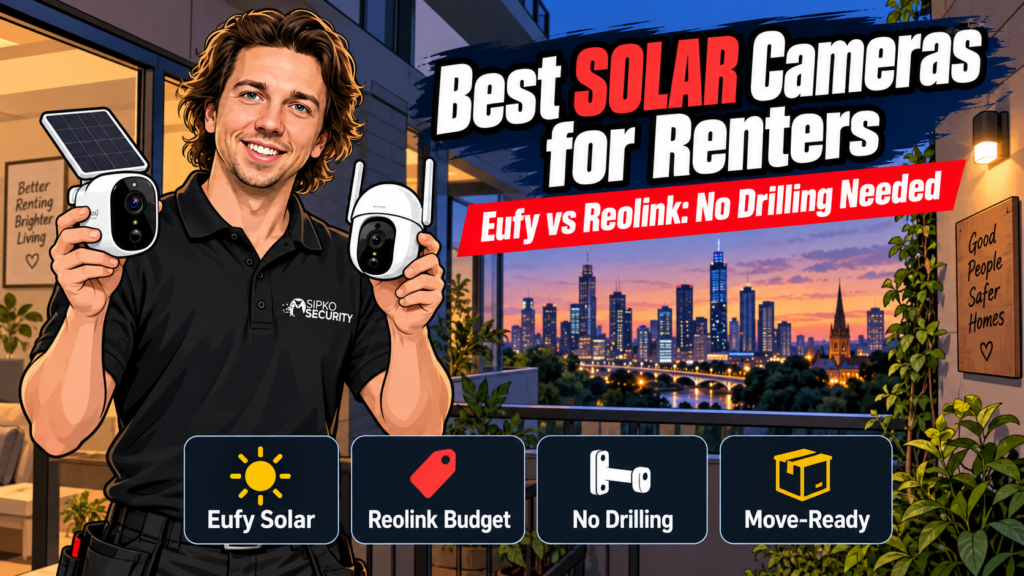
The best battery and solar security cameras for renters right now are the Eufy eufyCam S330 or S340 with HomeBase 3, if you want zero ongoing subscription and on-device facial recognition, or the Reolink Argus Series or Duo Floodlight, if you want sharp 2K/4K footage on a tighter budget. We install permanent, monitored systems across Melbourne every week, but we get asked just as often which battery or solar camera actually holds up for a rental. This is the honest version of that answer.
Which battery or solar security camera is best for renters? The Eufy eufyCam S330/S340 with HomeBase 3 needs no subscription and adds on-device facial recognition; the Reolink Argus Series and Duo Floodlight cost less per camera with local microSD or NVR storage. Both mount without drilling and pack up when you move.
- How we chose these two
- Eufy Security (eufyCam S330 / S340 + HomeBase 3): best for zero-subscription DIY
- Reolink (Argus Series & Duo Floodlight): best budget-friendly pick
- Eufy vs Reolink at a glance
- What renters need to know before you buy
- When it's time for a permanent system instead
- Which one should you buy?
- FAQ
- Sources
How we chose these two
We’re not picking from a spreadsheet of specs. These are the criteria that actually matter for a rental or a DIY-only install:
- No drilling into brick or rendered walls. Most rental agreements and body corporate rules don’t allow it, so mounting has to work with adhesive pads, existing screw points, or a simple bracket
- No Ethernet run. If it needs PoE cable to a switch, it’s not a renter’s camera, full stop
- Local storage that doesn’t force a subscription. Cloud plans are fine as an option; being required to pay one to keep footage is not
- Solar or battery life you can actually verify, not just a marketing claim
- You can take it with you. A camera screwed to someone else’s fence isn’t yours to keep
One thing we won’t tell you: that you need the priciest camera on this list. For a single entry point on a rental, either pick below is enough. You don’t need 4K resolution or dual-lens tracking unless you’re covering a wide driveway or want to make out faces at real distance.
Eufy Security (eufyCam S330 / S340 + HomeBase 3): best for zero-subscription DIY
Who it’s for: renters who want to set it once, forget the battery, and never see a monthly bill.
The eufyCam S330 and S340 both run on integrated solar panels, so once they’re angled toward reasonable daylight, you’re not pulling the camera down every few months to recharge it on a power point. That’s the single biggest maintenance headache with any battery camera. Footage doesn’t go to the cloud by default; it’s written to the central HomeBase 3 (HomeBase S380), which takes local storage up to 16 TB and comes with BionicMind AI on-device processing for facial recognition, so it can tell you “this is someone who’s been here before” without sending a single frame to a server. No monthly fee applies to that core local-storage setup.
| eufyCam S330 | eufyCam S340 | |
|---|---|---|
| Resolution | 4K + 100-lumen spotlight | 3K with 8x zoom |
| Power | Solar panel + 9,400 mAh battery | Integrated solar panel |
| Storage | Local via HomeBase 3 (up to 16 TB) | Local via HomeBase 3, 8 GB on-camera buffer |
| Standout feature | Smart tracking for people and vehicles | Wide coverage, longer optical reach |
| Ongoing cost | None for local storage | None for local storage |
Honest downside: the solar panel needs genuine sun, not just daylight. A camera mounted under a deep eave or facing south in a shaded Melbourne courtyard will still need the occasional manual top-up. The facial recognition tier that makes BionicMind useful lives on the HomeBase, so you’re buying into the ecosystem, not just one camera. If you want a full second opinion on the brand, our Eufy security cameras review covers it in more depth.
Reolink (Argus Series & Duo Floodlight): best budget-friendly pick
Who it’s for: renters who want higher resolution per dollar and don’t mind managing their own microSD card or a small NVR.
Reolink’s Argus range and the Duo Floodlight camera sit at a genuinely budget-friendly price point next to Eufy’s solar lineup, without giving up much on image quality. You’re still getting 2K to 4K sensors depending on the model. Storage is local by default: a microSD card in the camera itself, or an NVR if you already run one, or plan to once you’re out of a rental and into a permanent system. That flexibility is Reolink’s real edge; you’re not locked into one hub the way Eufy’s local-storage tier locks you into HomeBase 3.
Honest downside: without a hub like HomeBase 3, you’re the one managing storage, swapping or checking a microSD card, or setting up an NVR yourself if you want more than a card’s worth of footage. It’s less “set and forget” than the Eufy setup, and on-device AI features are generally less developed than BionicMind’s facial recognition.
Eufy vs Reolink at a glance
| Eufy (S330/S340 + HomeBase 3) | Reolink (Argus/Duo Floodlight) | |
|---|---|---|
| Charging | Integrated solar panel | Solar available on select models |
| Local storage | HomeBase 3, up to 16 TB | microSD card or NVR |
| On-device AI | BionicMind facial recognition, smart tracking | Basic person/vehicle detection |
| Subscription | Not required for local storage | Not required for local storage |
| Price position | Premium tier | Budget-friendly |
| Best for | DIY installs with zero cable runs | Tight budgets, flexible storage |
What renters need to know before you buy
Mounting without drilling. Most of these cameras ship with an adhesive or clamp-style mount that works on a downpipe, fence post, or window frame. Read your lease before you even order; some agreements ban exterior fixtures of any kind, adhesive or not.
Weatherproofing matters more in Australia than the spec sheet suggests. An IP65 rating handles rain fine. It’s UV exposure and heat that wear out cheap plastics and solar panels faster here than in the climates these products are usually tested in. Face panels north or west for the most reliable charge, and expect slightly shorter panel lifespan than the marketing photos imply.
Moving day is the whole point. Unlike a hardwired camera we’d install for a homeowner, everything here unclips and goes in a box. Keep the original mounting hardware; it’s the one part that’s annoying to replace.
Local storage isn’t automatically private. “No subscription” is not the same as “no data leaves the house.” Check each brand’s app settings if that distinction matters to you.
When it’s time for a permanent system instead
Battery and solar cameras are the right call while you’re renting or still deciding on a place. Once you own the property, or you’re running a business rather than a granny flat, the calculus changes. PoE cameras don’t have batteries to fail, don’t need repositioning for sun exposure, and integrate with proper monitoring. If that’s where you’re headed, our wireless security camera guide for homeowners covers the step up, and our DIY vs professional installation comparison is the honest version of when it’s worth paying someone else to do it. We also run ongoing monitoring from $49/month AUD (+GST) with no lock-in, for when self-monitoring a phone app stops being enough.
Which one should you buy?
If you want to never think about a monthly bill and you like the idea of on-device facial recognition telling you who’s actually at the door, go with the Eufy S330 or S340 and HomeBase 3. If you’re working with a tighter budget, want flexibility on where footage is stored, or you’ll eventually feed it into an NVR, go with the Reolink Argus or Duo Floodlight. Either way: check your lease, mount without drilling, and keep the box.
FAQ
Do solar security cameras actually work without a battery top-up?
Mostly, yes, as long as the panel gets several hours of direct or bright indirect sun a day. Cameras mounted in heavy shade, under deep eaves, or facing south in Melbourne’s climate will still need an occasional manual recharge, regardless of what the box says about “endless power.”
Can I use a battery security camera without any subscription?
Yes, for local storage. Both Eufy (via HomeBase 3) and Reolink (via microSD or NVR) support fully local recording with no monthly fee. Cloud backup plans exist as an optional extra, not a requirement.
Will my landlord let me install one of these?
Check your lease first. Adhesive and clamp mounts avoid drilling, but many agreements still restrict exterior fixtures, cameras pointed at shared areas, or anything visible from common property. When in doubt, ask in writing before you buy.
Is facial recognition on these cameras actually accurate?
Eufy’s BionicMind AI, running on-device via HomeBase 3, is built to recognise familiar faces over time rather than identify strangers from a database. It gets better the more it sees your household. Treat it as a convenience feature, not a security guarantee.
What happens to the footage when I move out?
With local storage, the footage lives on your HomeBase, microSD card, or NVR. It’s yours, and it moves with you. Just make sure you’ve backed up anything you want to keep before you unplug and pack the hub.
Sources
Want a permanent, monitored system instead? Book a free site walk-through and we’ll tell you honestly whether a battery camera is still enough for your situation.


