

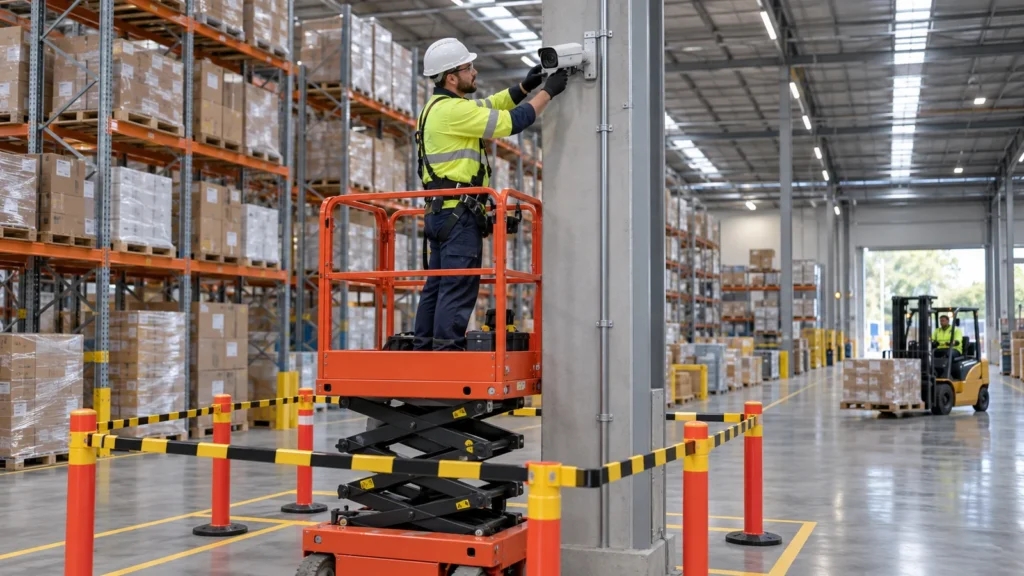
A warehouse CCTV upgrade can often be staged while the business keeps operating. That does not mean every camera will remain available throughout the job. It means agreeing which views matter most, preparing replacement coverage and controlling each interruption before equipment is disconnected.
At a working Melbourne warehouse, deliveries still arrive, forklifts still cross the floor and dispatch cannot simply stop because a recorder is being replaced. The difficult part is usually the transition: keeping useful footage available while the installation team works safely around normal operations.
Where practicable, build and prove the new recording path before removing the old one. That approach needs a site survey, a sequence everyone understands and a clear point at which each replacement is accepted.
Map critical coverage before touching the old system
Start with a walk-through involving the warehouse manager and installer. Mark cameras on the current floor plan, then check their actual views and playback. An icon on a drawing does not prove a camera works or that stock has not blocked its view.
Prioritise loading docks, receiving and dispatch, truck entrances, roller doors, high-value stock, staff access and external yards. For each area, record what the footage needs to show and when coverage is most important. A dock used for morning deliveries may need a different work window from a gate used overnight.
Review changed racking, internal aisles and mezzanines. Check backlighting through open doors, night lighting, dust exposure and difficult cable routes. Reusing a convenient mounting position can preserve the same blind spot the upgrade was supposed to fix.
Record existing faults separately, including missing recordings, incorrect timestamps and unreliable remote access. Then identify shared dependencies: several apparently independent cameras may stop together when one switch, power supply or recorder is disconnected.
Agree a staged cutover, with a fallback
A cutover is the point at which a camera or area moves from the old system to the replacement. A sensible sequence, where the site permits it, is:
- Survey the existing cameras, cabling, recorder, storage and network.
- Agree which coverage must be maintained and how unavoidable gaps will be managed.
- Prepare new cable routes, power and network capacity before removing working equipment.
- Install and test replacement cameras in manageable groups.
- Verify recording, playback and authorised access for each group.
- Retire the corresponding old equipment only after acceptance and footage-preservation checks.
For example, a replacement dispatch camera might be installed and tested while the existing camera continues recording. Once the new view and playback are accepted, the old unit can be removed during an agreed access window. If both need the same mounting point or cable, a short interruption may still be unavoidable.
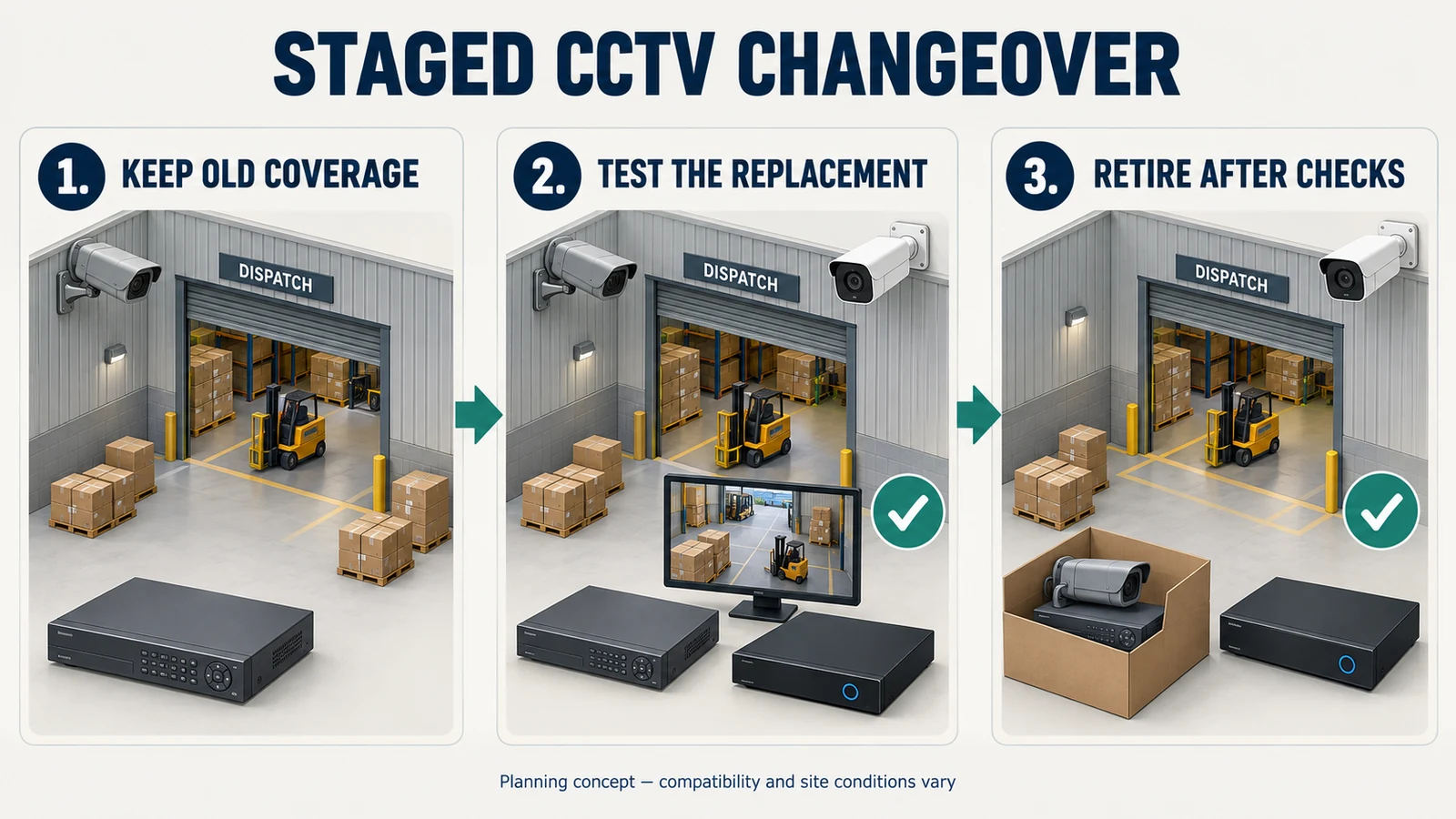
For each stage, name the affected cameras, expected interruption, person approving the change and fallback if testing fails. Agree a stop point so a delayed job does not drift into peak dispatch. Document the start and end of any recording gap; do not describe temporary overlapping coverage as equivalent unless its view has been checked.
Can old and new equipment coexist?
Options include replacing cameras progressively, replacing the network video recorder (NVR) separately, or temporarily running two systems. An analogue-to-IP upgrade may need new cabling and recording infrastructure; a hybrid approach is possible only where the equipment supports it.
Ask the installer to check exact models, firmware, supported resolutions, codecs, recorder channel and bandwidth limits, power requirements and analytics. ONVIF profiles describe shared capabilities, but a general ONVIF claim does not establish that every feature will transfer. Confirm product and firmware listings in the conformant-products database and test the functions the warehouse actually uses.
Plan installation around forklifts, trucks and staff
The installation sequence must fit the warehouse’s safety arrangements. Identify forklift routes, truck manoeuvring areas, pedestrian paths and emergency access before deciding where installers can work. Coordinate temporary barriers, exclusion zones and any changed routes with the site manager; contractors need the relevant induction and traffic instructions.
WorkSafe Victoria’s forklift guidance emphasises separating vehicles and pedestrians and communicating the traffic plan to people at the workplace. A quiet-looking aisle is not a safe work area if an operator can enter it without warning.
Victorian employers must consult affected employees, so far as reasonably practicable, when proposing changes that may affect their health or safety, involving the relevant health and safety representative (HSR) where one exists. Consultation should happen while arrangements can still be shaped, not after the route has already changed.
High mounting points and ceiling access need suitable access equipment and fall-risk controls. WorkSafe says ladders are for simple, short-duration tasks or temporary access; they should not be the automatic choice. Plan disruptive cabling and elevated work for suitable windows, with competent contractors following site procedures. After-hours work still needs supervision, access and safety coordination.
Protect recording continuity and historic footage
Keep a simple changeover log showing which recorder holds footage for each camera and date range. Label old and new views clearly so a manager investigating a dispatch issue knows which system to search.
Before replacing a recorder, identify footage needed for incidents, insurance matters or other obligations. Agree an export and preservation method, test that exported clips play, and retain any required player software and access information securely. Do not assume moving old drives into a new recorder will preserve readable recordings.
Where needed, retain the old recorder in a controlled arrangement until required footage can be accessed independently or its retention requirement ends. Avoid leaving an unsupported unit unnecessarily exposed to the internet just to preserve playback.
Set retention around business needs, policy, contracts and applicable legal obligations. There is no single retention period prescribed here for every warehouse. Check that the new storage configuration can meet the agreed target; higher camera settings can change how much footage fits. Preserve required material before authorised erasure or disposal.
Include the network and remote users in the plan
A Power over Ethernet (PoE) switch can supply both camera data connectivity and power. Replacing it may interrupt several cameras at once. Involve the business’s IT contact before changing shared switches, addressing or internet equipment, especially where warehouse systems use the same infrastructure.
Check available switch power, network capacity and recorder throughput for any temporary overlap. Record the approved configuration and recovery arrangements. Test local recording and remote access separately: an app connection problem does not, by itself, establish whether footage is still being saved.
The Australian Cyber Security Centre’s connected-device guidance supports strong unique credentials, security updates and disabling unused features. During migration, review authorised users and remote access, remove obsolete accounts and device links, and arrange ongoing firmware maintenance. Schedule updates deliberately so they do not introduce an unplanned interruption during cutover.
Review privacy when coverage changes
A wider view or a newly enabled microphone can change what the business collects. Keep camera positioning purposeful, explain changed coverage to affected staff and review notices or signage before activating it.
The Privacy Act does not apply universally to every Australian business. The OAIC explains CCTV obligations for covered organisations, including notification and protecting recorded personal information. Coverage, exemptions and how particular footage is handled depend on the organisation and circumstances; a small-business exemption should not be assumed.
Victoria’s Surveillance Devices Act 1999 separately restricts recording private activities and conversations and contains workplace privacy protections. Keep ordinary warehouse surveillance away from toilets, washrooms, change rooms and lactation rooms. Do not enable audio or assume signage resolves consent questions without checking the applicable requirements. Obtain advice where the proposed use is uncertain.
Test recordings before signing off
A live picture is only the first check. Agree acceptance tests before installation, then have an authorised manager review the results with the installer:
- Coverage: confirm each required view, blind spots and useful detail under normal warehouse conditions.
- Lighting: check open roller doors, glare and actual after-dark performance. Arrange a night check if daytime handover cannot establish this.
- Recording: confirm schedules, continuous or event recording as configured, timestamps, time zone and daylight-saving settings.
- Retrieval: play back and export a sample from every replacement camera, including a relevant test event where used.
- Access: test the intended users, permissions, remote playback and configured notifications.
- Handover: verify storage settings and historic-footage access; provide the camera map, changeover log and operating instructions.
Record unresolved items and who will complete them. Keep legacy coverage where practicable until the replacement has passed the checks relevant to that area.
Common mistakes that create avoidable disruption
Removing old cameras first, assuming cables are reusable without testing, or changing cameras, recorder and network together without a sequence makes fault-finding harder. Each introduces uncertainty just when the business needs to know what is working.
Other avoidable mistakes include booking elevated work during peak receiving, forgetting off-site managers, accepting live view without playback, and failing to document which recorder contains older footage. A larger camera count will not compensate for an untested handover.
Before install day: the manager’s checklist
- Current camera map, known faults and priority views agreed.
- Recorder, storage, cabling and network dependencies assessed.
- Installation stages, access windows and expected recording gaps documented.
- Staff, HSR and contractor coordination completed as applicable.
- Traffic conflicts, elevated access and temporary work areas planned.
- Required recordings protected and authorised users confirmed.
- Cutover approval, fallback and acceptance tests assigned to named people.
FAQ
Can a warehouse CCTV system be upgraded without shutting the business?
Often, but the survey must establish what can safely continue. Some work may need a temporary area closure or a planned recording interruption. Agree those limits before booking installation.
Do all existing cameras need replacing at once?
No. Suitable cameras may remain temporarily or longer, depending on condition, coverage and compatibility. Test recording and required features before relying on them with a different recorder.
What happens to footage on the old recorder?
It needs a separate preservation plan. Export required recordings and verify playback, or retain controlled access to the old system where appropriate. New cameras do not automatically migrate historic footage.
Should the network be upgraded at the same time?
Only if its condition, capacity or security requirements justify it. If network work is needed, coordinate it with IT and stage the change so its effect on cameras and business systems is understood.
How long does an upgrade take, and can work happen after hours?
Timing depends on camera count, cable routes, access equipment, compatibility testing and available work windows. After-hours installation may help, subject to site arrangements. Ask for a staged programme with specific interruptions rather than a blanket promise of zero downtime.
Start with the transition plan
Before approving a warehouse CCTV upgrade, ask how the proposed system will take over from the one you depend on today. The answer should identify protected views, planned gaps, safe work areas and evidence that recording works.
SIPKO Security’s warehouse CCTV services in Melbourne include assessing existing equipment and coverage alongside operational constraints. Bring the floor plan, busiest receiving and dispatch times, and the views you cannot afford to lose. Those details give the project a useful starting point before hardware is removed.



