


A Dahua TiOC camera that speaks when someone enters a locked side passage can serve a useful purpose. The same warning playing every time someone walks past your front fence quickly becomes a problem.
That is the real decision with Dahua TiOC: whether automatic intervention suits the space you want to protect. A clearly defined access point is a stronger candidate than a busy frontage where most movement is perfectly normal.
Active deterrence may discourage or interrupt unwanted behaviour. It does not guarantee that someone will leave, prevent a break-in, or replace good locks, lighting and usable recordings.
What Dahua TiOC actually is
TiOC is Dahua’s styling for Three-in-One Camera. The family brings together colour imaging, AI detection and active deterrence. Instead of only recording an event for later review, a suitably configured camera can respond with light or sound. Dahua’s original TiOC announcement describes those three functions.
TiOC is a family, not one fixed specification. Dahua distinguishes TiOC 2.0 and newer TiOC PRO/WizColor variants, with differences in imaging, illumination, audio and analytics. Its TiOC 2.0 overview describes Smart Dual Light, human/vehicle filtering and built-in or imported warning audio. Do not assume every older or newer unit has every feature on that page.
For a current Australian example, Dahua lists the IPC-HFW3849T1-AS-PV-PRO-ANZ, a fixed bullet camera, with red/blue warning lights, a speaker, microphones, two-way talk, SMD 4.0 and human/vehicle classification for perimeter rules. A separate TiOC PRO eyeball-style model, IPC-HDW3849H-AS-PV-PRO, also lists sound/light warnings and two-way audio. These are representative specifications, not a promise about every TiOC sold locally.
Before choosing one, check the complete model code, regional version and supported software. Warm illumination used to improve the picture is also a different function from coloured warning lights.
How a camera decides to sound a warning
Think of the setup as three decisions: what the camera detects, which rule that event meets, and what action follows. On supported models, a person crossing a configured line or entering a defined area can trigger a linked warning. Simply seeing movement does not mean every available response must be enabled.
The TiOC PRO bullet datasheet describes perimeter events triggering light and voice warnings, selectable audio and imported custom messages. A pre-recorded audio warning is different from two-way talk: the latter lets an operator speak through a compatible, correctly configured system. It does not mean somebody is watching continuously.
Human/vehicle filtering helps distinguish selected target types from other movement. It does not establish whether a person has permission to be there. A courier, your neighbour and an intruder may all satisfy a human-detection rule. That is why the boundary and timing matter as much as the detection technology.
Where active deterrence makes practical sense
Side access, rear yards and outbuildings
A gated side passage leading to a rear door is a useful example. Once visitors have a separate route to the front entrance, movement beyond that gate may deserve attention. A warning can make the restriction clear while the camera records what happens.
The same reasoning can apply around a detached garage, shed or enclosed rear yard containing equipment. Place the trigger where someone enters the restricted space, rather than where they are merely approaching the property. Account for family members taking bins out, gardening or returning home late.
Business yards and after-hours access
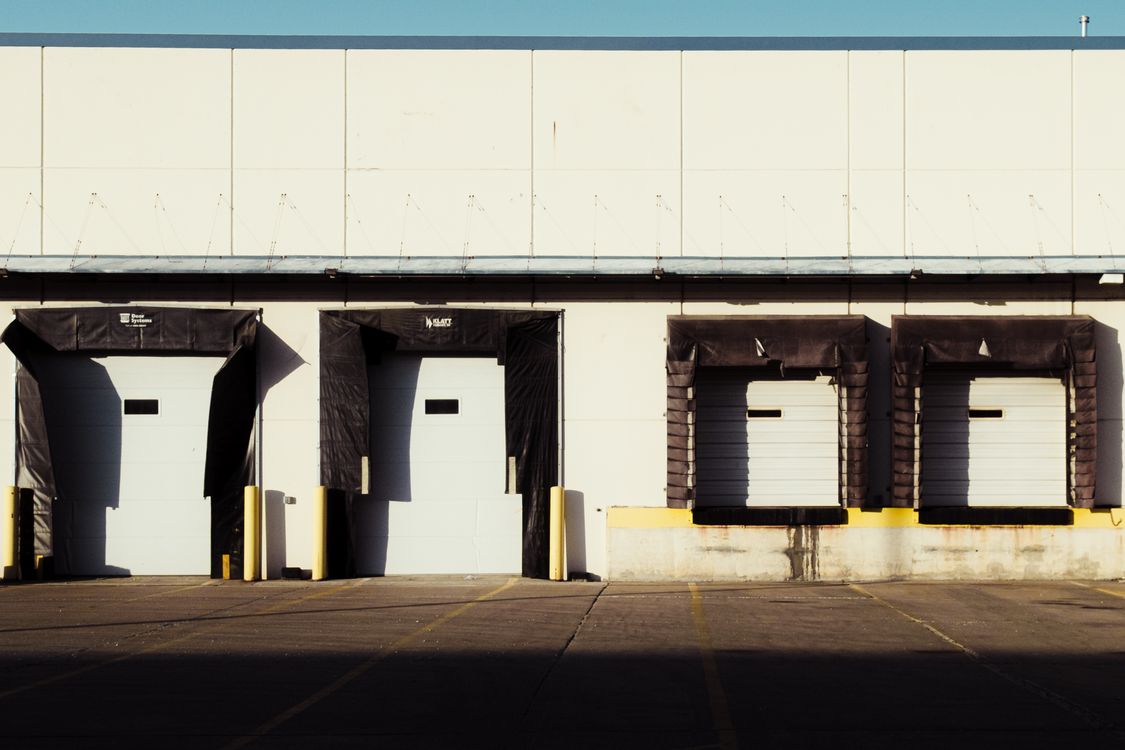
A fenced equipment yard or loading area may be busy during the day and largely unused after closing. That change in normal activity gives a warning rule a clearer purpose. A gated entrance or isolated access point can be another sensible candidate if there is a defined boundary.
When specifying security cameras for warehouses, retain a clear recorded view of the loading area and agree who reviews an alert before relying on light or audio warnings.
Build the plan around actual operations. Cleaners, late collections, shift changes and authorised contractors may use the area outside standard opening hours. A timetable that ignores them will produce nuisance warnings even when detection works correctly.
Where it can annoy the whole street
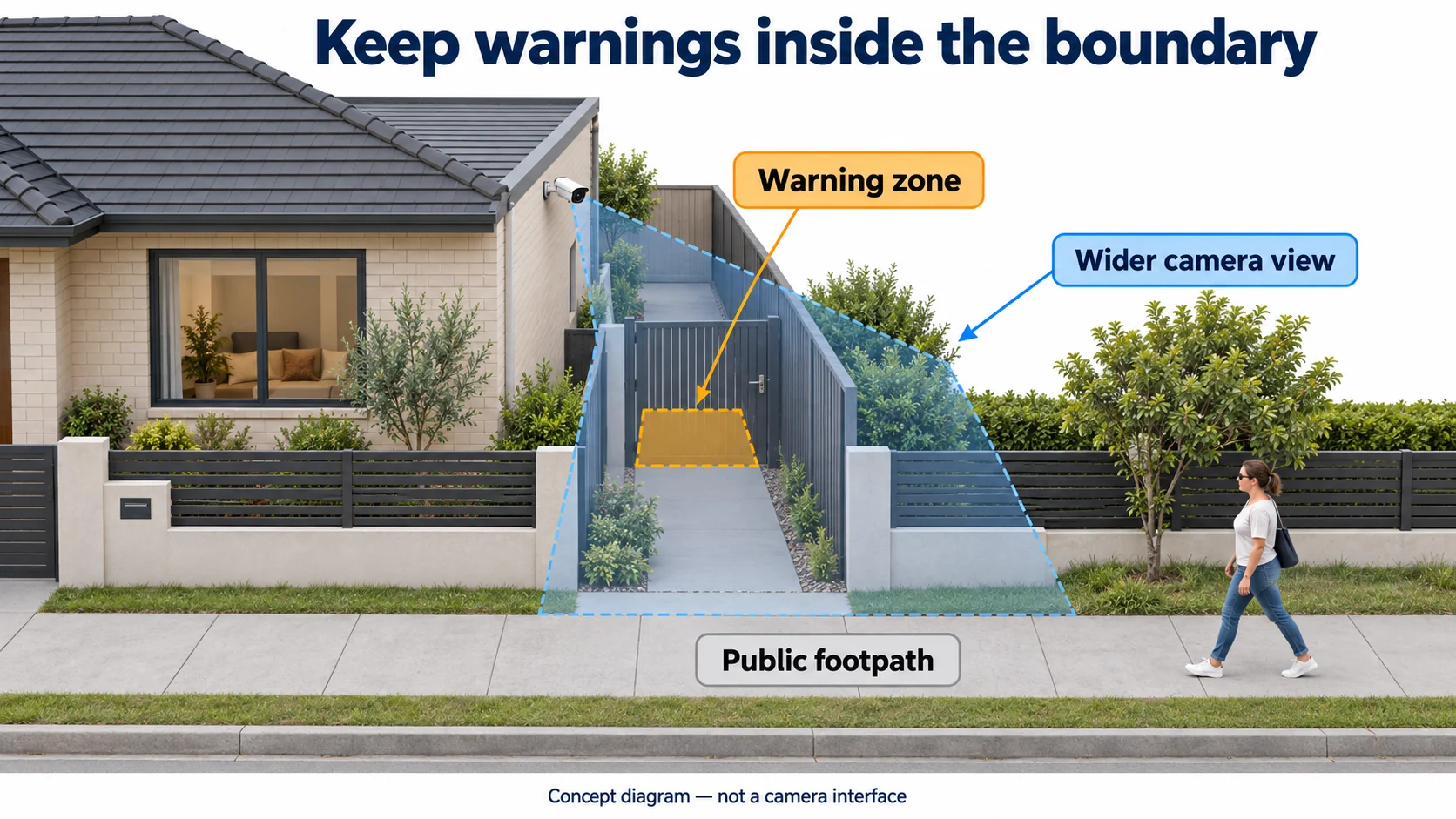
A front camera overlooking a busy Melbourne footpath may see pedestrians all day. Linking that broad view to an audible warning creates an obvious mismatch: the people triggering it often have no reason to change their behaviour.
Shared driveways, apartment entrances and retail frontages need similar care. If normal access crosses the proposed warning zone, there may be no reliable way to separate ordinary use from unwanted entry using that rule alone. A narrower view, a different position or a quieter response may be more appropriate.
Consider where the speaker and flashing lights will be noticed, not just what appears in the video. Nearby bedrooms, outdoor seating and neighbouring entrances matter. A camera on your wall can still be disruptive beyond your boundary, particularly when warnings repeat late at night.
It helps to separate two problems. A false detection mistakes something for a relevant target. A nuisance activation can correctly detect a person but respond unnecessarily. Turning down sensitivity is not a reliable solution to a correctly detected neighbour using a shared driveway.
Record the scene; warn only in the right area
Decide what footage you need first, then define where intervention is justified. A wider recording view may be useful, while the warning rule covers only the gate or restricted approach. This should be a deliberate configuration, checked on the installed camera and recorder.
Dahua’s Web 5.0 operation manual documents drawn tripwire lines and intrusion areas, direction and target filters, sensitivity controls for applicable rules, and schedules for linked actions. It also describes recording plans separately. Available controls vary by device and software, so these are setup principles rather than a universal menu-by-menu recipe.
- Start with placement. Give the camera a clear view of the intended approach without making the public footpath or neighbouring access the centre of the warning area.
- Draw a meaningful boundary. Use a supported line-crossing or intrusion rule around the space you actually want restricted. Include the relevant direction of travel where appropriate.
- Select relevant targets. Enable human or vehicle filtering where supported and needed. Filtering still cannot decide who is authorised.
- Set the hours deliberately. Match warning periods to the property’s routine, including weekends, deliveries and exceptions.
- Tune sensitivity after checking the rule. Higher sensitivity can increase unwanted detections. Lowering it too far can miss activity; test both normal movement and the entry you want detected.
Do not assume silencing a warning preserves every recording behaviour automatically. Have the installer verify the recording schedule, storage and event actions independently. Then check playback during both armed and quiet periods. A silent camera is only useful evidence if the footage you expected is actually being saved.
Commission it around the people who use the property
Before leaving automatic audio enabled, trial the detection rules quietly and review the events. Walk the normal visitor route, the shared boundary and the restricted approach. Test by day and after dark, with the gate in its usual positions. These checks reveal practical mistakes that a neat-looking detection box can hide.
Then test the warning itself at an agreed time. Listen from the intended approach and consider its effect at neighbouring areas. Choose a brief, proportionate message where the model supports custom audio. Avoid messages implying police attendance or live monitoring unless those statements are true.
Show the household or responsible staff how to suspend warnings for legitimate access using the controls supported by their system. Agree who restores the normal arrangement afterwards. Revisit the setup if working hours, access routes or landscaping change, rather than accepting repeated activations as normal.
When a quieter camera setup is the better choice
If the main aim is to identify visitors, check a delivery or review an incident, clear footage may matter more than a speaker. A conventional camera with suitable coverage and recording can be a better fit for a shared entrance or busy shopfront.
There is also no need to make every camera behave the same way. A design might use quiet recording at the front entrance and active deterrence at a restricted rear gate. Choose each position for its job instead of buying the same feature package everywhere. SIPKO’s Dahua camera catalogue is a starting point for discussing options, with the exact model checked against the site requirements.
FAQ
Do Dahua TiOC cameras actually speak?
Supported models can play automatic audio warnings, including spoken messages. The representative models above also support two-way talk. Automatic playback and an operator speaking live are separate functions; confirm both on the exact model and system.
Can the warning lights and audio be turned off?
Yes, supported TiOC systems provide controls to disable or disarm warning actions. Dahua describes one-tap disarming for compatible TiOC 2.0 setups. Confirm which actions your control affects and check that the intended recording continues.
Can active deterrence run only after hours?
Supported event configurations allow scheduled arming periods. Have the installer verify the schedule and linked warning actions on your equipment, then test opening, closing and exception periods rather than assuming a weekday timetable covers every situation.
Will it warn every person who walks past?
That depends on the enabled rules, warning actions and schedule. Human filtering alone will not exclude legitimate visitors. A tightly defined restricted area is usually a more sensible trigger than a broad view of a public footpath.
Do all TiOC cameras have the same features?
No. Generation, model and regional variants differ. Verify illumination, warning lights, audio options, analytics and supported controls against the exact datasheet and installed software before making a purchase.
Choose the boundary before choosing the warning
For a Melbourne home or business, start with three questions: which space needs protection, who normally uses it, and when should entry prompt a response? If those answers are clear, TiOC may be a useful part of the design. If the area is busy or shared, quiet recording may serve it better.
Ask SIPKO Security to assess the camera positions and intended warning zones together. The aim is a system that reacts where it is useful and lets normal life continue without unnecessary announcements.



