

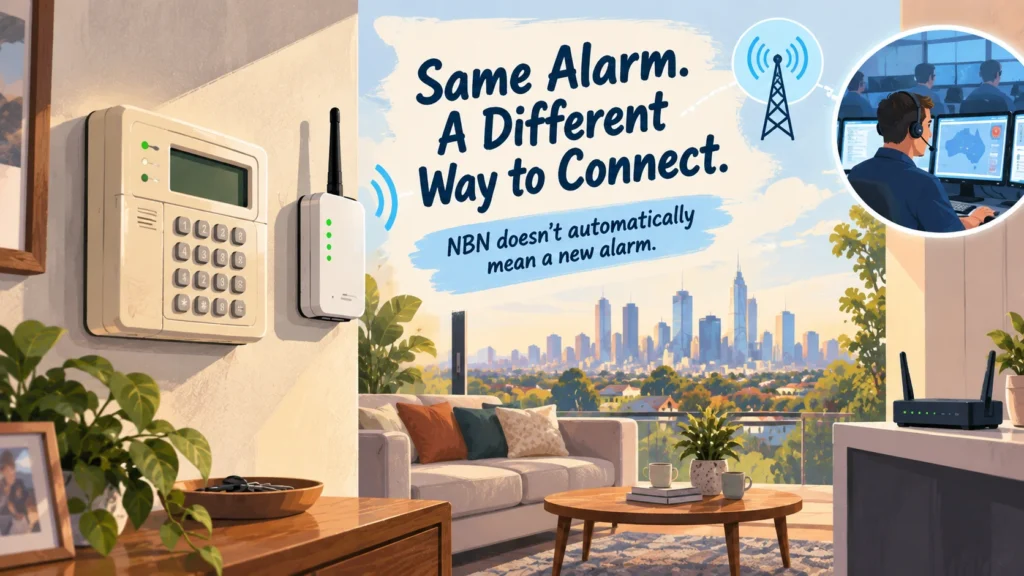
The old alarm still arms. The keypad still works. But the property moved away from its old phone service years ago, and nobody’s quite sure how — or whether — the alarm is still communicating with the monitoring centre.
Does that mean the whole system needs replacing? Not necessarily. The alarm panel and the path it uses to communicate are not the same thing.
The First Question Is Not How Old the Alarm Is
It’s tempting to treat this as an age problem: old alarm, old technology, time for a new one. That’s the wrong starting point. An old panel doesn’t by itself tell you anything about whether it can still communicate with a monitoring centre — and a newer panel doesn’t guarantee it can either.
The transition away from many traditional fixed-line phone services has already occurred across much of Australia, but plenty of older monitored alarms remain installed in properties today, some still relying on the communication arrangement they had when they were first fitted. The real starting question isn’t how old the alarm is. It’s how the system actually communicates with the monitoring centre right now.
Separate the Alarm Panel From the Communication Path
This is the distinction the rest of this guide depends on.
SENSOR → PANEL → COMMUNICATOR → COMMUNICATION PATH → MONITORING CENTRE
- Sensors — detect an event, such as movement or a door opening.
- Panel — processes what the sensors report and decides whether it’s a genuine alarm event.
- Communicator — provides the outward reporting function, sometimes built into the panel, sometimes a separate device.
- Communication path — carries the report to the monitoring centre, via a phone line, broadband connection or mobile network.
- Monitoring centre — receives the transmitted event.
The alarm panel and its communication path are not the same thing. A change affecting one doesn’t automatically mean the other has to change too.
Telstra’s own Business Protect service illustrates this directly: a technician tests the existing alarm panel, then installs a wireless communicator that takes over from the old fixed phone line — the panel stays, only the path to the monitoring centre changes.
That’s a real example of one configuration working this way. It’s not a guarantee that any given old panel can simply have a new communicator bolted on — whether that’s possible depends on the specific system.
What Actually Changed With the NBN?
The NBN rollout replaced much of Australia’s traditional fixed-line phone infrastructure over a number of years. Older monitored alarms that relied on that phone line to reach a monitoring centre were among the things affected — not because the NBN was designed around alarms, but because the phone line many of them used for communication was being phased out.
This is largely a historical process rather than something happening right now. Whether it still affects your particular alarm depends on how that specific system was set up to communicate, not on the fact that NBN exists in the area.
Does NBN Mean the Alarm Panel Has to Be Replaced?
Not automatically. Once the panel and the communication path are treated as separate questions, three broad outcomes become possible.
- KEEP — if the current monitoring arrangement is still suitable and functioning, there may be nothing that needs to change.
- ADAPT COMMUNICATION — in some configurations, a compatible existing panel can continue operating while its communication method changes, with a different communicator or transmission path replacing what the phone line used to provide. Whether this applies depends entirely on the specific panel and communicator involved.
- MODERNISE — where the existing platform no longer suits current monitoring needs or the property more broadly, replacing the wider system can make more sense than patching one part of it. In that situation, moving to a modern platform such as an Ajax alarm system becomes a separate modernisation decision — not a requirement created by NBN.
NBN alone doesn’t decide which of these applies. What decides it is the actual condition of the panel, what communicator is or isn’t already in place, and what the monitoring requirements genuinely are.
What Communication Path Is the Alarm Using Now?
Broadly, a monitored alarm’s communication path tends to fall into one of a few categories: a traditional fixed-line connection, an IP/broadband-based connection, a cellular/mobile connection, or a combination of these for added redundancy. A legacy telephone dialler should not be assumed to work after a phone-service change. IP reporting depends on the configured network and its power supply; cellular reporting depends on a compatible communicator, active mobile service and coverage. Where backup paths are used, each should be tested with the monitoring centre so it is clear which events are received when a connection fails.
Rather than trying to work out which one applies from the outside, a few direct questions get to the answer faster:
- Is the alarm actually professionally monitored, or was that arrangement never confirmed?
- Who is the monitoring provider?
- Was anything changed with the alarm when the property’s phone service was removed or changed?
- Is there a separate communicator device already fitted to the panel?
- What communication path does the monitoring provider currently say is active?
These are questions to ask the provider or installer, not settings to go looking for on the panel itself.
Why Having NBN Does Not Tell You How the Alarm Is Monitored
It’s an easy assumption to make: the property has NBN, so presumably the alarm uses the internet to reach the monitoring centre. That’s not something you can conclude just from having a broadband connection.
Having NBN at the property is not the same as knowing how the alarm communicates. Home broadband, the household’s voice service and the alarm’s communicator are different parts of the overall setup, and one does not automatically tell you how the others are being used.
An alarm might use a dedicated cellular connection entirely separate from the home internet, or it might genuinely rely on the broadband connection — but that’s determined by how the alarm’s communicator was set up, not by what internet service the property happens to have.
What About Power Outages?
This is worth a brief, honest mention rather than a deep dive. Some monitoring arrangements that rely on broadband or other equipment at the property can also depend on that equipment having power. How resilient the connection is during an outage depends on the actual setup and any backup provisions in place — not something that behaves identically across every installation.
This is one more reason the actual communication path is worth confirming rather than assumed.
What Should You Check Before Replacing Anything?
Before deciding the alarm itself needs replacing, it’s worth gathering some basic information:
- identify the alarm’s brand or model, if reasonably possible;
- confirm whether the system is currently professionally monitored;
- identify who the monitoring provider is;
- ask what communication path is currently active;
- establish whether a separate communicator has already been fitted;
- note any recent communication faults or monitoring issues;
- consider whether the existing alarm otherwise still meets what the property actually needs.
This is information-gathering, not troubleshooting — the point is to walk into a decision with an accurate picture, rather than assuming the panel itself is the problem.
When Is a Communication Upgrade Enough — and When Does Modernisation Make Sense?
A communication-path problem and a whole-system replacement decision are not the same thing, even though they can look similar from the outside.
If the aim is to control the alarm from your phone, not only to restore monitoring, read can you control an old security alarm from your phone for what each route needs.
A communication-only change tends to be enough when the existing panel is otherwise compatible and reliable, the issue really is specifically about how it reaches the monitoring centre, and a suitable communication path can be supported without replacing the rest of the system.
Broader modernisation makes more sense when the existing platform no longer suits current monitoring requirements, when reliability or functionality issues extend well beyond communication, or when what the property actually needs has moved past what the existing system can reasonably provide.
If the communication setup is unclear or the panel/communicator combination needs a proper look, a professional alarm installer in Melbourne can assess whether the communication path can be updated or the wider system needs attention.
Before relying on a restored connection, confirm that a test event actually reaches the monitoring centre, with the correct zone and contact details. For an assessment of your current reporting setup, see alarm monitoring compatibility and connection options.
FAQ
Does an old alarm need replacing after NBN?
Not automatically. NBN-related changes typically affect the communication path an alarm uses, not necessarily the alarm panel itself. Whether replacement makes sense depends on the specific system’s condition and communication setup.
Can an existing alarm panel use a different monitoring connection?
In some compatible configurations, yes — the panel can remain in place while its communicator or transmission path changes. This isn’t universal, though; it depends on the specific panel and communicator involved.
How do I know how my old alarm is being monitored?
The most reliable way is to ask the monitoring provider directly what communication path is currently active for the system, rather than guessing from what’s visible at the property.
Does having NBN mean my alarm uses the internet?
Not necessarily. Having NBN at the property tells you about the property’s broadband connection — it doesn’t reveal how the alarm’s own communicator is set up to reach the monitoring centre.
Sources



