

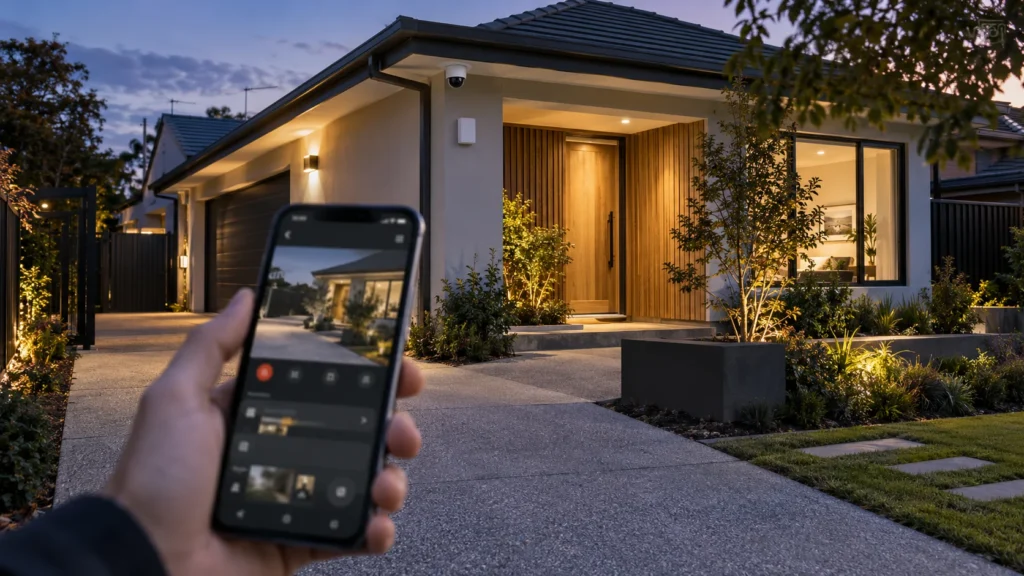
A homeowner overseas opens their phone, checks a camera, and sees the driveway looks normal. They also have an alarm app that occasionally sends a notification. It feels like the house can be managed remotely from wherever they are.
Seeing the property, receiving a security event, controlling the alarm, having the system professionally monitored, and having somebody able to respond locally are five different things. Having one doesn’t automatically give you the next.
Remote Access Can Mean Five Different Things
Before looking at what any single feature does, it helps to separate what “remote access” is actually made up of:
Having one layer does not automatically provide the next. Camera access doesn’t mean you’ll receive alarm notifications. An alarm notification doesn’t verify what actually happened. App control doesn’t create professional monitoring. And professional monitoring doesn’t itself mean a particular person or service will physically turn up.
What Can CCTV Actually Tell You From Overseas?
From overseas, CCTV may help you:
- check a live view of a specific area;
- review recorded footage where the system provides remote playback;
- look at an entrance, driveway or other covered area after an event;
- add visual context to an alarm or other notification.
A live camera answers one narrow question: what can this camera show me right now? It doesn’t tell you what happened before you opened the app, what’s happening outside the areas the cameras actually cover, whether the alarm system itself is functioning properly, whether a separate event occurred elsewhere on the property, or whether anyone is in a position to attend if something needs checking.
Live view is not the same as knowing the overall state of the property. Checking a camera confirms one view at one moment — it doesn’t confirm that everything else is fine.
Remote visibility is only as good as what the cameras were actually set up to cover in the first place. Planning coverage, recording and remote access around what a homeowner actually needs to see is part of CCTV installation in Melbourne — not something to work out for the first time from another country.
What Will Your Alarm Tell You While You’re Away?
A modern alarm system can notify users of more than just an intrusion. Ajax’s documentation, used here as a technical example rather than a description of every alarm system, distinguishes between alarm events, security-mode changes, malfunctions and other system events. Which notifications a particular user actually receives depends on the system’s configuration and that user’s own notification settings.
Notification settings and user access matter. A system may generate an event without every user necessarily receiving the same notification, so this is worth checking before remote access is relied on during a trip.
That creates a genuinely useful distinction: “nothing happened” and “I received no useful information” are not necessarily the same conclusion. A quiet phone overseas could mean an uneventful week. It could also mean a notification setting wasn’t configured the way you assumed.
If remote management matters while you’re away, deciding what the system needs to report — and to whom — should be part of planning an alarm installation in Melbourne.
What Can You Actually Control From Another Country?
Having the app installed and having permission to act on a particular function are not the same thing. Ajax, for example, uses different account roles and permissions, so having access to the app does not automatically give every user the same control over the system.
Consider a household with an owner overseas, a partner, and perhaps a trusted local contact. The relevant question before departure isn’t “does everybody have the app?” It’s: who has access to what, and who is actually authorised to control what?
Remote arm/disarm is a reasonable example of what can be controlled — where the system supports it and the user has been given that permission. It’s an example, not a guarantee that applies to every account on every system.
Remote control is not the same as local action. Changing a security mode in an app can’t physically inspect the property, deal with something that needs to be seen in person, or resolve an issue that requires being there.
A Push Notification Is Not Professional Monitoring
This distinction gets blurred more than any other, and it’s worth being precise about it:
An app alert is not professional monitoring. Ajax’s own PRO Desktop documentation describes it as a distinct application for monitoring and administering systems — used by monitoring companies to organise a Central Monitoring Station, receive and distribute incidents among operators, and coordinate Response Units. That’s a different workflow entirely from a homeowner’s personal notification settings, even when both are triggered by the same alarm event.
And even where professional monitoring genuinely is in place: professional monitoring means the event enters the monitoring provider’s operational workflow; what happens after that depends on the specific service arrangement. It does not by itself guarantee patrol attendance, police response or a fixed response time.
What Still Needs Someone in Melbourne?
This is where the whole chain runs out. Remote information can tell you that something needs attention, but none of that is the same as someone actually being there.
Some situations still need somebody on site, for example:
- checking something the available camera views cannot resolve;
- assessing possible property damage;
- providing physical access when it is required;
- dealing with a system issue that needs onsite attention.
This is what a local response plan is for. It doesn’t have to mean a paid patrol service. Depending on the property and the arrangement, it could be a trusted local contact, a monitoring/response arrangement already in place, or an appropriate service provider called in when something specific needs attention.
Victoria Police’s guidance for an extended absence from home recommends arranging someone to check in on the house while you’re away. It also makes clear that registering an absence does not guarantee that police will attend the property for a check-in. A local response plan therefore still matters when something needs physical attention.
What Should You Check Before Leaving Australia?
Once the five layers are clear, the useful pre-travel check follows directly from them — rather than a generic holiday-security list.
- Visibility — can you actually access the camera views and recordings you expect to rely on?
- Notifications — do the intended users actually receive the system events you expect them to receive?
- Control — do the right people have the access and permissions you assume they have?
- System status — can you tell whether the system itself is healthy, rather than assuming silence means everything’s fine?
- Monitoring — if professional monitoring is meant to be part of the plan, is the actual arrangement what you think it is?
- Response — who can physically act locally if something can’t be resolved from overseas?
- Test it before you leave — confirm all of the above while you’re still in Australia, not for the first time from an airport lounge.
Design Security Around What Happens When You’re Not There
A CCTV and alarm system for a property that regularly sits unattended shouldn’t be planned around device features alone. It should be planned around what information needs to remain available during an absence, who actually receives it, what can genuinely be controlled remotely, and what happens when the situation needs someone on site.
Property-specific planning still matters here too. Established Melbourne homes — the kind SIPKO works with in areas like security camera installation in Brighton — show why this can’t be reduced to a generic device list: architecture, entrances, access routes and landscaping all affect what a camera can actually show you, wherever you happen to be watching it from.
Remote features are not a remote security plan. They’re the raw material one is built from.
FAQ
Is receiving alarm notifications the same as professional monitoring?
No. A notification means you personally were informed that an event occurred. Professional monitoring means the event entered a separate operational workflow, handled by a monitoring provider — a different process, even when triggered by the same alarm.
Can I arm or disarm my home alarm while overseas?
On supported systems, and where the relevant user has been given that permission — yes. It depends on the specific system’s capabilities and how user accounts have been configured, not something to assume applies universally.
Do I still need someone local if I can access my security system remotely?
Remote access doesn’t remove the need for a local response plan. If something requires physical checking, access or onsite attention, someone or an arranged service still needs to be able to act locally.
What should I test before going overseas?
Whether the camera views and recordings you expect to use are actually accessible, whether the right people receive the relevant notifications, who has which permissions, and — if monitoring is part of the plan — whether the actual arrangement matches what you assume it is. Testing this before departure avoids finding out from another country.
Sources
-
Ajax Systems.
How Ajax notifies users of alerts. -
Ajax Systems.
User account types and rights. -
Ajax Systems.
Ajax PRO Desktop user manual. -
Victoria Police.
Absence from residence.



