

A Bosch camera that’s worked reliably for years suddenly goes offline, or stops connecting properly to the recorder. With an older system — and headlines about Bosch selling its security business — it’s tempting to conclude the whole system has simply reached the end.
That conclusion is worth checking before acting on it.
Before deciding the system has reached the end, establish:
- which camera and recorder models are actually installed
- whether the camera still has power and network connectivity
- whether the fault sits with the camera or another layer entirely
- which firmware or software versions are involved
- whether that specific model remains supported
- which parts of the existing system still work
What Actually Happened to Bosch Security Cameras?
The short version, in order:
- December 2024 — Bosch announced the sale of its security and communications technology product business to Triton, a European investment firm.
- July 2025 — the transaction completed. The product business became an independent company, KEENFINITY Group, operating within Triton’s portfolio.
- Early 2026 — KEENFINITY introduced Iqsight as a dedicated brand and business unit for its camera surveillance and video analytics products, with Bosch-branded cameras transitioning to the new name over time.
Bosch Building Technologies itself didn’t disappear. It sold the product business and refocused on its regional systems-integration work. The camera manufacturing and product line continued under new ownership, not as an abandoned category.
Does That Mean Your Bosch Cameras Are Now Iqsight Cameras?
No — not literally.
Bosch is the brand printed on the camera you already have installed. KEENFINITY is the independent company that now owns the product business. Iqsight is a new brand KEENFINITY is introducing specifically for camera surveillance products, with existing Bosch camera lines moving across to it over a transition period.
An installed Bosch camera doesn’t automatically inherit a new support status just because the business changed hands, and it isn’t accurate to describe Iqsight as simply Bosch renamed. The ownership and branding changed; what that means for a specific installed camera still depends on that camera’s own model and lifecycle.
“Not Working” Can Mean More Than a Failed Camera
KEENFINITY’s own technical documentation for Bosch video systems covers genuine faults across several distinct layers, not just the camera itself. A camera that’s stopped showing video can fail at any one of these points, and the symptom on screen looks much the same regardless of which layer is actually responsible.
- Camera or physical layer — the hardware itself may be faulty, but this is only one of several possibilities worth checking.
- Network or authentication — cameras can fail to register or stay connected because of credentials or network conditions, with nothing wrong with the unit itself.
- Proxy, firewall or remote connection — KEENFINITY documents cases where outgoing connections are blocked by a proxy or firewall, causing a camera to appear offline in remote monitoring tools even though it’s powered on and recording locally.
- Firmware or software — behaviour can change after an update on either the camera or the connected software, without any hardware change at all.
- BVMS or recorder integration — a camera can work perfectly on its own, viewable directly through its own web interface, and still fail to integrate properly with Bosch’s video management software.
- ONVIF compatibility — KEENFINITY documents specific connection errors that occur when a camera and recorder disagree on ONVIF settings, which is a protocol-level issue rather than a camera fault.
A camera can be several years old and still develop a problem that has nothing to do with physical ageing.
Quick Reference: What Changed vs. What to Check First
Is This Really an Age Fault?
Not automatically. Age genuinely changes some things, but it doesn’t diagnose a fault on its own.
What age can change indirectly:
- product lifecycle stage and how actively a specific model is still developed
- firmware availability for that model
- software and integration compatibility with current systems
- availability of model-specific spare parts
- the economics of maintaining increasingly old infrastructure
What age does not, by itself, prove:
- a network failure
- an authentication problem
- a firewall or proxy configuration issue
- a BVMS integration bug
- a firmware mismatch
- an ONVIF compatibility problem
Age changes the context of the repair decision. It doesn’t identify the fault.
Are Parts Still Available for Old Bosch Cameras?
Historically, yes, in a fairly structured way. Bosch maintained a detailed spare-parts programme covering camera families across generations, down to individual housings, domes, seals, circuit boards and mounting hardware.
In that documentation, Bosch stated that spare parts were usually still available for an additional five years after a product stopped being manufactured. That’s a meaningful policy, but two things about it matter for an old installed camera today: the source describing it is from 2018, and the word “usually” was part of the original wording, not a guarantee that applied to every single model without exception.
That historical policy isn’t confirmation that the same five-year framework applies unchanged under KEENFINITY’s current ownership. Current parts availability needs to be checked against the exact model and component, not assumed from a general policy that predates the sale of the business.
An Old Bosch System May Not Even Be an IP System
Bosch’s own historical product range spanned analogue cameras on coaxial cable through to modern IP and PTZ systems, often across the same general camera family names. Two properties can both genuinely say “we have an old Bosch system” while having almost nothing in common underneath — one running analogue cameras into an ageing DVR, the other running IP cameras that are only a few years old. That means a migration or replacement decision can’t be made from the brand on the housing alone. It depends on what’s actually installed.
Can You Keep Some of the Existing Bosch System?
Not everything needs replacing just because one part of the system has a problem. Faulting one camera, or finding that a recorder is showing its age, doesn’t automatically mean the cabling, mounting positions and other cameras have to go too.
Potentially reusable layers may include:
- cameras that are still functioning correctly and have a confirmed current support status
- existing Ethernet cabling, where condition and specification allow it
- PoE and network infrastructure, where capacity is sufficient for any additional equipment
- mounts and camera locations, where current coverage is still adequate for the property
- recorder or VMS components, where compatibility with any new equipment remains workable
Each of these needs to be assessed individually rather than assumed. “May include” is doing real work in that list — condition and compatibility decide the answer, not the wish to avoid a full rebuild.
ONVIF Helps, but It Doesn’t Guarantee Compatibility
KEENFINITY’s own support documentation is a useful reality check here. It documents a specific bug affecting BVMS versions 12.1 through 12.3, where audio from ONVIF-connected third-party cameras didn’t come through in live view or playback, despite the cameras themselves working correctly — resolved only with a targeted patch. Even standards-based integration can run into version-specific problems.
Before carrying an old Bosch camera into a newer system, check:
- the exact camera model
- its current firmware version
- which ONVIF profile it supports
- the recorder or VMS version it needs to work with
- any features required beyond basic video (audio, analytics, alarms)
- whether the manufacturer actually lists that specific combination as compatible
Does Bosch’s Sale Make Replacement More Urgent?
Not by itself.
The sale of the product business changed who stands behind it and how the camera portfolio is branded going forward. It didn’t change the physical condition of the camera currently mounted outside a property, and the Iqsight launch shows the camera business continuing rather than winding down.
The sale changes who stands behind the product business. It doesn’t change the condition of the camera hanging on your wall.
A genuinely old, faulty or unsupported model may still be worth replacing — but that’s a conclusion drawn from the model and the fault, not from a corporate ownership change on its own.
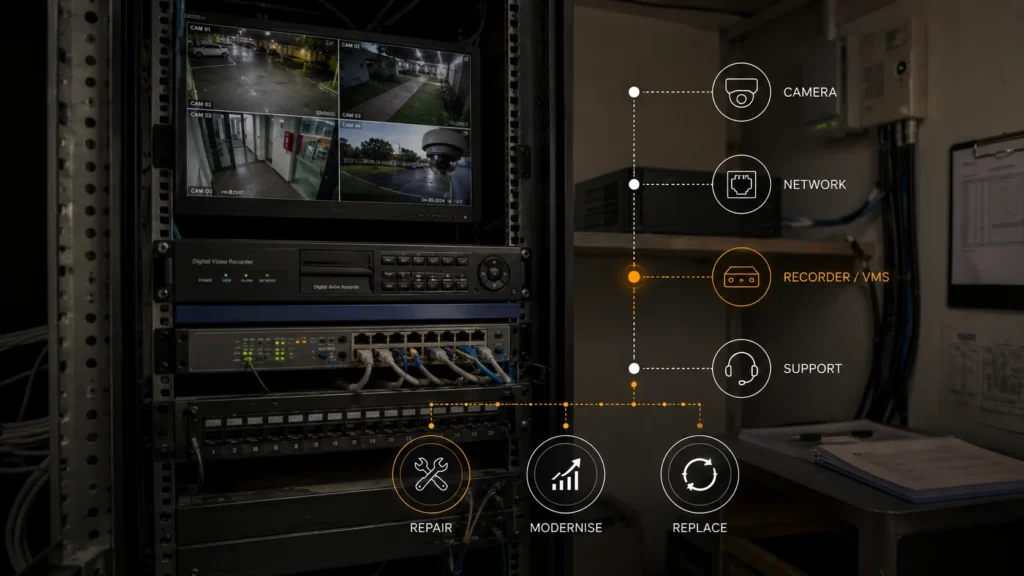
Repair, Modernise or Replace?
Once the actual layer at fault is identified, the decision generally falls into one of three groups.
1. Repair it when the problem is isolated — a configuration, connectivity or software issue, or a genuinely serviceable fault — and the rest of the installed system continues to do its job.
2. Modernise selectively when part of the installed base remains useful but a specific layer, such as the recorder, VMS or network component, has become the real limitation.
3. Replace it when the combination of hardware condition, model lifecycle, compatibility and parts reality makes continuing to maintain the existing system genuinely impractical.
There’s no single formula that applies to every installation. What matters is which of these actually describes the camera and system in front of you.
Getting a Second Opinion
The useful question isn’t whether the Bosch badge looks old. It’s which parts of the installed system are still worth keeping. That’s difficult to answer from a description alone — it depends on the exact camera and recorder models, current firmware, and the physical condition of the hardware.
SIPKO Security provides CCTV installation, repair and system upgrades across Melbourne, and can assess an existing Bosch installation to work out what’s actually at fault, what remains supportable, and whether the sensible next step is a repair, a partial upgrade, or a full replacement.
Frequently Asked Questions
Does Bosch still make security cameras?
Bosch sold its security and communications product business to Triton in 2025, and the business now operates independently as KEENFINITY. Camera products are transitioning to a new brand, Iqsight, over time — the category continues, under new ownership and branding.
What is Iqsight?
Iqsight is the new video-surveillance camera brand introduced by KEENFINITY, the independent company that now owns and operates the former Bosch security product business. Existing Bosch-branded camera lines are moving across to it over a transition period.
Are parts still available for old Bosch cameras?
Historically, Bosch operated a detailed spare-parts programme with stated availability of around five years after a model stopped production. That’s documented historical policy rather than a current guarantee, so it needs checking against the specific model and part.
Can old Bosch cameras work with a newer recorder?
Potentially, if both devices support a compatible ONVIF profile — but that has to be verified against the exact camera, recorder and firmware versions involved, not assumed from ONVIF support alone.
Should I repair or replace an old Bosch CCTV system?
It depends on the actual fault, the model’s current support status, compatibility with any new equipment, and what the property genuinely needs — not on the age of the system by itself.



