

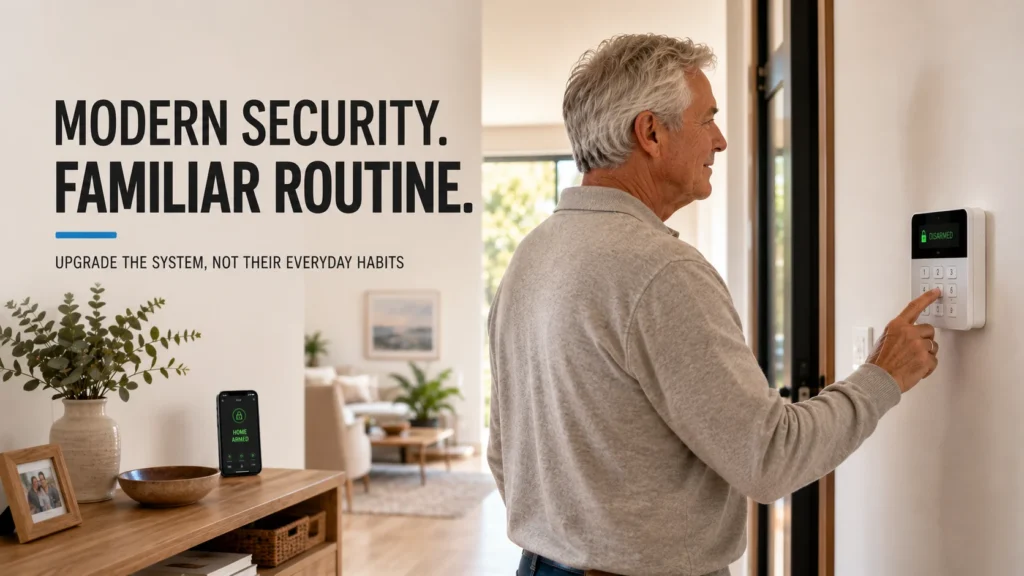
Your mum has used the same alarm for years. She enters a code, presses the same button, and knows exactly what the keypad should show before she leaves the house. The panel now needs modernising — but that doesn’t automatically mean her routine needs modernising too.
Your family probably wants some things the old system can’t give you: a current communication path, notifications, a clearer picture of what’s actually happening with the system. But the person using the alarm every day may only need the same three things she’s always needed — arm, disarm, and Night Mode at bedtime.
So the real question isn’t “which alarm is easiest for elderly people?” It’s this: how much of the new system actually needs to feel new to the person using it every day?
This is about the home security alarm — the system that arms, disarms and watches the doors and windows — not a personal medical alarm, fall detector, or emergency pendant. Different problem, different equipment.
Start With the Routine, Not the Alarm
Before anyone talks about hardware, it’s worth understanding what already works:
- How do they arm the current system, and how do they disarm it?
- Do they use a Stay or Night mode?
- Is it a code, a key fob, or something else?
- How do they know the system has actually accepted the command?
- What do they do if they get it wrong?
Anything that already works for the person is not automatically something the upgrade needs to change. A fifteen-year-old habit of entering a code and pressing one button isn’t a limitation to design around — it’s a working routine that a good upgrade can simply carry forward onto newer, better-supported hardware.
The New Alarm Doesn’t Need to Feel New
Research into older adults and smart-home technology consistently points in the same direction: people in this group tend to want systems they can adjust to their own needs, and they tend to push back against rigid, fully-automated setups that take away their sense of control. A separate line of research on smart-home design makes a related point directly — technology works best for this group when it’s built to fit into daily life as it already exists, rather than requiring people to learn a new way of living around it.
Neither of these findings is a claim that older people can’t learn new things. They’re both about preference for control and continuity — which is a very different starting point from “keep it simple because they’ll struggle otherwise.”
The goal isn’t to freeze the old technology in place. It’s to preserve the parts of the interaction that already make sense, while replacing what sits behind them.
One Alarm Can Have Two Very Different Users
Here’s the mechanism that actually makes an upgrade like this work: after modernising, the same alarm can reasonably have two different users, each interacting with it in a completely different way. These are roles, not necessarily two separate physical devices.
The parent gets a deliberately unchanged daily interaction. The family member who wants to help gets a modern information layer — configured, not defaulted.
One important qualification, because it’s easy to assume more than the system actually promises: seeing that an alarm event happened is different from knowing which specific person caused it. With a shared or general keypad code, the system can tell you the keypad was used — it can’t tell you who used it. Identifying the specific person requires an individually configured personal code, or a Tag or Pass assigned to that person alone. That’s a configuration decision, not something that happens automatically the moment a system is “modern.”
And this arrangement only makes sense in the first place if the parent wants the family member involved. It’s not something to set up quietly on their behalf.
Choose the Control Method Around the Person
Once the routine and the two roles are clear, the actual control method is a smaller decision than it might seem — and there’s more than one reasonable option.
A code. If code-based operation is already familiar and still works well for the person, modernising the system doesn’t automatically mean changing that routine. A physical keypad can support a 4 to 6 digit code with dedicated Arm, Disarm, and Night Mode buttons, and everyday arming and disarming doesn’t require a smartphone at all — the app exists for setup and administration, not for the daily action itself.
A Tag or Pass. For someone who’d rather present a credential than type a code, an individually assigned key fob or card is another legitimate option, supported by keypads that read encrypted contactless credentials. This isn’t inherently easier for any particular group of people — it’s simply a different physical action that suits some people better than typing.
A touchscreen. A larger touch-panel keypad offers more on one device — several control views, smartphone-based authentication as an alternative to a code or Tag, and an on-screen history of recent events. It genuinely does more. That doesn’t automatically make it the right everyday interface for a particular person; it just means it does more, which is a different thing.
The useful principle here isn’t about age. It’s this: choose the interface around the person, not the newest interface in the catalogue.
Keep the Modern Features in the Background
A modern home-security platform can include an app, remote administration, multiple individual users, notifications, event history, device status, and automation scenarios. None of that has to become part of the parent’s daily routine just because the system is capable of it.
The parent’s actual day can stay as simple as: code or Tag → Arm on the way out, code or Tag → Disarm on the way back in, Night Mode at bedtime. The family or admin side of the system — the app, the notifications, the configuration — sits behind that, available to authorised family or admin users, without needing to become part of the parent’s everyday interaction with the alarm.
A feature that exists does not have to become part of the parent’s daily routine.
Decide What the Family Actually Needs to Know
More visibility isn’t automatically better just because it’s available. It’s worth deciding, specifically, what information is actually useful: whether that’s alarm events, the armed or disarmed state, fault or system status, or — where individually configured credentials are in place — which household member triggered a particular event.
If a trusted family member is going to receive this kind of information, that should be an arrangement the parent understands and agrees to — not something set up around them. This is about giving a household member appropriate visibility into the security system they both use, not about monitoring the parent’s movements, tracking their routine, or checking when they come and go. Those are different things, and worth keeping clearly separate.
Don’t Change Everything on Installation Day
A technically capable system can still be deliberately simple on day one. There’s no requirement to activate everything the platform supports the moment it’s installed.
A reasonable starting point looks like this: leaving home means arm, coming home means disarm, bedtime means Night Mode. Everything else — the app, additional users, automation, extra notifications — can be added later, if and when the household actually wants it. Nothing about a capable system requires using all of its capability on day one.
The Handover Matters as Much as the Hardware
Once the system is installed, the training that follows can be split the same way the roles are split.
The parent’s initial handover can stay focused on the everyday actions they’ll actually use: leaving home, coming home, bedtime, and what to do if a code or credential doesn’t work the first time. Anything else can be covered if and when it’s useful to them.
The family or admin handover is separate: the app, notifications, how individual users are set up, general settings, and who to contact if something needs adjusting later. A short printed reference card by the keypad — a couple of lines for leaving and a couple for coming home — can help any household keep the routine consistent, regardless of who’s using it.
If the existing system can no longer support the communication path or control setup a household actually wants, replacement becomes the practical route at that point — our guide on how long a home alarm system actually lasts covers what usually drives that decision.
What This Can Look Like With a Modern System
Ajax is one example of a current platform that can separate simple everyday alarm control from the more advanced administration layer, and it can be configured — not automatically, but as a deliberate setup choice — around the mechanism this whole article has been describing:
- Physical keypad control — everyday arm and disarm can be done without a smartphone.
- Code or credential options — a personal code, or a Tag or Pass, can be configured depending on what the person prefers.
- Night Mode — available as a dedicated, everyday security mode, not a workaround.
- Individually configured users — where set up, personal credentials identify the specific person in event records, rather than just the keypad.
- An app layer for family or admin users — notifications, event history, and system configuration are available to whoever’s been given access, without requiring the parent to use the app for ordinary day-to-day operation.
None of this makes any single interface “the” answer for every household. It just means the platform is built to let the everyday layer and the administration layer stay genuinely separate.
Before replacing an older parent’s alarm, SIPKO can assess how they already use the system, which parts of that routine should stay familiar, and which modern functions can sit behind it without making everyday operation more complicated. The right upgrade isn’t necessarily the one with the most features in front of the user — it’s the one configured around the household that will actually use it. Where a full Ajax installation makes sense for the property, that configuration work is part of the job, not an afterthought.
FAQ
What is the easiest way for an older parent to control a home alarm?
There’s no single easiest method that applies to everyone. The useful approach is to keep the control method as close as possible to what the person is already comfortable using — a code, a Tag or Pass, or another correctly configured option — rather than assuming any one interface is universally simpler.
Can a modern home alarm be armed and disarmed without a smartphone?
Yes, depending on the system. Ajax, for example, supports everyday arming and disarming through physical keypads, codes, and compatible Tag or Pass credentials, without requiring the user to open a smartphone app. The app still handles the setup, administration, and information side of the system.
Can family members receive home alarm notifications?
Yes, where that access has been set up and the parent is comfortable with it. It’s worth keeping in mind that receiving a notification about an event is different from knowing exactly who triggered it — attributing an event to a specific person requires an individually configured code or credential, not just a shared one.
Does an old alarm keypad have to be replaced with something more complicated?
No. A modernised system can be configured to keep the everyday control method just as simple as before — sometimes simpler — while the more advanced functionality sits in the background for whoever wants to use it.
Is a key fob easier than entering a code?
It depends on the person. Some people prefer presenting a credential to typing a code; others prefer the code they already know. Neither is universally easier — the right choice is the one that matches how the individual already prefers to interact with the system.



