

Dahua CCTV Takeover & Reconfiguration in Melbourne
Bought, leased or taken over a Melbourne property with Dahua CCTV already installed? SIPKO can audit the NVR and cameras, secure authorised local access, review DMSS ownership and sharing, check recording and storage, restore remote viewing after network changes, and reuse serviceable equipment where practical.
If the audit identifies a failed camera, NVR, HDD, PoE port or cabling fault, that work can continue through Dahua CCTV Repair & Maintenance in Melbourne.
When a Dahua CCTV Takeover Makes Sense
A takeover is useful when the CCTV system belongs with the property but the current owner or occupier did not configure it and cannot confidently confirm who has access, whether it is recording correctly or how remote viewing is set up.
The Dahua System Came With the Property
You may have inherited the recorder and cameras from a previous owner, tenant, property manager or installer without a clear record of users, passwords, DMSS sharing or recording settings.
For a broader commercial-security handover checklist, see what to do with an existing security system after taking over a commercial property .
The System Changed After a Router, ISP or Management Change
Cameras may still record locally while DMSS remote viewing, notifications or recorder connectivity stop working after a router, internet service, network or management change.
What We Check Before Reconfiguring an Existing Dahua System
The audit identifies what is installed, what works and what still needs attention.
NVR / Recorder
Identify the Dahua NVR, XVR or DVR, connected channels and current recorder status.
Cameras
Confirm which cameras are online and whether important areas still have usable coverage and image quality.
Recording & HDD
Test playback, recording schedules and available storage or HDD status.
Local Users
Review recorder administrator access and other local users separately from DMSS accounts.
DMSS Access
Determine device ownership, sharing and authorised remote-access requirements.
Network & Firmware
Check recorder connectivity, record the current firmware version, and determine whether an appropriate Dahua-provided update is available for the exact model and region.
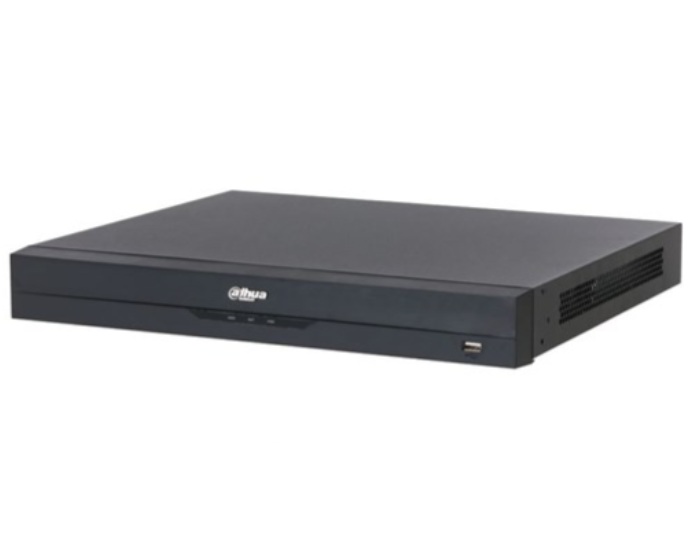
Check the Dahua NVR Before Relying on the Cameras
Seeing live video does not prove that usable footage is being stored. A takeover audit should confirm recording, playback and storage independently.
- Confirm required camera channels are online.
- Test recent playback.
- Review recording schedules and recorder time.
- Check available HDD or storage status and warnings.
- Compare available storage with the property’s retention needs.
- Separate configuration problems from hardware faults.
Local Dahua Administrator Access and DMSS Ownership Are Not the Same Thing
The recorder’s local administrator account controls the NVR or DVR itself. DMSS device ownership and sharing are separate account-level controls. Having the recorder administrator password does not automatically mean you can manage DMSS sharing if the device is still bound to another account.
Local Recorder Access
SIPKO can review local administrator access, additional recorder users and the configuration available directly through the Dahua recorder.
DMSS Ownership & Sharing
Where the authorised current user controls the DMSS device-owner account, existing device sharing and user permissions can be reviewed.
If the device remains bound to another DMSS account, a manufacturer-supported unbinding or account-recovery process may be required. Dahua may request the device serial-number label and ownership evidence, such as proof of purchase where available.
Restore Remote Viewing After Router or Internet Changes
A Dahua recorder may continue recording locally even when DMSS remote access stops after a router, ISP or network change. Local recording and remote access should therefore be tested separately.
- Confirm the recorder is reachable on the local network.
- Review its current network configuration.
- Check internet connectivity where remote access is required.
- Reconnect authorised DMSS access where supported.
- Test remote live view and playback.
- Review supported event and push-notification settings.
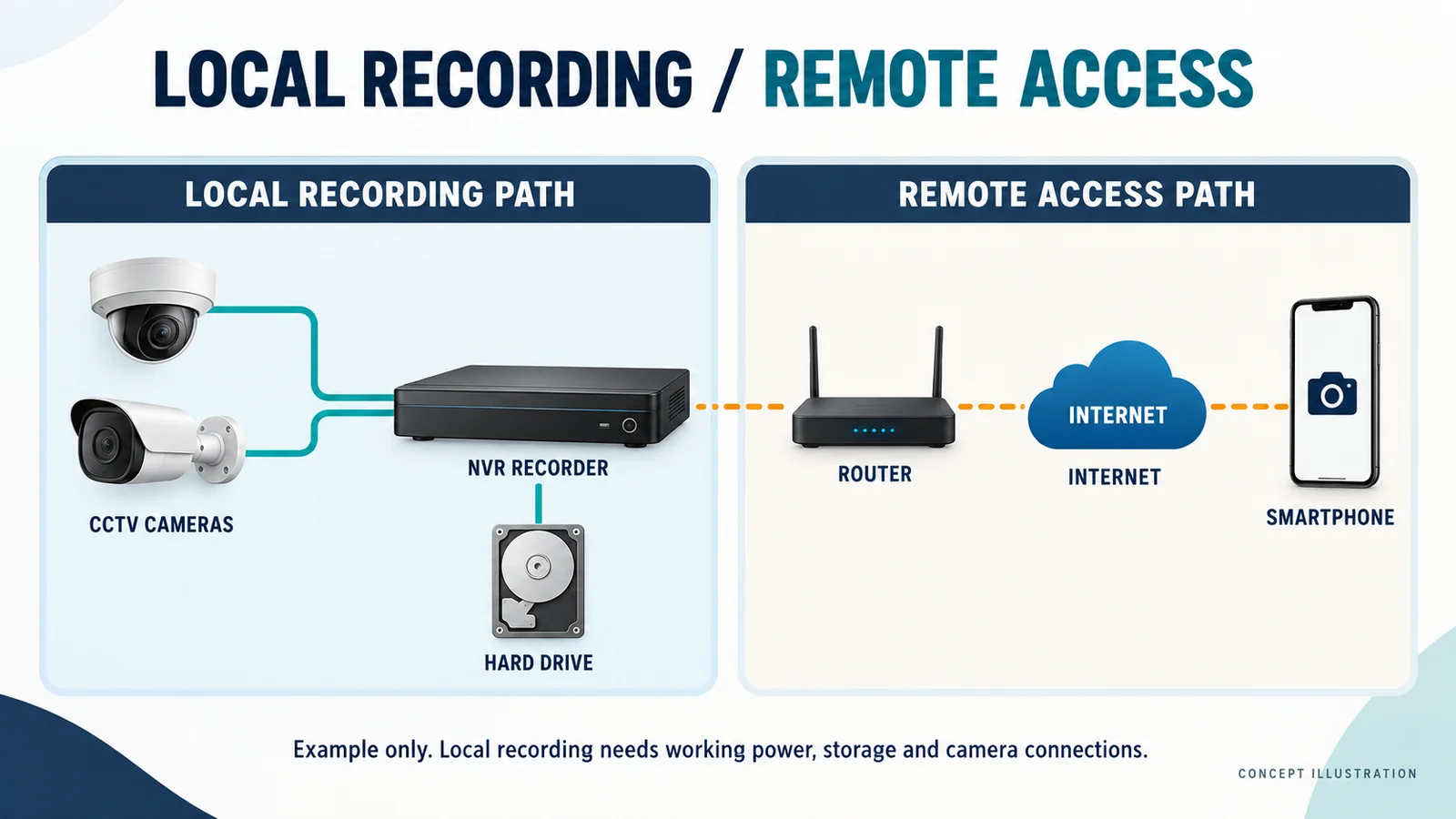
Keep Working Dahua Equipment Where It Still Meets the Site’s Needs
A takeover does not require wholesale replacement. Existing equipment can remain in service where it is reliable, compatible and still provides suitable recording and coverage.
Keep the existing equipment when it still works
- Cameras provide suitable coverage and image quality.
- Recording and playback are reliable.
- Storage is healthy and sufficient.
- Local and DMSS access can be secured appropriately.
- Network problems can be corrected without replacing hardware.
Change equipment when there is a clear reason
- A recorder, HDD or camera has failed.
- Important channels are unreliable.
- Image quality no longer meets the property’s needs.
- Storage capacity is insufficient.
- Older hardware cannot support the required configuration.
How Dahua CCTV Takeover & Reconfiguration Works
Identify
Confirm the recorder, cameras, storage, firmware version, network and existing access.
Audit
Test recording, playback, camera channels, HDD status and network operation.
Secure & Reconfigure
Review local users, DMSS device ownership or sharing, remote access and network settings.
Hand Over
Confirm intended access and identify any remaining repair or upgrade work separately.
Dahua CCTV Takeover & Reconfiguration FAQ
Can you take over a Dahua CCTV system installed by another company?
Is the Dahua NVR administrator account the same as the DMSS device owner?
Can previous users or the previous owner be removed from DMSS?
What if I do not know the Dahua administrator password?
Will you check whether the Dahua CCTV system is actually recording?
Can existing Dahua cameras and recorders be reused?
Dahua CCTV Takeover by SIPKO Security
Existing Dahua CCTV systems in Melbourne can be assessed for recorder and camera condition, recording, storage, authorised access, DMSS, networking and practical reuse of existing equipment.
Private Security Business Licence — Z93-206-80S
Cable Registration — T58117
ACN — 695 604 801
ABN — 23 695 604 801
Last reviewed: 17 September 2026
Need Control of an Existing Dahua CCTV System?
SIPKO can audit the existing system, establish authorised access, check recording and remote viewing, reconfigure supported settings and identify only the repairs or upgrades that are actually required.
