

If your building’s CCTV uses a resident’s internet, their move can interrupt remote viewing, alerts or cloud services. Local recording may continue, but only if the cameras, recorder, power and local connections they need remain working. A blank phone app does not tell you whether footage is still being recorded.
For a Melbourne apartment block or mixed-use building, the priority is to identify that dependency before the resident cancels their service or packs the router. Common-property CCTV should not quietly depend on one person’s private connection without a documented support and exit plan.
First, trace what uses the resident’s connection
Ask the CCTV technician to draw a simple connection map: cameras, recorder, network switches, router, internet service and remote-access accounts. Include equipment inside a private lot and who supplies its power.
The arrangement may have started with the nearest available router, a convenient Wi-Fi connection or a temporary workaround when the building had no service of its own. That does not automatically mean anyone acted carelessly. The problem is when the workaround becomes permanent and nobody records its limitations.
Establish whether the resident supplies only the route to the internet, or also the Wi-Fi and network equipment carrying video between cameras and recorder. Those are different risks.
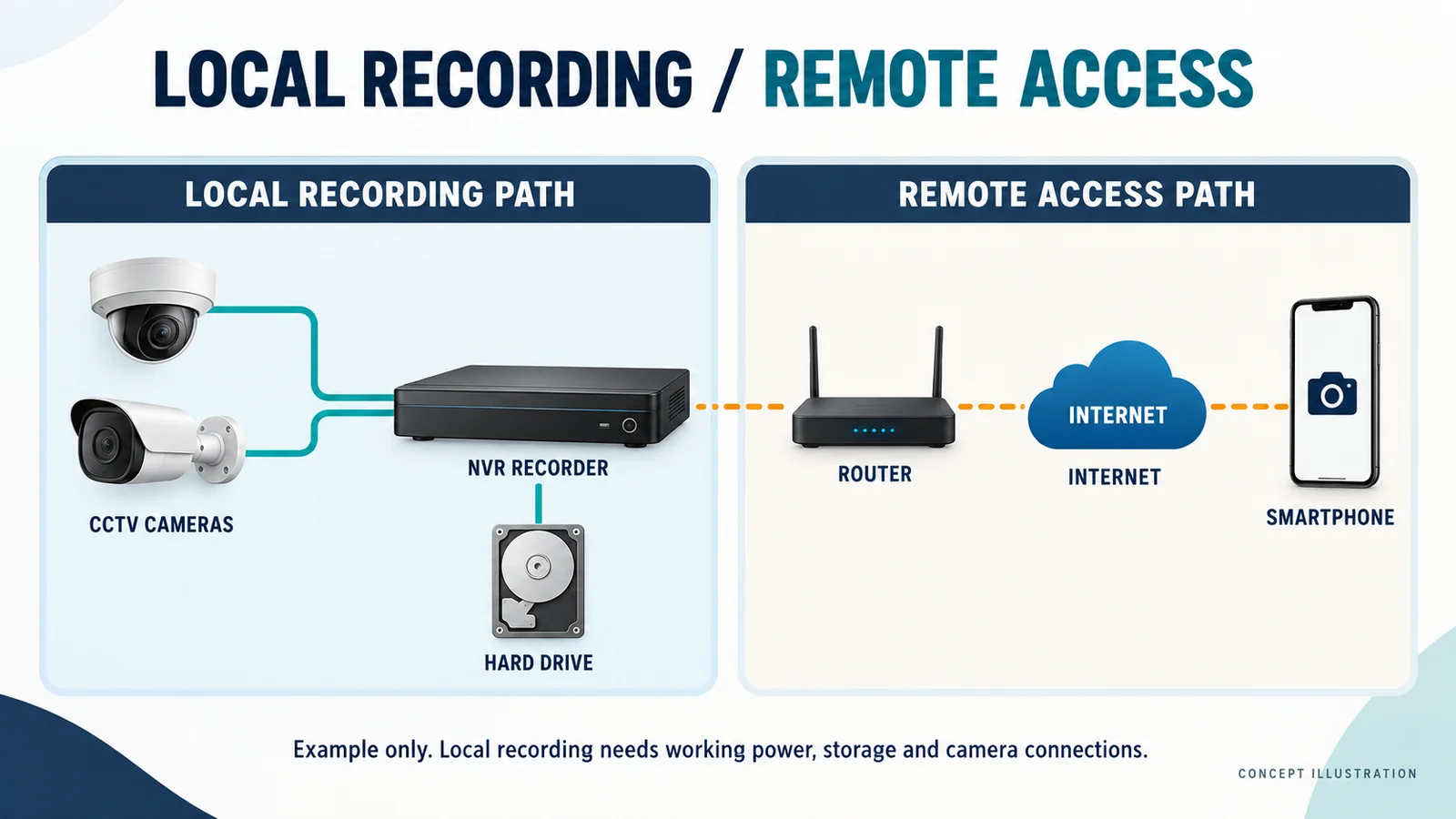
Local recording and remote viewing are different functions
Separate the system into four layers rather than asking whether “the CCTV works”:
- Camera-to-recorder operation: cameras send video to a local recorder, or store it on supported onboard storage. Recording can continue without internet where power, storage and the required local connections remain available.
- Local network access: an authorised computer or phone connects within the building. This needs a working local network and a supported local login method; an app may still depend on cloud authentication.
- Internet-dependent remote access: viewing or playing back recordings from outside the building needs a working remote connection at both ends.
- Cloud-dependent services: cloud recording, account services and alerts may become unavailable when their internet path fails. Offline storage and later upload depend on the product and configuration.
For example, a recorder with cameras connected directly to its powered camera ports may keep recording after its internet cable is disconnected. Cameras reaching that recorder through the resident’s Wi-Fi may lose their recording path when the router is removed.
Manufacturer limits matter. AXIS Companion documentation, for example, describes local live view and playback through an offline mode that must be enabled beforehand. It is a useful reminder to test local access rather than assume every app works offline.
What can change when the resident leaves?
The move itself is not the technical trigger. These ordinary changes can be:
- Service cancellation or an ISP change: the recorder can lose internet access. A replacement service may also change the public address or available remote-access options.
- Router replacement, removal or factory reset: saved Wi-Fi settings, automatic address assignments and any configured VPN or port-forwarding rules may disappear.
- A different Wi-Fi name or password: cameras or a wireless bridge using the old details may disconnect.
- Changed local addressing: devices with fixed addresses may no longer communicate correctly with the replacement router or recorder.
- Equipment losing power: an unplugged router, switch or power supply can affect more than remote viewing.
- Account or permission changes: a cloud service registered to the resident’s email or mobile may become difficult to administer or recover.
Remote maintenance, off-site monitoring, push notifications, cloud updates and internet-based time synchronisation may also be affected where they use that connection. Not every system uses a VPN, port forwarding, a static public address or cloud P2P access.
Distinguish the resident’s modem/router from nbn equipment. nbn says its connection box should stay at the property; a resident may take their own router. Not every nbn technology has a separate connection box. If one is mistakenly removed, contact the internet provider. A box left behind does not mean the resident’s paid service continues.
The resident may also withdraw permission to share their connection, or the next occupant may object. Do not build the handover around an assumption that either person will keep funding or supporting the building’s cameras.
Establish ownership, access and authority
In Victoria, “owners corporation” is the usual formal term for what people often call strata or body corporate. Consumer Affairs Victoria explains that common property is identified on the plan of subdivision. Its maintenance guidance also covers common-property equipment and services.
That context does not establish who owns a particular router or authorise entry into a private lot. Have the manager confirm the relevant records, agreements, approvals and access arrangements before work starts.
Record clear answers to these questions:
- Who owns the recorder, router, switches and wireless equipment, and where are they located?
- Who pays for the internet, whose name is on the account, and who is authorised to speak to the provider?
- Who holds the CCTV and router administrator credentials?
- Who controls the cloud account, subscription, recovery email and multi-factor authentication (MFA)?
- Who can arrange equipment access, approve replacement connectivity and support it afterwards?
Store credentials securely, separate from committee minutes or a widely circulated network diagram.
Choose a replacement the building can manage
The objective is controlled infrastructure, clear billing and reliable support. Depending on the site, that could mean an owners-corporation-controlled fixed service, a suitable business or mobile service, and a dedicated common-property network.
A technician may recommend a managed router/firewall and separating CCTV from residents’ devices, using a VLAN or other network design where appropriate. Separation needs correct access rules; it does not, by itself, remove dependence on whoever owns the internet service.
Choose around camera count, existing cabling, recorder location, available services, upload capacity, monitoring requirements, budget and cyber-security needs. For mobile connectivity, check coverage at the equipment location, data allowances and compatibility with the intended remote-access method. There is no single connection type that suits every building.
Plan the migration before the service is cancelled
Use this sequence as a planning framework, adjusted by the technician for the actual system:
- Document and preserve access. Map the current setup, identify resident-dependent devices and confirm a working authorised recorder login. Back up configuration where supported and preserve any required recordings.
- Arrange the replacement. Confirm approvals, installation dates, account control and who pays. Agree a change window with the resident, manager and monitoring provider if applicable.
- Prepare the new network. Have the technician configure addressing, routing and secure remote access. Keep local recording available where practicable and record any expected outage.
- Transfer account control. Establish building-controlled administration and recovery through the vendor’s supported process. Confirm the new administrator can sign in before removing the only existing access.
- Test and disconnect the old dependency. Verify recording, remote access and relevant services through the replacement path. Retest with the resident’s CCTV connection isolated under an agreed procedure, then document the final setup.
If the service has already ended, first check recording locally and arrange authorised equipment access. Avoid a factory reset as an exploratory step: it can remove useful configuration without resolving account ownership.
What to test before the resident moves out
Give the manager a short results sheet showing the test time, person responsible and any unresolved item. A successful app login alone is insufficient.
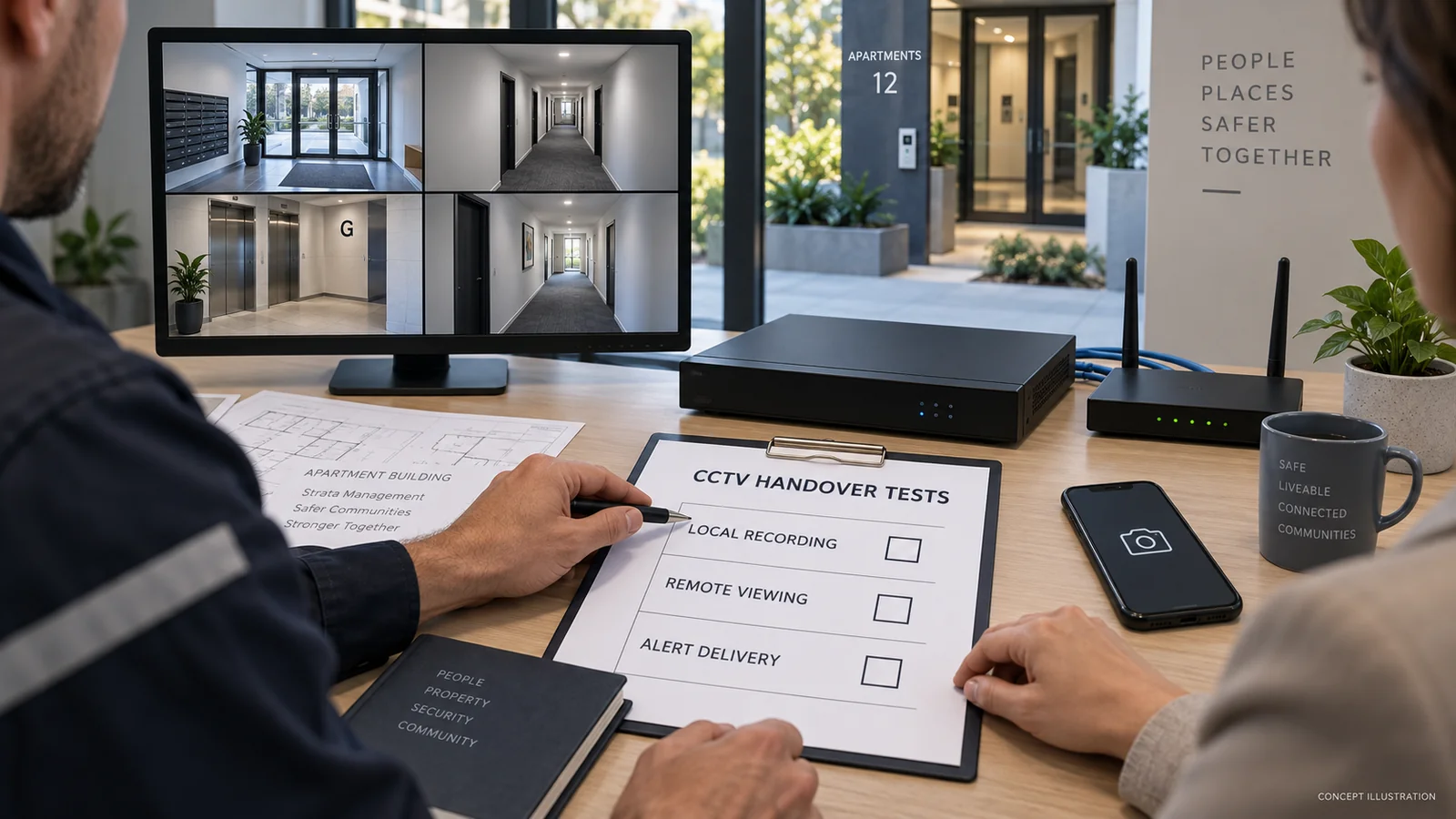
- At the recorder: confirm every expected camera, then play back newly recorded footage from each one. Check timestamps and storage status.
- On the local network: test the intended authorised viewing method and confirm it still works under the planned loss-of-internet conditions.
- From outside: use a phone on mobile data, with building Wi-Fi disabled, to test live view and recent playback through the new service.
- Alerts and monitoring: generate an agreed test event and confirm delivery to the intended recipients. Coordinate monitored tests to avoid an unnecessary response.
- Network settings: have the technician verify camera addresses, the recorder’s route to the internet (gateway), address lookup settings (DNS), and cloud/P2P or VPN status where used.
- Management access: verify administrator login, recovery details, MFA and the approved remote-support method.
Plan any disconnection test with the resident. Do not unplug their whole household service simply to prove a point.
Move accounts without widening access to footage
The ACSC’s small-business guidance supports individual accounts, unique passwords, MFA where available and maintained software. Apply those principles to the building’s security accounts: named authorised users, controlled administrator access and a documented maintenance contact.
Use the provider’s transfer process rather than requesting access to a resident’s personal email account. Move recovery details and MFA, revoke obsolete sharing and sessions where supported, and change shared credentials the former user knew. Verify the effect; password changes do not universally terminate every session.
CCTV can contain identifiable personal information. OAIC guidance explains that Privacy Act obligations apply where the organisation is covered, and state surveillance laws may also apply. Do not assume every owners corporation has identical obligations. Seek appropriate advice where coverage, access or recording practices are unclear.
Moving the internet connection should not give the new resident or every committee member unrestricted footage access. Review viewing, playback and export permissions separately. Preserve required footage and follow the applicable retention arrangements; changing account control is not an instruction to delete recordings.
Strata CCTV handover checklist
The common failures are usually omissions: cancelling too early, returning a router without its settings, leaving recovery tied to an old phone, or assuming local recording proves remote access works.
- Before the move: map dependencies; confirm equipment and account ownership; secure authorised credentials; record settings; approve and arrange replacement connectivity.
- During migration: preserve recording where practicable; configure the replacement path; transfer administration and MFA; record downtime and test results.
- After migration: verify local recording, remote playback and alerts; remove obsolete access; confirm billing, equipment access and ongoing support; assign an owner and deadline to unfinished work.
FAQ
Will CCTV stop recording if the resident cancels their internet?
Not necessarily. Local recording can continue if the cameras, recorder, storage, power and local network remain functional. Cloud recording or cameras relying on removed networking equipment may be affected. Check new recordings locally.
Can strata CCTV use a resident’s nbn connection?
It may be technically possible, but confirm permission, provider terms, security separation and the owners corporation’s approvals. Document costs, support and an exit plan rather than treating a private service as permanent building infrastructure.
What happens if the router is replaced?
Wi-Fi details, local addresses and remote-access settings may change. A technician should check which settings the CCTV uses; copying the old Wi-Fi name alone does not prove everything has migrated.
Who should control the CCTV cloud account?
The building should arrange durable authorised control and recovery, consistent with the platform’s account rules. It should not depend solely on a departing resident’s personal email or phone.
Can remote viewing move without replacing all the cameras?
Often the work concerns connectivity and account configuration, but compatibility, support status and equipment condition need checking. Do not assume either that all cameras need replacing or that a router swap is always sufficient.
Finish with a system the building can support
A clean handover leaves the manager knowing what records locally, how remote access works and who controls the service. SIPKO Security can assess CCTV and network dependencies for Melbourne owners corporations and help plan a transition with the authorised manager and internet provider.



