

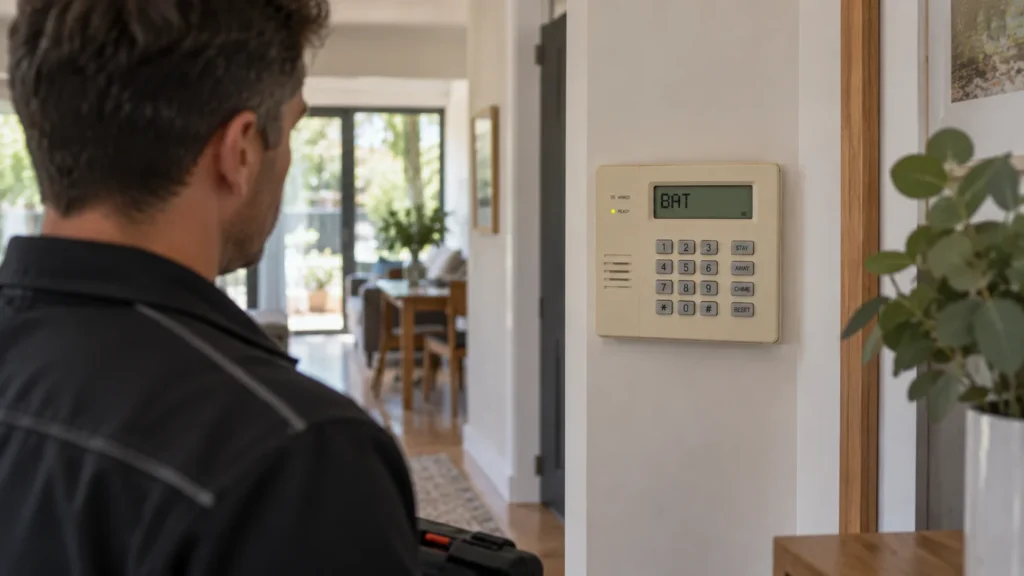
The keypad starts beeping. It shows CHECK, BAT or No AC. The alarm may still arm normally, or it may not behave quite the way it usually does. The awkward part is that the message on the display is not necessarily the diagnosis — it’s a starting point, not an answer.
This guide is for owners of older Ademco/Honeywell Vista-15P/20P family alarm systems who are trying to work out what a trouble indication actually means before deciding whether it’s something to note, something to check, or something that needs a technician.
Vista Covers More Than One System
Owners of older Vista systems may encounter either Ademco or Honeywell branding. What matters for troubleshooting is the exact panel and keypad configuration, not the brand name alone.
“Vista” describes a family of control panels, not one fixed product. This article works from verified behaviour on the Vista-15P/20P family specifically. Other Vista systems may display trouble conditions differently, so treat the details here as accurate for that family, not as a universal Vista standard.
First, Work Out Which Vista System You Have
Before a trouble message means anything, it helps to know which system is actually reporting it. A brand name on its own — Ademco, Honeywell, or just “Vista” — doesn’t tell you the model, and different models in the same family can behave differently.
Reasonable ways to check, without opening any equipment:
- old paperwork or a handover folder from a previous owner or installer;
- past service records or invoices that mention a model number;
- installation or service company details, if a sticker or card is present;
- model information printed on the keypad or panel fascia, where it’s already visible.
If none of that is available, that’s still useful information in itself — it tells whoever eventually looks at the system that identification is the first job, not a detail to skip.
Start With the Exact Keypad Message
This is where the central idea of this guide matters most:
A trouble indication tells you what the alarm has detected or where to look — it does not by itself tell you the underlying cause.
Before doing anything else, it’s worth simply recording what the system is actually showing:
- the exact message or abbreviation on the display;
- any zone number shown alongside it;
- whether the keypad is beeping, and how often;
- when the message first appeared;
- whether it has cleared and come back, or stayed constant.
None of this fixes anything. It just means that whatever happens next — your own observation or a technician’s assessment — starts from what the system is actually saying, not from a guess based on the sound alone.
Quick Reference: What Each Indication Points To
What Does CHECK Mean on a Vista 15P/20P System?
On the verified Vista-15P/20P family, CHECK indicates that a malfunction or trouble condition has been detected. Where a zone number is shown alongside it, that number identifies the zone associated with the condition.
That’s genuinely useful — it narrows down where to look. What it does not do is tell you which specific component is responsible, or what exactly has gone wrong within that zone. A CHECK against a particular zone can have more than one possible explanation, and the display doesn’t distinguish between them.
Problem location is not the same as root cause. Knowing which zone is flagged is the first step in a diagnosis, not the diagnosis itself.
What Does BAT Mean — and Which Battery Is It Referring To?
This is one of the more commonly misread messages, because “BAT” sounds like a single, simple issue. On this family, it isn’t.
BATwith a zone number relates to a low battery condition in a wireless sensor or device associated with that zone.BATwith no zone number indicates a low battery condition in the system itself.
These are two different things happening in two different places, and the display distinguishes between them through the presence or absence of a zone number — not through separate wording.
BAT does not automatically mean the main alarm battery needs replacing. A wireless door sensor with a low battery and a low system battery look similar at a glance but point to entirely different equipment.
What Does No AC Mean?
No AC indicates that mains power has been lost and the system is running on backup battery. On its own, it does not tell you why AC power has been lost, so it should not be treated as evidence that the panel itself has failed.
A reasonable homeowner-level check is simply whether the property currently has mains power, and whether there’s been a recent outage. Beyond that observation, working out why AC has actually been lost is not something to pursue without appropriate access to the equipment.
Can an Older Vista Have a Communication Problem After the NBN Transition?
Some older monitored alarm installations rely on a traditional copper telephone line to communicate with a monitoring centre. Where that’s the case, the communications arrangement may need reviewing as part of the broader NBN transition, since the underlying copper line isn’t guaranteed to remain available indefinitely.
Whether this actually applies — and what it means in practice — depends on the specific panel and model, how the system is currently configured, what monitoring arrangement (if any) is in place, and what communications solution or network technology serves the property. There’s no single answer that covers every installation.
It isn’t accurate to say the NBN transition breaks Vista alarms, or that these systems can’t work alongside it. It’s more accurate to say that a system depending on a phone-line communication path is worth checking specifically, rather than assumed to be unaffected.
Why Stopping the Beeping Is Not the Same as Fixing the Trouble
It’s tempting to treat a quiet keypad as a solved problem. On these systems, silencing the audible warning and correcting the condition behind it are two separate actions.
A silenced keypad doesn’t mean the trouble has been resolved — it only tells you that the audible warning has stopped. Whether the underlying condition has cleared still needs to be established separately.
What Can You Safely Check Before Calling for Service?
Most of what’s useful here is observation, not intervention:
- identify the system’s model or family, if you can, without opening any equipment;
- record the exact keypad message and any zone number shown;
- note whether the property currently has mains power;
- note when the issue first appeared;
- note whether the condition has cleared and returned, or stayed constant;
- note any recent, obvious change to power or phone/communications service.
This is a list of things to observe and write down — not a checklist for opening the panel, testing batteries or wiring, bypassing a zone, or resetting anything. Those steps belong with someone who has the appropriate access and training.
When Does the Problem Need Professional Diagnosis?
Some situations move past what can reasonably be worked out from the keypad alone:
- the trouble condition persists after a reasonable period;
- the same condition keeps returning;
- the cause can’t be identified from what’s visible and safely observable;
- more than one issue or zone appears to be involved;
- the current monitoring or communications setup isn’t clear;
- the system’s day-to-day behaviour has become unreliable.
At that point, the practical next step is a proper assessment of the existing system rather than continuing to interpret indications from a distance. SIPKO’s residential alarm installation in Melbourne includes exactly this kind of assessment for existing systems — checking the panel, wiring, backup battery and zones before recommending anything, rather than assuming replacement is the only option.
Should an Older Vista Be Repaired or Modernised?
A trouble indication alone is not a reason to replace the entire system. What it’s worth doing about it depends on the specific fault, the overall condition of the equipment, the current monitoring requirements, and whether the existing system still suits what the property needs.
Repair or continued servicing is a legitimate outcome for a system that’s fundamentally sound but has a specific, identifiable fault. Modernising to a current platform is a separate, valid path where the existing hardware, monitoring options or communications no longer suit what’s required — not a default response to seeing a trouble message. Where that assessment does point toward a modern replacement, Ajax alarm installation in Melbourne is one option to be aware of, considered on its own merits once the existing system’s condition is actually known.
FAQ
What does CHECK mean on a Honeywell Vista alarm?
On the Vista-15P/20P family, it means a trouble or malfunction condition has been detected, with any accompanying zone number showing where. It doesn’t identify the exact cause on its own.
What does BAT mean on a Vista alarm keypad?
It depends on whether a zone number is shown alongside it. With a zone number, it points to a low battery in a wireless sensor or device. Without one, it points to the system’s own battery.
Why does my Vista alarm keypad keep beeping?
On the verified Vista-15P/20P-family documentation, trouble conditions can be accompanied by keypad beeping. Silencing that audible warning does not confirm that the underlying condition has been resolved, so the keypad indication itself still needs to be interpreted.
Does a trouble message mean my old Vista alarm needs replacing?
Not on its own. A trouble indication points to something worth checking, not automatically to full replacement. Whether repair, continued servicing or modernisation makes sense depends on the actual fault and the condition of the system.
Sources



