
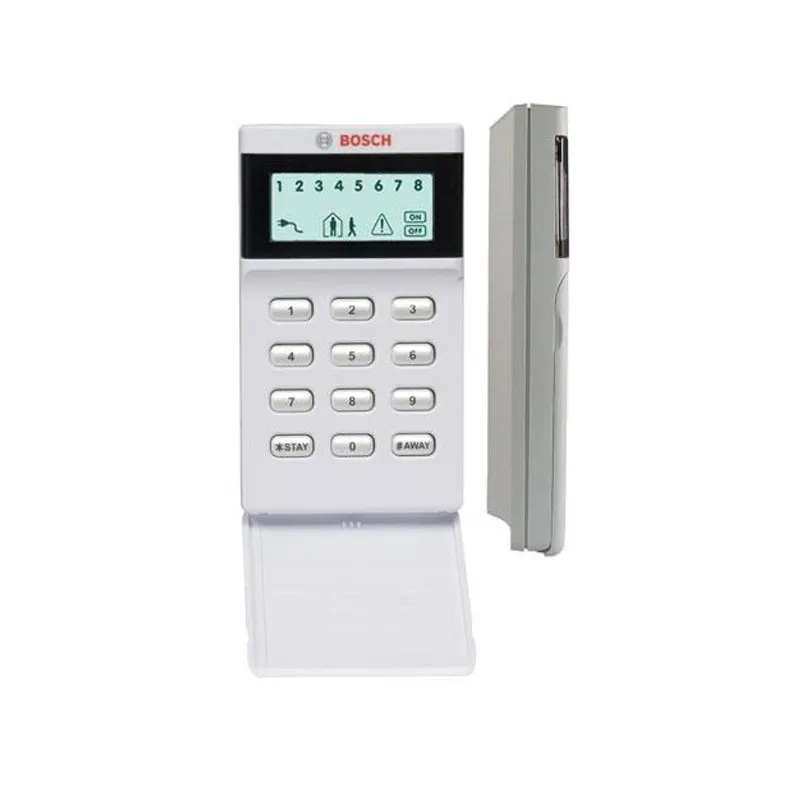
Bosch LCD Icon Keypad IUI‑SOL‑ICON for Solution 2000/3000 | Melbourne
The Bosch SOL‑ICON is an intuitive LCD icon‑based keypad designed for Bosch Solution 2000 and 3000 control panels. Features a protective door, backlit buttons, and clear icons that display system status at a glance. Zone status is shown numerically across the top. Simple arming with user code + [#AWAY]. Ideal for residential and small commercial installations.
$98.00 +GST
Bosch LCD Icon Keypad – includes mounting hardware. 3‑year warranty.
In stock
Icon‑based LCD
Clear icons show system status – arm, alarm, trouble, zone open – easy to understand.
Protective Door & Backlight
Flip‑down door protects keys; backlit buttons ensure easy operation day or night.
Simple Arming
Enter user code + [#AWAY] to arm – no complex sequences.
Compact & Modern
72 × 127 × 23 mm – fits standard wall boxes.
Melbourne installs: Ideal for residential and small business systems using Bosch 2000 or 3000 panels. We supply, install, and program.
Keywords:
Bosch IUI‑SOL‑ICON · SOL‑ICON
· LCD icon keypad · Solution 2000 · Solution 3000 · backlit · Melbourne
Technical Specifications
Quick Specs
Compatibility
Bosch Solution 2000 and 3000 control panels only
Display
LCD with icons, backlit; numeric zone status; protective door
Power
11‑14 VDC, 50 mA max (supplied by panel)
Dimensions
72 × 127 × 23 mm (W×H×D)
Environmental
0°C to +50°C; humidity 20‑90% non‑condensing; indoor use only
RFI Compliance
AS/NZS3548
Arming method
User code + [#AWAY] key
Included
Keypad, mounting hardware, installation guide
Order number: IUI‑SOL‑ICON. 3‑year warranty.
Why Choose This Bosch Icon Keypad
User‑friendly
1
Intuitive icons
System status at a glance – no need to read text or remember LED codes.
2
Backlit for any light
Illuminated buttons and display ensure easy operation in darkness.
3
Protective door
Flip‑down cover prevents accidental key presses and keeps keypad clean.
4
Perfect for 2000/3000
Specifically designed for Bosch Solution 2000 and 3000 panels – seamless integration.
Simple Installation Process
Step‑by‑step
1
Mount backplate
Secure the backplate to a standard wall box or directly to wall using included screws.
2
Wire keypad
Connect 4‑wire data bus to panel (12V, A, B, COM).
3
Set address
Use DIP switches to assign keypad address (if multiple).
4
Test & handover
Power up, test arming and zone status, train user.
Tip: Ensure panel is compatible (Solution 2000/3000). For multiple keypads, set unique addresses.
Request Your Free Quote / Installation
Fast response
Tell us about your Bosch panel (2000 or 3000) and how many keypads you need. We’ll provide a clear quote and scope for Melbourne metro areas.
Frequently Asked Questions
10 FAQs
Bosch Solution 2000 and Solution 3000 control panels only. Not compatible with 6000 series.
Enter your user code and then press the [#AWAY] key.
Yes, the LCD and buttons are backlit for easy viewing in low light.
It flips down to protect the keys from accidental presses and keeps the keypad clean.
50 mA maximum at 12 VDC, supplied by the control panel.
No, it is designed for indoor use only (0°C to 50°C).
3 years back to base from date of manufacture.
Use the DIP switches on the back of the keypad to select a unique address (1‑8).
Yes, zone numbers are displayed across the top of the screen, and icons indicate open/trouble.
Backplate and screws for wall mounting.
Price Check Snapshot
Market reference
The Bosch LCD Icon Keypad IUI‑SOL‑ICON is priced at $98.00 + GST. Bulk discounts may apply. Contact us with your quantity – we’ll confirm availability and any applicable discounts. If you have a like‑for‑like quote from another supplier, we’ll do our best to match it.