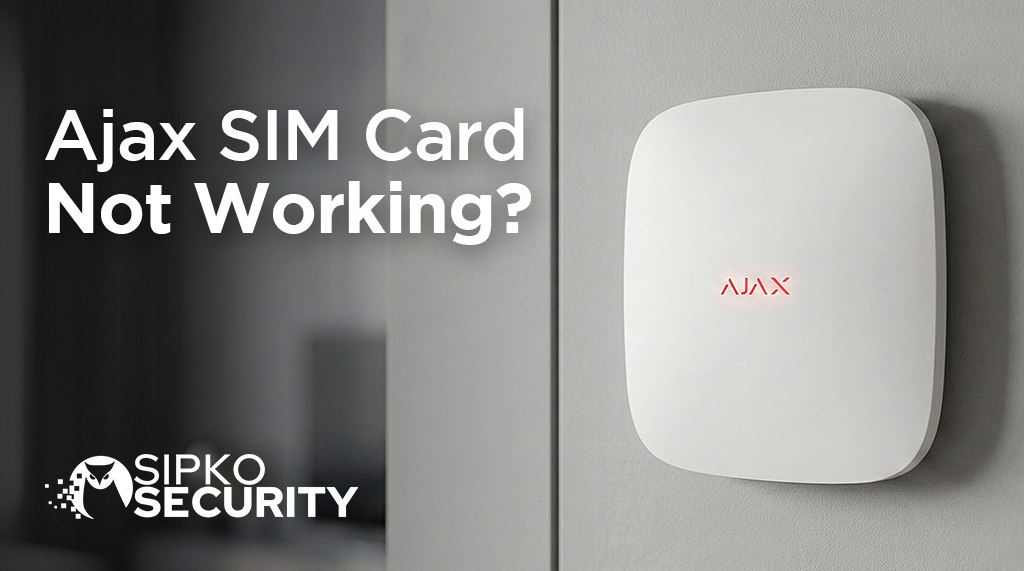
Ajax SIM Card Not Working?
The Easy Fix Guide
Is your Ajax alarm showing no signal? If your SIM isn’t working, your house in Brighton, Toorak, or Richmond might not be safe if your home internet goes down. Here is how to fix it quickly and easily.
⚡ Fast Fix: Which problem do you have?
1. The Main Fix: SIM Card Settings
Your alarm needs a special “internet address” to work. If this is wrong, your SIM won’t work even if you have full bars. This is the most common fix for Melbourne homes in Richmond and South Yarra.
🛜 What to type in your settings (2026 Table)
| SIM Provider | What to type in ‘APN’ |
|---|---|
| Telstra | telstra.internet |
| Optus | yesinternet |
| Vodafone | live.vodafone.com |
| Aldi / Boost / Belong | mdata.net.au |
Open your Ajax App > Go to Devices > Tap your Hub > Tap the Settings Gear > Tap Cellular > SIM 1 > APN. Type the word for your company exactly as shown in our table.
The Old 3G Network Shutdown
In Australia, the older 3G mobile network is being turned off. This means some older Ajax alarms will lose their backup signal. It’s a common issue we see in Richmond.
Older Alarms (2G/3G)
Original models use the older network. While they still work with an internet cable, they won’t have a backup signal anymore. You might need to check our modern alarm systems for an upgrade.
Modern Alarms (4G)
Newer models like the Hub 2 Plus work perfectly. These keep your home in Kew or Beaumaris safe even when your main internet goes down.
2. The Locked SIM Card Fix
The Ajax alarm can’t “unlock” a SIM card by itself. If your card has a lock code on it, it won’t work. You must turn this off using a normal phone first.
Use your phone
Put the SIM card into any normal smartphone (iPhone or Android).
Open Settings
Go to Settings and find “SIM” or “Security”.
Turn OFF lock
Switch “SIM PIN” to OFF.
Safety Note
Don’t worry about turning off the lock. Your alarm system is still very safe. The Ajax system is very smart and keeps your data protected.
3. Why Bars Can Lie
Have you ever seen 4 bars of signal but your phone still won’t load a website? This happens to security systems too.
The Signal is Blocked
If your alarm unit is inside a metal box or near big electric machines like solar inverters, the signal gets blocked. It’s like trying to talk to someone while a vacuum cleaner is on.
Too Many People
In busy suburbs like Box Hill or Werribee, too many people using the same phone tower can slow it down. Having two different SIM cards is the best fix.
4. Using Two SIM Cards for Safety
For the best protection in Melbourne, we recommend using two different SIM cards. This means if one brand (like Telstra) has a problem, the other brand takes over.
Slot 1: Telstra
We usually suggest a Telstra card here. They have the best range in suburbs like Frankston and Mornington.
Slot 2: Optus Backup
An Optus card acts as a backup. If Telstra has a problem, your Ajax alarm switches over to Optus in seconds.
5. Will it cost a lot in data?
Very Low Usage
Unlike security cameras that use a lot of data, an Ajax Hub uses very little. It only sends tiny messages to stay connected. Most of our customers find a cheap pre-paid card is more than enough for a whole year.
6. The “Wait 5 Minutes” Rule
Ajax units take a few minutes to wake up. When you first turn it on or plug in a SIM, it won’t connect right away.
- The Hub first looks for your home internet cable.
- It then looks for the phone tower signal.
- It double-checks a safe connection with your app.
- The light turns Green. Please wait at least 5 minutes before trying to fix anything!
Common Questions
Can I use a SIM card from my iPad?
Yes. Any SIM card with data will work. Try to avoid ones that “only” do data if you want the alarm to send you an SMS text message. Check our reliability page for more details.
Why is “Roaming” important?
Some special SIM cards use different towers to keep you safe. To the alarm, this looks like “roaming.” Always make sure Roaming is turned ON in your app settings.
Helpful Links
- Official Ajax Help Page – Simple steps from the maker of your alarm.
- ACMA: 3G Updates – News about the old network being turned off in Australia.
Still Stuck? Don’t Worry.
If you’ve tried everything and your signal still won’t come back, don’t stay unprotected. Our friendly Melbourne team can come over and fix it for you.
SERVING BRIGHTON, KEW, TOORAK, RICHMOND, CAMBERWELL & ALL MELBOURNE