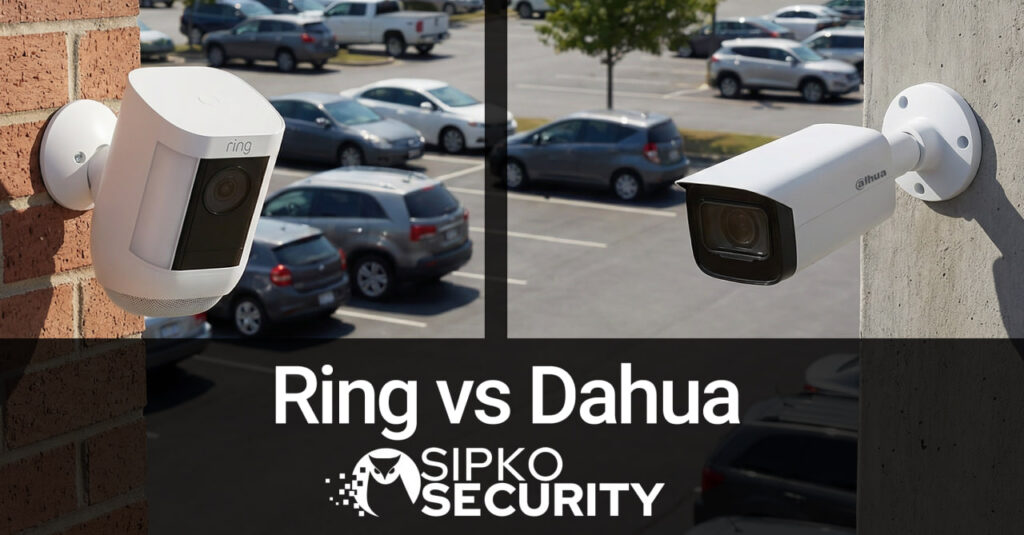
The Truth About Ring vs Dahua: DIY Smart Home vs Professional Surveillance
Ring vs Dahua: A comprehensive, deep-dive analysis comparing the consumer convenience of Ring against the industrial-grade power of Dahua. We break down 4K sensor integrity, cloud subscription economics, cybersecurity vulnerabilities, and why a “wireless” camera might be the most expensive mistake a Melbourne homeowner can make.
1. Introduction: The Battle for Your Front Porch
In the modern Australian security market, two giants stand on opposite sides of a vast ideological divide. On one side, we have Smart Home Wireless Systems like Ring (owned by Amazon), the champion of the “Smart Home” revolution. Ring promises a future where security is friendly, accessible, and run entirely from your smartphone. It is the “Apple” of doorbells—sleek, simple, and designed for the mass market.
On the other side stands Dahua Technology, a global heavyweight in professional video surveillance. Dahua doesn’t just make cameras; they make the sensors that traffic lights use, the thermal cameras that airports use, and the AI systems that secure banks. Their devices are industrial tools: heavy, powerful, and often intimidatingly complex.
For Melbourne Homeowners, the choice is confusing. Do you go with the brand you see on TV commercials, or the brand the security professionals use? This guide exists to bridge that gap. We will strip away the marketing jargon and look at the raw engineering, the physics of image capture, and the cold hard math of CCTV system costs in Melbourne.
With crime rates fluctuating and the sophistication of intruders rising, relying on a system that “sleeps” to save battery might not be the protection strategy you think it is. Conversely, is a full-blown commercial CCTV system overkill for a 2-bedroom townhouse? Let’s find out.
2. Design Philosophy: The Gadget vs The Sentinel
Ring: “Set and Forget” Simplicity
Ring’s philosophy is built around friction reduction. They know that the average homeowner is intimidated by “CCTV”. So, they designed their products to look like friendly home appliances. Soft curves, plastic housings, and an app interface that feels like social media. The goal is to make you feel connected to your home.
However, this consumer focus limits their capabilities. To keep things simple, they lock down advanced settings. You can’t adjust the bitrate, you can’t tweak the shutter speed, and you certainly can’t store the video on your own server. You are renting Ring’s capabilities, not owning them. It thrives on the “Subscription Model,” where the hardware is just a gateway to a monthly fee.
Dahua: “Maximum Information” Engineering
Dahua views a camera as a data gathering device. Their “TiOC” (Three-in-One Camera) series is a prime example: it incorporates a full-color night vision camera, active deterrence lights (Red & Blue police strobes), and a two-way speaker system. It isn’t designed to be “cute”; it is designed to stop crime.
Dahua empowers the user (or the installer) with granular control. If a specific area of your driveway is too dark, we can adjust the WDR (Wide Dynamic Range) curve specifically for that sector. If you want to record at 25 frames per second or 1 frame per second to save space, you can. You choose Dahua when you want professional-grade control over your security or when you want the system to act as a 24/7 static guard that never sleeps.
3. Head-to-Head: The Technical Battles
Battle 1: Image Quality & Night Vision
Contender A: Ring Pro 2 (1536p Head-to-Toe) vs Contender B: Dahua WizSense 4K (8MP Starlight)
Ring Experience: Ring cameras generally cap out at 1080p or slightly higher “HD+” resolutions. While they look great on a smartphone screen, the compression artifacts become obvious when you zoom in on a burglar’s face 15 meters away. Their night vision relies on Infrared (Black & White), which washes out details like clothing color. A thief in a red shirt looks exactly the same as a thief in a grey shirt.
Dahua Experience: Dahua’s 4K cameras capture 4x the pixel density of 1080p. This is the difference between seeing a “blur” and reading a license plate. More importantly, Dahua’s Full-Color Starlight technology keeps the video in colour even at 2 AM. It uses ultra-sensitive sensors (often 1/1.8″ or even 1/1.2″) and wide apertures (F1.0) to soak up ambient light. Knowing the intruder wore a red hoodie is often the key piece of evidence police need.
Verdict: Dahua destroys Ring on clarity, especially at night.
Battle 2: Storage & The Cloud Tax
Contender A: Ring Protect Plan vs Contender B: Dahua NVR (Local Storage)
Ring: To view recorded footage, you must pay. The standard Ring Protect plan costs roughly $4/month per device or $10/month per household ($120/year). Over 10 years, that is $1,200 just to see your own video. If your internet goes down? You record nothing. If you stop paying? You lose your history. You are effectively renting your own security footage from Amazon.
Dahua: Dahua systems use an NVR (Network Video Recorder) with a physical Hard Drive tucked securely inside your home. You buy the hard drive once (approx $150 for 4TB), and it records for weeks or months. No internet? No problem. It keeps recording 24/7. You own your data, and no monthly bill ever arrives. Furthermore, you can record continuously, not just “motion events,” meaning you capture the context before and after an incident.
Verdict: Dahua wins on Long-term Value and Data Sovereignty.
Battle 3: AI & False Alarms
Contender A: Ring (“Person Detected”) vs Contender B: Dahua WizMind (Tripwire & Metadata)
Ring: Ring’s AI is cloud-based. It sends the video to Amazon, analyzes it, and tells you “Person at Front Door.” It is good, but often triggered by spiders/insects on the lens, shadows, or trees in the wind. The delay (latency) between motion and notification can sometimes be 5-10 seconds—too late to act. If the cloud server is slow, your notification is slow.
Dahua: Professional Dahua cameras use Edge AI (processing on the chip). They offer IVS (Intelligent Video Analytics). You can draw a line on your driveway and say “Only alert me if a vehicle crosses this line coming IN, not going OUT.” You can filter for “Human” or “Vehicle” with 98% accuracy, ignoring cats, trees, and rain. This processing happens in milliseconds locally on the camera.
Verdict: Dahua allows for complex, rule-based security logic.
Battle 4: The Ecosystem & Reliability
Contender A: Ring (Closed Garden) vs Contender B: Dahua (ONVIF Open Standard)
Ring: Ring plays nicely with Alexa because Amazon owns both. But try to record a Ring camera to a third-party NAS, or integrate it into a Control4 or Home Assistant setup without cloud hacks, and you hit a wall. It is a closed ecosystem, much like comparing the Ajax vs Ring doorbell experience. If Ring changes their API or shuts down a product line, you are stuck.
Dahua: Dahua supports ONVIF (Open Network Video Interface Forum). This means your Dahua camera can talk to a Hikvision recorder, a Synology NAS, or a custom home server. It is hardware agnostic. You are buying a standard piece of equipment that will likely remain compatible with future technologies for decades.
Verdict: Dahua is future-proof.
4. The Connection Reality: Wi-Fi vs PoE
The single biggest difference in reliability is how these cameras talk to your home. It isn’t just about speed; it’s about physics.
Ring: The Wi-Fi Struggle
Ring devices are predominantly wireless. This makes them easy to mount, but vulnerable. Wi-Fi jammers (devices that flood the 2.4GHz spectrum) are now available online for $50. A savvy burglar can jam your Ring camera before they even step onto your property. Even without malicious intent, thick double-brick walls in Melbourne homes often degrade the signal. You end up with pixelated video, audio that cuts out (“packet loss”), or the dreaded “Device Offline” message just when you need to see who is at the door.
Dahua: The PoE Fortress
Dahua systems use PoE (Power over Ethernet). A single CAT6 cable runs from the recorder to the camera. This cable carries power and data. It is shielded, fast, and unjammable, which is why we often recommend wired over wireless systems. It doesn’t care how many walls you have; the signal is constant. Furthermore, if you plug your NVR into a UPS (Battery Backup), your entire security system stays online during a power outage. Ring cameras with batteries stay on, but your Wi-Fi router usually dies, rendering the Ring useless. With a wired Dahua system, the recording happens locally, so even if the internet is cut, the evidence is safe.
5. Privacy and Data Sovereignty
In an era of data leaks, where does your video go? Who is watching your driveway?
Ring: The “Amazon” Factor
When you use Ring, you are uploading footage of your family and neighbours to Amazon’s servers. While they have strict protocols, the “Neighbors” app and past partnerships with law enforcement in the US have raised privacy concerns. You are trusting a mega-corporation with the visual history of your private life. There have also been instances of “Credential Stuffing” where hackers guessed weak passwords to access Ring accounts. While Two-Factor Authentication (2FA) helps, the cloud endpoint is always a target.
Dahua: Local Lockdown
A Dahua system can be configured to represent a “Black Hole” for data (Air Gapped). You can cut off its internet access entirely and view footage only on a monitor inside the house. If you do want remote access via the DMSS app, the footage streams directly from your NVR to your phone (P2P), without being stored permanently on a third-party cloud server. You maintain 100% custody of your data. For high-security clients, we can even disable P2P and require a VPN for remote access, making the system virtually invisible to the internet.
6. Total Cost of Ownership (10 Year Model)
Security is an investment. Let’s calculate the real cost of a 4-Camera System over a decade, factoring in hardware, installation, and hidden subscription fees.
*Note: The “Cheap” Ring camera ends up costing the same or more in the long run, but you are left with consumer-grade plastic instead of professional-grade metal assets. For a more detailed breakdown, read our guide on Business Grade CCTV vs Premium Wireless.
7. Troubleshooting Guide: Reality Checks
Common Ring Frustrations
- The “Spinning Wheel”: You get a motion alert, tap the notification, and stare at a loading circle for 10 seconds. By the time it loads, the person is gone. This is cloud latency.
- Missed Motion: To save battery, Ring sensors “sleep” between events (Cool-down period). If a delivery driver runs up and down quickly, the camera might only catch them walking away, or miss them entirely. See more in our Essential Home Security Tips.
- “Offline” in Winter: Cold weather reduces battery voltage. In a Melbourne winter (2°C), a battery that usually lasts 3 months might die in 3 weeks.
Common Dahua Complexities
- App Configuration: Setting up the DMSS app involves scanning QR codes and ensuring P2P is enabled. It is not as polished as the “Grandma-friendly” Ring app.
- Fan Noise: Some powerful 8-channel or 16-channel NVRs have cooling fans. If you place the recorder in a bedroom, the hum might be annoying. We always recommend placing NVRs in a study, garage, or laundry. Learn more about Fixing NVR Fan Noise.
- Over-Sensitivity: Out of the box, Dahua AI can be too good. It might alert you to every car driving past. It requires “Tuning” (drawing tripwires essentially) to be perfect.
8. Pre-Installation Checklist: Which Are You?
Contact SIPKO Security
Unsure which system fits your home? Speak with a Melbourne-based specialist about 4K Security Cameras and professional Best CCTV Systems Installation. We can help you transition from consumer toys to professional tools.
📞 0406 432 691
📍 Head Office: Brighton, Melbourne
Prefer WhatsApp? Tell us in your message — we’ll reply on your preferred channel.
Sources and References
- Ring Official Site – Specifications for Ring Pro 2 and Floodlight Cams.
- Dahua Technology – Technical whitepapers on WizSense AI and Starlight Technology.
- Australian Bureau of Statistics (ABS) – 2024 Crime Statistics regarding unlawful entry and security deterrence effectiveness.
- Australian Cyber Security Centre (ACSC) – Guidance on securing IoT devices and IP cameras in residential networks.