Why Does a Ness Alarm Keep Beeping?
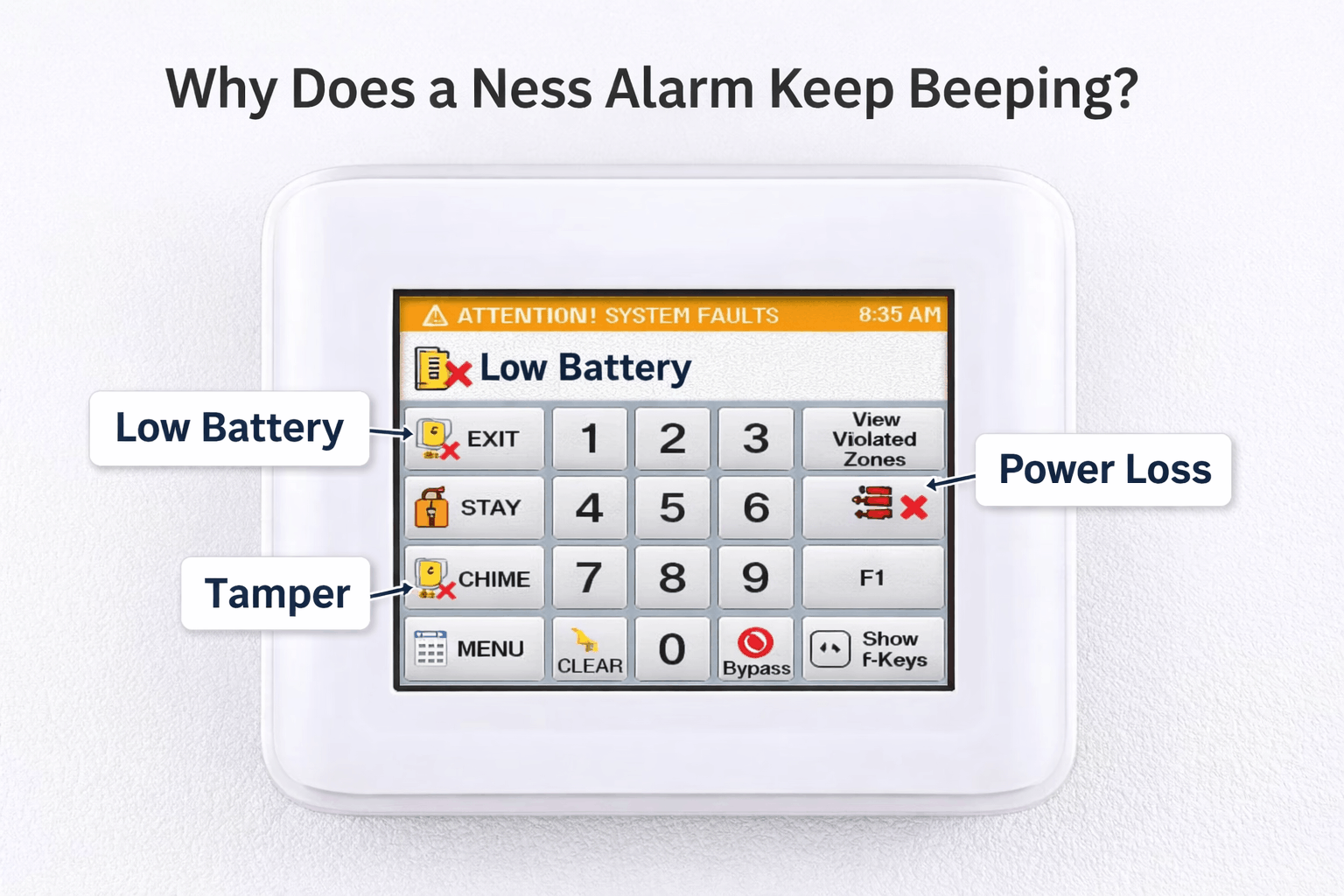
A Ness alarm keeps beeping for no reason is almost never true. There’s always a trigger, the problem is that the system isn’t very good at explaining it clearly.
The most common causes are:
- Backup battery failure (very common)
- Mains power interruption
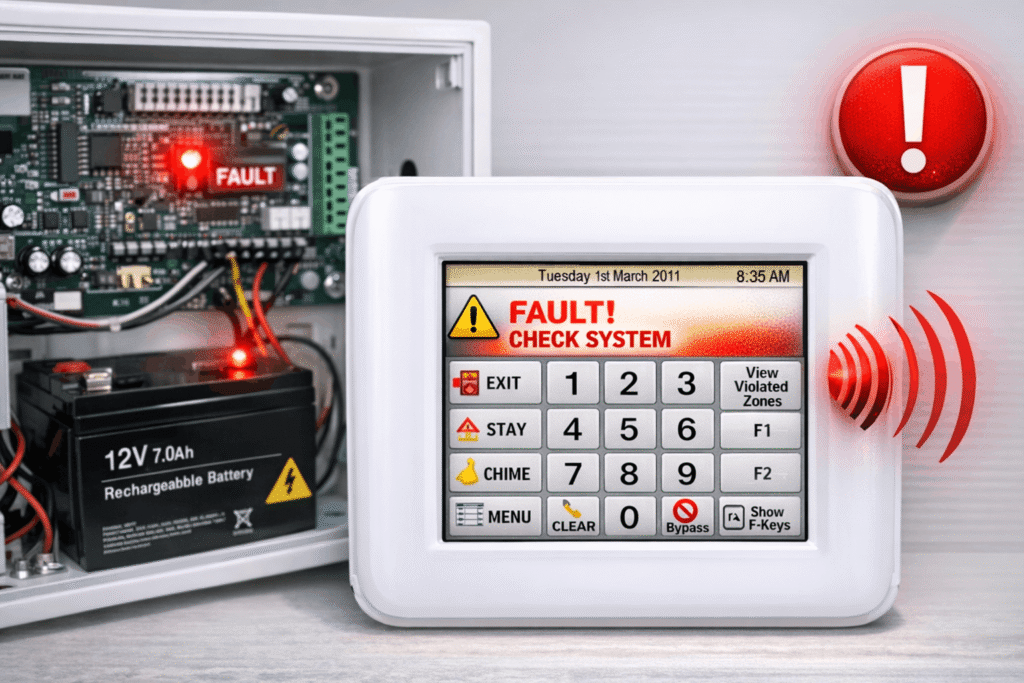
- System fault or tamper alert
- Alarm memory from a past activation
- Old control panel electronics aging
Important: Pressing random buttons on the keypad will not fix this. The keypad is not the system’s brain. The issue is usually inside the alarm control panel.
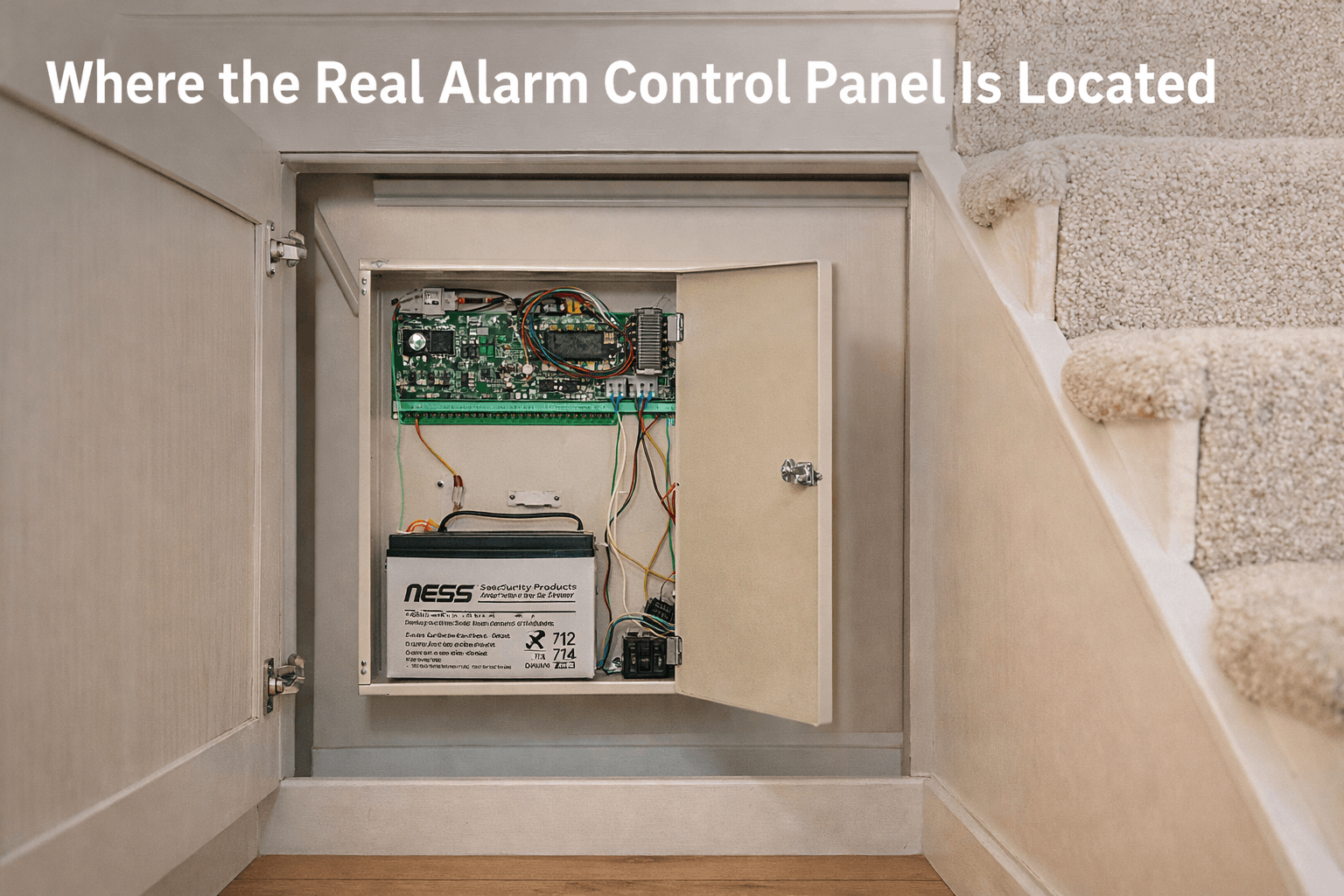
Where the Real Alarm Control Panel Is Located
To fix the issue, you need to find the main control panel, not the keypad on the wall. This metal or plastic box is the actual brain of your Ness alarm.
Typical locations include:
- Under the stairs
- Inside a mains cupboard
- Landing cupboard
- Utility room
- Loft space (very common)

What You’ll Need Before You Start
Before opening anything, grab:
- A screwdriver
- Ear protection (internal sirens are loud)
- Confidence working near electrical equipment
If you’re not comfortable around live wiring, stop here and call a qualified alarm engineer. Call Now: 0406 432 691.
Step by Step: How to Disable a Beeping Ness Alarm
Step 1: Open the Control Panel
Remove the panel cover with your screwdriver. The internal siren may go off immediately. This is normal. Don’t panic.
Step 2: Disconnect the Backup Battery
Inside the panel, you’ll see a 12V backup battery. Carefully pull off the battery terminals. This stops the system from running on battery power.
In many cases, this alone stops the Ness alarm keeps beeping issue.
Step 3: Remove the Mains Power Fuse
Warning: Live connections may still be present (around 240V). Do not touch exposed wiring.
Next, locate the mains power fuse inside the panel. Carefully pull out the fuse. This completely cuts power to the alarm system.
At this point, the control panel is fully powered down.
What If the Outside Siren Keeps Sounding?
Some Ness systems have an external siren (also called an external sounder) with its own backup battery.
What usually happens:
- The external siren rings for 15–20 minutes
- Then shuts itself off automatically
If you need it silenced immediately:
- Use a ladder to reach the bell box
- Wear ear protection (it’s extremely loud)
- Open the sounder with a screwdriver
- Cut or disconnect the internal battery cable
Once done, the system will be completely silent.
Is It Safe to Leave the Alarm Disabled?
Short answer: No, not long-term.
Your intruder alarm is your first line of defense for your home, your family, and your business. Disabling it should be temporary, not permanent.
The Smart Long-Term Solution
If your Ness alarm keeps beeping repeatedly, it usually means:
- The system is outdated
- Batteries are failing constantly
- Repairs cost more than replacement
Modern DIY alarm systems and wireless alarm systems are wireless, battery efficient, app controlled, and far more reliable. Upgrading gives you peace of mind without the noise.
Final Thoughts
Random beeping from a Ness alarm is annoying, stressful, and often happens at the worst possible time, usually at night.
The good news is that it’s fixable:
- Locate the alarm control panel
- Disconnect the backup battery
- Remove the mains power fuse
- Handle the external sounder if needed
If you’re unsure at any stage, call a professional: 0406 432 691.
Related Guides and Services
If you are troubleshooting faults, planning repairs, or considering an upgrade, these pages help you choose the right next step.
Ness Repairs and Support
For servicing, keypad issues, and ongoing maintenance help.
Upgrade Options (Quieter, Smarter Systems)
If the system is old or faults keep returning, an upgrade is often the cleanest fix.
Tip: If you message photos of the keypad and control panel, it is much faster to diagnose whether it is battery, mains, tamper, or a panel fault.
Need Help Silencing Your Ness Alarm Safely?
If your Ness alarm keeps beeping and you want a safe, quick fix, share your keypad model and a photo of the control panel. We’ll tell you the likely cause and the cleanest next step.
Free Suggestion
Tell us what the keypad is showing, when the beeping started, and whether power was interrupted. We’ll recommend the safest fix.
Contact Expert for Free SuggestionFaster diagnosis: share the panel model, keypad model, and whether the outside siren is sounding.
Frequently Asked Questions
Quick answers about disable a beeping Ness alarm, battery faults, tamper alerts, and what to do next.
Why does my Ness alarm keep beeping at night?
Night beeps are usually a backup battery failure or a recent mains power interruption. The panel logs a fault and uses beeps to get attention, even when no intruder event happened.
Is the keypad the problem, or the control panel?
The keypad is mostly a display and input device. The real brain is the alarm control panel. Most beeping faults come from the control panel battery, fuse, or internal fault history.
What is the safest way to stop the beeping?
The safe sequence is to locate the control panel, disconnect the backup battery, then remove the mains power fuse. Avoid touching any exposed wiring.
What does a tamper alert mean?
A tamper alert usually means a sensor cover, panel cover, or bell box tamper switch has been triggered. Sometimes it happens after vibration, loose covers, moisture, or aging plastics.
Why is the outside siren still sounding after power off?
Many systems have an external sounder with its own battery. It often runs for 15–20 minutes and stops. If it must stop immediately, the bell box battery must be disconnected.
Should I repair the system or replace it?
If beeping faults keep returning, the system may be aging and repairs can become repetitive. Modern wireless alarm systems are often the cleaner long-term solution, especially if you want app control and fewer faults.