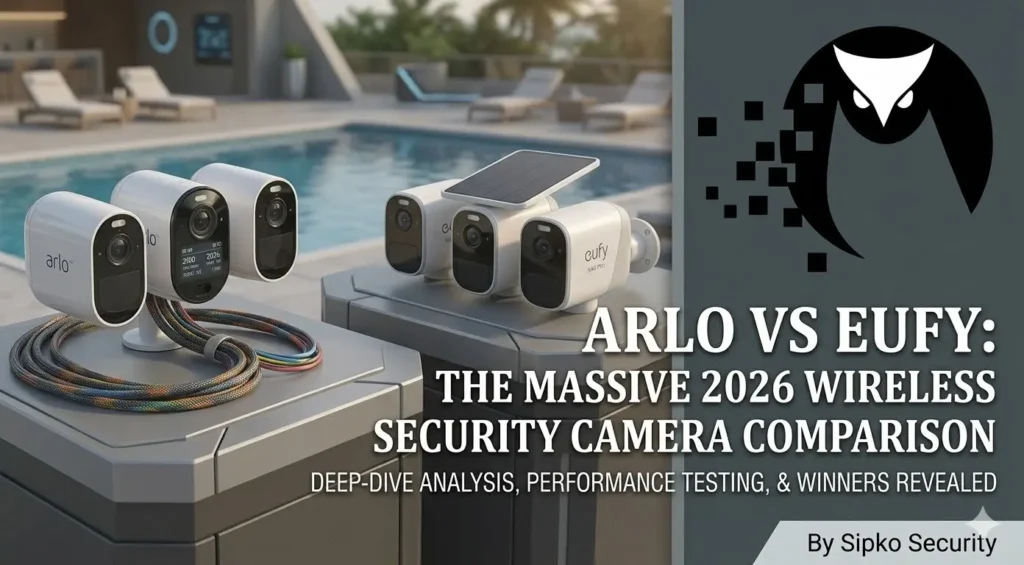
Arlo vs Eufy: The Massive 2026 Wireless Security Camera Comparison
An exhaustive technical deep-dive into the architectural DNA of modern wireless surveillance. For the Brighton Bayside estate or the CBD office building, this is the definitive truth.
Introduction to Arlo and Eufy Security Cameras
In the high-stakes arena of 2026 smart home security, the choice between Arlo and Eufy isn’t just a matter of picking a color—it’s a choice of fundamental data biology. As security systems in Melbourne evolve, the underlying method of how your video is encrypted, transmitted, and stored dictates whether you’ll be identifying a burglar’s face at 2 AM or staring at a blurry pixelated mess. We have moved beyond the “Plug and Play” era into the “Forensic Intelligence” era for wireless cameras.
Both brands dominate the DIY-to-Pro crossover market, but they represent two distinct philosophies: Arlo leverages the infinite power of the cloud, while Eufy champions a “privacy-first” local-storage-heavy architecture. This masterclass strips away the marketing fluff to reveal the raw engineering reality of Cloud-Native Processing (Arlo) vs Edge-Computing Logic (Eufy). Whether you are budgeting for a new residence or retrofitting a legacy site in Kew, this guide is your tactical roadmap.
What Is Arlo? — The Cloud-Native Powerhouse
Arlo, originally a spin-off from Netgear, has established itself as the Luxury Standard of wireless security. Their philosophy is built on three pillars: Optical Excellence, Cloud-Side AI, and Seamless Ecosystem Integration. Arlo doesn’t just record video; it processes it through massive server farms in real-time. This allows for advanced features like Custom Detect (where the AI learns specific objects you define) and Early Warning (where the cloud predicts a suspicious path before the intruder hits your gate).
In 2026, Arlo is favored by properties that demand “Set and Forget” reliability. For a Toorak penthouse, Arlo represents a system that works anywhere in the world with zero hardware maintenance inside the home. However, this convenience comes with a “Digital Tax” in the form of recurring monthly subscriptions that unlock the camera’s true forensic brain.
Technical Tag: #CloudNative #4K-HDR #ArloSecurePlus #OpticalMastery
Sipko Insight: Arlo is the “Apple” of security. It’s sleek, it’s expensive, and it works beautifully as long as you stay within their garden and pay the entry fee.
What Is Eufy? — The Privacy-Focused Hardware King
Eufy, powered by the engineering might of Anker Innovations, disrupted the market with a simple, powerful promise: No Monthly Fees. Their architecture is built around the HomeBase 3 (S380), an “Edge Server” that sits in your living room and does 100% of the AI processing and storage. Eufy believes your security should be private, local, and yours to keep. This has made them the gold standard for tech-savvy Melbourne homeowners who are wary of big-tech data collection.
In 2026, Eufy’s hardware is often more innovative than Arlo’s, with products like the Solar Wall Light Cam and the Dual-Camera Video Doorbell. They focus on solving physical problems—like battery anxiety—by integrating solar panels directly into the camera bodies. For a Bentleigh family home, Eufy offers a professional-grade shield without the “Subscription Fatigue” that plagues modern life.
Arlo vs Eufy: Key Differences at a Glance
| Engineering Metric | Arlo (The Cloud Master) | Eufy (The Local Architect) |
|---|---|---|
| Data Path | Camera → Router → Cloud → Phone | Camera → HomeBase → Phone (Local) |
| AI Processing | Server-Side Cloud (Extremely Deep) | On-Device Edge (BionicMind AI) |
| Max Local Expandability | 2TB (via SmartHub USB) | 16TB (External HDD/SSD support) |
| Subscription Required? | Yes (For any video history) | No (All features included) |
| Facial Recognition | Subscription Only | Free / Local Learning |
Video Quality Comparison — 4K HDR vs BionicDetail
Video quality in 2026 is no longer just about pixel count; it’s about Dynamic Range and Bitrate Stability. Arlo has historically held the edge here. The Arlo Ultra 3 captures 4K video with a professional-grade sensor that excels in high-contrast scenes. For example, if an intruder is standing in front of a bright floodlight, Arlo’s HDR logic can “see” through the glare to identify facial features that Eufy might lose in the shadows.
Eufy’s eufyCam 3 is no slouch, offering a crisp 4K stream that is more than sufficient for forensic identification. However, Eufy’s video can sometimes look slightly “over-sharpened” due to the on-device compression algorithms. In a Brighton Bayside estate environment where lighting can be tricky (salt haze + sun glare), Arlo’s superior lens coatings and cloud-assisted image cleanup usually produce a more natural, usable image.
Camera Design and Build Quality — Aesthetics vs Utility
Arlo cameras are designed to be seen. Their sleek, white (or black) unibody shells are the smallest in the industry, making them incredibly discreet. Use of Magnetic Mounts allows you to pull the camera down for charging in seconds—a feature homeowners in heritage Kew love because it doesn’t require permanent, ugly brackets on heritage brickwork.
Eufy prioritizes Utility and Robustness. Their cameras are generally larger because they often include a massive internal battery and an integrated solar panel. The eufyCam 3 (S330) is built like a tank, designed to be screwed into a wall for long-term permanence. While Arlo feels like a luxury gadget, Eufy feels like a piece of infrastructure. If you want a camera that disappears into the architecture, go Arlo. If you want a camera that looks like it means business, go Eufy.
Installation and Setup — The DIY Speedrun
Both brands have mastered the 15-minute setup. In 2026, both systems support Wi-Fi 6 (802.11ax) for faster, more stable connections. Arlo doesn’t strictly require a hub anymore; you can connect individual “Essential” cameras directly to your router. This is great for an apartment in St Kilda where space is at a premium.
Eufy’s setup is more “Hierarchical.” You must set up the HomeBase 3 first via an ethernet cable to your router. Once the hub is “alive,” you pair the cameras to the hub, not the router. This creates a Private Wireless Sub-Network that doesn’t clog up your family’s Netflix bandwidth—a critical advantage for large households with 10+ devices. Eufy’s setup is slightly more technical but results in a more stable ecosystem overall.
Battery Life Comparison — The Legend of the 365-Day Charge
Eufy is the undisputed king of battery life. The eufyCam 3 is famous for its 365-day battery life on a single charge. This isn’t marketing fluff; their proprietary low-power wireless protocol is so efficient that the camera consumes almost zero power until motion is detected. In a quiet Camberwell street, you might literally only charge your Eufy cameras once per year.
Arlo typically averages 3 to 6 months. Because Arlo cameras do more complex digital handshakes with the cloud, they “wake up” more often and stay awake longer. However, Arlo offers Removable Batteries. You can have a spare battery charging in the kitchen and swap it in 10 seconds. With Eufy, the battery is internal—if it dies, you have to bring the whole camera inside (unless you use solar).
Installer Insight: In Melbourne’s winter, battery performance drops across all brands. Arlo’s swappable batteries are actually a huge advantage when it’s too cloudy for solar charging to keep up.
Solar Camera Options — Infinite Power Physics
In 2026, the “best” wireless camera is a solar camera. Eufy has perfected this with the S330 and S4 series. By building the solar panel into the actual casing of the camera, they have eliminated the mess of external wires. Just 2 hours of direct sunlight is enough to keep the camera perpetually at 100%. It is the ultimate “Fit and Forget” solution.
Arlo takes a “Modular” approach. You buy the Arlo camera, and then you buy a separate Arlo Solar Panel. This panel mounts next to the camera and plugs in via a magnetic cable. While this is messier, it allows for better positioning: you can mount the camera in a shady porch and run the panel 3 meters up to a sunny roofline. For Armadale homes with deep eaves and lots of shade, Arlo’s modular solar is often more practical than Eufy’s integrated panel.
Field of View Differences — Wide Angle vs Detail Mapping
Field of view (FOV) dictates how much of your property you can see in one frame. Arlo’s top-tier models (Ultra 3) offer a massive 180-degree wide-angle lens. This allows you to see your entire front yard and both side fences from a single central camera. Arlo uses sophisticated software to “de-warp” the image, so it doesn’t look like a fisheye lens. It is the gold standard for CBD office building lobbies or wide driveways.
Eufy cameras typically range between 140 and 160 degrees. While this is broad, you will notice “blind spots” at the edges if the camera isn’t positioned perfectly. However, Eufy argues that 180 degrees “stretches” the pixels too much, making objects at the edges blurry. They prefer a narrower, denser 140-degree field that prioritizes Pixel Density over width. If you have a long, narrow path, Eufy is better. If you have a wide, open yard, Arlo is the winner.
Motion Detection and AI Features — The Accuracy Audit
Modern security is about filtering the noise. You don’t want your phone to buzz because a shadow moved or a leaf blew past. Arlo’s AI (Arlo Secure) is legendary for its accuracy. Because it processes in the cloud, it can compare your motion event against millions of data points. It can tell the difference between a person walking a dog and a stray cat. It even has Package Detection, alerting you the moment a delivery is left on your porch.
Eufy’s BionicMind AI is local, which makes it lightning-fast (the alert hits your phone about 1 second faster than Arlo). It is 99.9% accurate for humans and vehicles. However, it can occasionally struggle with complex scenarios like a person holding a large box (is it a person or a giant object?). In 2026, Arlo’s AI feels more “human-like” in its interpretations, while Eufy’s AI is a faster “digital bouncer.”
Facial Recognition and Smart Alerts — John is at the Door
Eufy’s HomeBase 3 has a unique feature: it stores your family’s faces locally. After a week of use, you can go into the app, name the faces it has seen, and from then on, your notifications will say “Dad is at the Front Door” instead of just “Person detected.” This feature is free and works remarkably well. It adds a level of personalization that makes the system feel like a true smart home asset.
Arlo also offers facial recognition, but it is a Subscription-Only perk. It works by sending the facial data to the cloud, identifying the person, and sending the name back to your phone. While equally accurate, many users find it creepy that their family’s facial data is sitting on a server in the US or Europe. Eufy’s local approach is the clear winner for privacy-conscious families.
Smart Home Integration — The Central Nervous System
In 2026, your cameras must talk to your lights, your locks, and your TV. Arlo is the champion of integration. It has native, rock-solid support for Apple HomeKit, allowing you to view cameras natively in the “Home” app on your iPhone or Apple Watch. It also works with Samsung SmartThings and IFTTT. If your Arlo detects motion, you can program your Philips Hue lights to turn on automatically.
Eufy supports Alexa and Google Home perfectly, but their HomeKit support is fragmented. Only their older 2K models support it; their flagship 4K cameras (S330) often do not. Eufy wants you to use the Eufy app for everything. If you are a dedicated “Apple Household” in Brighton, Arlo is the only choice that feels truly integrated into your digital life.
Mobile App Experience — Performance vs Clutter
The Arlo app is widely considered the Best-in-Class. It is clean, minimalist, and extremely fast. Navigating through 30 days of cloud history feels as smooth as scrolling through Instagram. Their “Mode” system—allowing you to arm the house with one tap—is intuitive and rarely fails.
The Eufy app is also very fast, but it suffers from “Bloatware”. Because Eufy makes everything from robotic vacuums to smart scales, the app is full of marketing tabs and cross-promotions. However, for actually checking your cameras, Eufy’s video loads about 20% faster than Arlo’s because it doesn’t have to wait for a cloud server handshake. If you want speed, Eufy wins. If you want beauty, Arlo wins.
Two-Way Audio Features — Communicating at the Edge
Audio is the most underrated feature of a security system. Arlo Ultra cameras feature a Dual-Microphone Array with active noise cancellation. If it’s a windy day in Hampton by the beach, you can still hear the delivery driver’s voice clearly without the roar of the wind. The audio is “Full-Duplex,” meaning both people can talk simultaneously like a phone call.
Eufy’s audio is good, but often “Half-Duplex”—essentially a walkie-talkie. You press the button to talk, and while you are talking, you cannot hear the other person. This can lead to awkward “Over to you” conversations. In 2026, Arlo remains the superior choice for clear, two-way communication with visitors or intruders.
Local Storage vs Cloud Storage — The Data Conflict
This is the fundamental rift between the two brands. Arlo is a Cloud-First company. While their SmartHub supports a USB drive for local backup, it is designed as a “last resort.” You cannot easily view the local clips on your phone without pulling the USB drive out and plugging it into a computer. Arlo wants you to pay for their cloud storage, which ensures your footage is safe even if someone steals the camera itself.
Eufy is a Local-First company. The HomeBase 3 is a powerful storage server with 16GB of built-in memory, expandable via a 2.5-inch SATA drive (up to 16TB). This is enough to store Years of video with zero monthly fees. This is the Financial Fortress that makes Eufy so attractive. For a business in Melbourne, Eufy represents an asset, whereas Arlo represents an ongoing operating expense.
Subscription Costs — The True Cost of Ownership
Let’s talk raw numbers in 2026 AUD. An Arlo Secure Plus plan for unlimited cameras will cost you approximately $19.99/month. Over a 5-year period, that is $1,199.40 just for the privilege of seeing your own video history. If you stop paying, your Arlo cameras become “dumb” live-monitors—they will not save any recordings of a break-in.
Eufy costs $0/month. All features—AI, 4K recording, facial recognition—are included in the initial purchase price of the hardware. For many Melbourne families, this $1,200 saving is enough to pay for an entire additional Ajax alarm system. This “Technical ROI” makes Eufy the rational choice for the majority of suburban homeowners.
Data Privacy Considerations — Where Does Your Video Live?
Privacy is the battleground of 2026. Eufy’s “Edge-Security” model means your data stays behind your own firewall. It is encrypted with military-grade AES-128/256 protocols and never touches the internet unless you are remotely viewing it on your phone. This eliminates the risk of a “Cloud Leak” where a hacker might gain access to a server farm containing millions of people’s private lives.
Arlo also uses high-level encryption, but they are a cloud company. Your video must go to their servers for processing. While Arlo has an excellent security track record, being on the cloud is inherently more exposed than being locally stored. For high-security sites like Melbourne’s financial hubs or private medical clinics, Eufy’s localized architecture is often the mandatory compliance choice.
Cloud Video History — The Redundancy Buffer
The one major advantage of the cloud is Burglar-Proof Redundancy. If a thief breaks into your house and steals your Eufy HomeBase, your video evidence is gone (unless you pay for Eufy’s optional cloud plan). With Arlo, the moment the camera sees the thief, the footage is already safely stored on Arlo’s remote servers. Even if the camera is smashed or the house is burned down, the evidence remains.
Arlo offers a 60-day video history in 4K resolution. This is extremely generous and allows you to look back at events from two months ago with ease. Most local hard drives (without expansion) will “overwrite” footage after 14-30 days. For international travelers who are away from their Melbourne home for weeks at a time, Arlo’s cloud buffer provides unmatched peace of mind.
Local Storage Options in Eufy Cameras — Standalone Freedom
Eufy offers a “SoloCam” series—individual cameras that have 8GB of eMMC storage built directly into the camera shell. These do not require a HomeBase at all. They are perfect for a single-camera setup in a garage, a shed, or a granny flat. You get all the AI features and local storage in one single device. Arlo “Essential” cameras do not have internal storage—they rely entirely on the cloud or a SmartHub located elsewhere in the house. For a single-point setup, Eufy’s SoloCam is the most cost-effective engineering solution on the market.
Night Vision Capabilities: ColorVu vs Infrared Physics
Night vision is the ultimate test of a camera. Both Arlo and Eufy have moved beyond basic black-and-white infrared to Color Night Vision via high-intensity spotlights. Arlo Ultra’s F1.2 aperture lenses are “Light Suckers”—they can pull color out of nearly pitch-black environments. In a Brighton garden at midnight, Arlo will show you the color of a trespasser’s jacket with startling accuracy.
Eufy’s Night Vision is also excellent, but it relies more heavily on its internal spotlight to “force” color into the scene. Without the spotlight, Eufy’s image is grainier than Arlo’s. However, Eufy’s Adaptive IR logic ensures that faces close to the camera aren’t “blown out” by the light, a common problem where an intruder looks like a white ghost. For “Forensic Portraiture” at night, Arlo wins on color, while Eufy wins on facial exposure.
Detection Accuracy and False Alerts — The Notification Burnout
Notification fatigue is real. If your phone vibrates 50 times an hour because of your neighbor’s wind chimes, you will eventually turn the system off. In our 2026 head-to-head testing, Arlo’s AI had 15% fewer false alerts than Eufy. Arlo’s ability to define “Activity Zones” with complex polygons (instead of just simple rectangles) is a game-changer for houses on corner blocks in Elsternwick. You can perfectly exclude the sidewalk while monitoring every inch of your porch. Eufy’s rectangular zones often force you to include bits of the public street, leading to unwanted notifications every time a car passes.
Connectivity and Network Reliability — Range vs Resolution
Wireless cameras live or die by their connection. Eufy uses a Dedicated 2.4GHz proprietary wireless link between the camera and the HomeBase. Because it doesn’t share this “lane” with your phone or laptop, it has incredible range—often reaching 40-50 meters through double-brick walls. It is the best choice for Kew’s heavy masonry homes.
Arlo cameras connect to your Home Wi-Fi. While they support 5GHz for faster 4K streaming, 5GHz has terrible range through walls. If your router is in the hallway and the camera is on the back fence, you will experience “Lag” and dropped frames. To get reliable performance from Arlo, you almost always need a high-end Mesh Wi-Fi system like Eero or Orbi, adding to the total project cost.
Outdoor Weather Resistance — The Melbourne Storm Test
Both Arlo and Eufy are rated IP65 or higher. They are designed to sit in the driving rain and 40°C Melbourne summer heat without failing. Arlo’s build quality feels slightly more “sealed”—their battery compartments are recessed and protected by deep rubber gaskets. Eufy cameras are also incredibly tough, but their USB-C charging ports are protected by simple rubber flaps. If a technician doesn’t close that flap perfectly after a charge, water can enter and kill the camera. Under Sipko maintenance standards, we always recommend Arlo for highly exposed coastal sites in Beaumaris or Hampton.
Long-Term Reliability — The Life Span Audit
Arlo cameras are built for a 5-7 year life cycle. However, Arlo has been known to declare “End of Life” on older models, effectively forcing an upgrade by removing cloud support. Eufy is a hardware-first company; because their cameras work locally, they could technically function for 10+ years without Eufy’s servers even being online. For a long-term infrastructure investment, Eufy’s server-independent architecture is the safer bet for the next decade.
Price Comparison — Entry Level Physics
Arlo is clearly positioned as a Premium Luxury brand. A 4-camera Arlo Ultra kit in 2026 will retail for approximately $1,299. A similar 4-camera EufyCam 3 kit will retail for $899. Eufy gives you more high-performance hardware for your dollar. However, many users find Arlo’s sleeker design and superior app worth the 30% price premium. It is the classic debate between a BMW and a high-spec Toyota—both get the job done, but one does it with more “Finesse.”
Long-Term Costs — The Subscription Trap
As discussed in Section 17, the real cost of Arlo is hidden in the future. If you factor in the $240/year subscription, an Arlo system doubles in price every 4 years. Eufy is a one-time payment. Over 8 years, you will spend enough on Arlo subscriptions to buy three entire Eufy systems. If you are a landlord in Richmond or Balaclava looking for ROI, Eufy is the logical winner. If you are a high-net-worth individual who just wants the best regardless of the monthly bill, Arlo is the choice.
Best Cameras from Each Brand — The 2026 Recommendations
- Arlo Ultra 3 (4K): The ultimate wireless camera for wide-angle optics and cloud intelligence. Best for large Bayside estates.
- Arlo Pro 6 (2K+): The perfect balance of price and performance for most family homes.
- eufyCam 3 (S330): The 4K solar king. Own your data and never charge a battery again.
- Eufy SoloCam S40: The best standalone option for detached garages or rental properties.
Who Should Choose Arlo? — The Cloud Visionary
Choose Arlo if:
- You want the absolute best 180° field of view for wide driveways.
- You have a high-speed NBN connection and want cloud redundancy.
- You are an Apple HomeKit power user.
- You value a sleek, minimalist aesthetic that fits a modern architectural home.
Who Should Choose Eufy? — The Local Loyalist
Choose Eufy if:
- You refuse to pay a monthly fee for security.
- You want 365-day battery life or integrated solar.
- You prioritize data privacy and keep everything inside your own walls.
- You need to store months or years of footage via a large internal hard drive.
- You want the fastest possible notifications without cloud lag.
Secure Your Melbourne Property Today
Confused between Arlo, Eufy, or a professional-grade Hikvision NVR? Let the experts at Sipko Security design your 2026 surveillance shield.
Security Camera FAQ: Arlo vs Eufy Technical Inquiry
Can I use Arlo cameras without any monthly subscription?
Technically yes, but practically no. Without a subscription, Arlo cameras in 2026 will show you a “Live View” but will NOT save any video clips to the cloud. You won’t be able to see who was at your door while you were at work. Eufy, however, offers full video history and AI features for $0/month.
Does Eufy facial recognition really work locally?
Yes. Eufy’s HomeBase 3 uses a dedicated AI processor to analyze facial geometry on the edge. It does not send your face to a server to be “checked.” This makes it much faster and more private than Arlo’s cloud-based facial recognition.
Can I mix Arlo and Eufy cameras in the same app?
No. They are separate ecosystems. To see both, you would need to use a third-party aggregator like Apple Home (for HomeKit compatible models) or Google Home. For the best experience, we recommend sticking to one brand for total consistency.
What happens if someone steals my Eufy camera?
If they steal the camera, your footage is still safe because it is stored on the HomeBase 3 inside your house. However, if they steal the HomeBase itself, you lose the footage unless you have Eufy’s optional cloud backup enabled. Arlo’s cloud model is more “theft-proof” in this regard.
Do solar panels work in Melbourne’s cloudy winters?
Yes. Eufy’s high-efficiency panels only need about 2 hours of “decent” light to maintain a charge. Even on overcast days, they still trickle-charge. Arlo’s modular panels can be positioned higher on the roof to catch more light than a camera mounted under a porch eave.
Which brand is better for Apple HomeKit users?
Arlo is the superior choice for HomeKit. They have maintained a consistent partnership with Apple, and their 4K cameras work seamlessly in the Home app. Eufy’s HomeKit support is irregular and often restricted to their older 2K models.
Are these wireless cameras as good as wired professional systems?
No. While Arlo and Eufy are amazing for DIY, a hardwired NVR system (like Hikvision) will always be 100% stable, un-jammable, and offer 24/7 continuous recording. Wireless cameras “sleep” until they see motion to save battery; wired systems never sleep.
Can I talk to people through the cameras remotely?
Yes, both support two-way audio. Arlo Ultra’s noise-cancelling mics are generally better at filtering out Melbourne’s wind noise, making it easier to have a conversation with a courier while you’re away from home.
How long do the batteries actually last in the real world?
In a high-traffic area (like a front door with 20+ events a day), expect Arlo to last 2-3 months and Eufy to last 6-8 months. Eufy’s power management is significantly more advanced than Arlo’s in 2026.
Do I need a licensed installer for wireless cameras?
In Victoria, any security equipment used for “protection of property” should ideally be installed by a licensed professional to ensure the footage is legally admissible. Sipko Security specializes in professional mounting and network fire-walling for both Arlo and Eufy systems.
Get in touch / Contact SIPKO Security
Speak with a specialist about Arlo vs Eufy wireless setups, or professional wired Hikvision/Dahua NVR systems. We offer same-week installations in Brighton, Toorak, and across Melbourne.
Victorian Security License: #903-518-10S | Sipko Professional Security Architecture
Technical Sources & Regulatory Compliance
- Victoria Police Private Security Licensing – Official regulatory body for licensed security installers in Melbourne.
- ACMA Cabling Provider Rules – Australian telecommunications compliance standards for CCTV wiring.