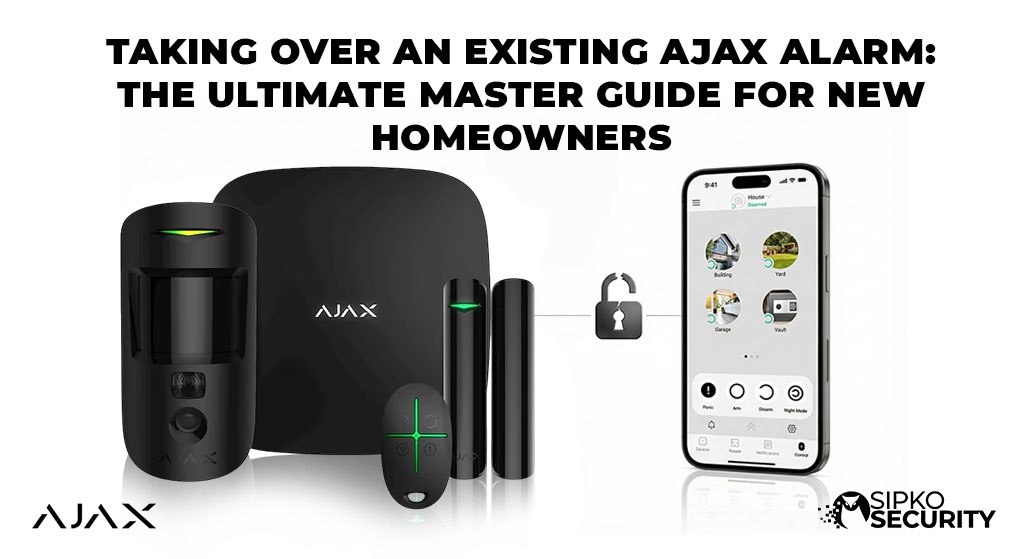
Taking Over an Existing Ajax Alarm: The Ultimate Master Guide for New Homeowners
Did you move into a new house and find an Ajax alarm already there? That’s great! You have one of the world’s best security systems. But to use it, you need to take ownership. An Ajax Hub is “locked” to the first person who set it up. If you just try to scan the code, you will get an error saying the “Hub is Already Added.” This guide shows you how to fix that and make the system yours.
Why a Locked Hub is a Safety Feature
Think of your Ajax Alarm like a smart phone. If someone steals it, they can’t just press a button to wipe it and keep it. It’s locked to an account for your protection. This keeps burglars from hacking your system. To move it to your name, the old owner has to “release” it or you need a pro to help you.
Check the System First
Before starting the takeover, look at the hardware:
- Which Hub? Look at the main white or black box. Is it a Hub 1, Hub 2, or Hub 2 Plus? (Check the sticker on the back).
- How many sensors? Walk through the house and count the motion sensors and door sensors.
- Are there cameras? Look for any security cameras that might be linked to the alarm.
How to Take Ownership (Step-by-Step)
Follow these steps to avoid accidental alarms or locking yourself out. We recommend doing this on a weekday so you can call for help if needed.
Old Owner Deletes the Hub
If you can talk to the previous owner, ask them to delete the hub from their app. It takes 10 seconds and fixes everything instantly.
What they need to do:
- Open their Ajax App.
- Select the Hub.
- Tap the Settings (Gear Icon).
- Go to the bottom and tap “Delete Hub”.
Once they do this, the hub is “free.” You can then open your own app and scan the QR code under the back cover to add it to your phone.
Becoming an Admin First
If they don’t want to delete the hub yet, they can invite you as an Admin. Go to Settings > Users and have them add your email. Once you are an Admin, you can remove the old owner yourself later. This is great for a smooth move-in.
Note: Make sure to check our guide on choosing alarm settings to make sure you have the right access levels.
What if they Won’t Help?
If you can’t reach the old owner and the hub is locked, don’t worry. You will see an “Hub Already Added” error. You can’t fix this with a reset button. You have to contact a licensed security technician in Melbourne. We can talk to the factory and get the hub unlocked with proof that you own the new home.
SIM Cards and WiFi
The alarm needs a way to send you alerts. Most Ajax hubs have a SIM card inside as a backup. During a takeover, the old SIM might not work or the bill might not be paid.
- Check the App: Look at the “Cellular” signal. If it says “Not connected,” you need a new SIM.
- Backup Plan: We recommend a cheap 365-day plan like Aldi Mobile so you never miss an alert.
Stuck? Let a Pro Fix It
If the system is locked or you have triggered a loud alarm that won’t stop, stop and call us.
We handle Ajax takeovers in Melbourne every day. We can wipe the old owner, check your batteries, and make the system brand new for you.
Book a Tech Call NowAdvanced Considerations for Your New System
1. Clear the Old User List
Once you have access, go to the “Users” list in the app. Make sure only you and your family are there. Sometimes old neighbors or cleaners still have access from the previous owner. Wiping this list is the only way to be 100% sure you are the only one who can enter your home.
2. Take Over the Payments
Ajax itself is free, but the SIM card inside the hub might need a small monthly payment to stay active. If the old owner cancels their payment, your alarm won’t be able to call you in an emergency. We can help you check the SIM status and move it to your own bank account so you never lose protection.
3. Reset Your Alerts
Every family lives differently. The old owner might have had the sirens set to “quiet” or turned off notifications forCertain doors. Part of a takeover is resetting these rules. We can help you set up “Stay Mode” for when you sleep and ensure your phone gets a loud alert if something is wrong.
Ajax Takeover FAQ
What if I don’t have the master code?
You don’t need a code! You just need the previous owner to release the hub from their email. Once it’s in your name, you can set your own codes in the app.
How long do the batteries last?
Most Ajax batteries last about 5 to 7 years. During a takeover, we always check the battery health for you to make sure yours aren’t about to die.
Can I add more sensors later?
Yes! Once you own the hub, you can add glass break sensors, smoke alarms, or water leak sensors anytime. Check our resources page for more ideas.
Reclaim Your Security Today
Official Melbourne Ajax Support Hub
Don’t let a “locked” system leave your home vulnerable. Speak with a SIPKO specialist about your Ajax takeover today. We are Melbourne’s \#1 rated security team for Ajax.
📧 Email Us
sipkosecure@gmail.com
📞 Hotline
0406 432 691