
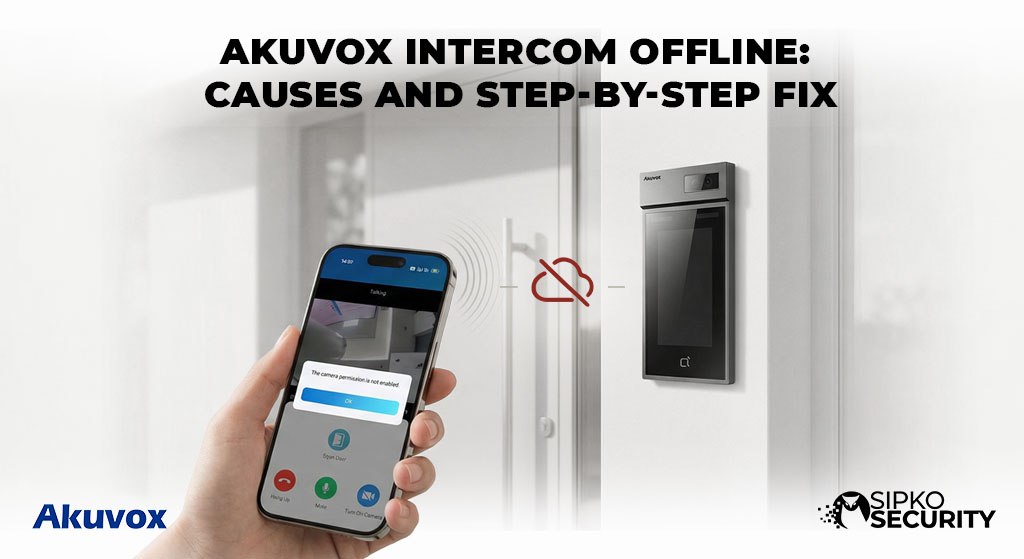
Akuvox Intercom Offline: Causes and Step-by-Step Fix
Professional Troubleshooting Methodology for the “Device Disconnected” Errors in Smart Intercom Systems.
1. Understanding How Akuvox Systems Work
To fix an offline system, you must first understand its architecture. Akuvox devices are essentially sophisticated SIP (Session Initiation Protocol) endpoints. They operate as high-performance network nodes that require persistent handshake signals to function.
The hardware at your gate. It captures HD video and high-fidelity audio, requiring significant upload bandwidth to reach the cloud.
Your internal command center. It remains in a constant state of “listening” for incoming SIP calls from the door station or cloud server.
Unlike traditional doorbells, Akuvox relies on Power over Ethernet. A single cable handles both power and data, making the switch a single point of failure.
Devices send “pings” to the cloud platform every few seconds. If a heartbeat is missed, the status flips to “Offline” instantly.
⚡ Quick Status Diagnostics
Potential power supply or PoE failure. Inspect injectors and switch ports. Review our Power standard guide.
IP conflict or DNS resolution error. Common in strata complexes where NBN changes occur.
Cloud Sync failure. Check SmartPlus subscription status and account linking.
Technical Fix Documentation
Verify Power Supply Integrity
Most Akuvox units run on PoE (802.3af/at). Check the switch for solid green lights. If using DC, test for voltage sag. ⚠️ Pro Alert: Sudden reboots often indicate a failing PoE port. Switch ports immediately to test.
Ping Test & Local Discovery
Log into your router (usually 192.168.1.1) and check the DHCP client list. Try to “ping” the device from a desktop. If the device exists but the app is dead, your DNS settings are failing to resolve the Akuvox Cloud URL.
Physical Connection Audit
Inspect the RJ45 pins at the back of the intercom. For outdoor door stations, corrosion from moisture is a common culprit. Ensure the waterproof connector is properly seated. Fact: Replacing a faulty $10 Ethernet cable fixes 30% of intermittent drops.
Access the Device Web Interface
Enter the IP into a browser. Navigate to Status > Basic. Check “SIP Account Status”. If it says “Register Fail,” your login credentials or cloud server addresses are mismatched. This oversight is common in complex warehouse networks.
Soft Reboot & Hard Factory Reset
Perform a soft cycle via the Web UI. If failure persists, hold the physical reset button for 15 seconds. 📌 Essential: Backup your configuration *.xml file before initiating a factory wipe.
Static IP vs DHCP Assignment
DHCP lease changes cause frequent “heartbeat lost” errors. Assign a Static IP outside your DHCP range and set DNS to Google (8.8.8.8) to bypass ISP resolution delays.
Validate SIP Account Status
Ensure the device MAC address is registered in the SmartPlus Portal. If using a local PBX, verify that port 5060 (UDP) is open and accessible.
Firmware Update Compliance
Outdated firmware causes TLS handshake errors with Akuvox Cloud. Always update via a hardwired connection—Wi-Fi updates can “brick” the motherboard if the signal drops.
Firewall & Port Rules
Verify the firewall isn’t stripping SIP headers. Focus on ports 5060, 5061, and the RTP range (10000-20000). A frequent culprit in office security environments.
The Hotspot Isolation Test
Connect the intercom to a mobile 5G hotspot. If it comes online, the problem is your local router or ISP. If it remains offline, you likely have a motherboard or hardware failure.
Struggling to Get Back Online?
Intercom networking involves specific IP Gateway and NAT Traversal knowledge. If you’ve reached Step 10 and things aren’t working, you need a professional technician to perform a signal analysis.
Root Causes of Offline Status
Network Instability
Weak Wi-Fi or high latency (Jitter) on NBN connections can break the SIP handshake, resulting in frequent “Device Disconnected” alerts.
Configuration Errors
NAT misconfiguration is the “silent killer.” Without proper NAT traversal, audio and video packets simply cannot reach your phone from the door station.
Environmental Damage
Severe Australian weather can lead to board corrosion or port overheating. Always ensure units are mounted with high-grade silicone sealant.
🏢 Apartment & Enterprise Issues
In multi-tenant high-rises, VLAN tagging and Quality of Service (QoS) conflicts are the most common culprits. If your unit is the only one affected, it’s likely a local router setting. If the entire floor is down, it’s a managed switch failure. Consultation with strata security specialists is recommended.
Prevention Checklist
- Dedicated VLAN: Keep intercom traffic isolated from heavy Wi-Fi use.
- Surge Protection: Use inline Ethernet protectors for gate stations.
- Static IP: Always bind the device IP to prevent lease drops.
- Firmware Audits: Update every 6 months for cloud stability.
Restore Your Entry Security
Skip the networking headache. Sipko Security provides professional onsite troubleshooting and premium Akuvox maintenance plans throughout Melbourne.
Intercom Fix FAQ
Why does it work on 4G but not home Wi-Fi?
This indicates your router’s firewall or a NAT loopback issue is blocking the return video stream. It’s a configuration hurdle, not a hardware fault.
Is the Akuvox Cloud service mandatory?
No, but highly recommended. You can use local SIP registration, but you lose out on push notifications and remote door releases from outside your home network.
Does the intercom work during a power outage?
No, unless you have a UPS (Uninterruptible Power Supply) for your network switch. Since Akuvox uses PoE, the device dies as soon as the switch loses power.
How do I change the ringtone?
Go to the Indoor Monitor Settings > Audio > Ringtone. You can choose different tones for door calls and internal calls.
Why is my audio cutting in and out?
This is usually caused by network “jitter” or low upload bandwidth. Ensure your intercom is on a dedicated VLAN and check your NBN upload speed.
Can I add multiple door stations?
Yes, Akuvox systems are highly scalable. You can have multiple door stations calling the same indoor monitors, which is perfect for properties with multiple entry points.
What if I forget my web admin password?
You will need to perform a hard factory reset using the button on the back of the device. This will revert the password to the default (usually “admin”).
Is it possible to view the camera without someone ringing?
Yes, you can initiate “Live View” from either the indoor monitor or the SmartPlus app at any time to check your doorstep.
How many phones can be connected?
You can connect multiple family members (usually up to 4-8 depending on your cloud plan) to a single intercom account, letting everyone see who is at the door.
Does Akuvox work with the NBN?
Yes, it works perfectly with Australian NBN connections. However, you need a stable upload speed to ensure the video feed doesn’t lag or drop.
How do I clean the camera lens?
Use a clean, soft microfiber cloth with a tiny amount of water or lens cleaner. Avoid harsh chemicals which can scratch the protective coating.
Can I use it to open my garage door?
Yes, if your garage motor has a trigger input. The door station has a built-in relay that can be wired to trigger the garage door via the app or monitor.
Official Resources
- Australian Cyber Security Centre
The primary government resource for cyber security advice, protecting Australians from online threats.
- ACMA (Communications Authority)
Australian government authority regulating communications, including home network cabling standards.
- eSafety Commissioner
Empowering Australians to have safer, more positive experiences online with smart home technology.
- Department of Infrastructure
Government home page for infrastructure, transport, and regional development including NBN oversight.

