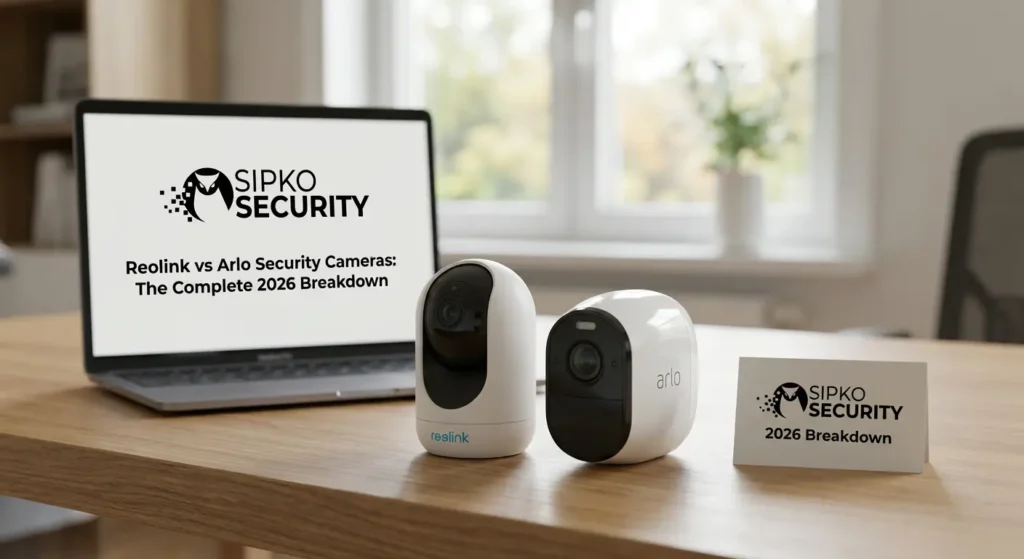
Reolink vs Arlo Security Cameras: The Complete 2026 Breakdown
In the Reolink vs Arlo debate, both brands make bold promises — but only one will suit your property, your budget, and your long-term security goals. Reolink is the engineer’s camera: hardwired, local-storage-first, zero subscription, built for 24/7 forensic-grade recording. Arlo is the consumer’s camera: wire-free, cloud-AI-powered, Apple HomeKit-ready, and deployable in minutes.
We’ve tested and deployed both systems across Brighton estates, Melbourne CBD offices, and Toorak residences. This Reolink vs Arlo guide is the result of hundreds of hours of real-world engineering experience — not paid brand partnerships.
Introduction: Reolink vs Arlo – Which Security Camera Is Better?
The Reolink vs Arlo security camera debate is deeply polarized in 2026. On one side stands Arlo — a premium, cloud-native ecosystem built for the smart-home consumer who values simplicity and AI intelligence. On the other stands Reolink — a hardware-first manufacturer that has become the undisputed king of high-resolution local storage, Power over Ethernet (PoE), and zero-subscription recording. Understanding the Reolink vs Arlo difference is the most important research you can do before spending on security hardware.
Neither brand is universally superior. The right answer depends entirely on your specific property, your technical comfort level, and your long-term security philosophy. This 30-chapter Reolink vs Arlo breakdown gives you the exact information you need to pick your winner.
We compare raw optical specifications, sensor quality, and physical build across matching price tiers.
Upfront price, subscription fees, storage costs, and 5-year lifecycle costs are fully dissected.
Each system is assessed across real Melbourne property types: estates, apartments, and commercial sites.
Reolink vs Arlo: Brand Overview — What Is Reolink?

Reolink was founded in 2009 and has grown into one of the most respected direct-to-consumer security camera manufacturers in the world. Their core mission is radical: deliver professional-grade hardware specifications at prices that undercut traditional security install companies by 60–80%.
Their flagship strength lies in their PoE (Power over Ethernet) ecosystem. A single CAT6 cable carries both crystal-clear 4K-12MP video data and 15W of electrical power to each camera, eliminating both Wi-Fi dependency and separate power adapters entirely. Their NVR (Network Video Recorder) units can manage up to 36 simultaneous camera channels, recording 24/7 to high-capacity internal HDDs with zero cloud involvement.
Reolink vs Arlo: Brand Overview — What Is Arlo?
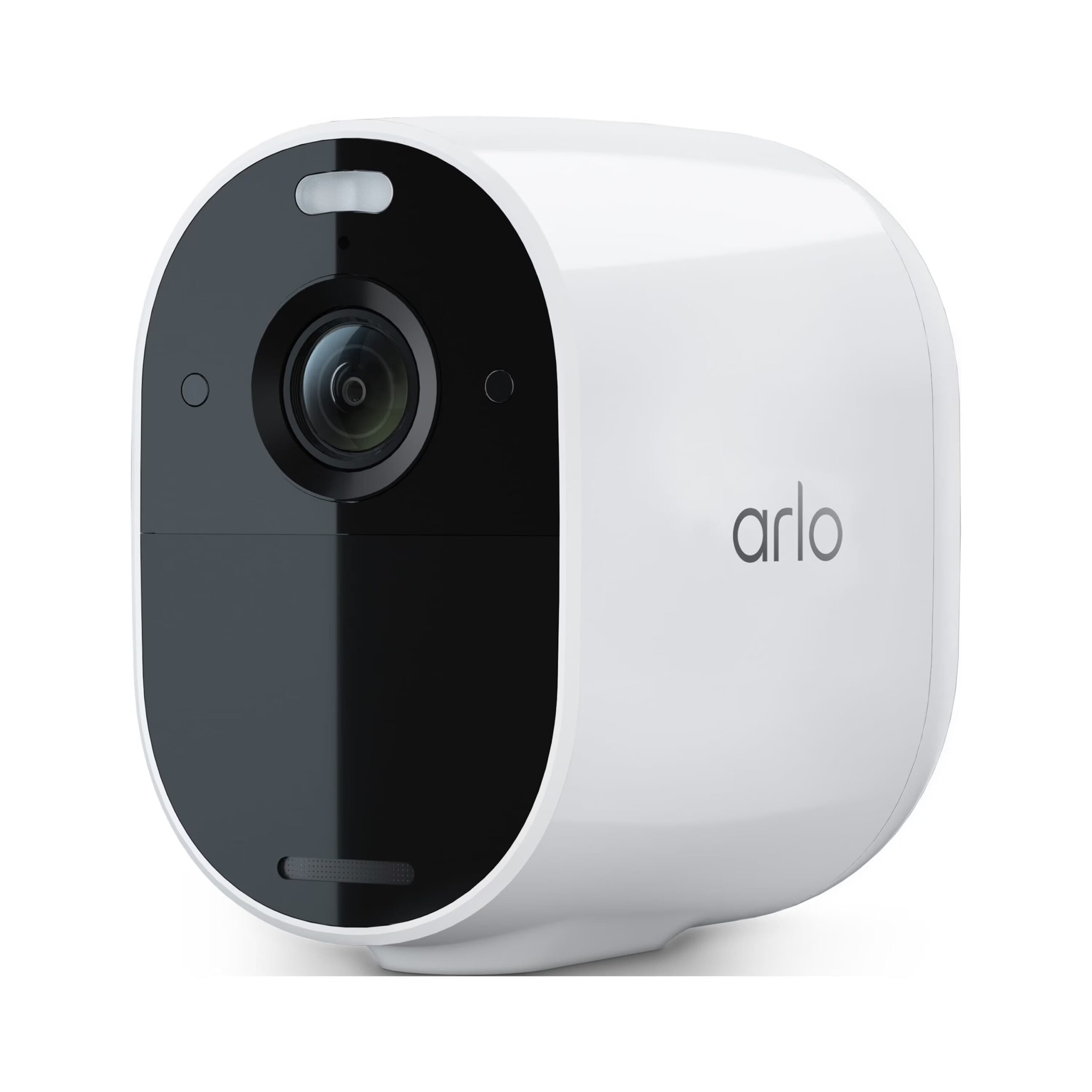
Arlo Technologies was spun off from Netgear in 2018 and has pursued a singular, unwavering vision: the world’s most beautiful, wire-free, AI-powered home security camera ecosystem. Arlo cameras are designed to be placed anywhere in minutes — no electrician, no drill, no network cable required. Their target market is the premium homeowner who wants intelligent, instant protection with zero technical complexity.
Their 2026 lineup centres around the Arlo Ultra 2 (4K, 180° FOV, colour night vision spotlight, HDR), the Arlo Pro 5S (2K, dual-band Wi-Fi 6, integrated siren), and the Arlo Essential XL (1080p, 12-month battery, budget entry point). All flagship models tie into the Arlo Secure cloud platform for advanced AI categorisation, package detection, and activity zones.
Target Audience: Who Should Choose Reolink vs Arlo?
Understanding which system fits your lifestyle is the most important decision you can make before spending a dollar on hardware. The wrong system doesn’t just cost money — it costs you the peace of mind security should provide.
- You own your property and can run cables
- You want 24/7 continuous local recording
- You refuse to pay ongoing software subscriptions
- You manage a commercial property or large estate
- You want deep technical control over your system
- You rent and cannot drill or run cables
- You want a system operational in under 15 minutes
- You are deeply embedded in the Apple ecosystem
- You want slick AI push alerts with thumbnail images
- Aesthetic design on your property matters greatly
Price Comparison: Which Brand Is More Affordable?
In a pure hardware cost battle at equivalent resolution tiers, Reolink wins decisively at every price point. However, cost analysis goes far deeper than the box price — installation complexity and long-term recurring fees completely reshape the 5-year total cost of ownership.
| Item | Reolink 4K PoE 8-Camera | Arlo Ultra 2 8-Camera |
|---|---|---|
| Cameras (x8) | ~$800 AUD | ~$3,200 AUD |
| NVR / Hub | ~$250 AUD | ~$200 AUD (SmartHub) |
| Installation | ~$600–$1,200 AUD (pro install) | ~$0–$150 AUD (DIY) |
| 5yr Subscription | $0 | ~$1,380 AUD (Arlo Secure) |
| 5yr Total | ~$1,650 – $2,250 AUD | ~$4,730 AUD |
Subscription Costs: Do You Need to Pay Monthly?
The Hidden Cloud Tax
This is the single most important financial factor separating these two brands. Arlo’s hardware is essentially a subscription delivery mechanism. The cameras themselves are near-useless without the Arlo Secure plan, which gates motion zones, AI detection, cloud clips, and emergency response features behind a monthly paywall.
- Arlo Secure (1 camera): ~$4.99 USD/month — basic cloud recording only
- Arlo Secure Plus (unlimited): ~$12.99 USD/month — full AI, zones, and package detection
- Arlo Secure Premier: ~$17.99 USD/month — adds 24/7 professional monitoring
- Reolink: $0/month. Person and Vehicle AI runs natively on the camera chip. All footage instantly writes to local NVR HDD or SD card.
Over a 5-year horizon, an 8-camera Arlo Secure Plus plan costs approximately $1,380 AUD in subscription fees alone. That’s an entire additional Reolink 16-camera PoE system.
Video Quality Comparison
Both brands have flagship 4K cameras, but resolution is only one dimension of video quality. Sensor size, aperture, compression algorithm, bitrate, and HDR processing all play significant roles in producing footage that is actually useful in forensic or insurance scenarios.
Reolink advantage: Their RLK8-810B4 PoE 4K system records at a true native 8MP resolution with H.265+ compression, meaning a full month of 24/7 footage from 8 cameras fits on a standard 4TB HDD. Their 12MP Duo 3 PoE dual-lens camera stitches two sensors into a 137° wide panoramic — an extraordinary forensic tool for wide driveways.
Arlo advantage: The Ultra 2’s HDR processing is genuinely class-leading for managing harsh contrast environments — like a poorly lit garage entrance right below a street lamp. Arlo correctly exposes both the bright lamp and the dark driveway simultaneously, avoiding the blown-out whites that Reolink captures in high-contrast conditions.
Night Vision Performance
Security cameras are most critically tested not in daylight, but at 2:00 AM when your property is completely dark. The difference in night vision technology between Arlo and Reolink represents fundamentally different engineering philosophies.
Arlo’s Spotlight Approach: When the integrated PIR sensor detects a warm body, the camera instantly fires an ultra-bright LED spotlight, flooding the scene in harsh white light. The footage is vivid, full-colour, and highly detailed. The downside is that this spotlight alerts the intruder instantly and can bother neighbors.
Reolink’s ColorX Approach: The Reolink ColorX series uses an F/1.0 aperture lens — the same aperture found in premium cinema lenses — to gather ambient light passively. No spotlight fires. The camera produces vivid colour footage in near-total darkness silently, giving you the tactical advantage of observing an intruder without betraying your surveillance position.
Field of View Differences
Field of view (FOV) dictates how much of your property a single camera can monitor. A wider FOV means fewer cameras needed, but comes with barrel distortion tradeoffs. Understanding this spec is essential for designing a no-blind-spot perimeter.
Arlo Ultra 2: A staggering 180-degree diagonal FOV. You can mount a single Ultra 2 in the corner of a living room ceiling and see the entire room from wall to wall, or cover an entire front facade with a single unit. However, the extreme wide-angle introduces heavy barrel distortion at the edges, making face recognition at distance slightly harder.
Reolink Approach: Standard Reolink domes and bullets offer 90-110° diagonal. For matched wide-area coverage, Reolink’s Duo 3 PoE uses two separate lens barrels stitched digitally into a seamless 137° panoramic image — achieving wide coverage without the optical distortion artifacts of a single fisheye lens.
Audio Quality: Two-Way Talk Comparison
Two-way audio allows you to communicate remotely through your camera — warning a courier, speaking to a visitor, or actively deterring an intruder. The quality dichotomy between these brands is significant.
Arlo’s audio engineering is premium. The Ultra 2 features a full-duplex audio circuit (both parties speak and are heard simultaneously with no half-duplex turn-switching), an integrated noise-cancellation chip that strips wind and ambient mechanical noise, and a large-diameter speaker cone that produces a genuinely audible, clear voice projection even in windy conditions. Speaking through an Arlo from a smartphone app feels equivalent to a clear phone call.
Reolink’s audio is functional and sufficient for security purposes — deterring intruders and communicating basic instructions — but their microphone sensitivity and speaker quality is noticeably inferior in real-world testing. In high-wind conditions in coastal Brighton, Reolink audio becomes significantly distorted.
Build Quality & Design
The physical camera body directly influences long-term reliability, mounting stability in Melbourne’s weather extremes, and the overall aesthetic of your property. These two brands make fundamentally different engineering choices.
Arlo’s design language is unmistakably Apple-influenced. Smooth polycarbonate shells in matte white, minimal visible seams, magnetic mount systems, and curved modern profiles. They look exceptional on contemporary architectural facades. However, polycarbonate ages under UV exposure — after 3–5 years in direct Melbourne sun, the white housing yellows and becomes brittle.
Reolink’s PoE bullet cameras are machined heavy-gauge zinc alloy and aircraft-grade aluminium. The RLC-810A weighs 500g and is built with the same physical robustness as industrial IP cameras costing three times the price. They endure UV degradation, hailstorms, and physical tampering attempts with significantly greater resilience.
Indoor vs Outdoor Performance
Not all cameras perform equally across all environments. Testing both brands across Melbourne’s inner-city apartments, coastal Bayside estates, and suburban commercial sites reveals a clear environmental split in performance dominance.
Indoor — Arlo wins. Wire-free bodies, magnetic mounts, and privacy shields (on newer models) make Arlo unmatched for internal deployment. The ability to reposition a camera without any tools in 30 seconds is valuable in rentals or changing interior layouts. Indoor Wi-Fi mesh ensures strong signal throughout.
Outdoor — Reolink PoE wins decisively. Wi-Fi signals degrade through thick bluestone walls and double-brick construction typical of Melbourne’s older estates. Reolink’s copper CAT6 cable is completely immune to signal attenuation, radio interference, and Wi-Fi jamming attacks — a real threat vector for technically sophisticated burglars who use cheap wireless deauthentication devices to knock cameras offline before entry.
Weather Resistance & Durability
Australia’s climate is one of the harshest testing environments for any outdoor electronic device. Melbourne specifically presents a brutal combination of extreme UV radiation (UV Index 11+ in summer), salt air from Port Phillip Bay in coastal suburbs, sub-zero nights in winter, and hailstorms that shatter unprotected housings.
IP67 vs IP65: Both brands are rated for outdoor use, but the difference matters. IP65 (Arlo) guarantees protection against water jets from any direction. IP67 (Reolink PoE) guarantees full submersion in up to 1 meter of water for 30 minutes. In a severe Melbourne flash-flood event, the Reolink continues recording while the Arlo is at serious risk of water ingress through its polycarbonate housing seams.
- Reolink aluminium housing resists UV chalking after 5+ years
- Arlo polycarbonate visibly yellows under sustained Australian UV
- Reolink stainless steel mounting bracket never rusts in salt air
- Arlo magnetic mount can weaken over time with UV exposure to the magnet rubber pad
- Both brands survive Melbourne hailstorms when properly eave-mounted
Battery Life Comparison
Battery performance is one of the most oversold and under-delivered specifications in the wireless camera industry. Both brands publish maximum theoretical battery life under laboratory conditions that bear little resemblance to real-world Melbourne usage patterns.
Arlo’s claimed 6-month battery life assumes approximately 5 motion events per day at mild ambient temperatures. In a typical Melbourne urban home with a garden, the camera realistically fires 15–40 events daily (pedestrians, cats, cars, wind-blown foliage). Under this real-world load, Arlo batteries deplete in 6–10 weeks, requiring physical removal, indoor charging, and re-mounting.
Reolink Argus 4 Pro with a dual-band solar panel attached is genuinely self-sustaining in Melbourne’s sun exposure, with the 5W panel fully recovering the overnight discharge each morning. For their wired PoE cameras (the flagship lineup), battery is simply irrelevant — they draw 15W from the Ethernet cable continuously and have zero battery to manage.
Wired vs Wireless Options
The wired vs wireless decision isn’t just a convenience choice — it’s a fundamental statement about your security architecture’s resilience, permanence, and attack resistance.
Arlo is a wireless-only company at their core. Their entire product line from the Essential to the Ultra 2 relies on Wi-Fi for video transmission. This provides extraordinary installation flexibility — cameras go anywhere without cable runs — but creates an infrastructure that is dependent on your router uptime, Wi-Fi password consistency, and RF spectrum availability.
Reolink offers a complete dual ecosystem. Their PoE wired cameras form an isolated, self-contained local network between the camera and NVR that does not depend on your router at all. Even if your entire home Wi-Fi network crashes, the NVR continues recording all cameras. Additionally, Reolink’s Argus battery/solar series provides wireless flexibility for locations where cable runs aren’t possible.
24/7 recording, jamming-immune, no batteries, commercial-grade
Solar/battery powered, Wi-Fi connected, flexible mounting
Fully wireless, magnetic mount, Wi-Fi dependent, cloud reliant
Installation Process: Which Is Easier?
Installation complexity is where the two brands diverge most dramatically. For a non-technical homeowner, the effort differential is enormous.
1. Charge batteries. 2. Download app. 3. Screw magnetic base to eave. 4. Snap camera on. 5. Scan QR code in app. Done. Total time: ~8 minutes per camera. No tools required beyond a single screw.
1. Plan cable routes. 2. Drill through eaves/brickwork. 3. Pull CAT6 to each position. 4. Terminate RJ45 connectors. 5. Mount cameras. 6. Configure NVR. Total time: 3–6 hours for a full install. Professional electrician strongly recommended.
While Arlo’s simplicity is genuinely impressive, the trade-off is that ease of installation often means ease of removal. A determined intruder can physically pull an Arlo camera off its magnetic mount in under 2 seconds. A properly mortared Reolink PoE bracket requires serious tools and significant effort to dislodge.
Mobile App Experience
The mobile application is your primary interface with your security system. If the app is slow, confusing, or unreliable, the hardware underneath becomes functionally useless regardless of its quality.
Arlo App: A genuine masterclass in consumer UX design. The interface is clean, gesture-driven, and aesthetically refined. Timeline scrubbing through cloud clips is as smooth as scrolling an Instagram feed. Smart AI event categorisation means your activity feed shows only meaningful events — no 47 clips of moving tree branches. The notification system delivers rich alerts with a thumbnail image directly on your lock screen. Opening a live feed from cold takes 3–5 seconds.
Reolink App: Powerful but clinical. The home screen surfaces camera thumbnails with manual tap-to-live-view access. The playback interface requires navigating a timeline grid against individual cameras. For basic monitoring, it’s perfectly adequate. For deep configuration (sub-streams, bitrates, motion sensitivity zones), the app exposes more raw controls than Arlo will ever offer. Opening a live feed from cold can take 2–8 seconds depending on network conditions.
Smart Home Integration
In 2026, a security camera doesn’t exist in isolation — it’s one node in a broader smart home ecosystem including lights, locks, alarms, and voice assistants. Compatibility with your chosen platform determines how seamlessly your security system integrates into your automated life.
| Platform | Arlo | Reolink |
|---|---|---|
| Amazon Alexa | ✅ Full Integration | ✅ Full Integration |
| Google Home | ✅ Full Integration | ✅ Full Integration |
| Apple HomeKit | ✅ Native Support | ⚠️ Limited / Not Native |
| IFTTT | ✅ Supported | ✅ Supported |
| ONVIF Protocol | ❌ Closed Ecosystem | ✅ Most Models |
| RTSP Stream | ❌ Not Supported | ✅ Supported |
The Apple HomeKit gap is Reolink’s most significant ecosystem weakness in 2026. Australian consumers adopting Apple Home are forced toward Arlo if they want seamless Siri and Home App integration.
AI Detection Features
Artificial intelligence has transformed how security cameras filter meaningful events from environmental noise. Without AI, every camera generates hundreds of false motion triggers daily. With it, only genuinely relevant events — a person, a vehicle, a package — reach your attention.
Arlo’s Cloud AI: Processing happens on Arlo’s servers, which means it has access to massive computational resources and deep learning models trained on billions of video frames. The Ultra 2 can accurately classify a specific person as “familiar” vs “unfamiliar,” detect a left package, track animal movement, and differentiate between a bicycle and a vehicle. This cloud AI is genuinely state-of-the-art for the consumer security segment.
Reolink’s On-Device AI: Their newest PoE cameras run a dedicated AI co-processor that handles Person and Vehicle detection entirely on-chip, with zero cloud dependency. Detection latency is under 0.5 seconds. The downside is that edge AI is less capable than cloud AI — Reolink cannot currently offer package detection or familiar face recognition at the same accuracy level as Arlo.
- Arlo: Person, Vehicle, Animal, Package, Familiar Face detection
- Reolink: Person and Vehicle detection (local AI, zero subscription)
- Arlo requires Secure subscription for all AI features
- Reolink AI works completely offline with no monthly cost
Motion Detection Accuracy
False positives — unnecessary alerts triggered by non-security events — are the primary reason homeowners eventually mute or disable their camera notifications entirely. Eliminating false positives while maintaining 100% capture of real security events is the core engineering challenge every camera brand faces.
Arlo uses PIR (Passive Infrared) sensors on their wireless cameras. PIR detects heat signatures moving through a scene — not raw pixel movement. A tree branch cannot trigger a PIR sensor because branches don’t emit body heat. This fundamentally eliminates a massive category of false positives. Arlo’s cloud AI then adds a second filter layer, further removing animal detections if you’ve configured human-only alerts.
Reolink PoE cameras use pixel-difference motion detection as their primary trigger — comparing each frame against the last and flagging movement above a configurable threshold. This makes them slightly more susceptible to false triggers from shadows, lighting changes, and heavy rain. Their on-device AI acts as a filter, but the initial pixel-detection stage is inherently noisier than PIR sensing.
Alert System & Notifications
An alarm system that alerts you 45 seconds after an event has occurred has limited real-world security value. Speed, richness of information, and notification clarity directly determine whether your camera system allows you to take meaningful action or just watch event replays after the fact.
Arlo’s Rich Notifications are the gold standard in consumer security camera alerting. When a person enters your monitored zone, within 2–4 seconds your phone lock screen displays a push notification containing a crisp thumbnail snapshot of the event, the camera name, the AI classification (person / vehicle / package), and a single-tap deep link directly into the event clip. You assess the situation without unlocking your phone.
Reolink’s text notifications are fast (1–3 seconds) but lack visual richness. You receive a text alert stating “Camera 3 detected motion” which requires you to unlock your phone, open the app, navigate to the camera, and view the event. In a high-adrenaline intrusion scenario, those extra seconds and taps matter significantly.
Storage Options: Cloud vs Local
Where your security footage is stored determines whether it survives a burglary, a power outage, or an internet failure — the three most common scenarios where you actually need to retrieve it.
Arlo’s cloud-first storage means footage automatically uploads to Arlo’s servers within seconds of an event. This survives a physical theft of the camera. However, Arlo does not offer 24/7 continuous recording to the cloud — only event clips are uploaded. If a two-hour burglary occurs and the intruder deactivates the camera after the first alert, the subsequent 95% of the event is never recorded. Without a Secure subscription, cloud clips are unavailable entirely.
Reolink’s NVR local storage records every camera continuously, 24 hours a day, 7 days a week, directly to an internal HDD that can be encrypted and password-protected. A 4TB HDD stores approximately 30 days of 8-camera 4K H.265+ footage. Even if every single camera is destroyed by an intruder, the NVR’s footage — locked inside a steel rack in your ceiling or server room — remains completely intact.
Privacy & Data Security
Every cloud-connected camera raises a fundamental question: who can access your footage besides you? This question becomes critically important when cameras are positioned inside bedrooms, nurseries, or private office spaces.
Arlo’s data handling: All footage is encrypted in transit via TLS 1.3 and encrypted at rest on Arlo’s AWS cloud infrastructure using AES-256. Arlo’s privacy policy explicitly states they do not sell footage to third parties. However, footage stored on US-based AWS servers is technically accessible to US government entities under lawful data requests — a consideration for commercially sensitive properties or privacy-conscious individuals.
Reolink’s local-only option: When configured in fully local mode (NVR disconnected from internet), Reolink cameras are completely air-gapped. Zero footage ever leaves your property. Zero server can be subpoenaed. Zero subscription company has any technical access to your recordings. For commercial properties with commercially sensitive footage, this local-only architecture is the highest level of data security available.
- Reolink fully air-gapped NVR: maximum data sovereignty
- Arlo AES-256 cloud encryption: high cloud security standard
- Arlo footage governed by US data laws and AWS terms
- Reolink local footage governed only by your own physical lock
Internet Dependency
Internet infrastructure fails — NBN outages, router crashes, and ISP maintenance windows are regular occurrences in any home or business. The question is: what happens to your security system when the internet goes down at 3:00 AM?
| Scenario | Arlo Response | Reolink PoE Response |
|---|---|---|
| NBN Outage | ❌ Camera completely offline, no recording | ✅ 100% local recording continues uninterrupted |
| Router Crash | ❌ Lost connectivity, no cloud upload | ✅ PoE cameras record directly to NVR, router irrelevant |
| Wi-Fi Jamming Attack | ❌ Goes offline, attacker has cover | ✅ Copper CAT6 completely immune to RF jamming |
| Power Outage (UPS) | ⚠️ Continues on battery | ✅ NVR + PoE cameras continue on UPS power |
| Cloud Server Down | ❌ No event storage, no alerts | ✅ All storage is local, zero cloud dependency |
Ecosystem & Expandability
A security system is rarely finished. Your needs evolve — new outbuildings, renovations, additional coverage zones, or business expansion all require your camera ecosystem to grow with you. The cost and complexity of that expansion varies enormously between these two brands.
Expanding Arlo: Adding a camera means buying another $400 AUD unit, connecting it to your existing SmartHub (which has a 5-camera limit per hub), and potentially purchasing an additional SmartHub for larger arrays. The subscription cost also scales — more cameras on a single-camera Secure plan require upgrading to Secure Plus. Expansion is easy but expensive and subscription-governed.
Expanding Reolink: Adding a camera to a PoE system means running one additional CAT6 cable and plugging in a $100–$150 AUD dome camera. A 16-channel NVR accepts 16 cameras with a single configuration screen. Moving to 32 cameras means swapping to a 32-channel NVR and running more cable. There is no per-camera subscription cost at any scale point.
Compatibility with NVR and Advanced Systems
Advanced users, integrators, and commercial operators frequently need to integrate cameras into third-party professional management platforms — enterprise VMS software, Synology NAS surveillance stations, or specialised forensic systems. This is where the open vs closed architecture split becomes critically important.
Reolink + ONVIF/RTSP: Most Reolink PoE cameras support the ONVIF Profile S standard and RTSP streaming out-of-the-box. This means you can point any professional VMS software — Blue Iris, Milestone, Genetec, or Synology Surveillance Station — directly at a Reolink camera and manage it as a full professional IP camera with complete PTZ, motion, and recording control.
Arlo’s closed ecosystem: Arlo cameras do not support ONVIF, RTSP, or any standard IP camera protocol. They can only be accessed through the Arlo app or Arlo’s official API (which is rate-limited and incomplete). You cannot integrate an Arlo camera into Blue Iris, cannot view it in a Synology NAS, and cannot route its stream into any professional security management platform — now or in the foreseeable future.
Customer Support & Reliability
Technical issues arise with any camera system. How quickly and effectively the brand resolves those issues directly determines your security system’s real-world uptime and your long-term satisfaction.
Arlo Support: Arlo provides 24/7 live chat support and a highly active community forum. Their support agents are reasonably well-trained on hardware troubleshooting and subscription account management. Warranty claims are processed quickly — Australian Consumer Law guarantees are honoured. However, Arlo’s support quality noticeably declines for complex network configuration issues, where agents default to “reset and reinstall” responses.
Reolink Support: Reolink provides email and live chat support during business hours. Their support documentation and firmware update repository are exceptional — comprehensive setup guides, CLI documentation, and detailed compatibility matrices for third-party integrations are all publicly available. For complex ONVIF or RTSP routing queries, Reolink’s technical support documents are far superior to Arlo’s.
Common Issues & User Complaints
The Real-World Friction Points
No security system is without its criticisms. Here are the most consistent, well-documented complaints from verified Australian Arlo and Reolink users in 2025–2026:
- Arlo: Subscription rage. The single most common complaint — users feel trapped into a subscription for features that should be standard camera functions.
- Arlo: Battery management fatigue. Unmounting, charging, and remounting cameras every 8 weeks in hard-to-reach eave positions becomes genuinely frustrating over time.
- Arlo: Live view delay. Arlo’s cloud routing introduces a 3–8 second latency from tap to live view — unacceptable in urgent situations.
- Reolink: App complexity. The Reolink app’s dense menu structure overwhelms non-technical users during initial configuration.
- Reolink: PTZ tracking aggression. Auto-tracking on Reolink PTZ models (RLC-823A) can spin aggressively on false triggers, causing mechanical wear and neighbor complaints about a camera “pointing at them.”
- Reolink: IR reflections. Mounting PoE cameras too close to white-painted eaves causes IR infrared LEDs to reflect off the eave surface into the lens, washing out the night image.
Best Use Cases: When to Choose Reolink
Reolink is the definitive choice across a specific but highly valuable set of use cases where their technical architecture delivers outcomes that Arlo structurally cannot match regardless of price point.
- New construction: If you can pre-run CAT6 cables during the build phase, a Reolink PoE system is the highest-value security investment available at any budget level.
- Large properties: For Melbourne estates, farms, or commercial properties requiring 8+ cameras, Reolink’s NVR scalability and zero-subscription model makes the 5-year total cost 60–70% lower than Arlo.
- 24/7 continuous recording: Any property where continuity of evidence matters — retail businesses, commercial car parks, critical infrastructure — requires Reolink’s local continuous recording architecture.
- Privacy-critical environments: Server rooms, executive offices, medical facilities — anywhere footage must never leave the premises.
- High-risk perimeter security: Properties that face organised criminal risk need Wi-Fi jamming-proof, tamper-resistant, 24/7-recording perimeter cameras — Reolink PoE is the correct tool.
Best Use Cases: When to Choose Arlo
Arlo is not inferior — it is purpose-built for a specific subset of use cases where its wire-free architecture, Apple ecosystem integration, and consumer-grade simplicity creates genuine advantages over Reolink’s engineering-first approach.
- Renters: No drilling, no cable runs, no permanent modifications. Arlo’s magnetic mounts deploy and un-deploy in minutes — ideal for tenanted properties.
- Apple HomeKit households: If your home automation is built around Apple Home and Siri, Arlo is the only mainstream camera brand with native HomeKit integration.
- Domestic AI monitoring: For single-camera front door or package detection applications where AI notification richness matters more than continuous recording, Arlo’s push alerts with thumbnails are unmatched.
- Apartment living: Compact internal spaces with strong Wi-Fi coverage where cable runs aren’t feasible — Arlo is the perfect fit.
- Elderly homeowners: For clients who are not technically confident and want a camera that silently requires zero configuration beyond the initial setup, Arlo’s simplicity is a genuine accessibility advantage.
Reolink vs Arlo: Frequently Asked Questions (2026)
These are the most commonly searched Reolink vs Arlo questions from Australian homeowners in 2026. We’ve answered each one with direct, unbiased technical precision.
For 24/7 wired recording, commercial use, and zero ongoing cost, Reolink beats Arlo decisively. For renters, Apple HomeKit users, and those wanting instant wireless setup, Arlo wins.
Only if AI detection, cloud clip history, and rich push notifications are critical for your use case. For most homeowners comparing Reolink vs Arlo on cost, the $12–$23/month Arlo Secure plan tips the 5-year total cost strongly in Reolink’s favour.
A fully local Reolink NVR system that is firewalled from the internet is essentially unhackable remotely. Arlo’s cloud infrastructure has a larger attack surface by nature of its cloud dependency.
Yes. Reolink PoE cameras record continuously to the local NVR even with zero internet connectivity. Arlo requires internet to function — without it, recording and remote access stop entirely.
Reolink’s ColorX series (F/1.0 aperture) produces colour night vision passively without a spotlight. Arlo fires a bright LED spotlight for colour night vision. Both are excellent but serve different threat detection philosophies.
Property owners running CAT6 cable, commercial security deployments, rental managers needing continuous forensic recording, and anyone who refuses to pay ongoing software subscriptions.
Reolink vs Arlo: Get the Right Camera for Your Melbourne Property.
Don’t let the Reolink vs Arlo debate cost you time and money. Let Sipko Security’s engineers spec the exact system for your property — wired, wireless, or hybrid.
Direct Technical Hotline
0406 432 691Architectural & Sales Design
Sipkosecure@gmail.com© 2026 SIPKO SECURITY SYSTEMS. ALL RIGHTS RESERVED. PROTECTING MELBOURNE’S LEGACY SINCE 2012.
BRIGHTON • TOORAK • RICHMOND • MORNINGTON PENINSULA • MELBOURNE CBD • MOUNT MARTHA