
Uniview Maintenance Services in Melbourne for UNV Cameras and CCTV Systems
Uniview maintenance services in Melbourne are essential when your existing Uniview or UNV CCTV system is still installed but no longer performing the way it should. SIPKO Security helps homeowners and businesses across Melbourne restore reliability to Uniview cameras, UNV security cameras, recorders, playback, remote viewing, and wider Uniview security systems through practical fault finding, repair-first support, and ongoing servicing that keeps the system usable, stable, and ready when it matters.
This page is built for repair and maintenance first. That means helping owners who already have a Uniview security system or UNV CCTV setup and want it working properly again. Some systems need cleaning up. Some need recorder work. Some need better night performance, stronger playback confidence, or simpler remote access. Some need honest advice on whether the existing setup is still worth keeping. Our job is to work that out clearly.
A lot of owners think the problem is “the camera brand” when the real issue is an unhealthy recorder, poor retention settings, unstable PoE, weak configuration, or a site layout that was never fully reviewed after changes to the property. That is why maintenance matters. It lets you repair what is repairable, stabilise what still has value, and avoid replacing a system for the wrong reason.
Fault finding for existing Uniview systems
We diagnose image decline, playback instability, failed storage, remote access confusion, and the smaller warning signs that usually appear before a bigger failure.
Recorder, storage, and playback support
We work on NVR faults, export errors, missing playback, short retention, drive wear, and recorder behaviour that quietly weakens evidence value.
EZView and remote access cleanup
We help restore reliable app access, user permissions, notifications, and remote playback so the system becomes easier to use again.
Repair-first advice, not automatic replacement
We tell you what can still be saved, what clearly needs work, and when maintenance is better value than starting again.
If you are also comparing broader system choices or related site planning, our Hikvision vs Uniview guide, Dahua vs Uniview guide, CCTV storage guide, and EZView troubleshooting guide are the most useful next reads.
Book a Uniview Repair or Maintenance Visit
Call +61 406 432 691 or complete the form and we will contact you. Tell us whether the issue is with a Uniview camera, UNV camera, recorder, storage, remote access, network stability, night image quality, or a wider Uniview security system that needs servicing in Melbourne.
Most Uniview Systems Do Not Break All at Once. They Drift.
That drift is what owners usually miss. A camera still shows live video, so it feels fine. The recorder still runs, so it feels safe. The app still opens, so it feels usable. But behind that, the footage may be softer, the retention shorter, the alerts noisier, the playback slower, and the system harder to trust than it was a year ago. Good Uniview maintenance services is about catching that slow decline before it turns into a bigger problem.
What usually weakens first
On many sites, the first warning sign is not a dead camera. It is a loss of confidence. Footage gets harder to search. Night detail is weaker. The app is inconsistent. One area of the property no longer feels fully covered.
- Soft or washed-out night images
- Recorder playback that feels slower or less reliable
- Notifications that stop reflecting real activity
- Old users and messy remote access settings
Why owners leave it too long
CCTV problems often feel non-urgent until there is an incident. That is why maintenance gets delayed. The system is “mostly working,” so it slips down the priority list. But that is exactly when servicing adds the most value.
- Smaller faults feel easy to ignore
- The live view hides deeper recorder problems
- Owners assume app issues are normal
- The real cost only appears when footage is needed fast
Signs Your Uniview CCTV System Needs Repair or Servicing
These are the kinds of problems that usually bring people to a service page like this. Not all of them mean the system is finished. But they do mean it needs proper attention.
The issue may be the camera, but it may also be PoE, cabling, a port problem, weak network stability, or a device that has become unreliable over time.
Camera StabilityIf the system records inconsistently or playback is hard to search and export, the recorder or storage path needs attention before an incident exposes the problem.
Recorder HealthWeak identification detail, glare, dirty lenses, moisture, poor IR behaviour, or wrong exposure settings all reduce the real value of the camera after dark.
Night PerformanceRemote viewing fails after internet changes, notifications stop making sense, or the wrong users still have access. These are maintenance issues too.
Remote AccessThe Uniview Problems We See Most Often on Real Sites
Repair work on live sites is rarely about one neat technical fault. Usually it is a cluster of small issues affecting confidence in the system. One weak camera, one underperforming recorder, and one confusing app setup are enough to make the whole site feel less secure than it should.
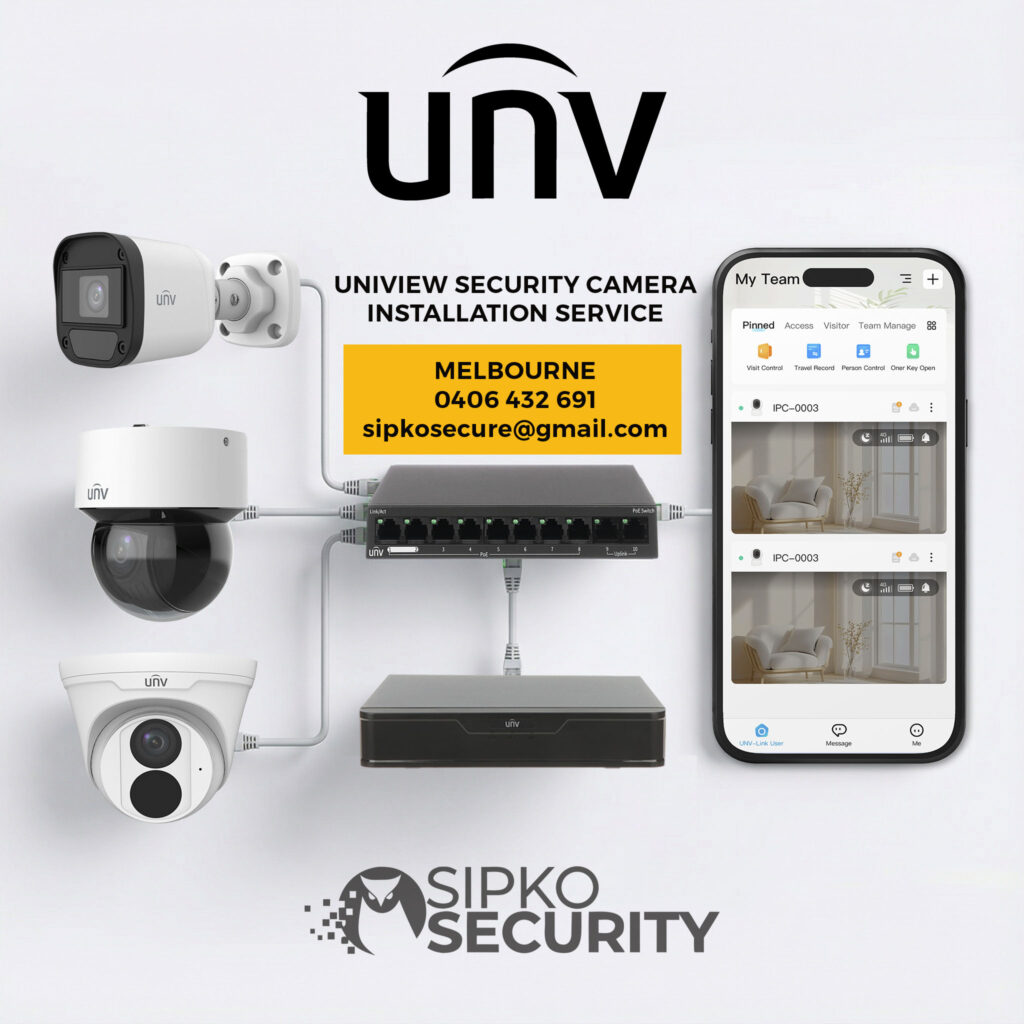
Uniview CCTV repair for playback and storage faults
We handle recorder issues that make footage difficult to search, unreliable to store, or frustrating to export, including short retention and hard drive decline.
UNV camera repair for image and signal problems
We work on black screens, intermittent dropouts, weak detail, poor infrared results, and cameras that are online but no longer producing strong evidence.
EZView and remote access recovery
We help when the mobile experience has become the weak point, including app confusion, login issues, broken remote viewing, and user-permission mess.
Event and alert cleanup
Many systems still record, but the analytics and alert side has drifted badly. We review what is triggering, what is being missed, and what needs tuning.
Network and PoE fault isolation
A lot of camera issues turn out to be infrastructure issues. We inspect power, ports, cable paths, and network stability where the visible fault may not be the real one.
Older system stabilisation
We often work on older Uniview systems that are still worth keeping if the right maintenance work is done before the owner spends money replacing everything.
If you are comparing whether repair is still worthwhile or whether another brand now suits the site better, see our Hikvision vs Uniview and Dahua vs Uniview guides.
What We Actually Service on Uniview and UNV Systems
We do not treat “CCTV repair” as one vague service. Different parts of the system fail in different ways. Good maintenance work means checking the part that is weak and the part connected to it.
Uniview cameras and UNV security cameras
We work on dome, bullet, turret, and other Uniview cameras that are soft, unstable, poorly framed, weather-affected, or no longer giving strong evidence.
NVRs, hard drives, and storage logic
We inspect recorders, failed drives, playback indexing, export reliability, retention settings, and the recorder-side problems that make footage less dependable than owners realise.
PoE, ports, network path, and infrastructure
A faulty UNV camera may really be a switch issue, a cable issue, or a poor PoE path. We test the link, not only the endpoint.
App access, remote users, and mobile viewing
We clean up user accounts, client-side confusion, notification issues, and remote access problems so the system becomes easier to manage and retrieve footage from.
Where Uniview Maintenance Adds the Most Value
Some properties benefit more from routine servicing than others. These are the kinds of sites where small performance losses cause bigger operational problems later.
EZView, Remote Access, and Day-to-Day Usability Problems
A lot of repair pages focus only on hardware. But many Uniview service calls are really about usability. The cameras may still record, but the owner cannot access the system the way they need to. That is a real maintenance problem, not a minor extra.
EZView not showing video properly
We help when live view, playback, or device visibility stops behaving properly inside the app, especially after network or device changes. Our EZView guide is a useful starting point.
Remote viewing after internet changes
Modem swaps, router updates, ISP changes, and new network layouts often break the remote side of a working Uniview system even though the cameras themselves still record locally.
User access that no longer makes sense
We also clean up old users, confusing permissions, mixed personal logins, and the account mess that often develops on shared home or business systems over time.
Notifications and alert fatigue
Where the system sends too many irrelevant alerts or misses useful ones, we review event setup so the CCTV becomes more usable instead of more distracting.
Repair It, Maintain It, or Move On From It?
Good advice here should be calm and specific. Some Uniview systems are still very worth maintaining. Others are not. The right call depends on the current image quality, recorder health, coverage value, access needs, and whether the site has outgrown the existing setup.
Best when the existing system still has a useful core
Sometimes the smartest move is to service the recorder, repair the weak devices, improve the settings, and keep using a Uniview system that still suits the site.
- The layout still covers the right areas
- The recorder can be stabilised or refreshed
- The main issues are maintenance-related, not structural
- You want the best value from the hardware already in place
Best when the real weakness is now the whole setup
If the image quality is no longer strong enough, the recorder confidence is poor, and the site’s needs have changed significantly, repair can become the more expensive path in the long run.
- Evidence quality is no longer acceptable
- Repeat faults keep coming back
- The site now needs a different layout or stronger workflow
- A cleaner long-term system will reduce more friction and risk
If brand choice is part of that discussion, our Hikvision vs Uniview and Dahua vs Uniview articles give useful context.
Complete Uniview Surveillance Services Beyond Basic Repair
Good Uniview maintenance services should not stop at checking whether the cameras still power on. A real service visit should improve how the whole surveillance setup performs day to day. That includes recorder health, playback confidence, image quality, user access, alert behaviour, and the practical way the system supports the property. For many Melbourne sites, the biggest improvement comes from cleaning up the neglected parts around the cameras, not only the cameras themselves. That is also why many owners review our CCTV storage guide and EZView troubleshooting guide after a maintenance visit.
Recorder and playback confidence checks
We inspect whether the Uniview recorder is truly storing, retaining, and exporting footage the way the owner expects, not just whether it appears to be running.
App access and user cleanup
We help sort out confusing remote access, old users, weak notification logic, and the everyday usability issues that make a Uniview system frustrating to manage.
Preventive servicing for long-term reliability
Strong Uniview maintenance services reduce repeat faults by catching the quieter problems early, before they turn into a bigger recorder or evidence issue.
Why Uniview Security Cameras Still Deserve Proper Maintenance
Uniview systems are popular because they offer strong image quality, solid recorder options, useful remote access, and practical surveillance performance across homes and businesses. But good hardware still needs proper care. The reason many owners search for Uniview maintenance services is not because the brand is bad. It is because even a capable system becomes unreliable when storage is ignored, settings drift, optics get dirty, remote access becomes messy, or the property changes and the system never gets reviewed. That is especially true for offices, warehouses, and mixed-use sites where CCTV supports daily operations, not just security in the abstract. For broader site context, see our office security page and warehouse security page.
Stronger image quality over time
Regular servicing helps keep Uniview cameras sharp, usable at night, and properly aligned with the areas that matter most.
More dependable recorder performance
Good maintenance reduces the risk of discovering too late that playback, retention, or export has not been working as expected.
Better day-to-day usability
A properly maintained system is easier to check remotely, easier to search, and easier for the owner or team to live with.
Less hidden risk building up quietly
That is the real value of Uniview maintenance services: fewer silent failures and fewer surprises when footage is suddenly needed.
Good Uniview Maintenance Services Make the Whole System Easier to Own
One of the best outcomes of proper maintenance is not only technical. It is operational. The system becomes easier to trust, easier to access, and easier to manage. Owners stop guessing whether the recorder is storing enough footage. Staff stop struggling with remote access. Alerts become more meaningful. Cameras cover the right points more clearly. In other words, the system starts feeling organised again. That matters whether the property is a family home, a retail site, a warehouse, or an office building. For homeowners thinking about how CCTV fits into broader protection, our residential alarm guide adds useful context.
Less friction when checking footage
The owner can review incidents, search playback, and manage users with less confusion and less time wasted.
Fewer recurring nuisance problems
Maintenance helps reduce the cycle of the same app, recorder, or alert issues returning again and again without the real cause being fixed.
More confidence in the next incident
The real goal of Uniview maintenance services is simple: when something happens, the system should be ready, not questionable.
Our Uniview Repair and Maintenance Process
We approach existing systems methodically. The goal is to understand what the system is supposed to be doing, what it is actually doing, and where that gap is coming from before we recommend the next step.
Understand the current layout
We identify the Uniview cameras, recorder, remote access method, user structure, and the parts of the property the system is meant to protect.
Get a Free Quote →Inspect cameras and image quality
We check clarity, angle, night detail, housing condition, and whether the current camera positions still make sense for the site.
Warning signs →Test recorder and storage confidence
We review playback speed, retention, export behaviour, indexing, and the drive health behind the footage.
Storage guide →Check access, app, and notifications
We make sure the system is not only recording but also easy to view, search, and manage from the right devices and users.
EZView help →Repair the weak point properly
Where the system is recoverable, we repair the real weak point instead of masking the symptom with a temporary fix.
Book a visit →Tune the settings that have drifted
We clean up users, alerts, event behaviour, and other settings that make a system feel worse over time even when the hardware still works.
Office security guide →Explain what should happen next
You leave knowing what failed, what was repaired, what still needs attention, and whether maintenance or replacement is the better long-term path.
Compare systems →Plan future maintenance if needed
For higher-use homes and business sites, we help put the system on a more predictable maintenance path instead of waiting for another reactive failure.
Ask about ongoing support →Uniview Maintenance & Repair Packages in Melbourne
These packages are for existing Uniview and UNV systems that need sensible maintenance, clear fault diagnosis, recorder confidence checks, and repair-first support. They are designed for owners who want practical help, not generic CCTV sales language.
Essential Uniview Health Check
Best for homes and smaller sites where the system still works but confidence in it has started to slip.
- Core camera image and night-quality review
- Recorder, storage, and retention confidence check
- Basic app and remote access review
- Clear next-step advice before bigger faults build up
UNV Fault Find + Recorder + App Recovery
Best for homes and businesses where the system has become unreliable and needs structured diagnosis.
- Uniview camera fault diagnosis for black screens, soft detail, weak night footage, and unstable feeds
- Recorder, hard drive, playback, indexing, and export troubleshooting
- EZView, user access, and notification cleanup
- PoE, cable, port, and network-path checks
- Repair-first advice on what to stabilise, replace, or leave alone
Commercial Uniview Recovery Plan
Best for larger homes and commercial sites where the system needs stronger structure, cleaner evidence workflows, and an ongoing maintenance path.
- Multi-camera site review across recorders, cameras, access, and playback workflow
- Evidence-ready export, retention, and review process assessment
- Shared-user and remote-access structure cleanup
- Guidance on staged improvement, broader site coordination, or selective rebuild
- Long-term maintenance planning so the system stops relying on reactive callouts
Tell us the real symptom: weak night image, camera offline, recorder issue, missing playback, export problems, EZView trouble, or general loss of confidence in the current system. We will recommend the most practical repair or maintenance path based on the actual condition of your site.
Preventive Servicing Is Usually Cheaper Than Reactive Repair
The best time to service a Uniview system is before the owner is forced to rely on it in a stressful situation. Preventive maintenance helps catch recorder decline, weak image performance, dirty optics, drifting settings, bad retention, and remote-access issues before they become urgent.
Camera image and lens review
We inspect clarity, focus, dirt, glare, moisture, and scene suitability before footage becomes too weak to rely on.
Recorder and drive confidence checks
We review recorder behaviour, storage health, playback stability, and retention logic so hidden problems are found earlier.
Network and PoE stability review
We inspect the infrastructure behind the cameras where small port, cable, or power issues can create much larger symptoms.
App access and user cleanup
We make sure the right people still have the right level of access and that the remote experience is not slowly becoming a burden.
Coverage and risk-point review
We reassess whether important entries, yards, gates, driveways, loading zones, and internal areas are still being captured properly.
Future maintenance planning
For sites that depend on CCTV heavily, we help build a cleaner servicing path rather than letting the setup slide into repeat failures.
Useful supporting pages include our warehouse security guide, office security guide, and residential alarm guide.
What Clients Say
Clients usually mention clear advice, practical fault finding, and systems that feel dependable again after proper servicing. That matters because a security company should not only install hardware. It should also help owners keep it working properly over time.
Frequently Asked Questions — Uniview Repair and Maintenance in Melbourne
Clear answers about Uniview camera problems, UNV CCTV servicing, playback issues, remote access, recorder faults, and ongoing maintenance.
No. This service is mainly for existing Uniview cameras, UNV cameras, and wider Uniview systems that need repair, maintenance, recorder work, or clearer fault diagnosis.
Good Uniview maintenance usually includes image checks, night-performance review, recorder and hard-drive inspection, playback testing, remote-access review, user cleanup, and event-setting checks.
Yes. A Uniview camera can still be online and still fail in real use. We work on soft focus, poor night detail, glare, bad angle, dirty optics, moisture issues, and other performance problems.
Yes. We handle UNV CCTV recorder faults including storage decline, export errors, short retention, missing playback, recorder alarms, and hard drive issues.
Yes. We regularly help with EZView problems, broken remote viewing, unstable app access, user-account confusion, and systems affected by router or internet changes.
Yes. We provide Uniview maintenance Melbourne support for homes, offices, retail sites, warehouses, and other properties across Melbourne suburbs.
Yes. If that camera covers an important entry, driveway, yard, or work zone, one weak device can reduce confidence in the whole system quickly.
No. Many older Uniview systems are still worth maintaining if the core layout is useful and the main problems are recorder health, settings drift, or a few weak components rather than total system decline.
We mainly work on Uniview CCTV and recorder support, but we also help people searching more broadly for security camera repair or security system repair where Uniview is part of the wider issue.
That depends on the property, the number of cameras, and how important the footage is. Higher-use homes and commercial sites usually benefit from more regular servicing than a once-in-several-years check.
Yes. Network changes are one of the most common reasons a working Uniview system suddenly feels broken on the remote side. We regularly help recover access after those changes.
Yes. We support homes and businesses across Melbourne suburbs where UNV maintenance in Melbourne or UNV repair in Melbourne is needed.