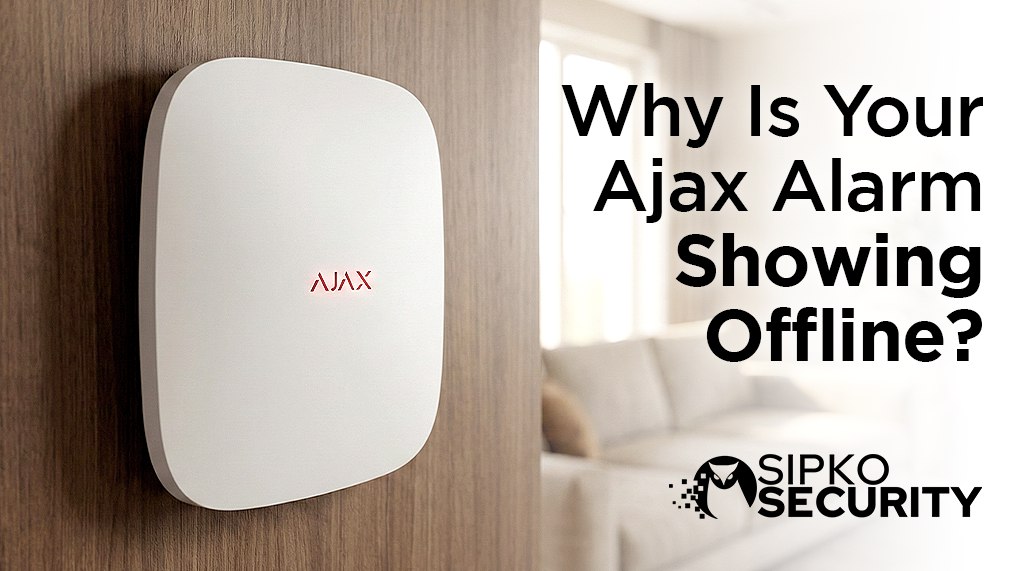
Why Is My Ajax Alarm Showing Devices Offline?
There is nothing more annoying than your phone buzzing with an “Offline” error. Is it broken? Is it the NBN? Is it the weather? Here is exactly why your Ajax Alarm might be acting up in Melbourne, and how you can fix it properly.
In most cases, Ajax hardware is NOT faulty. The issue is usually related to signal quality, power, configuration, or installation details. This guide will show you the real causes and professional fixes.
⚡ Quick Check: Match Your Symptom
What “Device Offline” Actually Means
When an Ajax device shows Offline, it means:
- The hub has stopped receiving regular status updates
- Communication via Jeweller, Fibra, or Ethernet/SIM is interrupted
- The device hasn’t responded within the polling interval
Offline does NOT automatically mean the alarm is disabled, but it DOES reduce system reliability if ignored. That specific sensor or device cannot protect your property until the connection is restored.
How Your Alarm Communicates
Your Ajax Hub uses specialized wireless protocols to communicate with devices:
Jeweller Protocol
Wireless communication for most Ajax devices. Range up to 2000m in open space, but walls and obstacles reduce this significantly.
Fibra Protocol
Wired communication via twisted pair cables. More stable but requires proper cable preparation and line power testing.
Ethernet/SIM
Hub connection to monitoring and your phone app. Ethernet is most stable, SIM provides backup when internet fails.
Every 30 seconds or so, the Hub sends a “ping” to each device: “Kitchen Motion Sensor, are you there?” The sensor replies: “Yes, I’m here.”
If the sensor doesn’t reply after a few tries (maybe because a thick wall is in the way, the battery is weak, or there’s interference), the Hub marks it as offline. This means the device might be perfectly fine, but the Hub just can’t “hear” it anymore.
What Blocks the Signal?
Think of the radio signal like sound. Some things muffle it more than others.
Is it the Internet or the Sensor?
This is the most common confusion for homeowners. There are two completely different types of “Offline”.
Case A: Hub Offline
Signs: Your app says “Hub Offline” or “Connection Lost” at the top. All devices look grey.
What it means: Your NBN or Router is down. The Hub can’t talk to the internet.
✅ Good News: The alarm STILL WORKS inside the house! Sirens will scream if a door opens.
Case B: Sensor Offline
Signs: The Hub is green/online, but ONE specific sensor (e.g., “Front Door”) says “Device Offline”.
What it means: That specific sensor is lost. It might be dead or blocked.
❌ Bad News: That door is NOT protected. You must fix this immediately.
Primary Causes & Professional Solutions
From Brighton mansions to Carlton apartments, here is what we see every day at Sipko Security.
1. Placed on Metal (The Mirror Effect)
Did you stick a sensor directly onto a metal garage door? Or maybe the main Hub is hidden inside a metal switchboard cupboard?
Metal acts like a mirror for radio signals. It bounces the signal right back, so it never reaches the Hub. This is super common in modern Melbourne homes with steel frames.
You need to put a piece of wood or plastic between the sensor and the metal. Just a 2cm gap makes a huge difference!
2. Power & Battery Issues
Many “offline” cases are caused by voltage instability, not dead batteries. This is one of the most misunderstood issues.
Common power problems:
- Outdoor devices exposed to cold temperatures (Melbourne winters at 2-3°C make batteries “lazy”)
- Wrong battery brand or type (cheap batteries fail faster)
- Sirens running on batteries when external power should be used
- Fibra hubs with aging internal backup batteries (replace after 2-3 years)
A device may show “online” and then drop offline repeatedly as voltage fluctuates. If your outdoor siren works fine during the day but goes “Offline” at 3AM, it’s almost certainly the cold affecting battery power.
Use manufacturer-recommended batteries only (high-quality Lithium Batteries like Energizer Ultimate handle cold much better). Add external power where supported. Replace hub backup batteries after 2-3 years. Improve signal quality to reduce battery drain. Check our Maintenance Guide for more details.
3. Wet Brick Walls / Rain Fade
Many homes in Brighton or Kew are double-brick. Dry brick blocks some signal, but wet brick blocks a lot more.
If your signal is already weak (1 bar), a heavy rainstorm can be the final straw that blocks the connection completely. When the wall dries out, it comes back online!
4. Internet & SIM Connection Problems
Ajax systems rely on cloud communication for app access and professional monitoring. When internet fails, you lose remote access.
Common causes:
- NBN/ISP dropouts or service interruptions
- Router firmware updates causing temporary disconnection
- SIM APN misconfiguration (incorrect settings prevent connection)
- SIM switching between towers (causes brief dropouts)
- Ethernet + SIM conflict during failover (both trying to connect simultaneously)
The alarm still works locally! If someone breaks in, the sirens will still scream. However, app access and monitoring notifications will be delayed until the connection is restored. Events will sync automatically once the Hub is back online.
Configure Ethernet + SIM correctly with proper APN values. Test failover behaviour to ensure smooth switching. Avoid consumer-grade routers on large systems. We recommend business-grade routers for reliability.
5. Laying the Hub Flat
Did you leave your Hub lying flat on a shelf or the floor? Believe it or not, this matters. The antennas send signals outwards like a donut.
If you lay it flat, the signal goes up to the ceiling and down to the floor, instead of outwards to your walls where the sensors are. Stand it up vertically!
6. Device Still Linked to Another Hub
In takeover situations or when using second-hand equipment:
- Sensors may still be assigned to an old hub
- Factory reset is incomplete
- Ownership transfer wasn’t done properly
Result: Device powers on but won’t stay online, cannot be added correctly, or shows random offline behaviour.
Proper device unbinding, Ajax support-assisted reset if required, and correct re-enrolment process.
Professional Installation & Configuration Issues
Firmware Updates & Compatibility
Firmware updates can temporarily cause devices to appear offline, delayed reconnection, or sensors dropping after hub updates.
This is more common when:
- Devices were added years ago
- Mixed generations are used
- The update was interrupted
- Updating during unstable power or internet conditions
Update all devices consistently, re-pair affected sensors, check compatibility between hub and devices, and avoid updating during unstable conditions.
Installation Errors (Very Common)
Many systems go offline due to how they were installed, not because of Ajax itself. These problems often appear months after installation, once conditions change.
Typical mistakes:
- Hub placed in a corner or cupboard
- Devices mounted without signal testing
- No range extender on large homes
- Fibra lines exceeding recommended length
- Poor cable preparation on Fibra systems
- Sensors mounted directly on metal surfaces
Full signal diagnostics, correct hub placement, line power testing (Fibra), load balancing across Fibra lines, and correct termination and cable preparation.
When It’s Actually a Faulty Device
This is rare, but it happens. Typical signs include:
- Repeated offline after correct setup
- Constant lid open/close errors
- Device overheating
- Visible internal damage or corrosion
In these cases, replacement is the correct solution.
How to Prevent Offline Issues Long-Term
Ajax is a high-end security platform, but like any professional system, it requires proper design and installation.
Professional Prevention Checklist
Signal Testing
Professional signal testing before final mounting ensures reliable communication.
Hub Placement
Correct hub placement in a central, elevated location maximizes coverage.
Range Extenders
Install ReX or ReX 2 range extenders where required for large properties.
Power Management
Proper battery and power management with quality batteries and external power where supported.
Firmware Strategy
Correct firmware update strategy with all devices updated consistently.
Health Checks
Ongoing system health checks to catch issues before they become problems.
How to Fix It (Step-by-Step)
You don’t need to be a tech genius. Just follow these simple steps.
Step 1: The “Kitchen Table” Test
Take the offline sensor off the wall. Bring it to the kitchen (or wherever your Hub is). Put it on the table next to the Hub. Wait 5 minutes.
If it comes back online: The sensor is fine! The problem was just the distance or walls blocking the signal. You might need a Range Extender (ReX).
If it stays offline: The sensor might have a dead battery or be broken.
Step 2: Change the Batteries
Even if the app says “30% Battery”, change them. Old batteries get weak in the cold. Put in fresh ones and see if the light blinks.
Step 3: Check Internet Connection
If ALL devices show offline, check your NBN/internet connection. Restart your router. Remember: the alarm still works locally even if the internet is down.
Step 4: Verify Firmware Updates
Check if a recent firmware update might have caused the issue. Sometimes devices need to be re-paired after updates.
Step 5: Call The Pros
If you still have grey icons, there might be complex interference in your home. At Sipko Security, we have specialized tools to measure signal strength, identify interference sources, and perform full system diagnostics. Don’t leave your home unprotected with guesswork.
💡 Professional Insight
Most “offline” problems are not failures — they’re warnings that something needs attention. If your Ajax system shows devices offline repeatedly, it’s a sign the system needs a professional review, not guesswork. A proper installation with signal testing prevents 90% of these issues.
The Golden Rules of Placement
Moving your Hub just 30cm can fix 90% of your problems. Follow these rules.
Put the Hub in the middle hallway, not in the garage at one end of the property.
Radio waves travel better over furniture. Mount the Hub at least 2 meters high.
Keep the Hub at least 1 meter away from your Wi-Fi router to avoid “noise”.
Device Guide: What Fails and Why?
| Device | Common Failure | Why? |
|---|---|---|
| MotionCam (Camera) | Pictures won’t send | Needs VERY strong signal. If signal is weak, alarm works but photos fail. |
| Outdoor Siren | Offline in Winter | Cold batteries can’t provide the “burst” power needed for the loud speaker. |
| Door Sensor | Shows “Lid Open” | Mounted on uneven surface, causing the tamper button to pop out. |
| KeyFob Remote | Works inside, fails outside | Your body blocks the signal. Hold it up high when outside! |
Final Thoughts
Ajax is a high-end security platform, but like any professional system, it requires proper design and installation.
Most “offline” problems are not failures — they’re warnings that something needs attention.
If your Ajax system shows devices offline repeatedly, it’s a sign the system needs a professional review, not guesswork. A proper installation with signal testing, correct hub placement, and quality components prevents 90% of these issues from ever happening.
Frequently Asked Questions: Ajax Alarms
Q Will my alarm still work if a device is offline?
It depends. If a single sensor is offline, THAT specific sensor will not trigger an alarm. However, the rest of the system works fine. If the Hub is offline, the sirens will still scream if triggered, but you won’t get phone notifications.
Q How often should I change Ajax batteries?
Ajax claims “up to 5 years”, but in real-world Melbourne conditions, expect 3-4 years for indoor sensors and 2-3 years for outdoor sirens or MotionCams. Cold weather drains them faster.
Q Do I need a Wi-Fi or Ethernet connection?
Ideally, use Ethernet (cable) plugged directly into your router for maximum stability. Wi-Fi is okay as a backup. We also highly recommend a SIM card as a secondary backup for when the NBN goes down.
Q Can I use a signal booster?
You cannot use a standard Wi-Fi extender. You MUST use an official Ajax ReX (Range Extender). It repeats the special Jeweller signal that the sensors use.
Q When should I call a professional instead of DIY?
Call a professional if: devices go offline repeatedly after trying basic fixes, you have a large property with multiple offline zones, you’re experiencing interference you can’t identify, or if you need Fibra system diagnostics. Professional installers have specialized tools to measure signal strength, test line power, and identify hidden interference sources that aren’t visible to homeowners.
Sources and References
This guide is based on technical data from Australian authorities and real-world field testing in Melbourne.
- Australian Bureau of Statistics (ABS) – Provides data on home security system adoption rates, household technology spending, and crime prevention statistics.
- Office of the Australian Information Commissioner (OAIC) – Authority on Privacy Act 1988 compliance and data protection requirements relevant to security systems.
- Australian Competition and Consumer Commission (ACCC) – Consumer protection guidance on technology products and warranties.
- Victoria Police – Source for crime statistics, burglary patterns, and guidance on effective security measures for Melbourne properties.
- Australian Cyber Security Centre (ACSC) – Guidelines on IoT device security and network isolation best practices.
- CHOICE – Independent consumer testing and reviews of household technology.
- Ajax Systems Official Support – Technical documentation on Jeweller/Fibra protocols, device polling, and signal diagnostics.
- Federal Register of Legislation – Source for Privacy Act 1988 and relevant security legislation.
Still Can’t Fix Fix It?
Don’t leave your home unprotected. Our friendly local team can come out, test your signal, and get everything green again.
SERVING BRIGHTON, KEW, TOORAK & ALL MELBOURNE