CCTV System Comparison

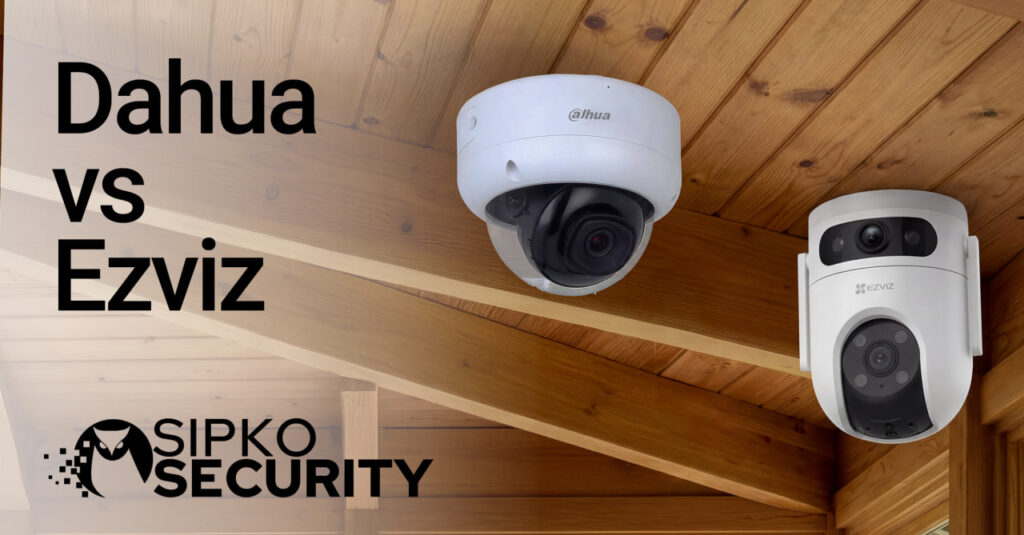
Dahua vs Ezviz: Consumer vs Professional CCTV

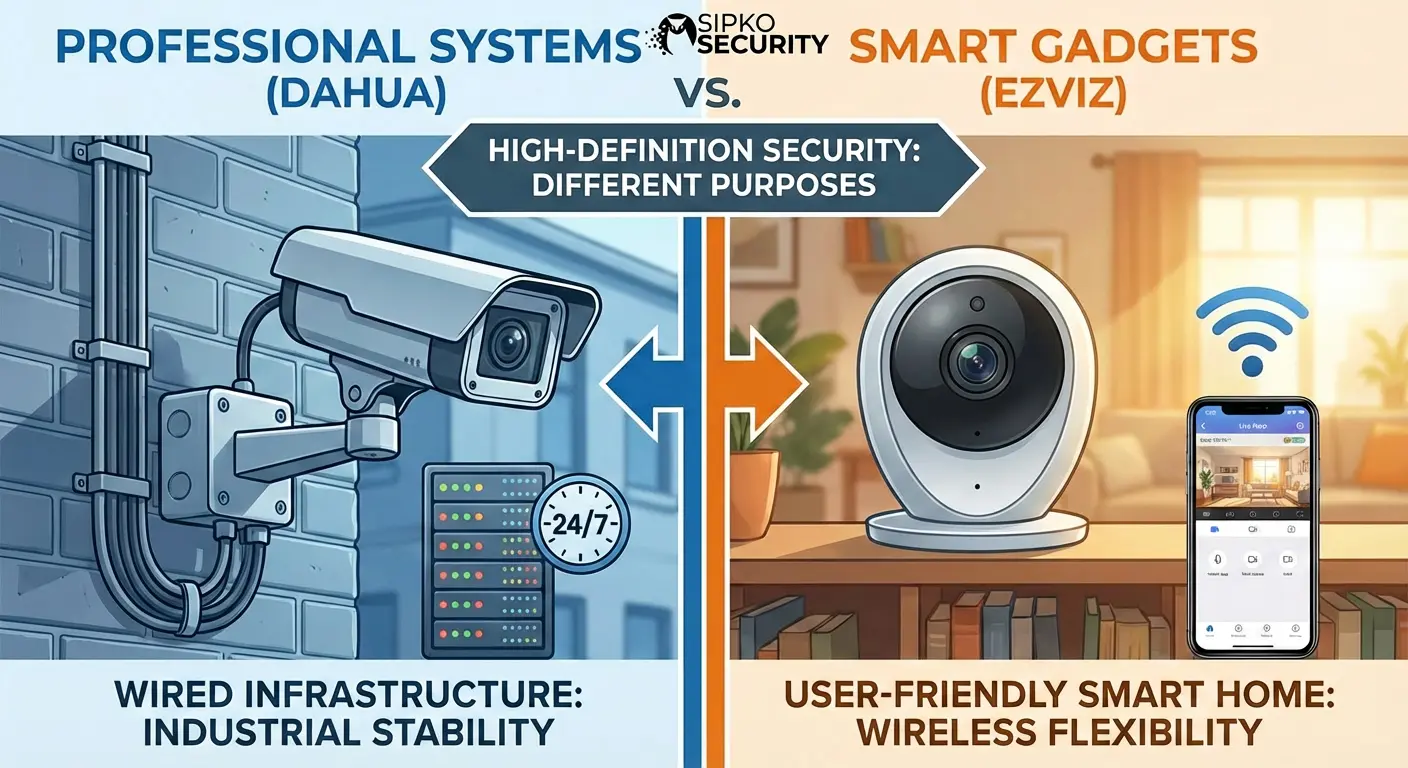
Ezviz usually fits quick DIY monitoring and app-first convenience. Dahua usually fits structured CCTV systems with recorder-led recording, better retention planning, and cleaner scaling when you add more cameras.

Quick takeaway: If you want fast setup and simple alerts, Ezviz is usually the easier choice. If you want a scalable CCTV system with a stronger evidence workflow, Dahua is usually the safer investment.

Evidence-first guidance
Home + small business
Practical setup checklist

A security camera is not just a gadget. For most people it is an emotional purchase. You buy it because you want to sleep better, travel without worry, and stop replaying “what if” scenarios in your head. That is why this comparison matters. If the system is annoying, unreliable, or hard to review, you will stop using it. And that is when regret appears.

Dahua and Ezviz can both show you live video on your phone. Both can record. Both can send motion alerts. But they are usually built for different types of buyers. Ezviz is commonly chosen for quick DIY monitoring. Dahua is commonly chosen for structured CCTV setups where recording, retention, and evidence workflow come first.

If you are thinking, “I just want something simple,” you might lean Ezviz. If you are thinking, “I want something I can rely on when something happens,” you might lean Dahua. This guide helps you choose without guessing.

Key Takeaways: Dahua vs Ezviz

When Ezviz usually wins
Simple DIY setup, app-led monitoring, quick alerts, and smaller coverage plans where convenience matters most.
When Dahua usually wins
Multi-camera CCTV, stable local recording, retention planning, easier playback/export, and cleaner scaling as your system grows.
The truth about night footage
Distance, light direction, and camera angle matter more than “4K”. A close camera with good light can beat a better spec camera placed too far away.
The biggest regret trigger
Not being able to find or export the clip later. Playback workflow and retention planning are the real “security experience.”

The best camera is the one that gives you usable footage when you actually need it.

— A simple rule that prevents CCTV regret

Quick Comparison

Category Dahua (Professional CCTV) Ezviz (Consumer Monitoring)
Best fit Whole-home coverage, multi-camera CCTV, small business, future expansion DIY home monitoring, apartments, rentals, small zones
Primary goal Stable recording, predictable retention, easier evidence workflow Fast setup, alerts, easy mobile viewing
Recording approach Usually recorder-led (NVR/DVR) with centralized local storage Often per-camera storage (microSD and/or cloud), app-led usage
Scaling later Cleaner experience as camera count increases Can scale, but can feel fragmented when many cameras are added
Best for Evidence-first CCTV with long retention and structured playback Convenience-first monitoring with simple alerts and app control
Choose Ezviz if…

You want fast setup, app convenience, and a simple way to keep an eye on a few key areas without planning a full CCTV system. You accept that storage may be per-camera (microSD/cloud), and you want the experience to feel like a smart home device.

🛡
Choose Dahua if…

You want stable recording, predictable retention, and a cleaner way to manage multiple cameras. You care about playback and export because you want evidence, not only notifications. You may expand later and want the system to stay organized.

Who Each Brand Usually Suits (Real-life Scenarios)

The easiest way to choose is to imagine your week, not your wishlist. Who will use the system? How often will you open the app? What will you do when an incident happens? The “right” brand is the one that fits your daily routine without friction.

Ezviz is often a better fit when

  • You are renting or you cannot run cabling easily.
  • You want a few cameras for front door, deliveries, and general awareness.
  • You prefer app simplicity over deeper configuration and system tuning.
  • You want fast alerts and quick live viewing on your phone.
  • You accept that storage may be managed per-camera (microSD or cloud options).

Dahua is often a better fit when

  • You want a full coverage plan (driveway, side access, rear perimeter, garage).
  • You care about retention and do not want to check cameras every day.
  • You want easier playback and export for insurance or police reporting.
  • You may add cameras later and want a clean, consistent workflow.
  • You want a “system” that records reliably like infrastructure, not only like a gadget.
A small truth that saves money

Many properties do not need “high-end everything.” The best approach is often a hybrid plan: stronger coverage at critical entry points (where faces are close), and simpler monitoring for low-risk zones. Planning the job usually beats upgrading the brand.

Home exterior monitored by security cameras
Tip: If identification matters, place at least one camera where a face is naturally close (door step, gate latch, driveway entry line).

Image Quality and Night Performance: Monitoring vs Identification

Here is the part most people only learn after an incident: “sharp video” is not the same as “useful evidence.” A camera can look great in daylight and still fail at night. A camera can look great on a phone and still be too far away to identify a person. This is not a brand problem. It is a reality of distance, lighting, lens angle, and how the scene is set up.

Consumer monitoring systems usually prioritize an enjoyable app experience and simple alerts. Professional CCTV systems usually prioritize consistent recording and structured review later. That difference shows up at night, when you need stable exposure, controlled glare, and a camera placed for the moment that matters.

Why Dahua setups often feel stronger at night

The main advantage is usually the system approach. A recorder-led setup encourages planning: cameras get jobs, distances are controlled, and retention is designed. When your site has mixed lighting, porch glare, or long driveways, a planned CCTV approach usually gives more consistent evidence.

Where Ezviz shines for everyday homes

Ezviz usually feels best at short distances: front doors, small yards, corridors, small garages, and indoor coverage. When the camera is close to the action and Wi-Fi is stable, the app-first experience can be genuinely satisfying. You open the app, you see what happened, and you move on.

Evidence tip: If identification matters, do not start by upgrading the camera. Start by reducing distance and improving light. A small placement change can transform night footage.

The most common “bad night footage” causes

Cameras mounted too high, pointed into lights, or placed too far from faces. This is why a cheap camera can become an expensive mistake. You pay twice: once for the device, then again for rework when the footage is not usable.

Recording and Retention: The Part People Notice Too Late

Most buyers focus on camera specs. But the real security experience is what happens after an event. Can you find the clip quickly? Can you confirm the timeline? Can you export it cleanly and share it with the right person? This is where structured CCTV systems usually feel calmer than device-first monitoring.

Retention is how long your system keeps footage before overwriting. If retention is too short, you end up checking footage every day because you fear missing something. If retention is planned well, you stop obsessing, because you know the footage will still be there later.

Dahua (typical recorder-led mindset)

A central recorder approach usually makes retention planning easier. You size storage once, then manage footage in one place. Playback is designed for multi-camera timelines, and exporting clips typically becomes part of the normal workflow.

Ezviz (typical device-first mindset)

Many consumer systems rely on per-camera storage decisions (microSD and/or cloud). That can be perfectly fine for a small number of cameras. As camera count grows, you may manage more settings and storage choices per device.

Planning question What this means for Dahua What this means for Ezviz
How many days do you need? Set retention once by sizing recorder storage, then manage footage centrally. Often decide per camera (microSD size and/or cloud plan), then keep an eye on each device’s storage settings.
Do you review clips often? Recorder-led playback is typically designed for fast timeline review across many cameras. App-led review can feel smooth for a few cameras, but can become slower when you search across many devices.
Will you add more cameras later? Scaling often stays cleaner because the system remains centralized. It can still scale, but it may feel more fragmented as camera count grows.

Simple rule: If you want peace of mind, plan retention. If you want evidence, plan playback and export. If you want both, a structured recorder-led approach usually feels easier long term.

Wi-Fi vs Wired: The Reliability Difference You Feel

Wi-Fi cameras are convenient, but convenience is not the same as certainty. Brick walls, long distances, crowded networks, and weak router placement can create the exact kind of blind spot that turns a “nice camera” into a frustrating camera. This is why many professional CCTV systems still prefer wired connections for key areas.

When Wi-Fi (Ezviz-style) makes sense

  • You cannot run cabling (rentals, apartments, quick installs).
  • Your router or mesh coverage is strong where cameras will be installed.
  • You are focused on alerts and quick viewing, not heavy multi-camera playback.
  • Your scene is not noisy (trees, busy street reflections) that triggers constant alerts.

When wired CCTV (Dahua-style) feels safer

  • You want stable recording and fewer “camera offline” moments.
  • You want full perimeter coverage and you plan to add cameras later.
  • You want predictable retention and a cleaner evidence workflow.
  • Your important cameras are far from the router (rear corners, garage, side gates).
Hidden reliability upgrade that helps any system

If power drops or the router reboots often, the “camera brand” does not matter. Consider surge protection and a small backup power solution for the router/recorder in outage-prone areas. This protects recordings and reduces the stress of missing footage.

System Architecture: Dahua vs Ezviz (Why the Experience Feels Different)

These diagrams reflect the usual difference. Dahua is commonly built around central recording, which keeps the system organized. Ezviz is commonly device-first with app-led monitoring, which keeps setup simple.

Dahua System Architecture

Cameras
NVR / DVR (Central Recording)
Playback + Export + Remote Viewing

Central storage and a single timeline usually make multi-camera review easier, especially after a real incident.

Ezviz Monitoring Architecture

Cameras
microSD / Cloud Storage
App Monitoring + Alerts

Easy setup and quick alerts, best when you want simple monitoring for a smaller number of cameras.

Installer Blueprint: How to Avoid Blind Spots and Bad Footage

If you want the best result from either brand, follow this blueprint. It focuses on outcomes, not hype. Most CCTV disappointment comes from a few planning mistakes that are easy to fix before you mount anything.

Step 1: Mark “must-identify” spots first

Do not start by counting cameras. Start by marking the places where a person will be naturally close to the camera: door step, gate latch, driveway entry line, garage side door. These are your identification moments. One camera placed correctly here can be worth more than three overview cameras.

Step 2: Give each camera one clear job

Example roles: “Front door face,” “Driveway entry,” “Side access,” “Rear overview.” When each camera has one job, you reduce overlap, you reduce confusion, and playback becomes faster. This is the difference between a system you use and a system you ignore.

Step 3: Control glare before you blame the camera

Do not aim cameras directly at porch lights or car headlights. Small angle changes can transform night footage. If you can, add soft lighting near entry points. Good light makes every camera better, regardless of brand.

Step 4: Decide retention before you buy

Retention is the peace-of-mind setting. Decide if you need 3 days, 7 days, or 30 days. If you want to stop checking daily, you probably need more retention than you think. This decision often points you toward recorder-led CCTV when the system grows.

Step 5: Make alerts meaningful

Notification fatigue kills camera usage. Reduce false alerts by narrowing motion zones to entry paths and avoiding scenes full of moving trees, reflections, or traffic. A calmer system is a safer system because you actually pay attention when it alerts.

If you want the simplest decision: Choose Ezviz for quick DIY awareness. Choose Dahua for structured evidence and long-term system growth. Then apply the blueprint above so the brand does not get blamed for placement mistakes.

Privacy and Cyber Basics (Do This No Matter Which Brand You Choose)

Security cameras should protect your home and business, not create a new problem. Two areas matter here: privacy (where cameras point and how footage is used) and cybersecurity (how devices are secured). This section is intentionally simple, because simple routines are the ones people actually follow.

Privacy: avoid the “uncomfortable camera” problem

Keep cameras focused on your property and legitimate security zones. Avoid pointing directly into neighbours’ private areas. If you are recording in a workplace, be clear and consistent about why cameras exist and how footage is handled. Respectful placement prevents conflict and keeps cameras serving their real purpose.

Cyber: protect your devices like you protect your doors

Change default passwords, use strong unique credentials, keep firmware updated, and limit unnecessary remote exposure. If you use cloud services, use two-factor authentication when available. A camera that is easy to access should be easy for you, not easy for strangers.

Quick security checklist (2 minutes)

Change default passwords. Disable unused accounts. Update firmware. Keep the recorder/router in a safe location. Use strong Wi-Fi and avoid sharing admin access casually. These small habits protect the system more than most “premium features.”

Frequently Asked Questions

Is Ezviz good enough for home security?
Yes, for many homes, especially when you want quick monitoring for a few zones like the front door or small yard areas. The key is realistic expectations and good placement. If you need strong evidence workflow, longer retention, and easier exports, a structured CCTV approach is usually better.
Is Dahua only for businesses?
No. Many homeowners choose Dahua when they want multi-camera coverage with stable recording, better retention planning, and easier playback. It is often chosen when people want CCTV to behave like dependable infrastructure rather than only a smart device.
What matters more than the brand?
Placement, distance, lighting, and how you plan retention. A well-placed camera in good light can outperform a higher-spec camera placed too far away. Brand matters, but planning often matters more.
How do I reduce false alerts?
Narrow motion zones to entry paths, avoid pointing at moving trees or reflective surfaces, and adjust camera angle to reduce background movement. A calmer scene produces calmer alerts, and calmer alerts are the ones you actually respond to.
How can I improve night footage without replacing cameras?
Improve lighting at key entry points, reduce distance to faces by adjusting camera placement, and avoid steep overhead angles. Small lighting and placement changes often deliver more improvement than buying a new camera.

Final Verdict: Convenience vs Evidence

Dahua vs Ezviz is not about good versus bad. It is about matching the system style to the outcome you want. Ezviz usually fits convenience-first monitoring for smaller DIY setups. Dahua usually fits evidence-first CCTV with stable recording, retention planning, and cleaner scaling.

If you want to feel genuinely protected, do not only look at the camera spec sheet. Think about your future self. When something happens, will you be able to find the clip quickly, review it clearly, and export it without stress? That is the real test.

Need help choosing the right setup?

If you tell us your property type and your “must-identify” areas (front door, driveway entry, side gate), we can recommend a practical camera plan that fits your budget and avoids blind spots.

Sipko Security

Written by Sipko Security Team

Your trusted Melbourne security partners specializing in alarms, CCTV, and integrated security solutions.

Sources and References

The links below are included for general guidance on privacy, device security, cabling compliance, and public context.

Note: On mobile, tables scroll horizontally and cards stack naturally.