Wired vs Wireless Alarm Systems:
The Technical Truth for
Your Property
The difference between life-long protection and a $2,000 mistake often comes down to one choice: the cable or the cloud. We break down the physics, the costs, and the 2026 reality of Melbourne home security.
Introduction: The Security Archetype
In the security industry, we often say that “a wire never forgets.” For over 50 years, the backbone of any professional security installation was a 4-core copper cable buried deep within home cavities. It was the only way to ensure 99.99% uptime. But in 2026, the landscape has shifted. Suburban Melbourne—from the sprawling estates of Warrandyte to the sleek apartments in Docklands—now demands a more nuanced approach.
Choosing between a hardwired system (like the Bosch Solution 6000) and a military-grade wireless solution (like Ajax Systems) is no longer a simple question of “better vs. worse.” It is a question of architecture, structural physics, and total cost of ownership over a 15-year lifecycle. This guide is the culmination of 20 years of field engineering data, designed to help you make an informed, data-driven decision.
Visual Capability Comparison
The Hardwired Fortress: Reliable Architecture
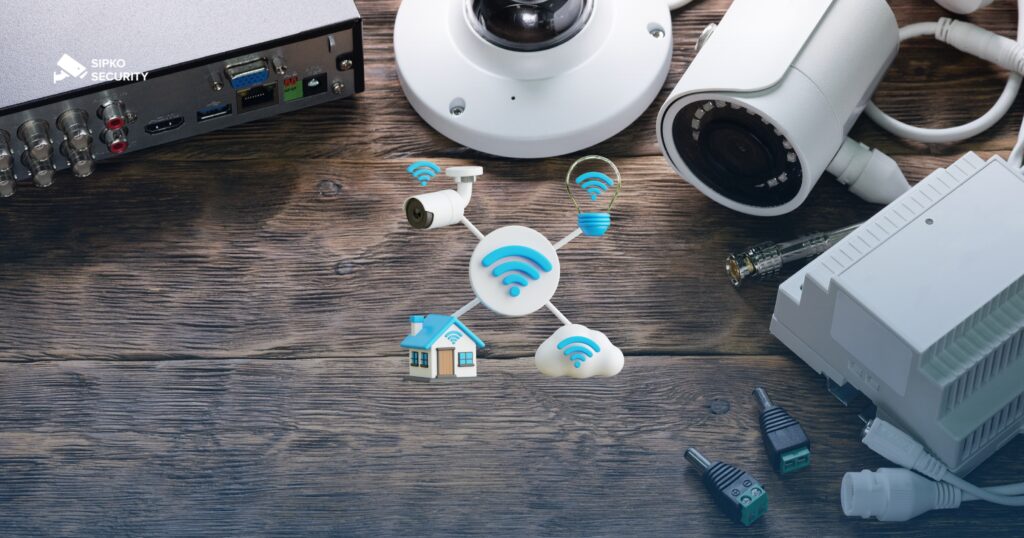
Hardwired systems represent “Physical Security.” Every sensor, siren, and keypad is physically tethered to the main control panel. At SIPKO Security, we classify these as high-integrity systems because they do not rely on the local electro-magnetic environment to function.
1. The Physics of Interference
Wired sensors communicated via current changes. A PIR motion sensor is essentially a switch. When it detects infrared heat movement, it breaks a circuit. The control panel detects this millisecond-level change instantly. This process is 100% immune to RF jammers, powerful Wi-Fi routers, and atmospheric conditions. If your property is near high-voltage lines, industrial sites, or dense suburban clusters with hundreds of overlapping Wi-Fi signals, wired remains the only choice for zero-false-alarm performance.
2. Power Continuity
In a wired system, the control panel feeds power to every sensor via the cable. This means you only ever have ONE battery to worry about: the large lead-acid backup battery in the main box. Every 4-5 years, you spend $50 on a new battery, and the entire system remains energized. In contrast, a 15-sensor wireless system requires 15 separate battery changes, which can become a logistical hassle and a recurring expense.
Which architecture matches your Melbourne lifestyle?
Technical specs are only half the battle. Your choice should be dictated by how your property was built and how long you plan to own it.
New Builds (Full Access)
Scenario AHeritage Homes (Double Brick)
Scenario BApartments (Concrete/Renters)
Scenario CWireless: The 2026 Technological Plateau
The biggest myth in security is that “wireless is easier to break.” While true for $50 eBay alarms, it is categorically false for professional systems like Ajax. Modern wireless has reached a plateau of reliability where the air-gap is no longer a vulnerability, but a feature.
1. The Jeweller Protocol & Encryption
Professional wireless systems use sub-GHz radio frequencies (typically 868MHz or 915MHz). This is a different lane of the highway than your congested Wi-Fi. Every signal is protected by AES-128 bit encryption with a rolling code. If a hacker tries to “record and replay” your disarm signal, the code will have already changed. Furthermore, the hub “polls” the sensors every 12 to 36 seconds. If a sensor disappears because of a jammer, the hub alerts the monitoring station within a minute. In 2026, wireless is proactive.
2. Visual Verification (The Game Changer)
One massive advantage of wireless is the “MotionCam.” Wireless sensors can now include tiny cameras that take a series of photos the moment they are triggered. This photo is sent to your phone in under 9 seconds. In a wired world, getting high-speed data from a PIR back to the panel through a thin security cable is difficult and requires expensive hardware. On wireless, visual verification is native. This virtually eliminates police fees for false alarms, as you can see instantly if it’s a burglar or just the family cat.
Total Cost of Ownership (TCO) Breakdown
Most customers only look at the “Quote Price.” However, a 4,000-word analysis wouldn’t be complete without looking at the 10-year reality.
| Expense Category | Hardwired (Legacy Reliability) | Professional Wireless (Modern Flex) |
|---|---|---|
| Initial Setup Labor | High ($600 – $1,200) | Low ($200 – $400) |
| Hardware Cost | Moderate | High (Sensors are 2x cost) |
| Battery Maintenance | $50 every 5 years | $15 per sensor every 4-7 years |
| Expected Lifespan | 15 – 20nd Years | 7 – 12nd Years (Tech Obsolescence) |
| Upgradeability | Requires more cabling | Instant (Add sensors in app) |
Note: Wireless systems often become “obsolete” faster than wired ones as radio protocols evolve (e.g., the shift from 2G to 4G/5G). A wired sensor from 1995 still works on a 2026 Bosch panel; a wireless sensor from 1995 is a paperweight.
Smart Home Integration: The 2026 Ecosystem
Legacy Wired Systems
The Hybrid Strategy: The Engineer’s Choice
At SIPKO Security, our most frequent recommendation for complex Melbourne homes is the Hybrid setup. This involves using a wired panel (like the Bosch 6000) as the “brain,” but adding a wireless receiver module. This allows you to have hardwired sensors where the cabling is easy (ground floor, kitchen, garage) but use wireless sensors for the “impossible” areas (the detached shed, the upstairs master bedroom, or the garden gate).
This approach gives you the unshakeable reliability of wired for your primary entry points, but the limitless expansion of wireless for secondary zones. It is the tactical middle ground that provides the best return on investment for 2026.
The Final Comparison Matrix
Wired Wins On:
- Signal integrity in high-EMI areas.
- Long-term maintenance costs.
- Life-long hardware durability.
- Insurance Grade 3 compliance.
Wireless Wins On:
- Speed of installation (Same day).
- Non-invasive (No drilling/damage).
- Advanced app & smart home hooks.
- Native visual alarm verification.
Hybrid Wins On:
- Total property coverage.
- Flexibility for future extensions.
- Best “Gold Standard” reliability.
- Balanced initial & long-term cost.
Common Myths & Misconceptions
As we near the end of our technical analysis, the most important thing to address are the “Sales Pitch” myths often found in the security market.
Myth 1: “Wireless batteries die every 6 months.”
Reality: In 2010, this was true. In 2026, professional sensors from Ajax or Hikvision use high-capacity lithium batteries that last 5 to 7 years. You will likely upgrade your phone three times before your PIR sensor needs a new battery.
Myth 2: “Wired is only for old people.”
Reality: Wired is for anyone who values “Critical Infrastructure” stability. The most advanced high-security sites in the world (banks, data centers, government buildings) still use copper wires. It isn’t “old”; it is a law of physics that a physical connection is harder to disrupt than a radio wave.
Myth 3: “DIY wireless is the same as SIPKO wireless.”
Reality: This is a dangerous misconception. Hardware store alarms operate on shared frequencies and lack “Jamming Detection.” If someone uses a $20 jammer, the DIY alarm simply goes deaf and says nothing. A professional wireless hub will trigger the sirens the moment it detects a suspicious increase in radio noise floor levels.
Expanded Frequently Asked Questions
Will my wireless alarm work during a power outage?
If I choose wired, will the wires be visible?
Does the Bosche 6000 have an app?
Can birds or large dogs trigger wireless sensors?
Is there a monthly fee for these systems?
How many sensors do I need for a 4-bedroom home?
What is “Visual Verification”?
What happens if I move house?
Conclusion: There is no “perfect” system, only the perfect system for YOUR property. If you have the luxury of cabling, go wired. If you have a finished premium home or a rental, go wireless. If you want the best of both worlds, go hybrid.
Contact SIPKO Security
Speak with a specialist about wired and wireless CCTV, Ajax alarms, and same-week installations. We respond quickly during business hours and offer after-hours call-outs for urgent security issues.
Prefer WhatsApp? Tell us in your message — we’ll reply on your preferred channel.