
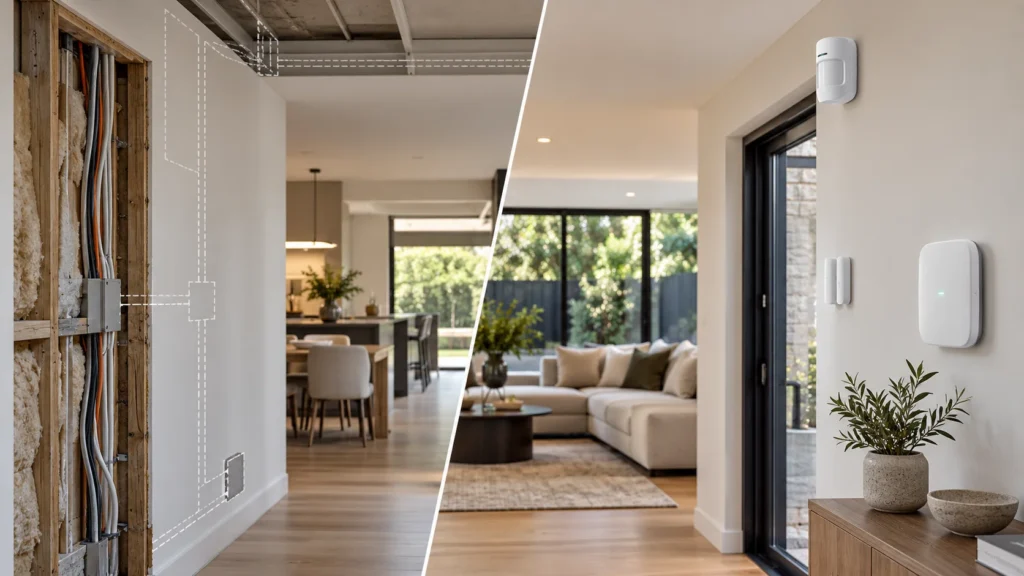
Alarm Systems for Renovated Homes With No Wall Access
The renovation is finished. Walls are plastered and painted, tiles are laid, floors are done. Now there’s a security system to add, and cutting back into any of that finished surface to run new alarm cable isn’t appealing — and depending on what’s behind those walls, it may not be realistic at all.
Wireless devices can remove the need to run dedicated alarm cable to many device positions. What they don’t remove is installation planning. A wireless system still needs somewhere for the central equipment to sit and draw power, needs its communication checked against the specific walls and floors of the house it’s going into, and needs every sensor mounted with a purpose.
This is what a finished-home installation actually involves: what’s still accessible, where the central equipment goes, which positions need reliable wireless communication, and what the ongoing upkeep looks like once it’s all in.
First Check What the Renovation Has Actually Left Accessible
“No wall access” rarely means the entire property is equally inaccessible. It’s worth treating as a room-by-room, even wall-by-wall question, rather than a blanket description of the whole house.
Some parts of a renovated property may still have genuinely usable pathways, while others may not. It’s worth checking whether the property still has:
- usable existing alarm cabling from a previous system;
- accessible roof, ceiling or subfloor spaces;
- existing pathways that could carry cable without disturbing finished surfaces;
- areas where concealed cable is genuinely no longer practical;
- routes that are technically possible but not something the owner wants visible.
Working through this properly means assessing each area on its own terms, rather than assuming the whole property is either fully open or fully closed. Many finished homes end up as a mix: some positions still wired-accessible, others not.
If most of the house does turn out to need a wireless or hybrid approach, and the choice between wired, wireless and hybrid architecture hasn’t actually been made yet, that broader decision is worth working through first — see our guide to wired, wireless and hybrid alarm systems.
What “Wireless” Removes — and What It Doesn’t
Wireless devices genuinely solve one specific problem: they don’t need a dedicated cable run back to a panel for every door, window or motion sensor. That’s a real, practical difference in a finished home. It isn’t the same as removing installation from the picture altogether.
Removing a cable run doesn’t remove the underlying requirement. It shifts the planning to equipment location, wireless communication and ongoing servicing — the next few sections work through each of those in turn.
Plan the Hub Before You Plan the Sensors
It’s tempting to start a wireless installation by working out where the detectors should go. For hub-based wireless systems, the central equipment deserves that attention first, because its location constrains everything connected to it. Before settling on a spot, check:
- where central equipment can be powered;
- what connectivity the specific platform requires;
- whether the proposed position communicates reliably with every device location;
- whether the equipment stays accessible for servicing, rather than tucked away purely because it’s out of sight.
Ajax’s Hub 2 Plus is a useful concrete example, not because it’s the only option but because its requirements are clearly documented: it needs a power connection, and supports Ethernet, Wi-Fi and dual-SIM cellular connectivity, with a backup battery life calculated at up to 15 hours specifically when running on the SIM card only, per the manufacturer’s specifications. Other hub-based platforms will have their own specific requirements, worth checking against the exact model being installed rather than assumed from a different one.
Test the Actual Building, Not a Claimed Wireless Range
Ajax specifies a Jeweller communication range of up to 2,000 metres in open space (Ajax Systems). That’s a manufacturer specification condition, not a prediction of range through the walls and floors of a particular home — once that signal has to pass through the brick, concrete, insulation and metal framing of an actual finished home, real-world performance can look very different.
Masonry walls, reinforced concrete, metal wall ties, multiple floors, and the physical distance and layout between the hub and each device can all reduce real-world performance well below an open-space figure. None of that means wireless won’t work in a given property. It means the only way to know is to check it in that property, at the actual proposed hub and device positions, rather than relying on a spec sheet number.
When a Range Extender Is Needed
If testing turns up a weak spot, a range extender can help — but it’s a response to a specific, identified problem, not a substitute for getting the initial hub position right. Ajax’s ReX, for example, is documented as requiring a mains power connection (110–240V) and carries its own backup battery, with its role being to extend radio range to devices placed further from the hub — worth confirming the exact backup-runtime figure for the specific model and firmware version being installed, since this can vary between range-extender models in the same product family. Adding one is worth doing once testing shows exactly where the gap is, not as a default fix for a hub placed somewhere convenient rather than somewhere that works.
Device Mounting Still Matters When There Is No Cable Run
Removing the cable run doesn’t remove the physical side of installing a sensor. A door or window contact, a motion detector, or a keypad still needs to be fixed to something — a frame, a wall, a ceiling — using the mounting method specified for that device and suitable for the surface it’s going onto.
Placement still has to follow the detection task, not just the easiest spot to reach. A motion detector angled to cover the room’s main approach does a different job to one stuck on the nearest available wall. A door contact needs proper alignment with its magnet to work reliably, regardless of how it’s mounted.
These are still physical installation decisions, even when no alarm cable needs to be run to the device.
Existing Cable Can Still Change the Plan
A finished home isn’t necessarily empty of usable infrastructure. If a previous alarm system left behind cable, it may be reusable as part of a new installation plan if its condition, routing and suitability for the new system are confirmed — reducing how much new wireless-only coverage is actually needed.
There’s an important distinction worth keeping in mind here: reusing existing cable is not the same as reusing or migrating an existing alarm system. If the plan involves keeping an existing panel, carrying over its zones, or moving from one alarm brand to another — a Bosch, DSC or Hills system being taken over into a new platform, for example — that’s a different scenario with its own considerations. See our guide to upgrading an existing alarm system.
Maintenance Doesn’t Disappear With Wireless Devices
Wireless devices trade permanent cabling for battery power, and that trade comes with its own ongoing task. Batteries in door contacts, motion detectors and other wireless sensors eventually need replacing, and how long that takes depends on the specific device, its configuration and how often it’s triggered — worth checking against that device’s own documentation rather than assuming one figure applies across an entire system.
Where the central equipment includes backup power, its battery serves a different purpose from the batteries in individual sensors: keeping the system operating during a mains outage rather than powering a sensor for years.
None of this is a reason to avoid a wireless system in a finished home. The practical point is simply to include battery replacement and system checks in the maintenance plan from the start.
A Finished-Home Installation Checklist
Bringing the above together, a practical way to plan an installation in a renovated home:
- Which finished surfaces need to stay untouched?
- What existing cabling or pathways are still usable?
- Where can the central equipment be located and powered?
- Which device positions will depend on wireless communication?
- Has that communication actually been tested at those positions?
- If a spot is weak, can placement change before adding extra hardware?
- How will each device be physically mounted?
- What ongoing battery or service requirements remain?
- Is this a new installation, or does it actually involve upgrading or taking over an existing alarm system?
If an existing system is being upgraded or taken over, a different set of compatibility and migration questions applies.
Protect the Renovation Without Designing Around the Alarm
A finished home doesn’t rule out a well-planned alarm system. It just changes the order the planning happens in. Working out what’s actually accessible, where the central equipment can sit, which positions need reliable wireless communication, and what the ongoing maintenance looks like all comes before choosing a specific platform, not after.
Once that groundwork is done, the choice of system becomes a far more concrete decision than a generic wireless recommendation. For homeowners in Stonnington, see SIPKO Security’s alarm installation and monitoring service for residential alarm installation across established and renovated properties.
Frequently Asked Questions
Does a wireless alarm system need any cabling?
Wireless detectors can avoid dedicated alarm cable runs to individual device positions, but the central equipment, its power connection, and its network or cellular connectivity still depend on the specific platform being installed.
Can an alarm be installed without opening newly renovated walls?
It can be. A system can sometimes be planned without new concealed cable runs through finished walls, depending on the existing infrastructure, device positions and requirements of the chosen platform.
Can existing alarm wiring still be used after a renovation?
Potentially, if it’s in usable condition — existing cable can be a genuinely useful input into the installation plan. Whether it’s suitable depends on its condition and what the new system needs. Reusing the cabling is a separate question from reusing or migrating the alarm system it used to belong to.
Do thick brick or concrete walls affect wireless alarm systems?
Yes. Building materials like masonry, reinforced concrete and metal framing can reduce real-world wireless range well below a manufacturer’s open-space figure, which is why on-site signal testing at the actual hub and device positions matters more than the number on a spec sheet.
Sources


